
Reminder Pro is a versatile productivity tool designed to help users organize their daily lives through customizable reminders. The app allows users to set one-time and recurring notifications for various tasks, from simple errands to important deadlines. Its intuitive interface ensures that creating reminders takes only seconds, making it an efficient solution for managing personal and professional responsibilities.
The app's core strength lies in its simplicity and functionality. Whether you need a pill reminder, meeting alert, or deadline notification, Reminder Pro has you covered. It supports multiple categories with unique settings, quiet hours for minimal disruption, and even offers a snooze option for those needing a little extra time. These features make it an invaluable tool for anyone looking to enhance their productivity without the clutter of unnecessary functions.
Users can benefit greatly from integrating Reminder Pro into their daily routines. From remembering birthdays and anniversaries to scheduling important calls and paying bills on time, this app ensures you never miss a beat. With additional features like popup notifications, widgets, and auto backup, Reminder Pro provides a comprehensive solution for staying organized and on top of your game.
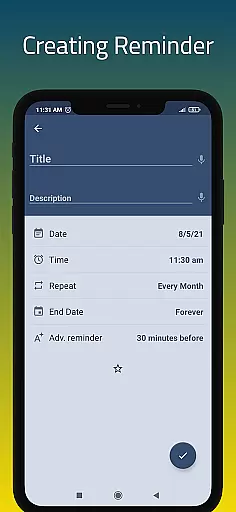
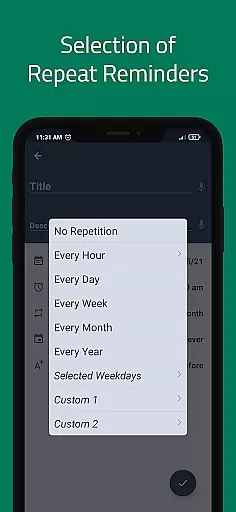
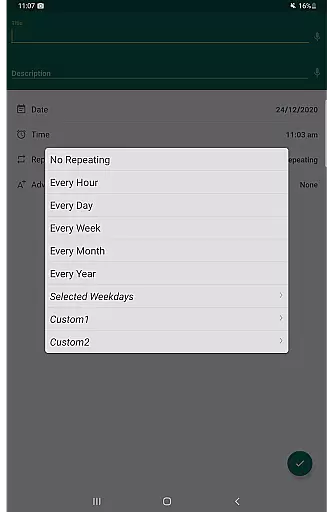
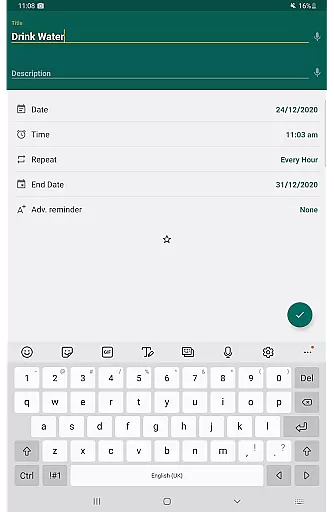
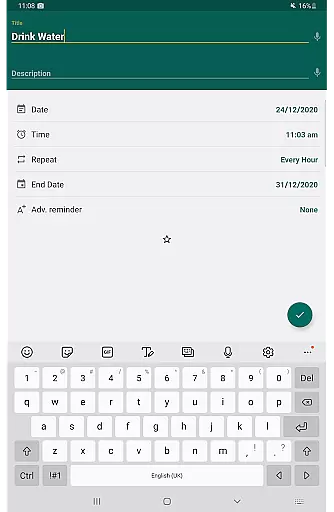
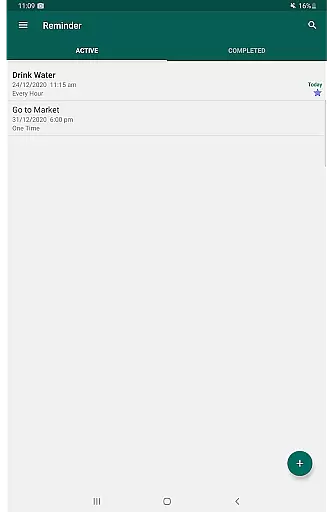
Reminder Pro stands out with its rich feature set tailored to meet diverse user needs. One of its key functionalities is the ability to create custom recurring reminders, which is perfect for routine tasks such as taking medication or attending weekly meetings. This flexibility ensures that users can tailor the app to fit their specific schedules and requirements seamlessly.
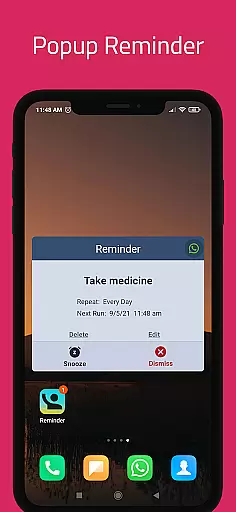
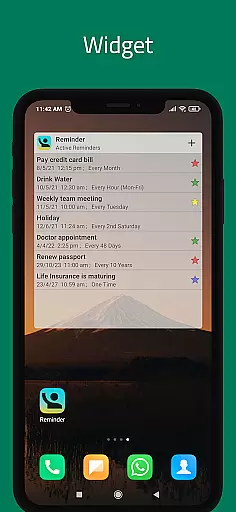
In addition to recurring reminders, the app offers several other notable features. Users can take advantage of popup notifications that grab attention instantly, ensuring no reminder goes unnoticed. The inclusion of a snooze option adds convenience, allowing users to delay alerts temporarily if they're busy. Furthermore, the widget feature provides quick access to frequently used functions directly from the home screen, enhancing overall usability.
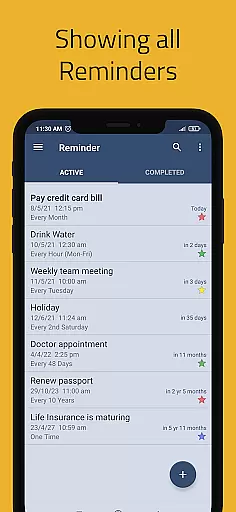
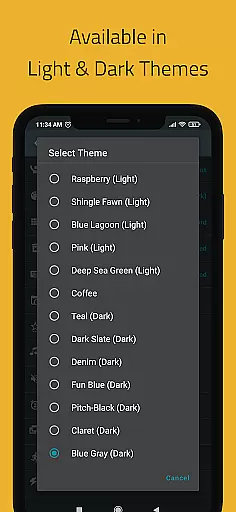
Another significant aspect of Reminder Pro is its organizational capabilities. With support for multiple themes, search functionality, and different grouping views (standard, compact, monthly), users can customize their experience extensively. Categories with distinct colors and settings help prioritize tasks effectively, while quiet hours settings ensure uninterrupted rest. Overall, these features combine to offer a robust and user-friendly reminder system that boosts productivity significantly.
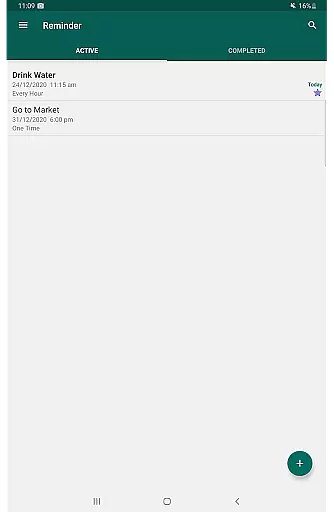
Task management is at the heart of productivity applications, and Reminder Pro excels in providing a robust system for organizing your daily activities. The app allows users to create both one-time and recurring reminders, ensuring that no important task is overlooked. With features like deadline notifications, meeting alerts, and daily task scheduling, Reminder Pro offers a comprehensive solution for managing various aspects of personal and professional life.
The application's interface is designed to make task creation intuitive and quick. Users can set reminders for a multitude of scenarios, from homework deadlines to paying bills, all within seconds. This simplicity ensures that even those new to task management apps can easily adapt and start boosting their productivity without a steep learning curve.
Reminder Pro also includes advanced features such as custom recurring reminders, snooze options, and quiet hours settings. These functionalities allow users to tailor their experience according to their unique needs and preferences. Whether it's setting up a medication schedule or planning events in advance, Reminder Pro provides the tools necessary to keep users on track and organized.
In today's interconnected world, the ability to synchronize data across multiple devices is crucial for maintaining productivity. Reminder Pro addresses this need by offering reliable cross-device synchronization, ensuring that users have access to their reminders and tasks regardless of the device they are using. This feature is particularly beneficial for individuals who rely on multiple devices throughout their day.
The synchronization process is seamless and operates in real-time, meaning any changes made on one device are immediately reflected on all others linked to the user's account. This includes updates to existing reminders, addition of new tasks, or completion of items on the to-do list. Such reliability fosters a consistent and uninterrupted workflow, allowing users to focus on their tasks rather than worrying about data consistency.
Moreover, Reminder Pro enhances its synchronization capabilities with options like auto backup and manual backup. These features provide an additional layer of security, ensuring that users' data is not only synchronized across devices but also protected against accidental loss. With these robust synchronization and backup features, Reminder Pro delivers a dependable solution for managing tasks efficiently across different platforms.
User-friendly interface
Customizable reminders
Multiple category options
Quiet hours setting
Auto backup feature
Limited advanced features
No cross-platform sync
Premium version required
Occasional bugs
Ads in free version

Experience real multitasking on your Android!
 4.00
4.00
Send files, sync SMS, notifications & clipboard across devices via local network
4.40
Secure, fast, open-source, Remote Desktop Client for Windows and Linux with SSH
4.60
All in One PDF Reader: Manage, Read and Edit your Documents
4.20
Multilingual translator for text, voice, and image translation!
4.90
Quickly and easily keep track of your work shifts
4.70
Simple notepad & memo. Take notes, to-do list, shopping list with reminders.
4.80
Daily processing of PDF documents.
4.40
Browse and view your photos and videos from the phone with photo & video hide.
4.10
Native client for Forgejo and Gitea
5.00
Great calculator for Android named one of USA TODAY's "25 Essential Apps".
4.90
We're working to become the best machining app on the market! www.cncdirt.com
4.80
Direct Chat without saving contacts & Dual WA Account on Single Device
4.70
aCalendar+ makes your day, week and month
4.70
Lightweight PDF, Word, Excel reader.
4.60
Fill, sign & send docs, forms, agreements & contracts via electronic signature.
4.50
Enjoy classic gameplay with customizable features and retro-style graphics.
4.30
A customizable calendar for your Wear OS watch
4.20
Activate Two Factor Authentication (2FA or Multi OTP), Password manager and more
4.10



User Reviews