
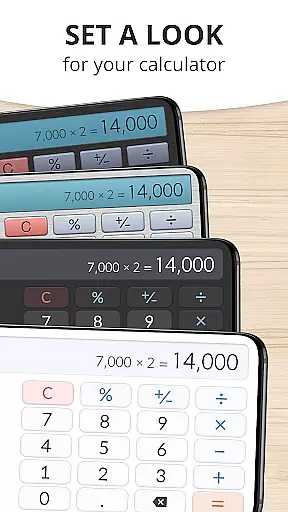
Calculator Plus is a productivity-focused calculator app designed to offer a superior experience compared to traditional handheld calculators. It features an elegant, user-friendly interface with clear, readable text and intuitive functions that make everyday calculations simple and efficient.
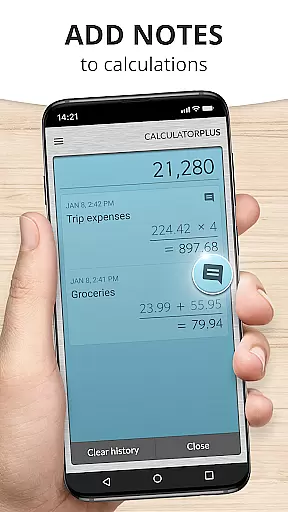
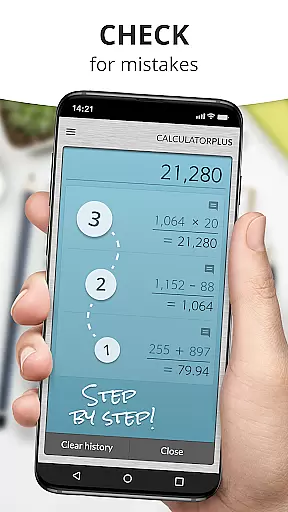
The app provides practical solutions such as memory functions, backspace correction, and advanced math options accessible via swipe. Its ability to save calculations for later review makes it ideal for various tasks like homework, shopping, or managing finances. With its modern design and robust functionality, Calculator Plus enhances both productivity and convenience on Android devices.
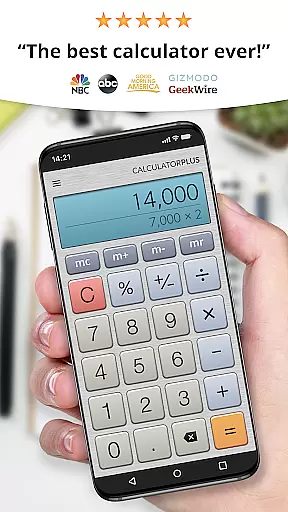
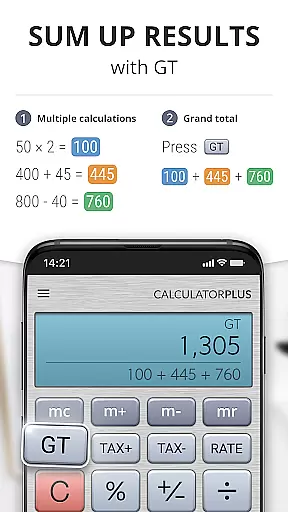
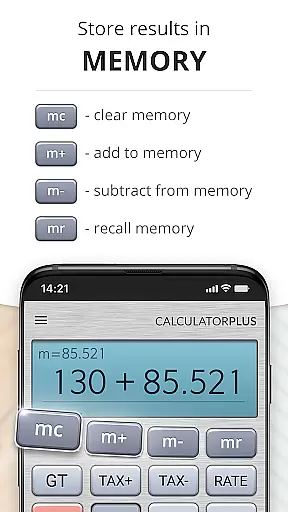
Calculator Plus stands out with its innovative features tailored for efficiency and ease of use. The app displays calculations in crisp, elegant typography with proper formatting, ensuring clarity at every step. Its unique memory function allows users to maintain a running total and revisit past calculations anytime.
Advanced capabilities are easily accessible by swiping aside memory keys, revealing more complex math operations. The app also includes a helpful percentage key that clearly shows the applied calculation, eliminating confusion. Designed for both smartphones and tablets, Calculator Plus combines functionality with an attractive interface, making it the perfect tool for daily productivity needs.
Calculator Plus excels in core task management by offering a seamless calculation experience that goes beyond basic arithmetic. The app allows users to save and review past calculations effortlessly, making it an ideal tool for various productivity tasks.
With its memory functions, users can maintain running totals and access advanced math operations by simply swiping aside memory keys. This feature ensures that users can manage complex calculations without losing track of intermediate results.
The app's backspace function enables users to correct mistakes easily without starting over, which significantly enhances efficiency when performing multiple-step computations. This functionality saves time and reduces errors in critical tasks such as budgeting or project calculations.
By providing a clear and elegant display with proper comma placement and real-time visibility into the calculation process, Calculator Plus ensures users can focus on their work without distraction. This thoughtful design makes it an invaluable tool for anyone seeking to improve their daily productivity.
While Calculator Plus does not explicitly advertise cross-device synchronization, its reliable memory features offer users a consistent experience across sessions on the same device. This consistency ensures that users can pause their work and return to it later without losing progress.
The app's ability to store all calculations means users can quit the app and resume their tasks whenever needed. This feature provides a reliable experience akin to cross-device synchronization but within a single-device context.
For users who work on multiple devices, while direct synchronization isn't available, the app's comprehensive memory functions allow them to pick up where they left off with minimal disruption. This reliability is crucial for maintaining workflow continuity.
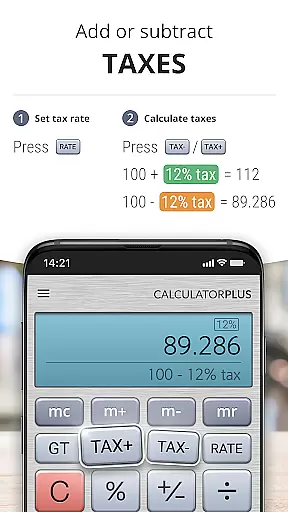
Although true cross-device syncing might be beneficial, Calculator Plus compensates by offering robust session management on individual devices. This approach ensures that whether you're calculating taxes or balancing checkbooks, your data remains secure and accessible for future reference.
User-friendly interface
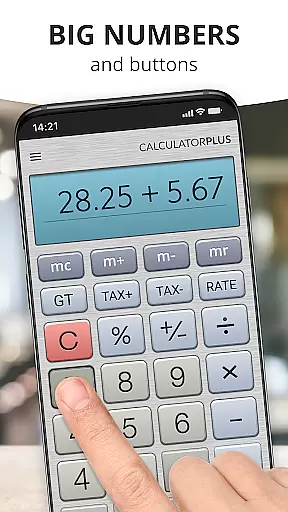
Clear, readable display
Memory function with visible totals
Backspace correction feature
Advanced math functions available
Limited to basic calculator functions
No graphing capabilities
Requires manual input for complex equations
Occasional performance lags
Ads may disrupt user experience

Auto-shutoff Alarm with Sunrise, Sunset & Fixed Options.
 3.50
3.50
Ads Free App! Editor, Hide File, Copy, Move, Delete and Rename.. all facility av
1.70
Unlock AutoNotification
4.00
Wake up & get tasks done! Add alarms & reminders on the Clock Launcher.
4.00
⏰ Finally a timer app which can run multiple timers simultaneously on your watch
3.90
Pwnagotchi companion app
4.20
Access, manage and transfer files on Android, PC, Mac, NAS and cloud storages.
4.30
Docker, Kubernetes management over Portainer Mobile
4.40
A comprehensive suite of tools designed specifically for Lactation Consultants
4.2
Scan paperwork into PDF/JPG, generate your own e-signature and send fax or email
4.70
PDF scanner & converter for files, photos, lottery, QR codes. One swipe away!
4.50
CalenGoo is a very flexible and feature-rich calendar app
4.40
A Pixel Art watchface inspired by other iconic 90s designs for Wear OS devices!
4.40
Share files & memories safely. Keep your photos and videos secure.
4.40
Automates browsing any website and notifies you of important changes or events
4.30
Cloud storage, automatic phone backup, and more.
4.10
Customizable calendar widget for seamless event sync, planning & scheduling.
4.00
Create and edit presentations with Google Slides, part of Google Workspace.
4.00
Mega cloud explorer plugin for Solid Explorer
3.80




User Reviews