
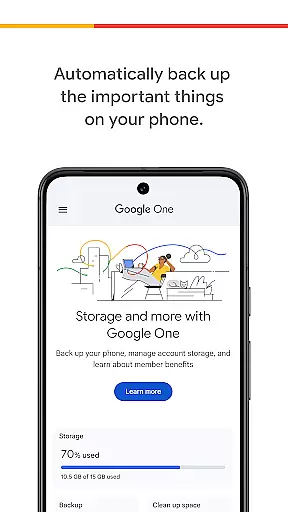
Google One is a productivity app designed to help users manage their digital storage and protect important data. The app provides automatic backup for photos, contacts, and messages using the 15 GB of free storage included with every Google account. This ensures that even if you lose or upgrade your phone, all your critical data can be restored on a new Android device.
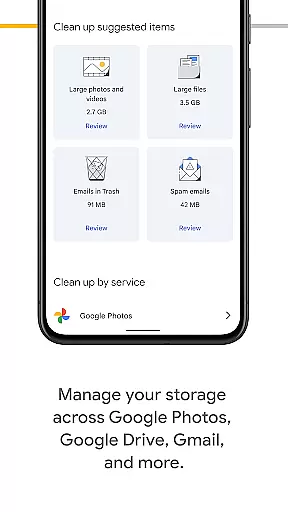
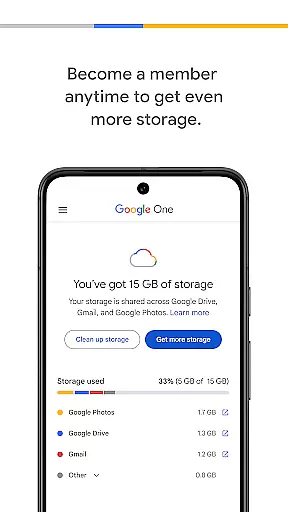
In addition to basic backup functionality, Google One allows users to efficiently manage their existing Google account storage across Google Drive, Gmail, and Google Photos. For those needing more space, Google One offers premium membership plans that provide expanded storage options tailored to individual needs, ensuring you always have enough room for your important files and memories.
Google One stands out with its comprehensive set of features designed to enhance productivity and data management. The app's automatic backup feature ensures that your essential data, such as photos, contacts, and messages, are securely stored in the cloud. This eliminates the risk of losing valuable information due to device damage or loss.
Beyond simple backups, Google One provides advanced storage management capabilities. Users can easily monitor and control their storage usage across Google Drive, Gmail, and Google Photos. The app also offers flexible membership plans, allowing users to choose the storage capacity that best suits their needs. Whether you're a casual user or someone who requires extensive digital storage, Google One has a solution that fits your requirements.
Google One excels in core task management by offering users seamless control over their digital assets. The app provides automatic backup solutions for essential data such as photos, contacts, and messages, ensuring that users never lose important information.
With the ability to manage storage across Google Drive, Gmail, and Google Photos, users can efficiently allocate their 15 GB of free storage that comes with every Google account. This centralized management system simplifies the organization of digital files and projects.
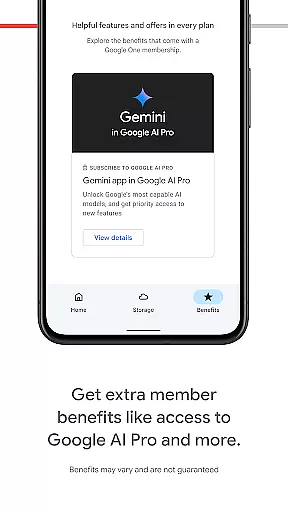
For those needing more capacity, Google One offers flexible membership plans. Users can choose a plan that suits their needs, gaining access to expanded storage options tailored to accommodate growing digital libraries and important memories.
Cross-device synchronization is a standout feature of Google One, providing reliable and consistent access to your data across multiple devices. Whether you're switching phones or using different gadgets, your backed-up information remains accessible and up-to-date.
The app ensures that all your crucial data, including photos, contacts, and messages, are synchronized in real-time. This means that if you break, lose, or upgrade your phone, restoring everything to a new Android device is straightforward and hassle-free.
Moreover, Google One's robust infrastructure guarantees that your files are securely stored and easily retrievable. This reliability fosters confidence among users who depend on uninterrupted access to their digital lives, regardless of the device they are using.
Automatic backup
Flexible storage plans
Easy data restoration
Cross-platform support
Secure cloud storage
Limited free storage
Paid membership required
Android-focused features
Occasional sync issues
Complex settings

A Revolutionary All-in-One Artificial Intelligence Tools
 3.80
3.80
Seamlessly integrate data and reports to build your presentation to impress
4.80
Total remote control for your Android device, PC and cloud services (IFTTT)!
4.20
Unlock AutoNotification
4.00
Easily read and manage all your PDF files
4.10
Android Wallet Password Manager
4.80
The Pro Version of Android's tiniest Notepad app. Just 0.3MB but feature-packed!
4.60
Device's storage information in a simple and clear graphical form (infographics)
4.10
Set up, print, and get support—in one place
4.20
Protect and view your important info on your phone and tablet with eWallet®
4.80
We're working to become the best machining app on the market! www.cncdirt.com
4.80
A beautiful digital clock with autostart and many other functions
4.70
Translate text/voice/photos in 150+ languages. Offline & fast translator app.
4.50
Subscribe to Webcal & .ics calendars and keep them up-to-date!
4.50
Docker, Kubernetes management over Portainer Mobile
4.40
A Pixel Art watchface inspired by other iconic 90s designs for Wear OS devices!
4.40
Experience real multitasking on your Android!
4.00
Mega cloud explorer plugin for Solid Explorer
3.80
All in one sketching tool. Technical and General drawing. Online Maps support.
3.70




User Reviews