
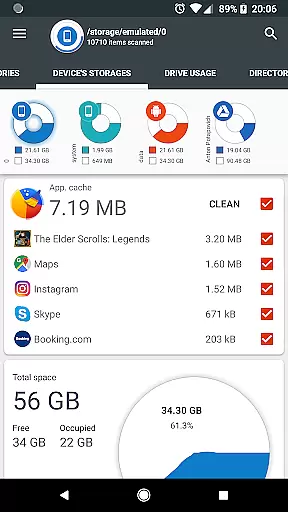
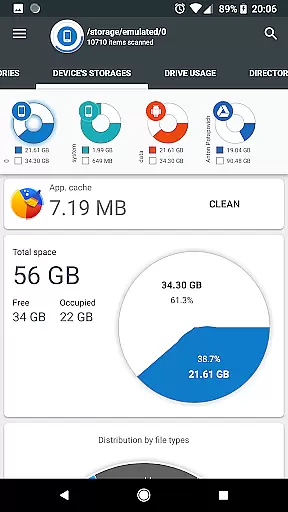
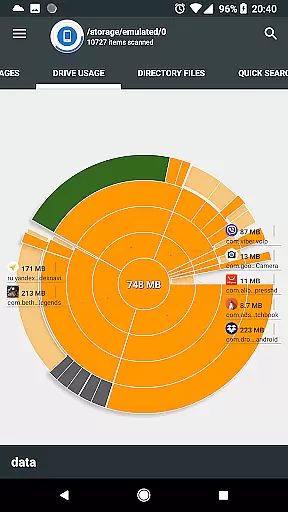
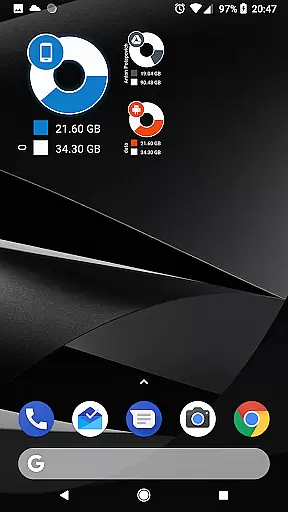
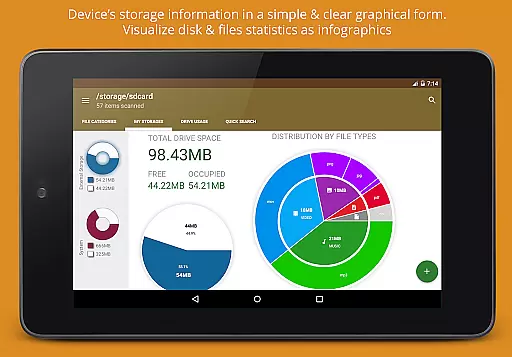
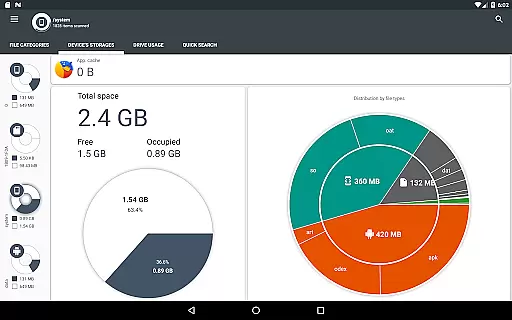
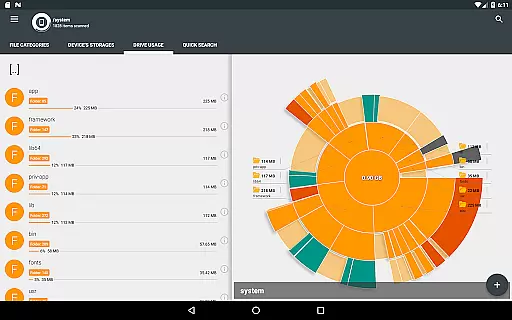
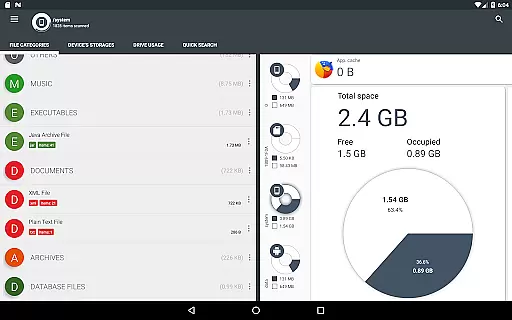
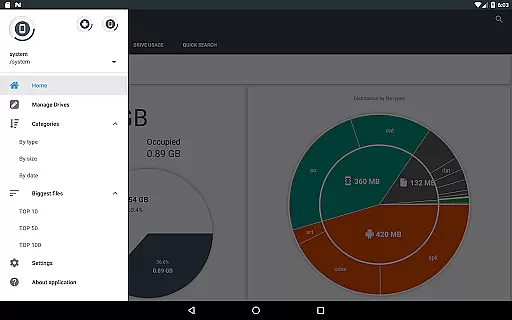
Disk & Storage Analyzer [PRO] is a comprehensive productivity tool designed to help users understand and manage their device's storage efficiently. The app provides detailed insights into internal storage, SD cards, and USB devices through intuitive infographics such as pie charts and sunburst diagrams. This PRO version is completely free of advertisements, ensuring an uninterrupted user experience.
One of the standout features is its ability to connect with cloud drives like Google Drive, Dropbox, and Yandex.Disk, allowing users to analyze cloud storage usage similarly. Additionally, it offers tools for managing installed applications, including cache cleaning and app deletion based on size and usage statistics. With its global search functionality and structured file categorization, Disk & Storage Analyzer [PRO] is ideal for users who need a clear overview of their storage landscape and want to optimize their device's performance.
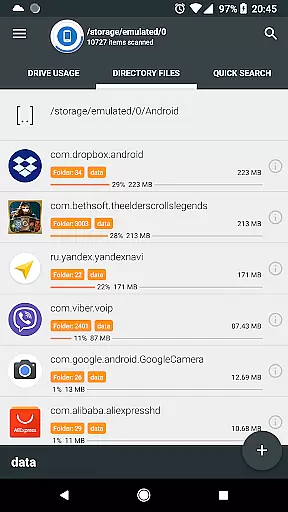
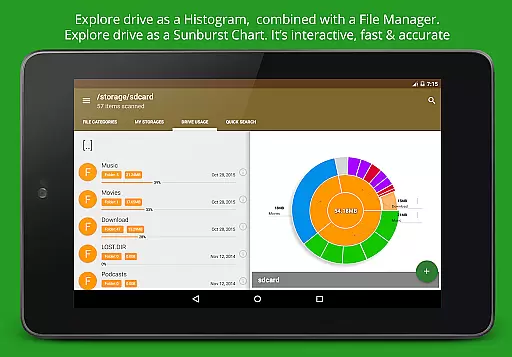
The app boasts a variety of robust features that cater to both casual and power users. Its primary feature is the detailed visualization of storage usage through graphical representations like pie charts and sunburst diagrams. These visualizations allow users to drill down into specific directories and files, providing a granular view of storage consumption. Furthermore, the app supports multiple storage mediums, including internal storage, SD cards, and USB devices, making it versatile for various use cases.
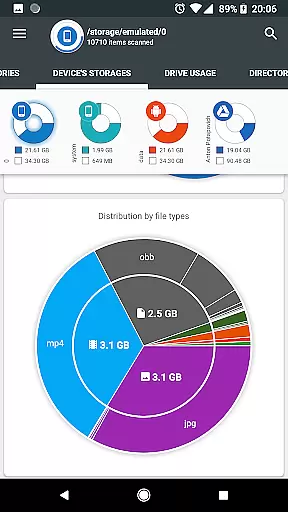
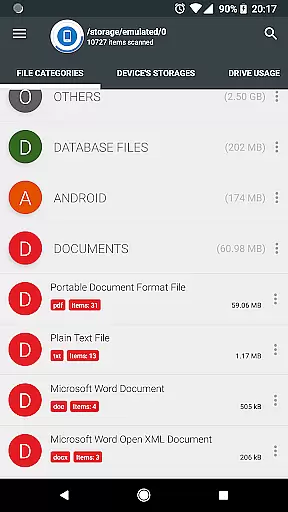
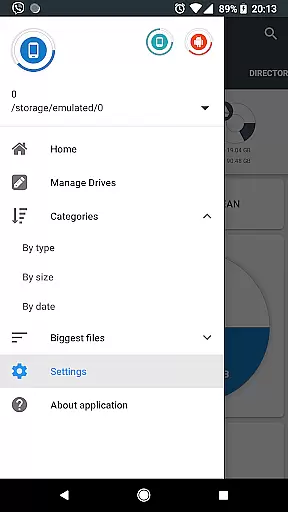
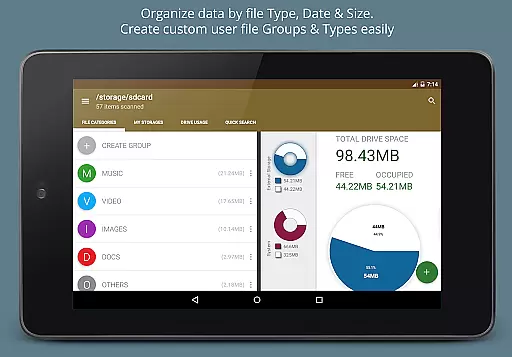
Another significant feature is its cloud integration capability. Users can connect their cloud storage accounts and receive similar detailed analytics, which is particularly useful for those who rely heavily on cloud services. The app also includes a powerful global search function that indexes files at startup, enabling quick access to any file through a simple search query. Moreover, the ability to categorize files by type, size, and date adds another layer of organization, helping users maintain a clutter-free digital environment.
At the heart of Disk & Storage Analyzer [PRO] lies its robust core task management system, designed to streamline how users interact with their storage data. This application provides a comprehensive overview of device storage, including SD card and USB devices, presenting it through intuitive infographics.
The app meticulously scans and categorizes files across various storage mediums, offering detailed insights into file-specific data such as size, last modified date, and even previews. This functionality empowers users to understand their storage consumption patterns better and make informed decisions about managing their digital assets.
Moreover, the ability to connect cloud drives like Google Drive and Dropbox extends this management prowess to the cloud, ensuring that users have a unified view of their entire digital ecosystem. With clear reports and usage diagrams, users can effortlessly track and manage their files, enhancing productivity by saving time and reducing clutter.
Cross-device synchronization is a critical feature of Disk & Storage Analyzer [PRO], enabling seamless integration between different storage solutions. The application ensures reliable synchronization across internal storage, external devices, and cloud services, providing users with an uninterrupted flow of information.
By leveraging advanced permissions, the app accesses installed applications and cloud drive statistics, building a cohesive picture of the user's digital footprint. This synchronization process is not only reliable but also secure, as the app does not require personal information or user registration.
Furthermore, the app's capability to clean cache and delete selected apps adds another layer of utility, allowing users to optimize their device performance. With real-time updates and consistent data representation, Disk & Storage Analyzer [PRO] stands out for its dependable cross-device synchronization, making it an indispensable tool for maintaining an organized digital life.
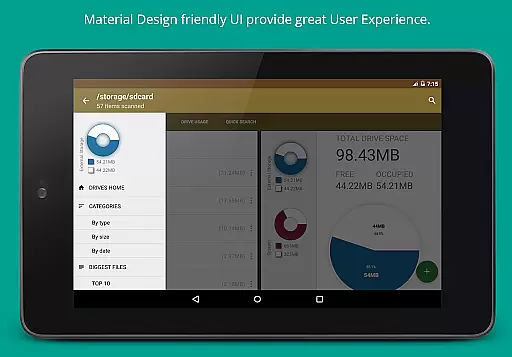
User-friendly interface
Comprehensive storage analysis
Cloud drive integration
Cache cleaning functionality
No advertisements
Requires many permissions
Potential privacy concerns
May be complex for beginners
Occasional force closes
Limited customer support

Seamlessly integrate data and reports to build your presentation to impress
 4.80
4.80
Mega cloud explorer plugin for Solid Explorer
3.80
Professional calendar app for Google Calendar, MS Outlook & Exchange
4.20
Android Wallet Password Manager
4.80
Customizable calendar widget for seamless event sync, planning & scheduling.
4.00
CalenGoo is a very flexible and feature-rich calendar app
4.40
Create and edit presentations with Google Slides, part of Google Workspace.
4.00
To do list widget with a notebook organizer, checklist, simple shopping list
4.60
Access your phone's notifications, calls, apps, photos & texts on your PC
3.90
Use powerful, industry-leading AI tools to generate visual charts from any data
4.80
The long-awaited modern gallery app for your Nextcloud server
4.70
PDF scanner & converter for files, photos, lottery, QR codes. One swipe away!
4.50
Tally and goal counter for Wear OS & mobile
4.50
This small app MUST BE INSTALLED after purchase, else license won't work
4.40
Share files & memories safely. Keep your photos and videos secure.
4.40
When you Focus, so will your Bean in this cozy focus timer
4.30
Easily read and manage all your PDF files
4.10
Make your handwriting beautiful, even more than pen on paper.
3.60
Ads Free App! Editor, Hide File, Copy, Move, Delete and Rename.. all facility av
1.70



User Reviews