
Link to Windows is a productivity app that bridges the gap between your Android phone and Windows PC. This application allows users to seamlessly interact with their mobile devices directly from their desktop, enhancing workflow efficiency. Key functionalities include making and receiving calls, managing notifications, and accessing mobile apps on the PC.
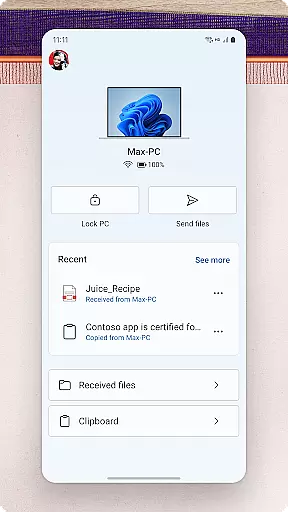
The app also supports drag-and-drop file sharing, photo sharing, and copy-paste operations between devices. Integrated with select Microsoft Duo, Samsung, and HONOR phones, it offers an optimized experience with exclusive features like cross-device copy-paste and Phone screen functionality. Link to Windows transforms your PC into a powerful extension of your smartphone, streamlining daily tasks and improving productivity.
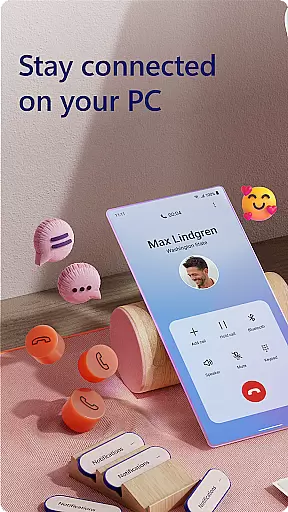
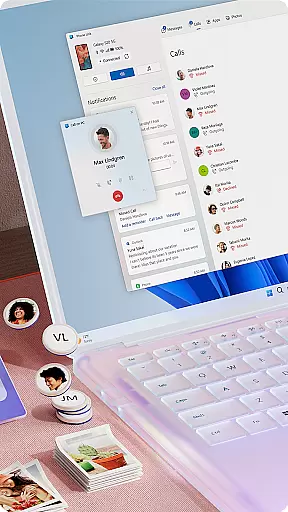
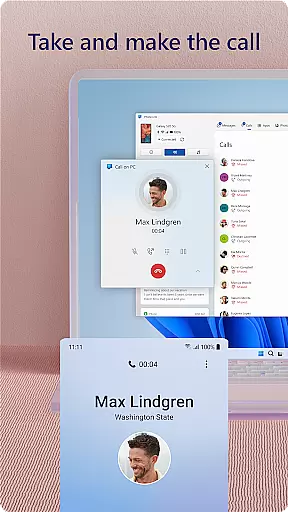
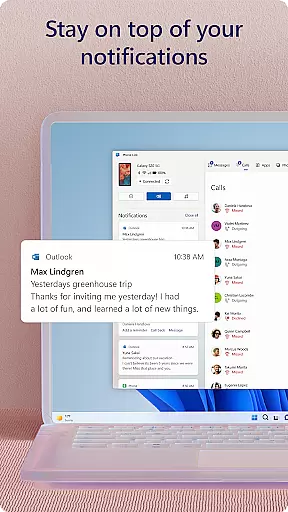
Link to Windows offers a comprehensive suite of features designed to boost productivity. The app enables users to make and receive calls directly from their PC, provided the computer has Bluetooth capability. It also allows for managing Android phone notifications on the PC, ensuring users never miss important alerts while working.
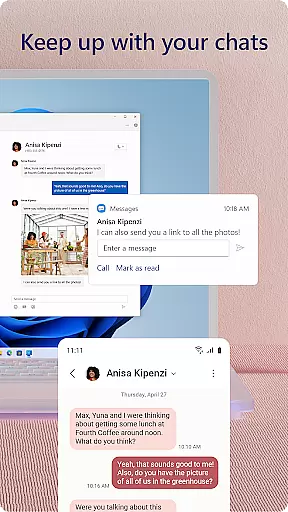
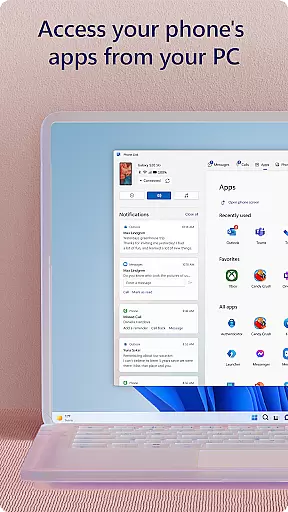
One of the standout features is the ability to access favorite mobile apps on the PC screen. The app facilitates reading and replying to text messages, dragging files between devices, and copying-pasting content across platforms. For compatible devices, it supports advanced functions like Phone screen mirroring and multiple app usage. These capabilities create a unified ecosystem where users can harness the power of both their phone and PC simultaneously.
Task management is a cornerstone of productivity applications, and Link to Windows excels in this area by seamlessly integrating your Android phone's tasks with your Windows PC. This integration allows users to handle calls, text messages, notifications, and even mobile apps directly from their PC.
The app enables you to make and receive calls, manage notifications, and interact with mobile apps, all from the larger screen and keyboard of your PC. This means no more juggling between devices; you can focus on what's important without missing a beat.
By centralizing these functions, Link to Windows simplifies your workflow. You can drag and drop files, copy and paste content, and instantly access photos from your phone. These features ensure that your productivity isn't hampered by the limitations of a smaller device screen.
Ultimately, Link to Windows offers a unified experience that enhances multitasking and efficiency. With capabilities like cross-device copy and paste, file sharing, and app access, it transforms how you manage daily tasks, making your PC and phone work better together.
Cross-device synchronization is vital for maintaining productivity, and Link to Windows ensures reliable and real-time updates between your Android phone and Windows PC. This synchronization allows for seamless interaction, ensuring that any action taken on one device is accurately reflected on the other.
Link to Windows supports features such as instant messaging, call management, and notification handling directly from your PC. This means you can reply to texts, answer calls, and manage alerts without ever needing to touch your phone, providing an uninterrupted workflow.
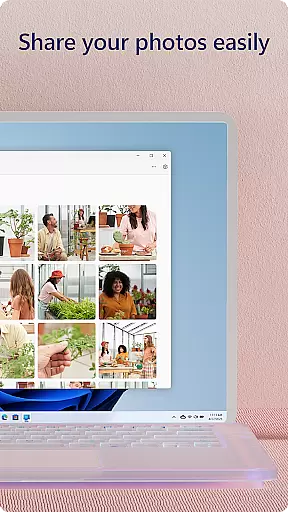
Moreover, the app facilitates effortless file sharing and photo access. You can drag and drop files, copy content, and instantly view images from your phone on your PC. This level of integration ensures that your data is always up-to-date and accessible, regardless of the device you're using.
With compatibility extended to select Samsung, Microsoft Duo, and HONOR phones, Link to Windows offers an enhanced experience with exclusive features like Phone screen and Apps. This reliability in synchronization not only boosts productivity but also provides peace of mind, knowing your devices are always in sync.
Seamless cross-device integration
Enhanced productivity features
User-friendly interface
Comprehensive notification management
Innovative accessibility service
Limited to specific devices
Requires Windows 10 or later
Some features need Android 11
Bluetooth dependency for calls
Advanced functions need compatible hardware

QuickBooks Workforce lets teams view pay info and track time in one place.
 4.70
4.70
Experience Reading - Night Mode for Documents
4.40
Auto-shutoff Alarm with Sunrise, Sunset & Fixed Options.
3.50
Fill, sign & send docs, forms, agreements & contracts via electronic signature.
4.50
Create and edit presentations with Google Slides, part of Google Workspace.
4.00
A comprehensive suite of tools designed specifically for Lactation Consultants
4.2
A simple Whisper AI keyboard for reliable speech transcription and rewording
4.60
To do list widget with a notebook organizer, checklist, simple shopping list
4.60
Intelligent AI Assistant
4.10
Direct Chat without saving contacts & Dual WA Account on Single Device
4.70
App lock - lock apps with fingerprint, password, pin or pattern, protect privacy
4.70
Subscribe to Webcal & .ics calendars and keep them up-to-date!
4.50
CalenGoo is a very flexible and feature-rich calendar app
4.40
Secure your apps with lock screens, use custom themes and different features.
4.40
Enjoy classic gameplay with customizable features and retro-style graphics.
4.30
Access, manage and transfer files on Android, PC, Mac, NAS and cloud storages.
4.30
Make apps & sites with natural language prompts
4.10
Simple and reliable communication between inmates, friends and family
3.20
AI Video AI Image Private LLM AI Browser Llama Gemma Ollama Connect LLM Studio
4.2




User Reviews