
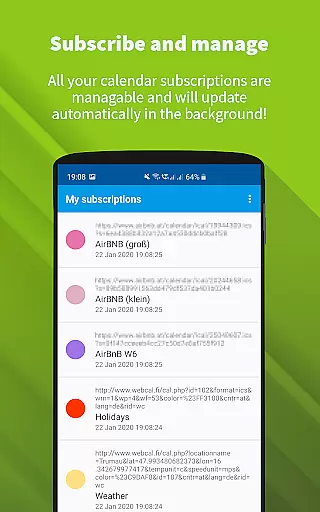
ICSx⁵ is a productivity app designed to help users manage external calendar files on their Android devices. With its one-way sync feature, it allows you to subscribe and add Webcal iCalendar/.ics files seamlessly into your device's calendar system. Whether you need to keep track of holidays, sports events, or academic schedules, ICSx⁵ imports these events and displays them in your preferred calendar app. The app uses advanced synchronization technology to ensure that you always have the most up-to-date version of any added calendar file.
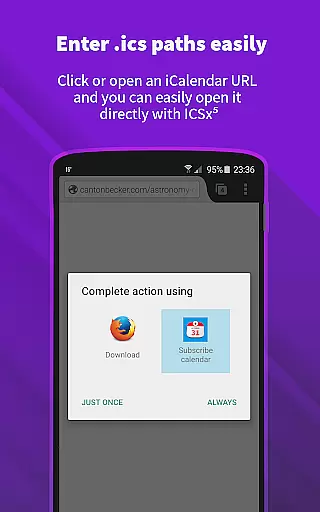
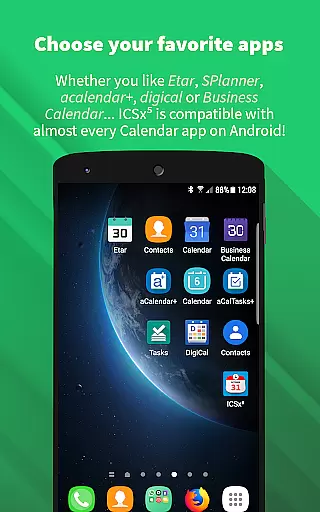
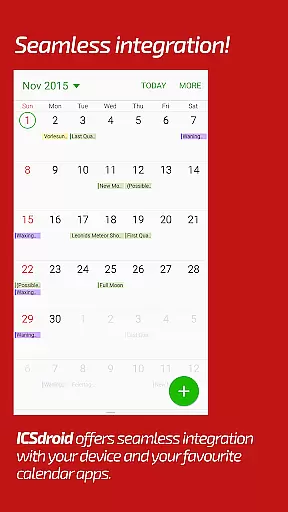
One of the key features of ICSx⁵ is its ability to integrate with other calendar apps effortlessly. It supports webcal:// and webcals:// URLs, allowing for easy addition of calendar feeds from various sources like iCloud. Additionally, it offers intelligent update checking to save bandwidth and supports authentication and HTTPS. Developed by open-source enthusiasts, ICSx⁵ prioritizes user privacy and security, ensuring no data is transferred except to the chosen server.
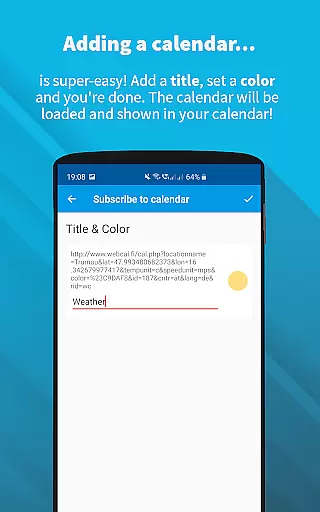
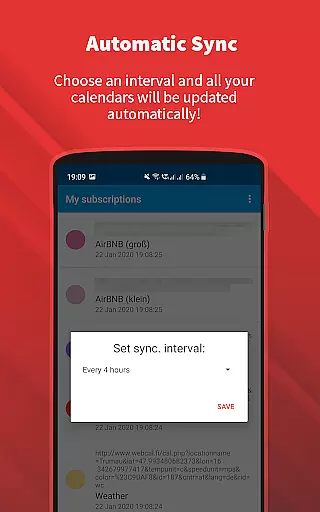
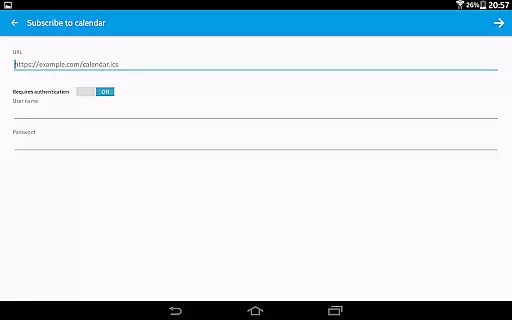
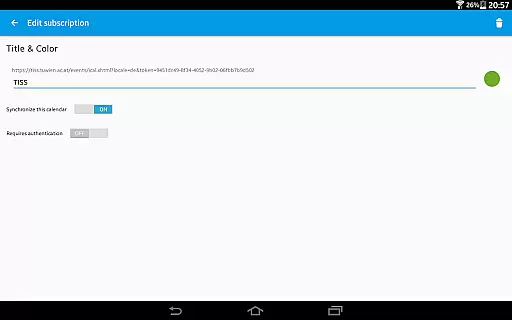
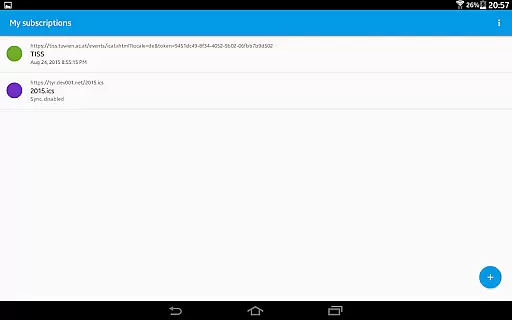
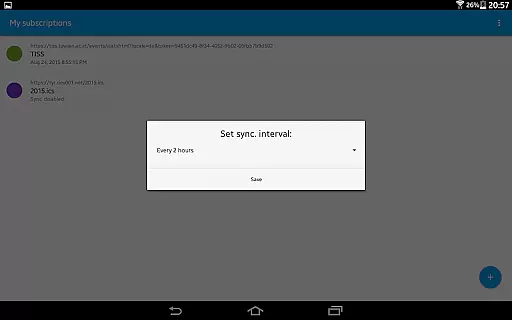
ICSx⁵ stands out with its robust set of features tailored for efficient calendar management. The app allows users to subscribe to Webcal feeds, synchronizing at regular intervals to keep calendar data current. You can also pick .ics files directly from your local device, adding events to your calendar without hassle. Its seamless integration with other calendar apps ensures a smooth user experience, while the ability to set a sync schedule provides flexibility and control over updates.
Security and privacy are paramount in ICSx⁵'s design. The app is completely open source, ensuring transparency and trust. No data, including login details, calendar information, or usage statistics, is sent anywhere except to the designated server. This commitment to privacy means you don't need a Google Calendar or account to use ICSx⁵. Furthermore, its intelligent update checker minimizes bandwidth usage, making it an efficient tool for managing your calendar needs.
Effective task management is essential for productivity apps, serving as the backbone for organizing and executing tasks efficiently. ICSxu2075 excels in this area by allowing users to subscribe to Webcal feeds and manage iCalendar/.ics files seamlessly. This means you can add high days, holidays, sports events, or academic schedules directly to your calendar with minimal effort.
The app employs state-of-the-art synchronization technology, ensuring that your calendar data is always up-to-date. By setting a sync schedule, ICSxu2075 intelligently checks for updates, thus conserving bandwidth while maintaining accuracy. This feature is particularly beneficial for users who need real-time updates without compromising device performance.
Furthermore, ICSxu2075 supports authentication and HTTPS, providing an added layer of security during data transmission. Users can confidently manage their schedules knowing that their information is protected against unauthorized access. The seamless integration with other calendar apps enhances user experience, making it easier than ever to stay organized.
Cross-device synchronization is crucial for users who rely on multiple devices to manage their daily activities. ICSxu2075 addresses this need by offering reliable synchronization capabilities that ensure your calendar data is consistent across all your Android devices. Whether you're at home, in the office, or on the go, your schedule remains accessible and up-to-date.
One of the standout features of ICSxu2075 is its ability to handle Webcal feeds and .ics files with ease. By subscribing to shared calendars from platforms like iCloud, users can synchronize these calendars at regular intervals. This functionality ensures that any changes made on one device are promptly reflected on others, providing a cohesive and synchronized experience.
In addition to its synchronization prowess, ICSxu2075 prioritizes user privacy and security. Being open-source, the app guarantees that no data is transferred to external servers without consent. This commitment to privacy reassures users that their personal information remains confidential and secure, regardless of the number of devices in use.
User-friendly interface
Seamless calendar integration
Advanced sync technology
Strong privacy protection
Open-source development
Limited to Android
No iOS support
Requires manual setup
Occasional sync delays
Basic UI design

When you Focus, so will your Bean in this cozy focus timer
 4.30
4.30
Auto-shutoff Alarm with Sunrise, Sunset & Fixed Options.
3.50
Protect and view your important info on your phone and tablet with eWallet®
4.80
Make your handwriting beautiful, even more than pen on paper.
3.60
All document reader, all in one file viewer read PDF, DOCX, XLS, PPT, TXT files.
4.60
A beautiful digital clock with autostart and many other functions
4.70
The ultimate file manager for rooted devices. The original and still the best.
4.00
Experience and share your SolidWorks designs on your Android® phone and tablet.
2.50
Okta MFA
4.70
Quickly and easily keep track of your work shifts
4.70
Calendar 2023 widget for Android. Appointment scheduler, planner, and reminder
4.60
Tally and goal counter for Wear OS & mobile
4.50
Automates browsing any website and notifies you of important changes or events
4.30
Pwnagotchi companion app
4.20
Experience real multitasking on your Android!
4.00
Wake up & get tasks done! Add alarms & reminders on the Clock Launcher.
4.00
Easiest event planning, volunteer signups & parent teacher conference scheduling
2.20
The upgraded version of Name Wheel with AI and the power to add your own wheels.
4.5
A simple, portable logger for POTA, SOTA, Field Day, and more
4.4



User Reviews