
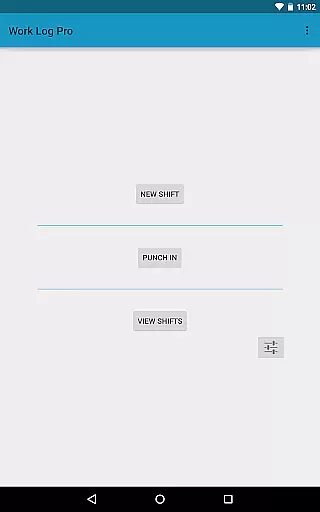
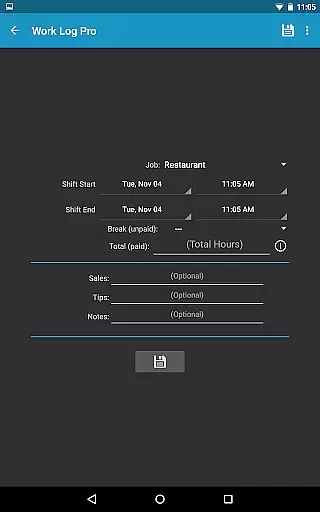
Work Log Pro is a comprehensive productivity tool designed for professionals who need to efficiently track their work hours and manage multiple jobs. The app offers an intuitive interface that allows users to punch in and out, manually enter shift hours, and customize various settings to suit individual preferences. With features like automatic break deductions, pay period calculations, and overtime tracking, it ensures accurate wage computations.
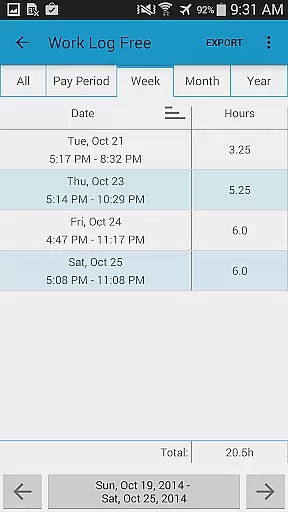
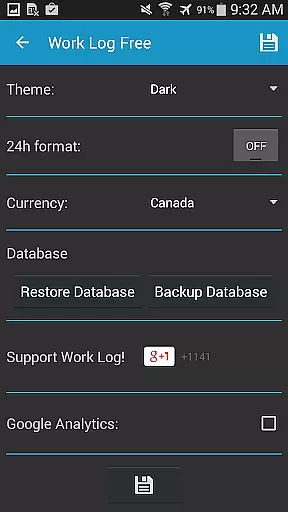
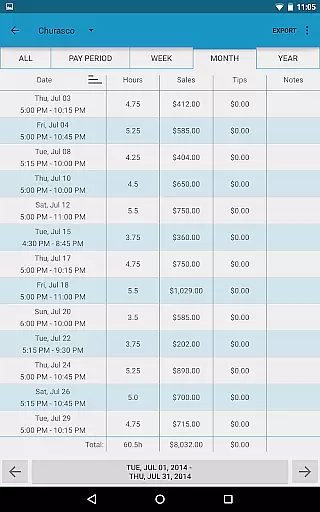
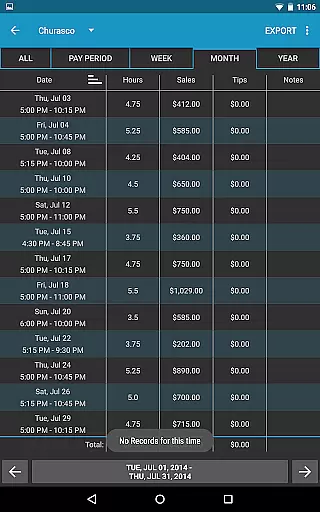
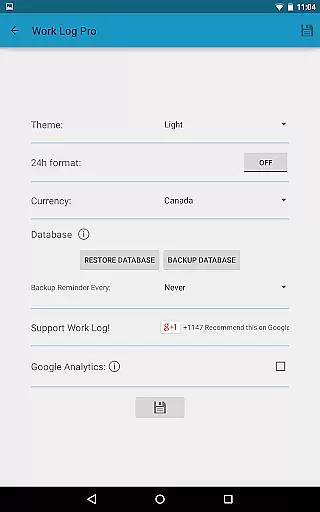
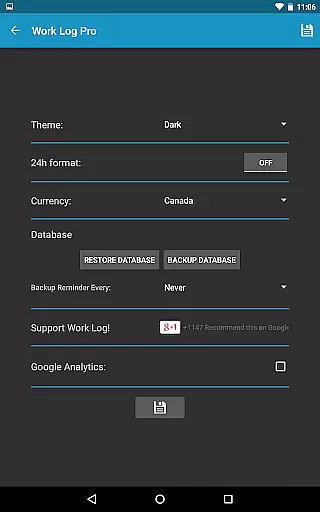
One of the standout capabilities of Work Log Pro is its extensive customization options. Users can choose between light and dark themes, 12-hour or 24-hour time formats, and set specific pay periods. Additionally, the app supports exporting data as spreadsheets or PDFs, making it easy to share work logs with employers or integrate them into personal record-keeping systems. This functionality is particularly beneficial for freelancers, contractors, and anyone needing detailed work hour documentation.
The app's ability to handle multiple jobs with unique settings adds significant value for users juggling different roles. By providing tools to track sales, tips, and bonuses, Work Log Pro caters to a wide range of professions, from servers to salespeople. Its backup and restore feature ensures data safety, while widgets offer quick access to essential functions, enhancing overall user experience and productivity.
Work Log Pro stands out with its robust feature set tailored to maximize productivity and accuracy in work hour tracking. One of its primary features is the ability to punch in and out or manually log shifts, which simplifies time management. Automatic break deductions based on customizable rules ensure precise working hour calculations, while pay period settings allow users to configure how wages are computed, accommodating various employment agreements.
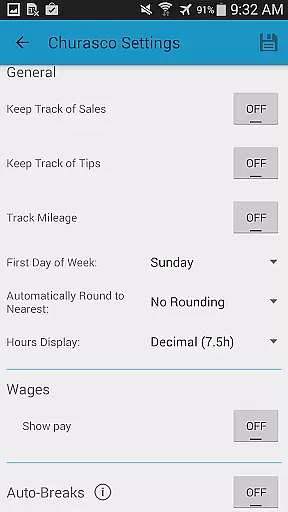
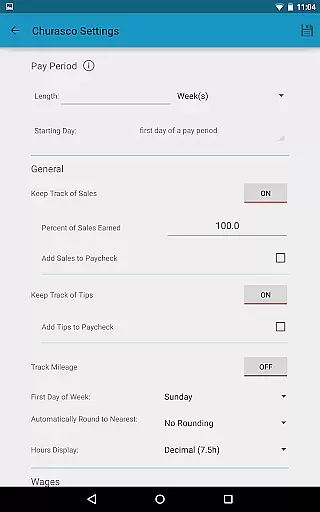
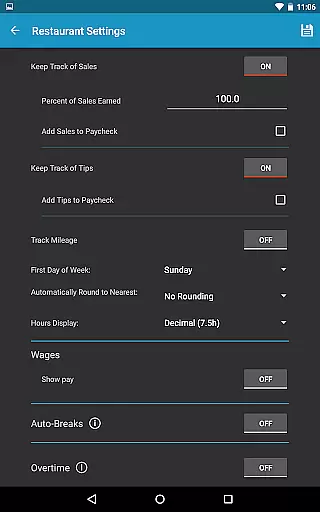
Customization is at the heart of Work Log Pro's design. Users can tailor the app's appearance and functionality to match their workflow, choosing between light and dark themes, 12-hour or 24-hour clocks, and setting specific pay periods. Advanced options include tracking sales and tips, rounding shifts to predefined increments, and applying flat rate or percentage-based deductions and bonuses. These features collectively enable users to create a personalized and efficient work logging system.
Data management and security are also prioritized, with options to export shifts as CSV files or PDFs, facilitating easy sharing and record-keeping. The app supports backing up and restoring data, ensuring information is never lost. Moreover, the inclusion of widgets enhances accessibility, allowing users to quickly punch in and out or add new shifts. Overall, these features make Work Log Pro an indispensable tool for anyone seeking to streamline their work hour tracking process.
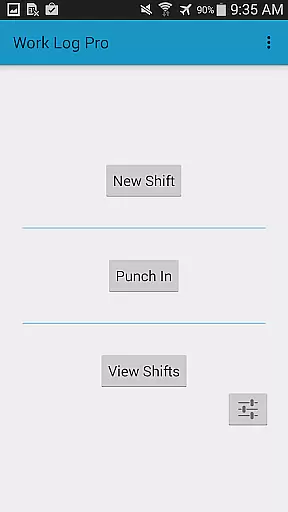
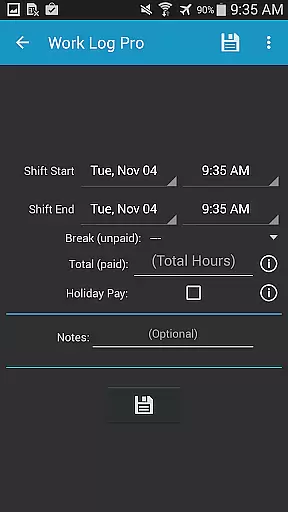
Work Log Pro excels in core task management by offering users a comprehensive suite of tools to track and manage their work hours efficiently. The app allows for multiple methods of logging shifts, including punching in and out or manually entering shift details, catering to different user preferences and workflows.
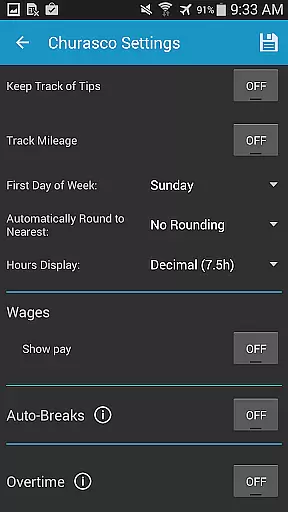
The application supports the management of multiple jobs, each with customizable settings such as pay rates, overtime calculations, and break deductions. This flexibility ensures that users can tailor the app to fit their unique employment situations, whether they work one job or several concurrently.
Additionally, Work Log Pro provides automatic calculations for wages, deductions, and bonuses based on user-defined pay periods. This feature not only saves time but also reduces errors associated with manual calculations, ensuring accurate financial records for each paycheck period.
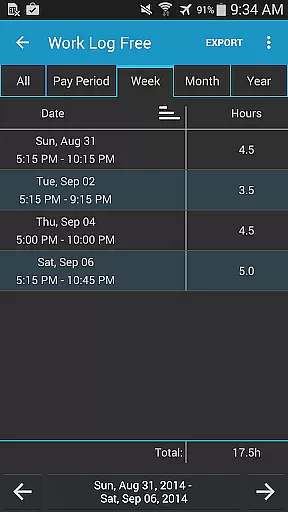
With its ability to export recorded shifts as spreadsheets or PDFs, Work Log Pro empowers users to maintain meticulous records of their work history. These export options facilitate better organization and sharing of work data with employers or tax professionals, enhancing overall productivity and financial planning.
Cross-device synchronization is a critical feature for users who rely on consistent access to their work data across multiple devices. Work Log Pro addresses this need by providing reliable backup and restore functionalities, ensuring that all shift data remains secure and accessible regardless of device changes.
Users can create backups of their database directly within the app and transfer them via email. This process simplifies the transition between devices, allowing users to continue tracking their work hours without interruption. By opening the emailed backup file on a new device, users can seamlessly import their data and resume where they left off.
The app's backup system is complemented by a reminder feature that prompts users to back up their data at regular intervalsu2014weekly, bi-weekly, monthly, or bi-monthly. This proactive approach helps prevent data loss and ensures that users always have a recent copy of their work logs.
Furthermore, the absence of ads in Work Log Pro contributes to a smoother user experience, free from interruptions or distractions. This ad-free environment, combined with robust cross-device synchronization, makes Work Log Pro a dependable choice for anyone seeking to maintain accurate and accessible work records across various devices.
User-friendly interface
Extensive customization
Accurate wage calculations
Multiple job support
Data backup and restore
Requires separate free version
No built-in calendar view
Limited offline functionality
Paid pro features
Complex initial setup

Experience Reading - Night Mode for Documents
 4.40
4.40
All in one sketching tool. Technical and General drawing. Online Maps support.
3.70
Send files, sync SMS, notifications & clipboard across devices via local network
4.40
The upgraded version of Name Wheel with AI and the power to add your own wheels.
4.3
Mind Map and brainstorm, note taking and idea collection
4.80
Protect and view your important info on your phone and tablet with eWallet®
4.80
We're working to become the best machining app on the market! www.cncdirt.com
4.80
Pwnagotchi companion app
4.20
All in One PDF Reader: Manage, Read and Edit your Documents
4.20
Native client for Forgejo and Gitea
5.00
Client for Nextcloud Deck
4.60
Absolutely the best CNC machinist speed and feed calculator around. fswizard.com
4.60
A Pixel Art watchface inspired by other iconic 90s designs for Wear OS devices!
4.40
This small app MUST BE INSTALLED after purchase, else license won't work
4.40
Secure your apps with lock screens, use custom themes and different features.
4.40
⏰ Finally a timer app which can run multiple timers simultaneously on your watch
3.90
A Revolutionary All-in-One Artificial Intelligence Tools
3.80
Find and delete junk files & block unwanted notifications & manage files
3.70
Easiest event planning, volunteer signups & parent teacher conference scheduling
2.20



User Reviews