
GitNex is a powerful productivity tool designed for developers and project managers who use Forgejo or Gitea for version control. This Android client enables users to manage multiple Git repositories directly from their mobile devices.
The app offers comprehensive features including file browsing, issue tracking, pull request management, and wiki editing. Its intuitive interface allows users to handle repository operations efficiently while on the go, making it an essential tool for remote team collaboration.
With support for markdown, themes, and self-signed certificates, GitNex ensures both flexibility and security. Whether you're monitoring project progress or making quick updates, this app streamlines your Git management workflow significantly.
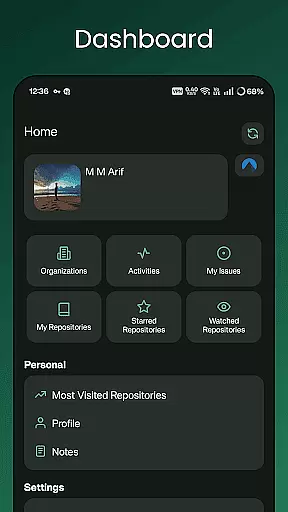
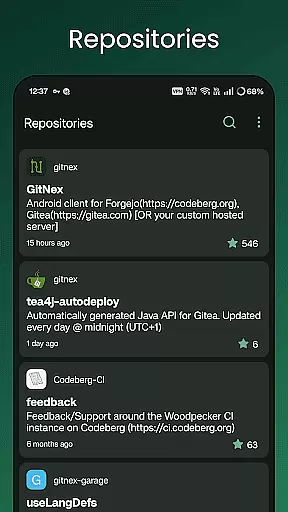
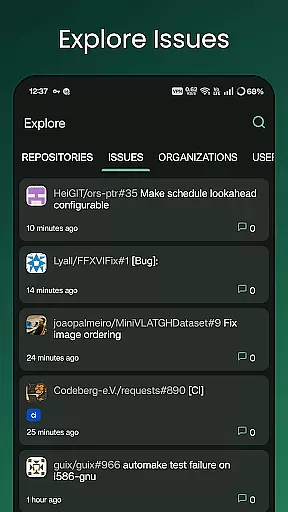
GitNex stands out with its extensive feature set tailored for Git repository management. The app supports multiple accounts, allowing users to switch between different profiles seamlessly. Its file and directory browser provides easy navigation through repository structures.
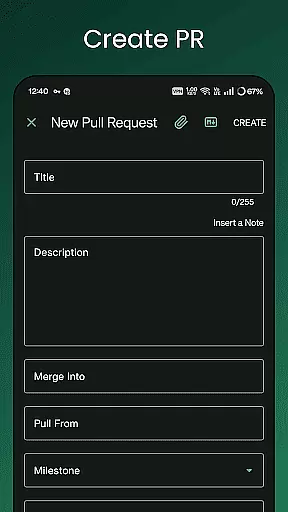
One of the key strengths is its comprehensive create functionality - users can create files, issues, pull requests, wiki pages, milestones, releases, and labels directly from the app. The built-in markdown and emoji support enhances documentation and communication within projects.
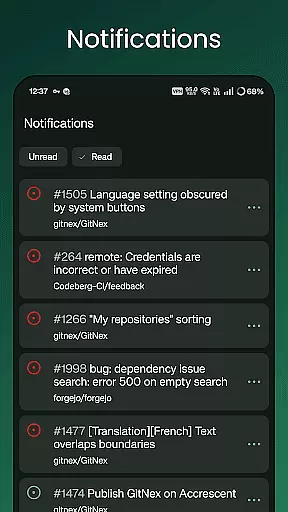
Additional notable features include repository exploration tools, notification management, commit tracking, and theme customization. These capabilities make GitNex a complete solution for managing Git projects on mobile devices, offering desktop-grade functionality in a portable format.
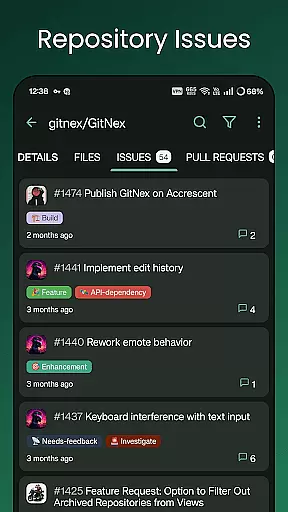
GitNex for Forgejo and Gitea offers robust core task management features that streamline repository operations. The app enables users to create and manage issues, pull requests, milestones, and labels directly from their mobile devices. This functionality ensures that developers can maintain project momentum without being tied to a desktop.
The application's interface is designed for efficiency, allowing quick access to task creation and modification tools. Users can browse repositories, issues, and pull requests with ease, making it simple to stay on top of project developments. The ability to manage multiple accounts further enhances productivity by consolidating all Git-related tasks in one place.
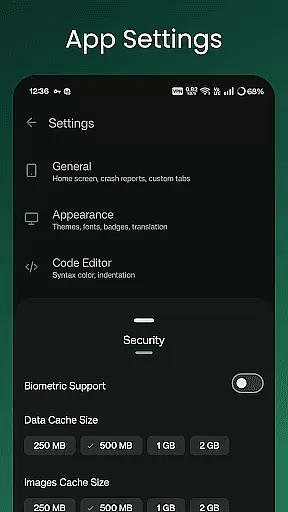
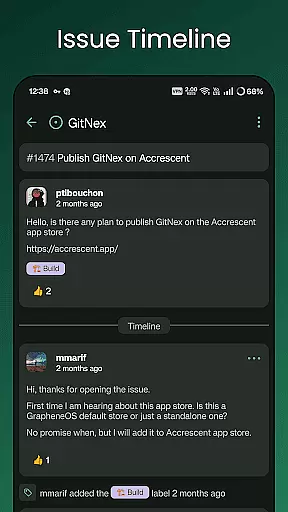
With extensive settings and notification support, GitNex keeps users informed about important updates and changes. This comprehensive approach to task management helps teams maintain organization and meet deadlines more effectively. The app's feature set is rounded out by support for markdown and emoji, allowing for expressive and detailed issue tracking.
Cross-device synchronization is a critical component of GitNex, ensuring that all data remains up-to-date across different devices. The app achieves this through reliable real-time updates and notifications, keeping users informed about repository changes regardless of the device they are using. This seamless integration is vital for developers who work from multiple locations or devices.
Self-signed certificate support adds an extra layer of security during synchronization, protecting sensitive repository information. Additionally, the app's theme options allow users to customize their experience while maintaining consistent functionality across devices. This attention to both security and personalization demonstrates GitNex's commitment to providing a reliable and user-friendly synchronization solution.
By supporting features like file browsing, wiki management, and release tracking, GitNex ensures that all essential repository data is accessible and synchronized. This comprehensive approach to cross-device functionality makes it an invaluable tool for development teams looking to maintain consistency and reliability in their workflows.
User-friendly interface
Multiple account support
Comprehensive feature set
Markdown and emoji support
Self-signed certificate handling
Steep learning curve
Occasional bugs
Limited iOS availability
No offline mode
Complex setup required

Secure, fast, open-source, VNC and SSH Remote Desktop for Windows, Linux and Mac
 4.70
4.70
When you Focus, so will your Bean in this cozy focus timer
4.30
Mega cloud explorer plugin for Solid Explorer
3.80
Absolutely the best CNC machinist speed and feed calculator around. fswizard.com
4.60
Pwnagotchi companion app
4.20
Access, manage and transfer files on Android, PC, Mac, NAS and cloud storages.
4.30
Intelligent AI Assistant
4.10
Daily processing of PDF documents.
4.40
Put a lock on your cloud: Take the security of your data into your own hands
3.70
Multilingual translator for text, voice, and image translation!
4.90
Simple notepad & memo. Take notes, to-do list, shopping list with reminders.
4.80
QuickBooks Workforce lets teams view pay info and track time in one place.
4.70
App Lock with fingerprint, password: Lock apps & hide photos with lock screens
4.60
Translate text/voice/photos in 150+ languages. Offline & fast translator app.
4.50
A lightweight JSON & XML files creator, editor and viewer (Premium Version)
4.40 4.20
4.20
All in One PDF Reader: Manage, Read and Edit your Documents
4.20
Take control of your clipboard with Clipper!
3.90
IP Camera Viewer - Android TV : RTSP Surveillance camera viewer for Android TV
4.2



User Reviews