
We Translate is a powerful productivity app designed to break language barriers and facilitate seamless global communication. With its comprehensive suite of translation tools, the app supports text, voice, image, and document translation across multiple languages.
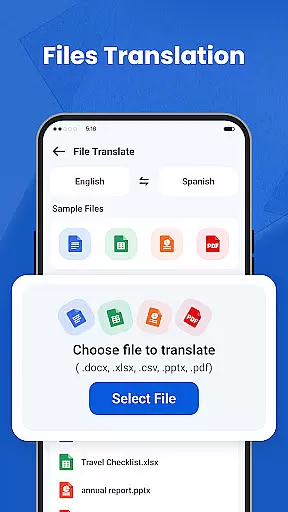
Key features include real-time conversation translation, photo translation for signs and documents, and one-tap document translation for PDFs, Word, and Excel files. The app also offers history tracking, favorites, and personalized settings for an optimized user experience. Whether for personal, travel, business, or educational use, We Translate ensures effortless multilingual communication.
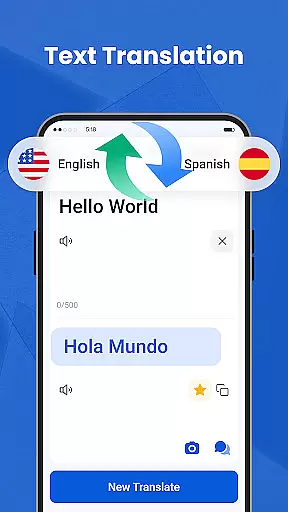
We Translate stands out with its diverse and innovative features tailored for productivity. The app provides instant and accurate text translation in multiple languages, making it ideal for various scenarios like learning, work, and travel.
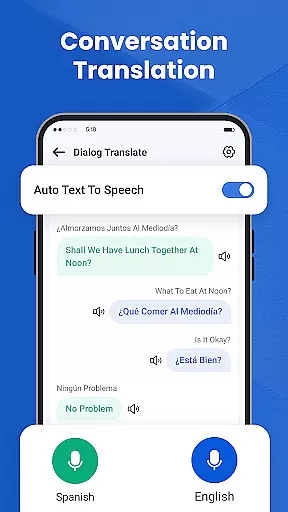
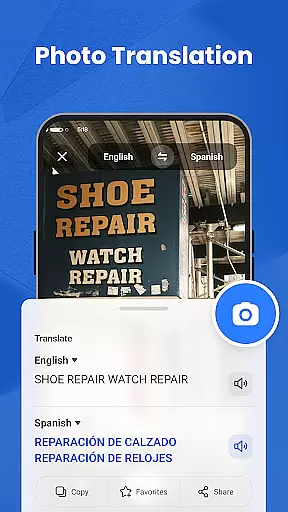
Its standout feature is the real-time conversation translation, which detects both languages automatically, enabling smooth face-to-face or phone interactions. Additionally, the photo translation tool allows users to snap images of menus, signs, or documents for quick translations without typing. Document translation supports common file formats, while history and favorites functions ensure easy access to past translations. Personalized settings further enhance user experience by allowing customization of language options and voice speed.
In the realm of productivity, managing tasks efficiently is paramount. We Translate excels in organizing and handling translation tasks with precision.
The app offers features like History and Favorites, which allow users to save and quickly retrieve important translations. This ensures that users can manage their translation tasks effectively without losing track of vital information.
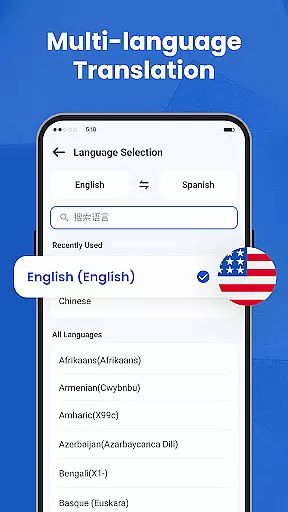
With personalized settings, users can customize their experience to match their workflow, enhancing task management capabilities. Options such as adjustable voice reading speed and multiple language selections contribute to a tailored and efficient translation process.
By integrating these comprehensive task management features, We Translate not only simplifies the translation process but also boosts productivity, making it an indispensable tool for anyone dealing with multilingual content.
For professionals and students alike, having reliable cross-device synchronization is crucial for maintaining workflow continuity. We Translate provides a seamless experience across different devices.
Users can start a translation task on one device and continue on another without any hiccups. The synchronization is swift and dependable, ensuring that all translations, whether text, conversation, or document-based, are up-to-date across devices.
This feature is particularly beneficial for those who are always on the move and need consistent access to their translation history and favorites from various locations and devices.
We Translate's robust synchronization ensures that users have a reliable and continuous translation experience, thus greatly enhancing their ability to communicate across language barriers effortlessly.
Accurate translations
User-friendly interface
Multi-language support
Real-time voice translation
Photo translation feature
Limited free features
Requires internet
Premium subscription cost
Occasional inaccuracies
Ads in free version

Auto-shutoff Alarm with Sunrise, Sunset & Fixed Options.
 3.50
3.50
Create study competitions, track your hours, and stay consistent with friends
4.2
Android Wallet Password Manager
4.80
Device's storage information in a simple and clear graphical form (infographics)
4.10
Make your handwriting beautiful, even more than pen on paper.
3.60
Stay on top of your to-dos with Google Tasks, part of Google Workspace.
4.60
Secure, open-source, SPICE and SSH Remote Desktop for QEMU KVM virtual machines
4.00
A beautiful digital clock with autostart and many other functions
4.70
Intelligent AI Assistant
4.10
Seamlessly integrate data and reports to build your presentation to impress
4.80
Direct Chat without saving contacts & Dual WA Account on Single Device
4.70
Client for Nextcloud Deck
4.60
Translate text/voice/photos in 150+ languages. Offline & fast translator app.
4.50
Share files & memories safely. Keep your photos and videos secure.
4.40
Total remote control for your Android device, PC and cloud services (IFTTT)!
4.20
Remotely view listen control and record cameras.
3.70
AI Video AI Image Private LLM AI Browser Llama Gemma Ollama Connect LLM Studio
4.0
A simple, portable logger for POTA, SOTA, Field Day, and more
4.3
IP Camera Viewer - Android TV : RTSP Surveillance camera viewer for Android TV
4.1



User Reviews