
Nextcloud Deck is a productivity-focused application designed to streamline task management and team collaboration. This app allows users to create and organize tasks using customizable boards, lists, and cards, making it an ideal tool for both personal and professional project management.
Key features include support for multiple accounts, offline functionality, and comprehensive management of tags, attachments, activities, and comments. Additionally, the app offers a dark mode and supports numerous languages, enhancing accessibility and user comfort. Whether you're managing a small team or handling individual projects, Nextcloud Deck provides a versatile platform that adapts to various workflow needs.
Nextcloud Deck stands out with its robust set of features tailored for efficient task management. The app supports multiple accounts, enabling users to manage different projects or teams from a single interface. Its offline capabilities ensure uninterrupted productivity, even without an internet connection.
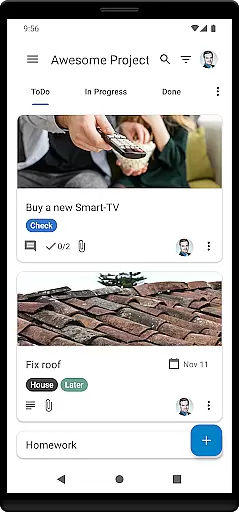
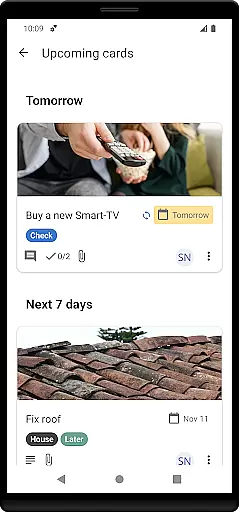
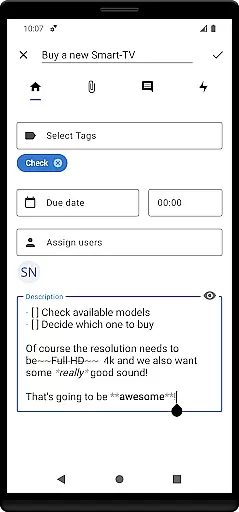
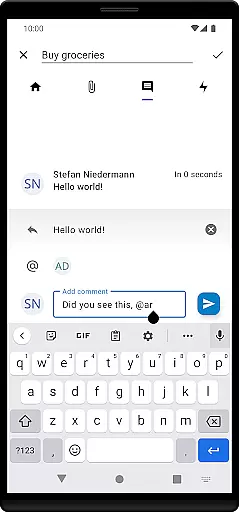
Users can create and manage detailed task cards, categorize them into lists and boards, and apply tags for easy sorting and prioritization. The app also facilitates collaboration by supporting attachments, tracking activities, and allowing comment threads on tasks. With added benefits like dark mode and multilingual support, Nextcloud Deck ensures a personalized and comfortable user experience across diverse environments.
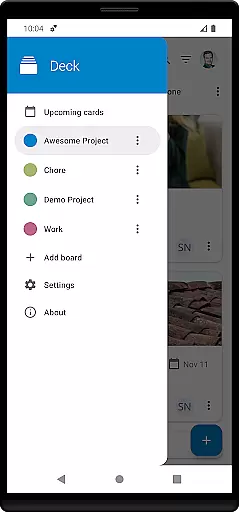
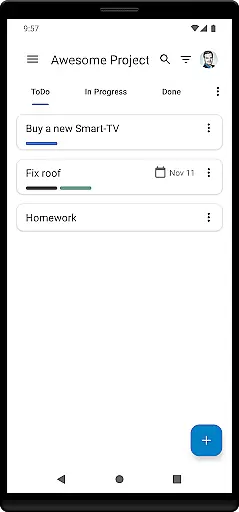
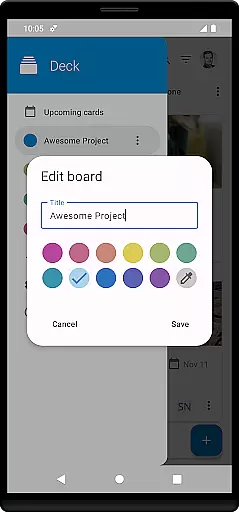
Nextcloud Deck offers a robust solution for managing tasks through its card, list, and board system. This structure allows users to organize their projects efficiently by creating customizable boards that represent different workflows or projects.
The app supports multiple accounts, enabling users to handle various tasks across different Nextcloud instances without losing track of progress. With offline functionality, users can continue managing their tasks even without an internet connection, ensuring productivity is not hindered by connectivity issues.
Tags and attachments further enhance task management by allowing detailed categorization and the inclusion of relevant files or notes directly within cards. This comprehensive approach ensures that all necessary information is accessible in one place, streamlining the workflow and boosting overall productivity.
Cross-device synchronization is a critical feature of Nextcloud Deck, ensuring that all changes made on one device are reliably reflected across all others. This seamless integration is supported by the underlying Nextcloud infrastructure, which guarantees data consistency and availability.
Users can manage their boards, lists, and cards from any device with confidence, knowing that their updates will be synced in real-time. The app's compatibility with the Nextcloud Android app extends this reliability, providing a consistent experience whether on mobile or desktop.
In addition to task data, Nextcloud Deck also synchronizes activities and comments, maintaining a complete history of interactions. This ensures that team collaboration is not only efficient but also well-documented, allowing users to track progress and make informed decisions based on up-to-date information.
User-friendly interface
Offline access
Customizable boards
Multi-account support
Collaboration tools
Requires Nextcloud setup
Limited standalone use
No built-in calendar
Advanced features need expertise
Dependent on third-party apps

Secure, fast, open-source, VNC and SSH Remote Desktop for Windows, Linux and Mac
 4.70
4.70
Native client for Forgejo and Gitea
5.00
Easily read and manage all your PDF files
4.10
Simple and reliable communication between inmates, friends and family
3.20
Tally and goal counter for Wear OS & mobile
4.50
A beautiful digital clock with autostart and many other functions
4.70
Scientific calculator for Android - looks and operates like the real thing!
4.90
Simple notepad & memo. Take notes, to-do list, shopping list with reminders.
4.80
Note taking, handwriting, record audio, PDF annotation, planner & journal
4.20
Android Wallet Password Manager
4.80
Use powerful, industry-leading AI tools to generate visual charts from any data
4.80
The AI assistant that thinks with you - write, code, and solve complex tasks
4.60
Enjoy classic gameplay with customizable features and retro-style graphics.
4.30
Unlock AutoNotification
4.00
* block pre-roll ads, pop-up and forced redirect ads * Samsung certification app
4.00
A Revolutionary All-in-One Artificial Intelligence Tools
3.80
Mega cloud explorer plugin for Solid Explorer
3.80
Create study competitions, track your hours, and stay consistent with friends
4.2
A simple, portable logger for POTA, SOTA, Field Day, and more
4.3




User Reviews