
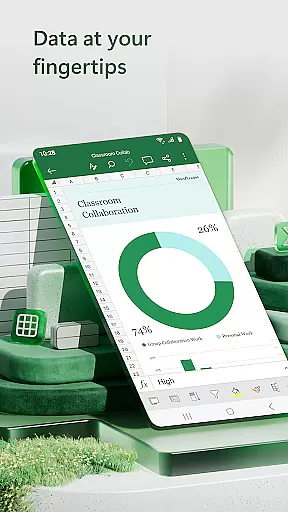
Microsoft Excel is the go-to productivity app for creating, editing, and sharing spreadsheets. It offers powerful tools for budgeting, chart creation, data analytics, and more. With its robust formatting options and familiar formulas, users can manage finances, track expenses, and compile charts with ease.
The app provides seamless integration across devices, ensuring consistent performance whether on mobile or desktop. Its intuitive interface allows users to build customized worksheets, leverage pivot tables, and utilize advanced data visualization tools. These features make it an essential tool for both personal finance management and professional business collaboration.
Excel stands out with its comprehensive feature set tailored for productivity. The app includes modern spreadsheet templates for budgets, task lists, and financial analysis. Its calculation engine supports complex formulas and functions, enabling accurate accounting and data processing.
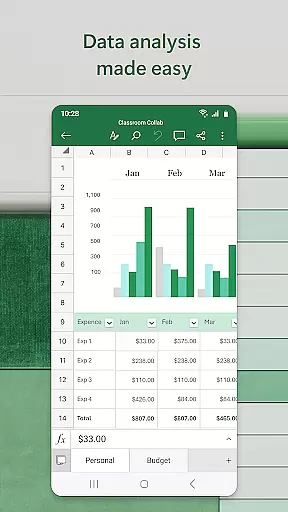
For data analysis, Excel offers dynamic chart-making capabilities. Users can create annotated charts, apply filters, and use pivot tables to extract meaningful insights from raw data. Additionally, collaboration features allow real-time sharing and editing of documents, making teamwork more efficient regardless of location.
Microsoft Excel revolutionizes core task management by offering a comprehensive suite of tools designed to streamline productivity and enhance workflow efficiency. At its core, the app provides users with modern templates for creating budgets, task lists, and financial analyses, ensuring that every project is organized and trackable.
The app's familiar formulas and calculation tools allow users to run complex operations on spreadsheets with ease. Whether it's managing personal finances or orchestrating large-scale data analysis, Excelu2019s robust features ensure accuracy and efficiency. The consistent operation of features, formats, and formulas across all devices means users can transition seamlessly between work environments without losing functionality.
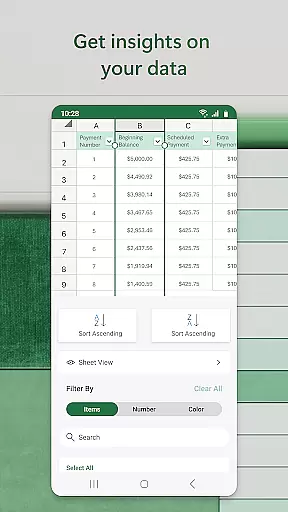
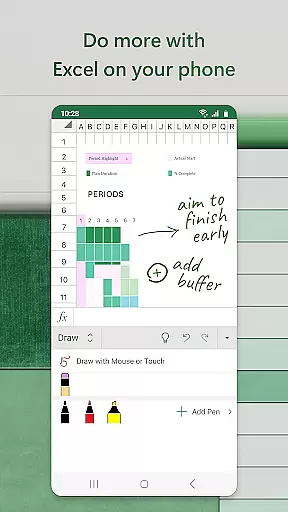
Additionally, Excelu2019s powerful review and edit capabilities enable real-time collaboration and data manipulation. Users can annotate charts, sort and filter columns, and highlight crucial worksheet sections, making data interpretation straightforward and actionable. This ensures that teams can work together efficiently, regardless of location, fostering a collaborative atmosphere that boosts overall productivity.
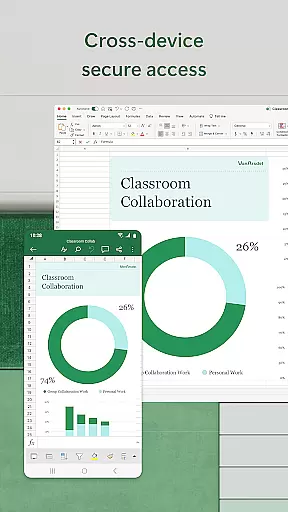
Cross-device synchronization is a cornerstone of Microsoft Excelu2019s productivity enhancement strategy, ensuring that users have reliable access to their files and data from any device. With seamless integration across smartphones, tablets, PCs, and Macs, Excel allows users to start a task on one device and continue it on another without missing a beat.
This synchronization extends beyond mere file access; it includes maintaining consistent formatting, formulas, and functionalities across all platforms. Whether you're editing a budget template on your phone during a commute or analyzing pivot charts on a desktop at work, Excel guarantees that every change is updated in real time, preserving the integrity and continuity of your projects.
Furthermore, Excelu2019s collaboration features are bolstered by this reliable synchronization. Sharing files and inviting others to edit or comment becomes effortless, as every collaborator accesses the most current version of the document. This ensures that teamwork remains cohesive and efficient, irrespective of the devices being used. By providing dependable cross-device synchronization, Microsoft Excel empowers users to maintain productivity and achieve their goals with confidence.
Powerful data analysis
Wide range of templates
Cross-device compatibility
Robust collaboration tools
User-friendly interface
Complex for beginners
Requires subscription
Limited free features
High system requirements
Occasional sync issues

Seamlessly integrate data and reports to build your presentation to impress
 4.80
4.80
Unlock AutoNotification
4.00
Easily read and manage all your PDF files
4.10
Device's storage information in a simple and clear graphical form (infographics)
4.10
CalenGoo is a very flexible and feature-rich calendar app
4.40
Experience and share your SolidWorks designs on your Android® phone and tablet.
2.50
Share files & memories safely. Keep your photos and videos secure.
4.40
Simple notepad & memo. Take notes, to-do list, shopping list with reminders.
4.80
Daily processing of PDF documents.
4.40
QuickBooks Workforce lets teams view pay info and track time in one place.
4.70
A beautiful digital clock with autostart and many other functions
4.70
Send files, sync SMS, notifications & clipboard across devices via local network
4.40 4.20
4.20
Total remote control for your Android device, PC and cloud services (IFTTT)!
4.20
All in One PDF Reader: Manage, Read and Edit your Documents
4.20
Customizable calendar widget for seamless event sync, planning & scheduling.
4.00
Secure, open-source, SPICE and SSH Remote Desktop for QEMU KVM virtual machines
4.00
Create study competitions, track your hours, and stay consistent with friends
4.4
A simple, portable logger for POTA, SOTA, Field Day, and more
4.3






User Reviews