
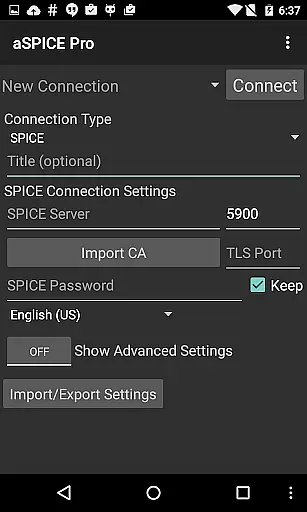
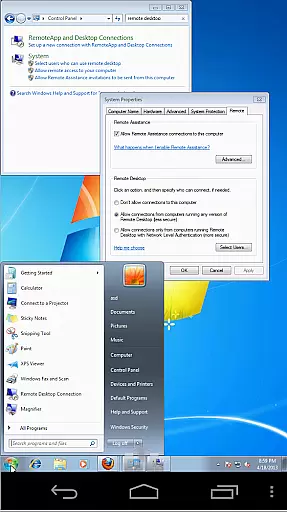
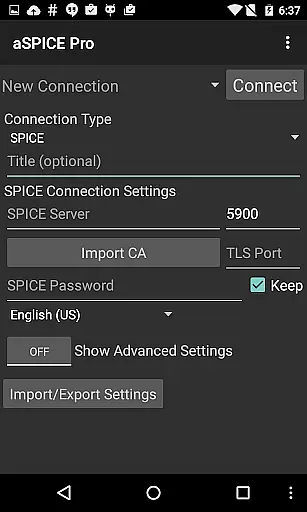
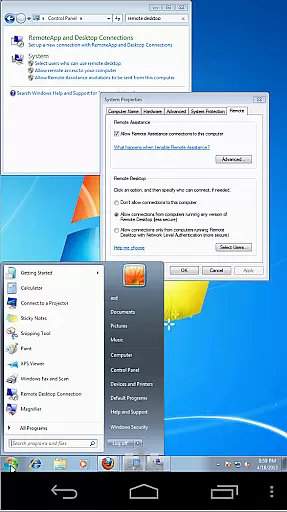
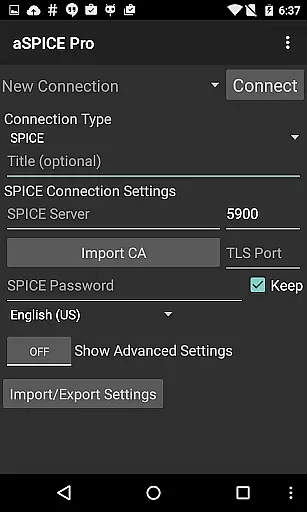
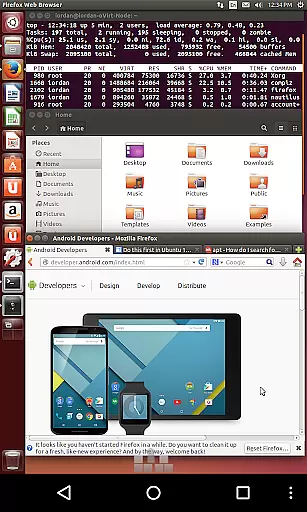
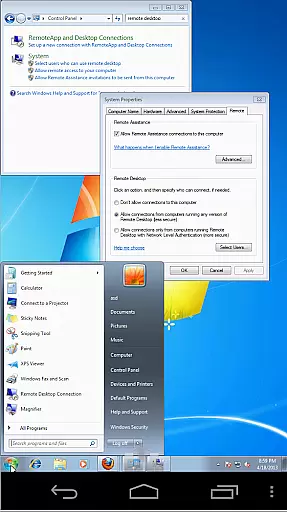
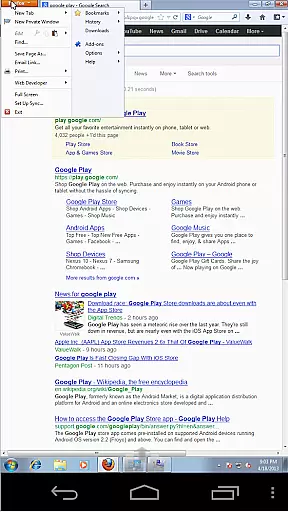
aSPICE Pro Secure SPICE Client is a powerful productivity tool designed for users who need secure and versatile remote desktop access. This application supports the SPICE protocol, making it possible to control any SPICE-enabled virtual machine regardless of the guest operating system. With features like Master password support, MFA/2FA SSH authentication, and USB redirection, aSPICE ensures both security and functionality.
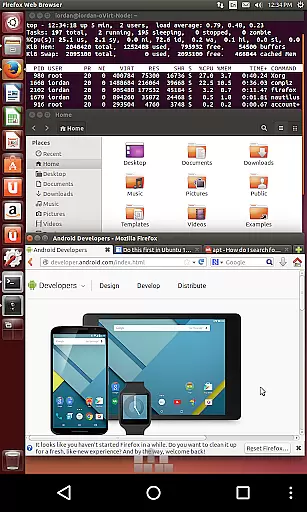
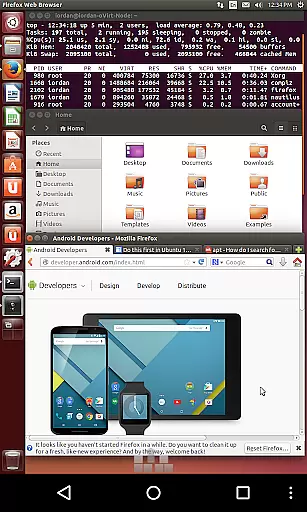
One of the standout capabilities of aSPICE is its multi-touch control over the remote mouse, allowing users to perform various click actions through simple touch gestures. Additionally, the app provides sound support, dynamic resolution changes, and full rotation support, which makes it adaptable to different working environments and devices. Whether you are using a smartphone or a tablet, aSPICE optimizes the UI for your screen size, ensuring a seamless experience.
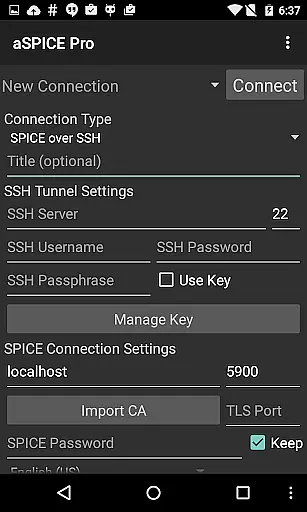
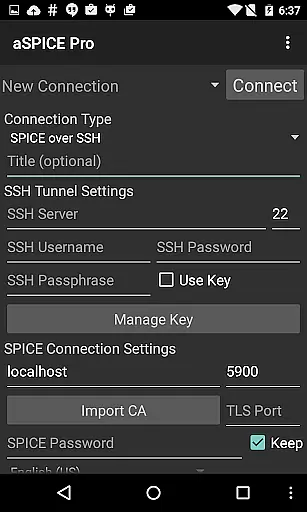
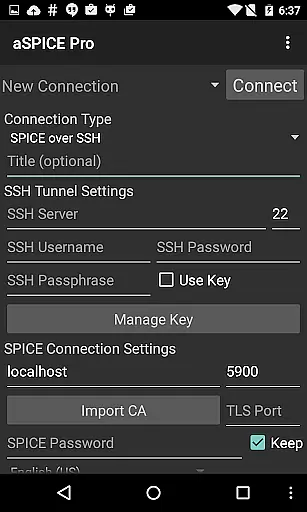
The application also offers SSH tunneling for added security, particularly useful when accessing machines behind firewalls. Its comprehensive feature set includes multi-language support, Samsung multi-window support, and various input modes such as Simulated Touchpad and Single-handed input. These features collectively enhance user productivity by providing flexible and efficient ways to interact with remote systems.
aSPICE Pro Secure SPICE Client boasts an array of advanced features that cater to diverse user needs. One of the primary functionalities is its ability to provide secure remote access via the SPICE protocol. Users can control any qemu virtual machine with ease, thanks to robust support for multiple guest operating systems. The inclusion of Master password support and MFA/2FA SSH authentication ensures that your connections remain secure at all times.
Another significant feature is the multi-touch control, which allows users to manipulate the remote desktop environment intuitively. You can perform left, right, and middle clicks with one, two, or three-finger taps respectively. Scrolling and pinch-zooming are also supported, enhancing navigation within the remote session. Furthermore, the app's dynamic resolution change capability lets you reconfigure your desktop settings on-the-fly, offering unparalleled flexibility.
In addition to these, aSPICE supports sound, automatic connection session saving, and multiple scaling modes like Zoomable, Fit to Screen, and One to One. It also offers several input modes including Direct, Simulated Touchpad, and Single-handed, each tailored to optimize user interaction based on preference and device type. Advanced keyboard support, clipboard integration, and Samsung DEX compatibility further augment its utility, making it an indispensable tool for productivity.
aSPICE Pro Secure SPICE Client excels in core task management by offering users comprehensive control over SPICE-enabled virtual machines. This functionality is crucial for productivity apps as it ensures seamless interaction with virtual environments.
The application provides multiple input modes, including Direct, Simulated Touchpad, and Single-handed modes, allowing users to efficiently manage tasks within their virtual machines. These input methods are designed to accommodate different user preferences and device types, ensuring optimal performance.
With features like dynamic resolution changes and full rotation support, users can reconfigure their desktop environments on-the-fly while maintaining complete control from BIOS to OS level. This flexibility significantly enhances the overall task management experience.
Additionally, the app's SSH tunneling capability enables secure connections to machines behind firewalls, making it an ideal solution for remote work scenarios where security and accessibility are paramount.
Cross-device synchronization is a vital feature in today's mobile workforce, and aSPICE Pro Secure SPICE Client delivers exceptional reliability in this aspect. The application ensures that all connection sessions are automatically saved, providing users with consistent access to their virtual machines across different devices.
The app supports various authentication methods, including MFA/2FA SSH authentication and master password support, guaranteeing that user credentials remain synchronized and secure across devices. This multi-layered security approach is essential for maintaining data integrity.
Furthermore, aSPICE's import/export functionality for settings allows users to maintain consistent configurations across multiple devices. This feature ensures that personalized preferences, such as zoom levels and input modes, remain uniform regardless of the device being used.
The application's compatibility with different screen sizes and its Samsung multi-window support demonstrate its commitment to providing reliable cross-device experiences. Users can seamlessly transition between smartphones and tablets while maintaining optimal productivity levels.
Secure remote access
Multi-touch controls
Dynamic resolution
SSH tunneling
Multi-language support
Complex setup required
Limited OS support
No clipboard yet
High resource use
Costly premium

Secure, fast, open-source, VNC and SSH Remote Desktop for Windows, Linux and Mac
 4.70
4.70
Seamlessly integrate data and reports to build your presentation to impress
4.80
Wake up & get tasks done! Add alarms & reminders on the Clock Launcher.
4.00
All in One PDF Reader: Manage, Read and Edit your Documents
4.20
Fill, sign & send docs, forms, agreements & contracts via electronic signature.
4.50
Multilingual translator for text, voice, and image translation!
4.90
Tally and goal counter for Wear OS & mobile
4.50
Scientific calculator for Android - looks and operates like the real thing!
4.90
Intelligent AI Assistant
4.10
Best Tool for the professionals Electrician, Electrical contractors, etc.
4.90
Use powerful, industry-leading AI tools to generate visual charts from any data
4.80
Functional QR scanner and barcode reader that requires little storage space.
4.60
Send files, sync SMS, notifications & clipboard across devices via local network
4.40
A Pixel Art watchface inspired by other iconic 90s designs for Wear OS devices!
4.40
A customizable calendar for your Wear OS watch
4.20
Todo reminder
4.10
Smart PDF reader & editor to view, organize and manage PDF documents easily.
3.70
Find and delete junk files & block unwanted notifications & manage files
3.70
Ads Free App! Editor, Hide File, Copy, Move, Delete and Rename.. all facility av
1.70




User Reviews