
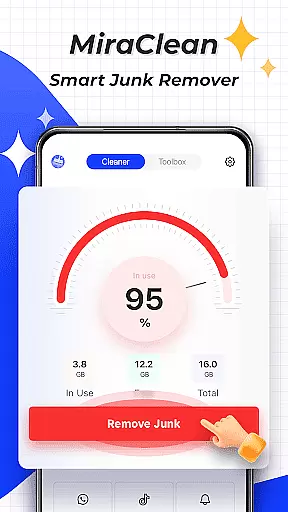
MiraClean is a productivity-focused app designed to help Android users manage their device storage and optimize performance. The app provides essential tools for scanning and deleting unnecessary files, including temporary files, app caches, and residual data that can clutter your device.
In addition to file management, MiraClean offers features like notification clearing, file organization by type and size, and network data usage tracking. With its lightweight design and privacy-conscious approach, the app ensures a smooth user experience while helping you maintain control over your phone's resources.
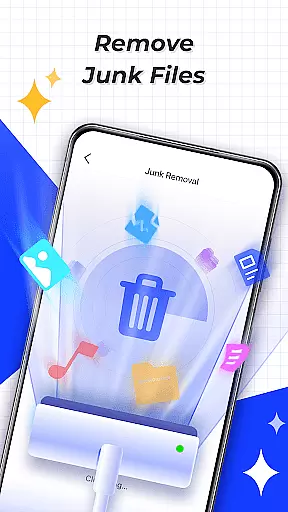
MiraClean stands out with its comprehensive set of features tailored for device optimization. One of its core functionalities is the junk file scanner, which intelligently identifies and removes temporary files and app caches, freeing up valuable storage space.
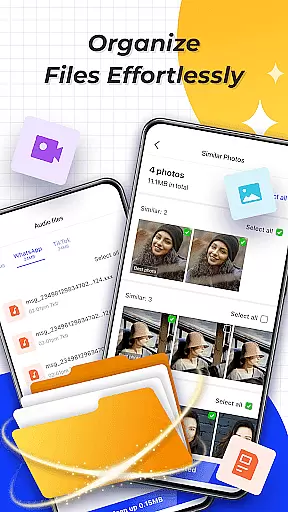
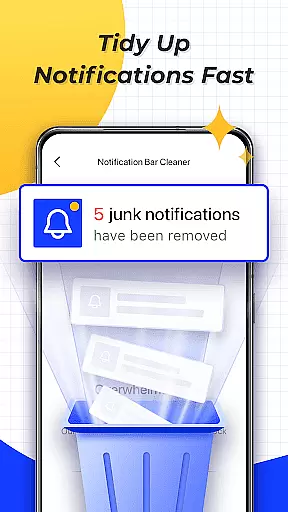
The app also includes a notification manager to clear unwanted notifications, as well as advanced file sorting options that allow users to organize files by type and size. Furthermore, MiraClean provides network data usage statistics and a built-in speed test tool, giving users insights into their mobile and Wi-Fi performance.
What sets MiraClean apart is its commitment to being lightweight and privacy-focused, ensuring minimal impact on system resources while respecting user data.
At the heart of MiraClean lies its robust core task management system, designed to streamline your device maintenance routine. This feature allows users to efficiently scan and delete unnecessary junk files that accumulate over time, such as temporary files, app caches, and residual data.
The app's intelligent scanning engine ensures that only redundant files are targeted, preserving important data while freeing up valuable storage space. With just a few taps, users can clear unwanted notifications from their notification bar, providing a cleaner and more organized interface.
MiraClean also excels in managing files by type and size, empowering users to sort through their documents, photos, and other media with ease. This functionality not only aids in decluttering but also enhances the overall performance of your Android device.
While MiraClean primarily focuses on individual device optimization, it offers reliable cross-device synchronization capabilities for users managing multiple Android devices. This means that preferences and settings configured on one device can be seamlessly mirrored across others, ensuring a consistent user experience.
Although direct file synchronization isn't a primary function, the app provides network data usage statistics that help monitor how much mobile or Wi-Fi data each device is consuming. This information is crucial for maintaining optimal performance across all connected devices.
Additionally, MiraClean includes a network speed test feature that measures current download and upload speeds, which is particularly useful when troubleshooting connectivity issues between synchronized devices. These combined features make MiraClean an invaluable tool for anyone seeking efficient productivity solutions across their digital ecosystem.
Lightweight design
Effective junk cleaning
Easy-to-use interface
Network speed testing
Privacy-conscious
Limited advanced tools
No cloud backup
Basic UI design
Few customization options
Occasional bugs

Take control of your clipboard with Clipper!
 3.90
3.90
Ads Free App! Editor, Hide File, Copy, Move, Delete and Rename.. all facility av
1.70
Unlock AutoNotification
4.00
Send files, sync SMS, notifications & clipboard across devices via local network
4.40
App lock - lock apps with fingerprint, password, pin or pattern, protect privacy
4.70
PDF scanner & converter for files, photos, lottery, QR codes. One swipe away!
4.50
Docker, Kubernetes management over Portainer Mobile
4.40
Share files & memories safely. Keep your photos and videos secure.
4.40
Simple notepad & memo. Take notes, to-do list, shopping list with reminders.
4.80
Best Tool for the professionals Electrician, Electrical contractors, etc.
4.90
Scientific calculator for Android - looks and operates like the real thing!
4.90
Mind Map and brainstorm, note taking and idea collection
4.80
Secure, fast, open-source, Remote Desktop Client for Windows and Linux with SSH
4.60
The AI assistant that thinks with you - write, code, and solve complex tasks
4.60
To do list widget with a notebook organizer, checklist, simple shopping list
4.60
A lightweight JSON & XML files creator, editor and viewer (Premium Version)
4.40
This small app MUST BE INSTALLED after purchase, else license won't work
4.40
Enjoy classic gameplay with customizable features and retro-style graphics.
4.30
Professional calendar app for Google Calendar, MS Outlook & Exchange
4.20



User Reviews