
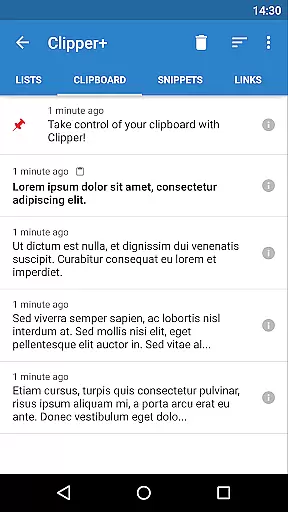
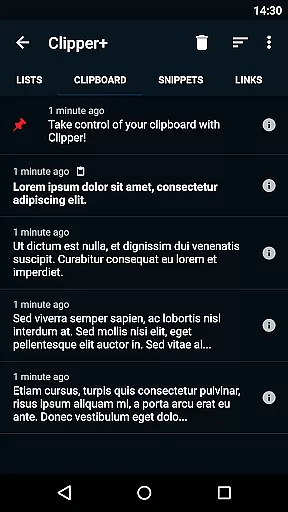
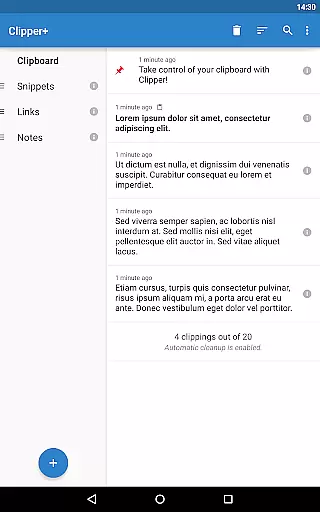
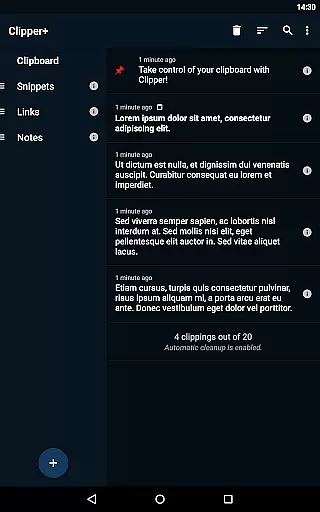
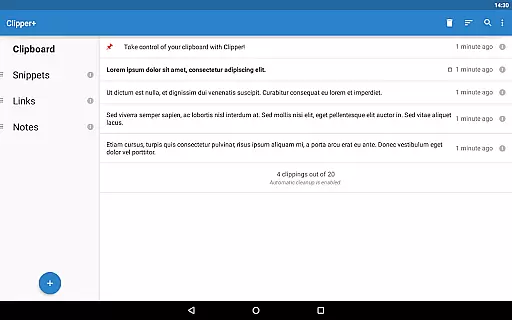
Clipper+: Clipboard Manager is a powerful productivity tool designed to enhance your clipboard experience. This application automatically saves everything you copy, allowing you to access and organize collected clippings later in lists. With features like unlimited collected clippings, dynamic values for custom snippets, and an efficient search function, Clipper+ ensures that you never lose important copied content. The app also supports storing repetitive text pieces for easy copying whenever needed.
The true value of Clipper+ lies in its ability to streamline workflows. Users can take control of their copy-paste tasks with advanced settings and options, such as manual collection of clippings and predefined quick snippets. Its seamless integration with the status bar provides quick access to your clipboard history, making it an essential tool for anyone looking to improve their efficiency on Android devices.
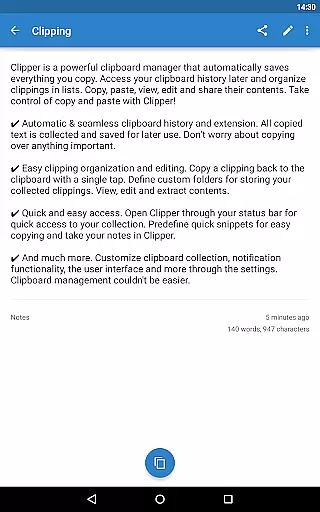
Clipper+ offers a comprehensive set of features tailored for productivity enthusiasts. One standout feature is the unlimited clipboard history, which allows users to keep more than just the latest 20 entries and even disable automatic cleanup. The dynamic values functionality lets users insert current date and time into custom snippets, adding flexibility to repetitive tasks.
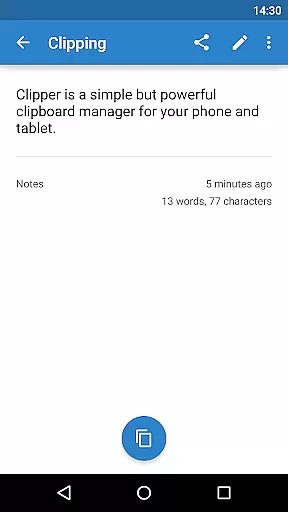
Organization is made simple with easy clipping management. Users can copy clippings back to the clipboard with a single tap, define custom folders, and edit contents effortlessly. The app's quick access through the status bar and predefined snippets ensure that users can retrieve and use their saved clippings without any hassle. Additionally, Clipper+ is completely ad-free, providing an uninterrupted user experience while supporting ongoing development.
Clipper+: Clipboard Manager excels in core task management by offering users an efficient way to handle their clipboard history. This app automatically saves everything you copy, allowing for seamless access and organization of collected clippings.
With features like unlimited collected clippings and dynamic values, Clipper+ ensures that users can manage more than just the latest items copied. The ability to disable automatic cleanup means every piece of information is retained for as long as needed.
The app's powerful search functionality enables users to find specific clippings quickly, streamlining the workflow. Moreover, options to organize clippings into custom folders and edit their contents contribute to a highly personalized and productive experience.
Cross-device synchronization is a critical feature for users who operate across multiple platforms, and Clipper+: Clipboard Manager addresses this need with reliable data migration capabilities. Although it installs as a separate application when upgrading from the free version, Clipper Plus ensures that all your important clipboard data is transferred seamlessly.
While Clipper+ does not explicitly advertise continuous cloud-based syncing, its robust import & export backup functionality allows users to maintain clipboard data integrity on internal storage or SD cards. This method provides peace of mind, knowing that valuable snippets are preserved and can be restored on any compatible device.
By supporting easy access through the status bar and predefined quick snippets, Clipper+ enhances productivity without compromising on reliability. Users can trust that their organized collections and edited contents will remain intact, regardless of how they choose to utilize this versatile clipboard manager across different devices.
Unlimited clipboard history
Dynamic snippet values
Efficient search function
Custom folder organization
Completely ad-free experience
Paid application
Separate installation from free version
Requires manual data migration
Limited to Android platform
No cloud sync feature

Experience real multitasking on your Android!
 4.00
4.00
Mind Map and brainstorm, note taking and idea collection
4.80
We're working to become the best machining app on the market! www.cncdirt.com
4.80
IP Camera Viewer - Android TV : RTSP Surveillance camera viewer for Android TV
4.1
All in One PDF Reader: Manage, Read and Edit your Documents
4.20
Fill, sign & send docs, forms, agreements & contracts via electronic signature.
4.50
A comprehensive suite of tools designed specifically for Lactation Consultants
4.0
Simple notepad & memo. Take notes, to-do list, shopping list with reminders.
4.80
AI Chatbot and AI writing assistant powered by ChatGPT.
4.60
Scan paperwork into PDF/JPG, generate your own e-signature and send fax or email
4.70
Secure, fast, open-source, Remote Desktop Client for Windows and Linux with SSH
4.60
Send files, sync SMS, notifications & clipboard across devices via local network
4.40
A lightweight JSON & XML files creator, editor and viewer (Premium Version)
4.40
A customizable calendar for your Wear OS watch
4.20
Make apps & sites with natural language prompts
4.10
Secure, open-source, SPICE and SSH Remote Desktop for QEMU KVM virtual machines
4.00
Access your phone's notifications, calls, apps, photos & texts on your PC
3.90
Mega cloud explorer plugin for Solid Explorer
3.80
AI Video AI Image Private LLM AI Browser Llama Gemma Ollama Connect LLM Studio
4.5



User Reviews