
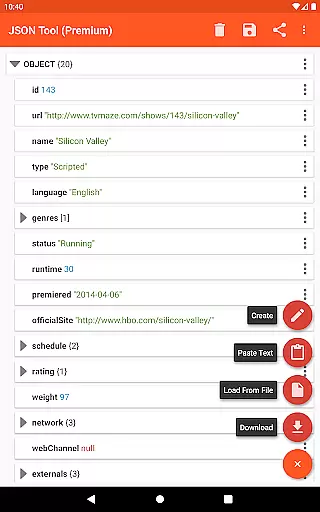
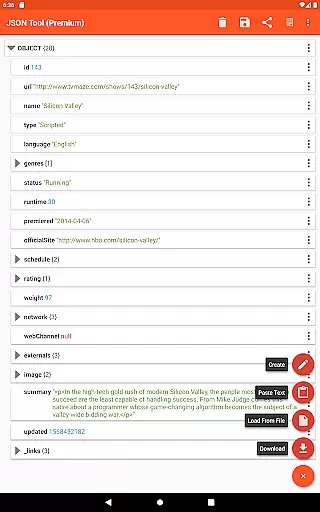
JSON & XML Tool Premium is a powerful productivity app designed for effortless creation, editing, and conversion of JSON and XML files. The app's standout feature is its simple hierarchical view that makes file navigation intuitive and efficient. Whether you're developing game addons or handling data transformation tasks, this tool streamlines the process with comprehensive functionalities.
The app leverages Android's Storage Access Framework (SAF) to manage files without needing traditional storage permissions in most cases. This ensures secure and seamless file access while maintaining user privacy. With additional capabilities like web downloads, text parsing, and integration with external apps through ACTION_SEND, it provides versatile options for handling JSON/XML data across different workflows.
Professionals who work extensively with structured data formats will find significant value in this app. Its ability to export files as PDFs, support dark theme, and use JMESPath for element extraction and transformation make it an indispensable tool for developers and data analysts alike.
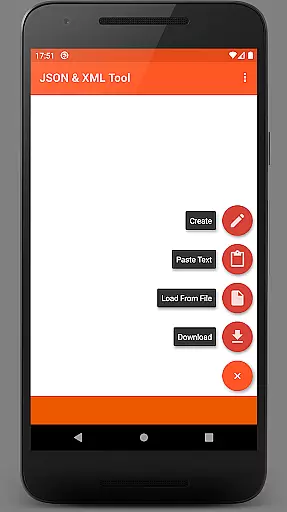
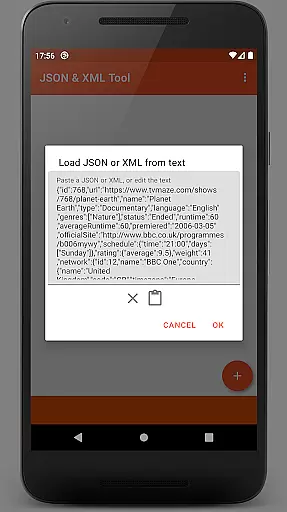
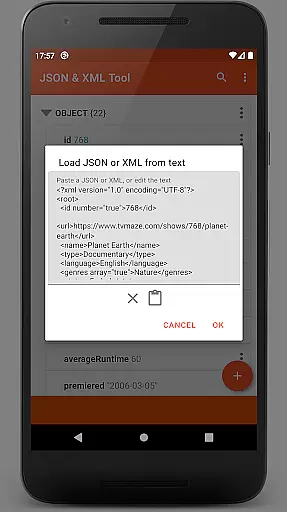
JSON & XML Tool Premium offers an extensive set of features tailored for efficient file management. Users can load files using either the internal SAF-based picker or external file pickers, download from URLs, paste text directly, or receive content from other applications. This flexibility ensures you can work with your data regardless of its source.
Editing capabilities are equally robust, allowing users to rename nodes, modify values, and switch between Boolean, Number, and String types effortlessly. Structural changes such as adding, duplicating, removing elements, or reordering array items are straightforward. Files can be saved in their original format or converted between JSON and XML, providing unmatched versatility.
Beyond basic editing, the app includes advanced features like JMESPath query support for data extraction and transformation. Sharing options via ACTION_SEND, formatted text output, and PDF export enhance collaboration and documentation processes. Dark theme support and proper registration as a JSON/XML handler upon installation further improve usability, making it a complete solution for structured data manipulation.
At the heart of the JSON & XML Tool Premium app lies its robust core task management system, which is essential for efficiently handling JSON and XML files. This feature allows users to perform a variety of operations such as viewing, creating, and editing these file types with remarkable ease.
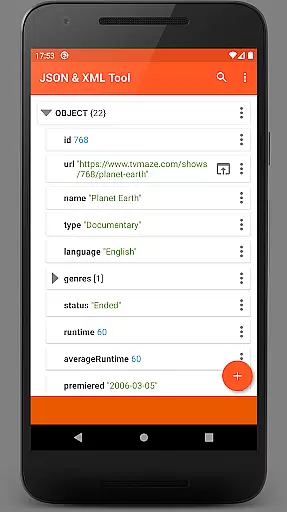
The app's hierarchical view simplifies navigation through complex data structures, making it accessible even to those who may not be technically inclined. With functionalities that include renaming node elements, modifying values, and switching between different value types, users can manage their data with precision.
Moreover, the ability to add, duplicate, and remove node elements, as well as move them within arrays, provides an intuitive way to organize information. These capabilities ensure that productivity is maximized by streamlining workflows and reducing the time spent on data management tasks.
Cross-device synchronization is a pivotal aspect of modern productivity tools, and the JSON & XML Tool Premium app excels in this area. It ensures that your work is seamlessly synchronized across all your devices, allowing you to pick up right where you left off, regardless of the device you're using.
By leveraging the Storage Access Framework (SAF), the app offers a storage browser that negates the need for traditional read-and-write permissions. This approach not only enhances security but also simplifies the process when working with files from different sources or locations.
In scenarios where storage permissions are required, the app handles requests gracefully, ensuring uninterrupted access to your files. The reliable cross-device sync, combined with features like exporting as PDF and extracting elements using JMESPath, makes this tool indispensable for users who demand efficiency and flexibility in their daily operations.
User-friendly interface
Comprehensive editing tools
Flexible file handling
Advanced data transformation
Privacy-focused design
Premium version only
Steep learning curve
Limited free support
No cloud sync
Occasional permission requests

Secure, fast, open-source, VNC and SSH Remote Desktop for Windows, Linux and Mac
 4.70
4.70
The long-awaited modern gallery app for your Nextcloud server
4.70
8 custom complications. Custom Time Fonts. Beautiful color schemes. A++ Design.
5.00
Android Wallet Password Manager
4.80
Customizable calendar widget for seamless event sync, planning & scheduling.
4.00
Easiest event planning, volunteer signups & parent teacher conference scheduling
2.20
Fill, sign & send docs, forms, agreements & contracts via electronic signature.
4.50
Calendar 2023 widget for Android. Appointment scheduler, planner, and reminder
4.60
Tally and goal counter for Wear OS & mobile
4.50
The Pro Version of Android's tiniest Notepad app. Just 0.3MB but feature-packed!
4.60
Stay on top of your to-dos with Google Tasks, part of Google Workspace.
4.60
Planet Free VPN - The best Fast Unlimited and Secure VPN Without Logs
4.50
Docker, Kubernetes management over Portainer Mobile
4.40
Access, manage and transfer files on Android, PC, Mac, NAS and cloud storages.
4.30
Experience real multitasking on your Android!
4.00
Smart PDF reader & editor to view, organize and manage PDF documents easily.
3.70
Remotely view listen control and record cameras.
3.70
The upgraded version of Name Wheel with AI and the power to add your own wheels.
4.0
IP Camera Viewer - Android TV : RTSP Surveillance camera viewer for Android TV
4.5



User Reviews