
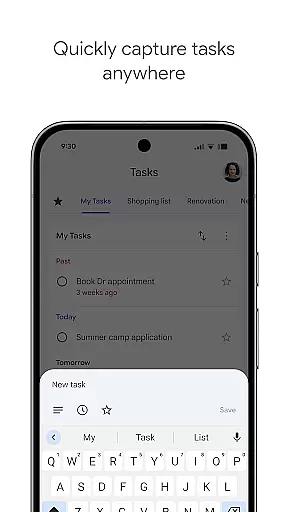
Google Tasks is a productivity app designed to help users manage their to-do lists efficiently. The app allows you to capture, organize, and track tasks from any location and at any time. With seamless synchronization across all devices, your tasks are always up-to-date whether you're using a phone, tablet, or computer.
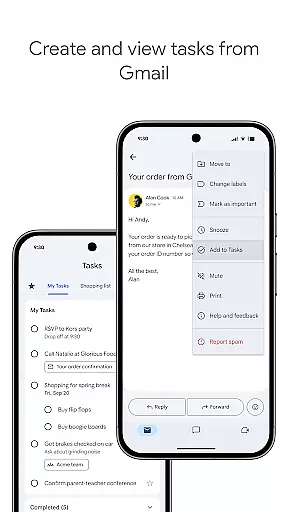
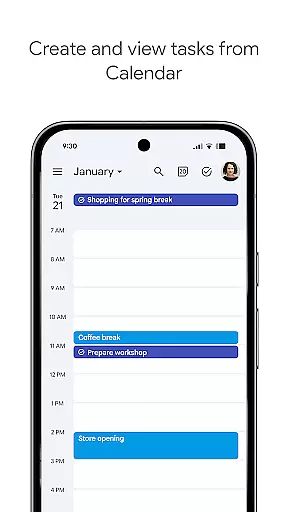
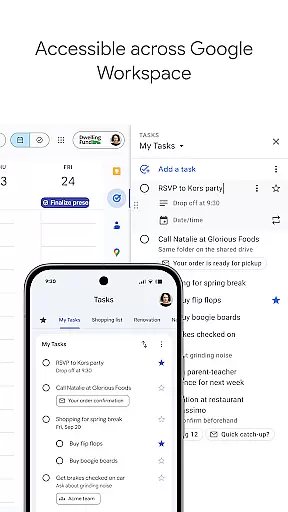
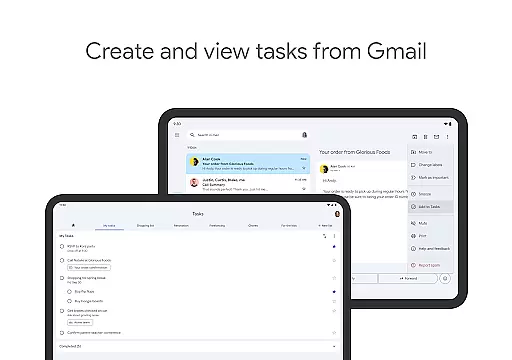
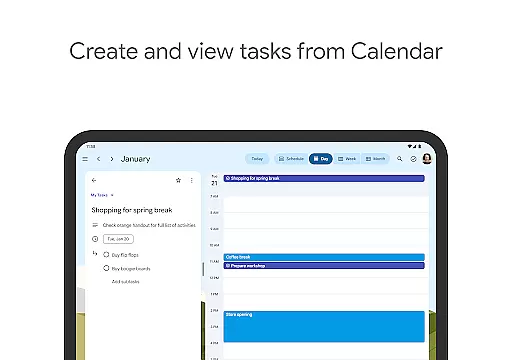
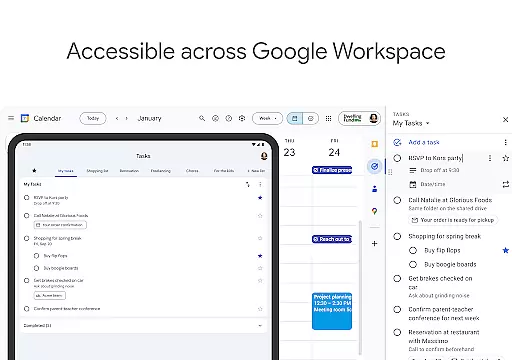
One of the standout features of Google Tasks is its deep integration with Gmail and Google Workspace. This allows users to create tasks directly from emails and access them within their workflow seamlessly. Whether you need reminders for deadlines or want to break down complex projects into subtasks, Google Tasks provides an intuitive interface that keeps you productive and focused on what matters most.
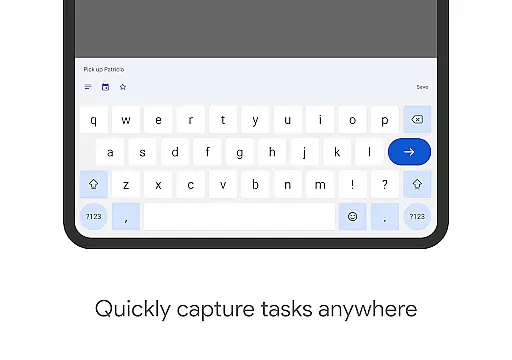
Google Tasks offers a variety of features that make task management simple and efficient. You can view, create, edit, and organize tasks while on the go, ensuring that your to-do list is always accessible. The app supports multiple task lists, enabling users to categorize tasks by topic, priority, or project, which helps maintain better organization.
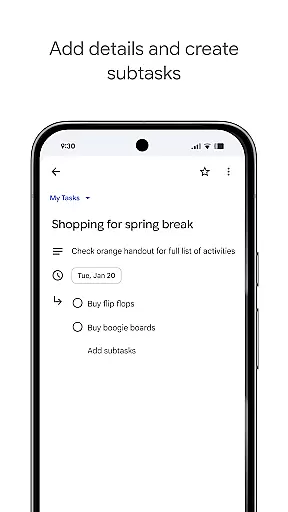
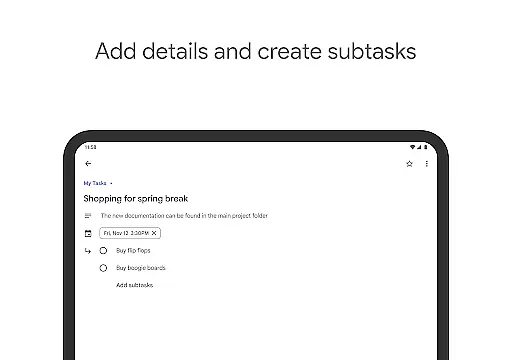
Another key feature is the ability to prioritize tasks using drag-and-drop functionality or by marking important tasks with a star. For more complex assignments, users can create subtasks, breaking larger objectives into manageable steps. Additionally, setting due dates and receiving timely notifications ensures that deadlines are met without fail. The app's integration with Gmail streamlines workflows by allowing users to turn emails into actionable tasks with ease.
Google Tasks offers a comprehensive approach to managing your daily responsibilities through its robust core task management features. This functionality allows users to efficiently organize their workload by creating, editing, and prioritizing tasks on the go.
The app's intuitive drag-and-drop interface enables seamless reordering of tasks, while the star-marking feature helps identify crucial items that require immediate attention. These organizational tools ensure that users can maintain clear focus on their most important objectives.
For complex projects, the subtask feature provides a structured way to break down larger goals into manageable components. This granular approach to task management helps users track progress more effectively and reduces the feeling of being overwhelmed by large undertakings.
All these capabilities are synchronized across devices, ensuring that your task management system remains consistent whether you're using your phone, tablet, or computer. This cross-platform functionality enhances productivity by providing uninterrupted access to your task lists.
Cross-device synchronization is a critical feature of Google Tasks, ensuring that all your task information remains up-to-date across multiple platforms. This reliable synchronization capability guarantees that any changes made on one device are instantly reflected on all others.
The app's integration with Gmail demonstrates this synchronization strength, allowing users to create tasks directly from emails while maintaining links back to the original messages. This seamless connection between communication and task management ensures no important information falls through the cracks.
Reliability is further enhanced by the app's ability to maintain accurate date and notification settings across devices. Users can trust that reminders set on their phone will trigger notifications on their other devices, helping them stay on top of deadlines regardless of which device they're using.
This synchronization infrastructure is supported by Google's robust cloud technology, ensuring minimal downtime and maximum data integrity. The result is a dependable task management experience that users can count on for both personal and professional organization needs.
User-friendly interface
Seamless cross-device sync
Deep Gmail integration
Intuitive task prioritization
Subtask support for complex projects
Limited third-party integrations
No advanced collaboration tools
Basic design lacks customization
Occasional sync delays
Notifications may not work reliably

The long-awaited modern gallery app for your Nextcloud server
 4.70
4.70
All in one sketching tool. Technical and General drawing. Online Maps support.
3.70
Send files, sync SMS, notifications & clipboard across devices via local network
4.40
We're working to become the best machining app on the market! www.cncdirt.com
4.80
PDF scanner & converter for files, photos, lottery, QR codes. One swipe away!
4.50
Docker, Kubernetes management over Portainer Mobile
4.40
Best Tool for the professionals Electrician, Electrical contractors, etc.
4.90
Seamlessly read, manage, and organize all your PDF files solution in one place
4.40
Put a lock on your cloud: Take the security of your data into your own hands
3.70
Seamlessly integrate data and reports to build your presentation to impress
4.80
Understand anything with a personalized AI research assistant
4.80
Direct Chat without saving contacts & Dual WA Account on Single Device
4.70
aCalendar+ makes your day, week and month
4.70
Lightweight PDF, Word, Excel reader.
4.60
All in One PDF Reader: Manage, Read and Edit your Documents
4.20
Cloud storage, automatic phone backup, and more.
4.10
Intelligent AI Assistant
4.10
Create and edit presentations with Google Slides, part of Google Workspace.
4.00
ID.me Authenticator is a simple and free Two Factor Authentication solution
3.50



User Reviews