
Sketch Box Pro is a versatile sketching and drawing application designed to meet diverse requirements, from technical drawings to general sketching. It serves as an alternative to vector CAD systems while maintaining the simplicity of traditional drawing tools. The app uniquely combines the precision of CAD with the flexibility of freehand drawing, making it suitable for engineers, designers, and casual sketchers alike.
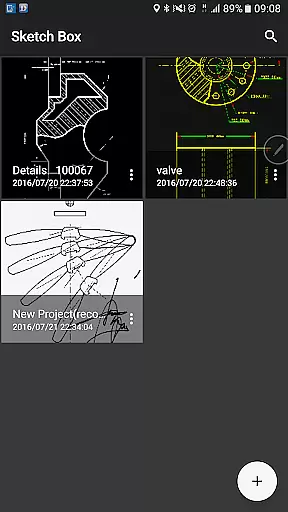
A key feature of Sketch Box Pro is its project-based workflow. Users can create projects from scratch with predefined themes, import snapshots from online maps, or use images from their device gallery. This flexibility allows users to work on various types of projects, save them for future use, duplicate, or share them easily.
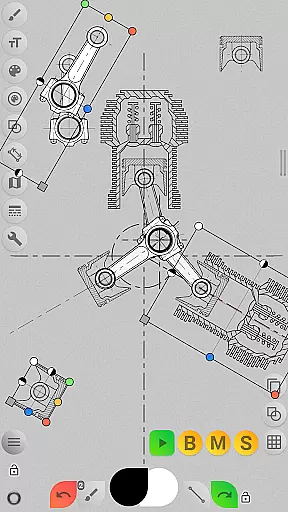
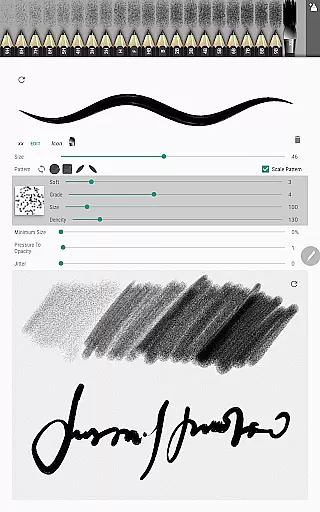
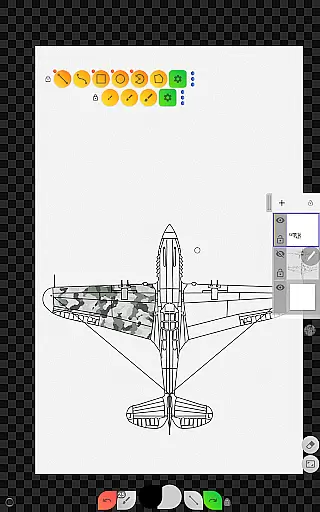
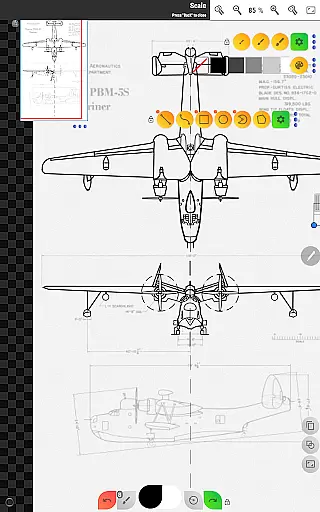
The app also supports advanced functionalities such as layers, each with customizable opacity and lock settings, and tools for precise technical sketching like grids, dimensions, and scale ratios. With its recent updates, Sketch Box Pro introduces new pencil sets, a powerful brush editor, and optimized drawing tools that enhance user experience and productivity.
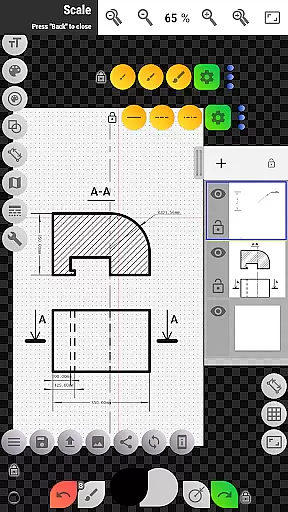
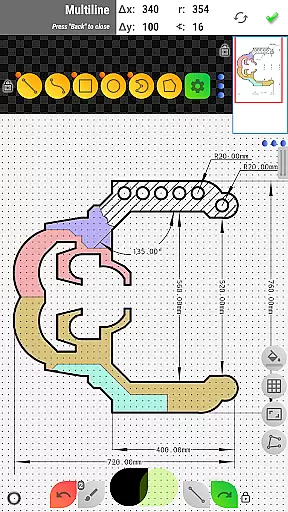
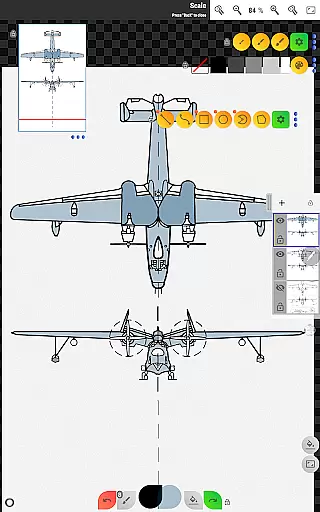
Sketch Box Pro offers a comprehensive set of features tailored for both creative and technical drawing needs. One standout aspect is its support for up to six layers in the Pro version, allowing users to manage complex drawings efficiently. Each layer can be locked, duplicated, cleared, or merged, providing complete control over the drawing process.
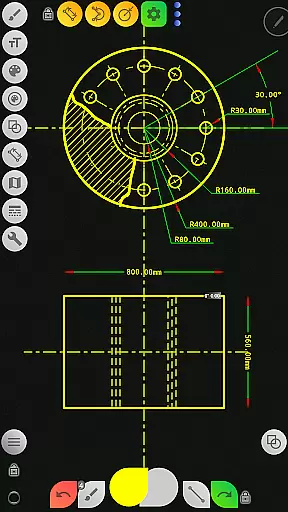
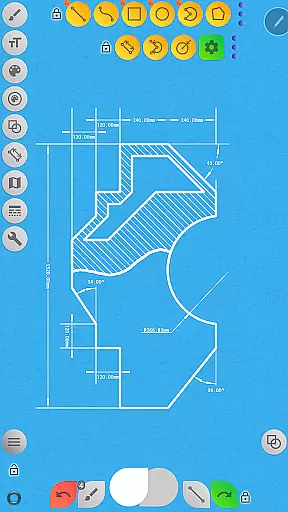
The app includes a wide range of basic shapes such as lines, rectangles, ovals, and arcs, which are essential for creating detailed sketches. Additionally, it provides predefined brushes for freehand drawing and advanced tools like the dimension tool for quick linear, angular, and radius measurements. The scale tool ensures accurate scaling of drawings, while the flood filling and hatching tools allow users to add intricate details with ease.
Another notable feature is the online map support, which enables users to utilize Google Maps as a background for their projects. Interactive compass tools and vector tools help align sketches with real-world directions and measure distances and areas directly on the map. These capabilities make Sketch Box Pro not only a drawing tool but also a powerful utility for spatial planning and design.
Sketch Box Pro excels in core task management by offering a versatile platform for both creative and technical drawing needs. The app supports project creation from scratch, online maps snapshots, or device gallery images, ensuring flexibility in how users approach their tasks.
With features like layers support, users can manage up to six layers in the Pro version, allowing for detailed organization of different elements within a project. Functions such as locking layers, controlling opacity, duplicating, clearing, deleting, and merging layers provide comprehensive control over the drawing process.
The inclusion of tools for basic shapes, predefined brushes, grid assistance, dimensioning, scaling, flood filling, hatching, and text further enhances its task management capabilities. These tools enable users to create precise sketches for various applications while maintaining an organized workflow.
Additionally, Sketch Box Pro's ability to export drawings to the gallery or share them directly adds a layer of convenience for professionals who need to distribute their work efficiently. This ensures that productivity is not only about managing tasks within the app but also about facilitating seamless sharing and collaboration.
Cross-device synchronization is a critical feature for modern productivity apps, and Sketch Box Pro addresses this need with reliable functionality. Users can start a project on one device and continue working on another without losing any progress or detail, thanks to the app's robust synchronization mechanisms.
The app supports importing projects from online maps snapshots and device galleries, which means users can incorporate external data sources into their workflows effortlessly. This capability ensures that all devices used in the creative process are in sync, providing a consistent experience across platforms.
Moreover, Sketch Box Pro allows users to save selections to their device disk and reuse them later, enhancing the reliability of cross-device operations. This feature is particularly useful for transferring complex elements between different stages of a project or collaborating with team members who may be using separate devices.
By focusing on these synchronization aspects, Sketch Box Pro ensures that users can rely on the app to maintain data integrity and consistency, regardless of the number of devices involved in their workflow. This reliability boosts overall productivity and user confidence in the app's performance.
User-friendly interface
Powerful layer management
Advanced drawing tools
Flexible project creation
Online map integration
Pro features require purchase
Steep learning curve
Limited free version
Occasional bugs
High system requirements

When you Focus, so will your Bean in this cozy focus timer
 4.30
4.30
Take control of your clipboard with Clipper!
3.90
Android Wallet Password Manager
4.80
⏰ Finally a timer app which can run multiple timers simultaneously on your watch
3.90
Find and delete junk files & block unwanted notifications & manage files
3.70
Great calculator for Android named one of USA TODAY's "25 Essential Apps".
4.90
A comprehensive suite of tools designed specifically for Lactation Consultants
4.3
A beautiful digital clock with autostart and many other functions
4.70
Use powerful, industry-leading AI tools to generate visual charts from any data
4.80
Mind Map and brainstorm, note taking and idea collection
4.80
QuickBooks Workforce lets teams view pay info and track time in one place.
4.70
Send files, sync SMS, notifications & clipboard across devices via local network
4.40
CalenGoo is a very flexible and feature-rich calendar app
4.40
Automates browsing any website and notifies you of important changes or events
4.30
Enjoy classic gameplay with customizable features and retro-style graphics.
4.30
Access, manage and transfer files on Android, PC, Mac, NAS and cloud storages.
4.30
Total remote control for your Android device, PC and cloud services (IFTTT)!
4.20
Ultimate Virtual AI Character for immersive Roleplay Chat. Perfect Companion
3.90
Mega cloud explorer plugin for Solid Explorer
3.80




User Reviews