
Web Alert (Pro) is a powerful productivity tool designed for professionals in web development and automation. This premium upgrade enhances the core functionality of the free Web Alert app by adding advanced monitoring features.
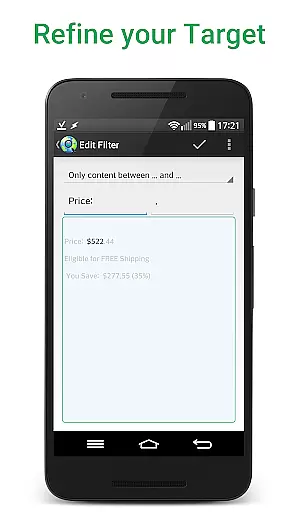
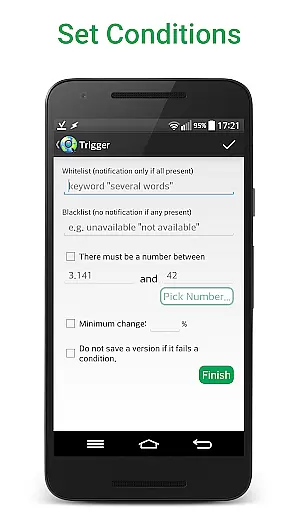
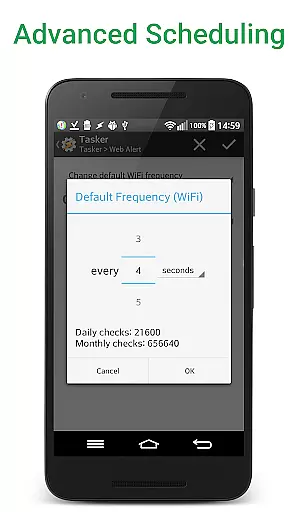
The application excels in website change detection, allowing users to monitor web pages with exceptional precision. Key capabilities include custom check frequencies down to every 5 seconds, parallel checks, and sophisticated text filtering options. Users can track specific numbers like product prices, set conditional notifications based on keywords, and monitor websites even with SSL certificate issues.
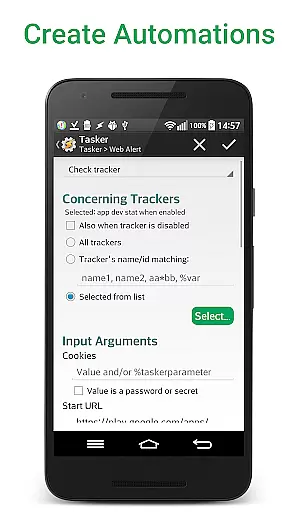
Particularly valuable for developers, Web Alert (Pro) supports regular expressions (RegEx), CSS/jQuery selectors, and HTML source code monitoring. The Tasker plugin integration enables advanced automation without requiring programming knowledge, making it suitable for both technical professionals and general users seeking enhanced website monitoring capabilities.
Web Alert (Pro) distinguishes itself through its comprehensive feature set tailored for precise website monitoring. The application allows users to define complex monitoring rules using regular expressions and CSS/jQuery selectors, enabling targeted content tracking within web pages.
A standout capability is its programmable interface through the extensive Tasker plugin. This feature allows users to create sophisticated automation workflows without needing to write code. The application also supports parallel checks, customizable notification conditions, and percentage-based change alerts, providing granular control over monitoring parameters.
Professional users benefit from advanced options like website version exporting, alert modification tools, and source code-level change detection. These features, combined with the ability to integrate with popular automation platforms, make Web Alert (Pro) a versatile solution for both individual professionals and enterprise-level monitoring needs.
Web Alert (Pro) excels in core task management by providing users with advanced monitoring capabilities for web pages. This includes setting custom frequencies for checks, allowing precise control over how often the app monitors changes.
The app supports parallel checks, which means it can handle multiple monitoring tasks simultaneously without delays. This ensures that professionals and casual users alike can track various web elements efficiently.
Additionally, Web Alert (Pro) offers sophisticated filtering options. Users can focus on specific text changes or numerical variations, such as price drops in online stores, making it an essential tool for those engaged in web development or automation.
Cross-device synchronization is a critical feature of Web Alert (Pro), ensuring reliable performance across different devices. The app allows exporting and importing alerts, which helps maintain consistency and accessibility regardless of the device in use.
With functionalities like modifying alert URLs and restoring accidentally deleted alerts, the app provides a robust safety net. These features ensure that users won't lose their important monitoring tasks due to unforeseen errors or device switches.
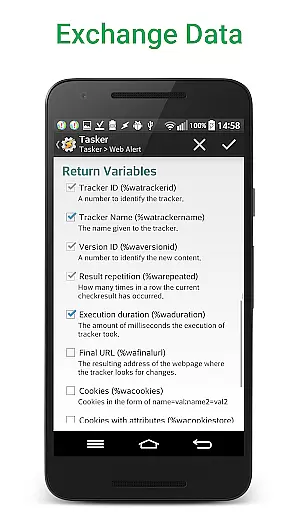
Moreover, Web Alert (Pro) integrates seamlessly with tools like Tasker, Automate, and Automagic through an extensive plugin. This integration enhances programmability and flexibility, offering users a comprehensive solution for managing web alerts across all their devices reliably.
Advanced monitoring options
Tasker plugin integration
Parallel checking capability
Source code-level tracking
Comprehensive export tools
Requires separate app installation
Premium price point
Complex for beginners
Limited visual interface
No standalone functionality

A Revolutionary All-in-One Artificial Intelligence Tools
 3.80
3.80
Send files, sync SMS, notifications & clipboard across devices via local network
4.40
Mind Map and brainstorm, note taking and idea collection
4.80
App Lock with fingerprint, password: Lock apps & hide photos with lock screens
4.60
PDF scanner & converter for files, photos, lottery, QR codes. One swipe away!
4.50
The AI assistant that thinks with you - write, code, and solve complex tasks
4.60
Docker, Kubernetes management over Portainer Mobile
4.40
To do list widget with a notebook organizer, checklist, simple shopping list
4.60
A Pixel Art watchface inspired by other iconic 90s designs for Wear OS devices!
4.40
Great calculator for Android named one of USA TODAY's "25 Essential Apps".
4.90
Protect and view your important info on your phone and tablet with eWallet®
4.80
Direct Chat without saving contacts & Dual WA Account on Single Device
4.70
aCalendar+ makes your day, week and month
4.70
Secure, fast, open-source, Remote Desktop Client for Windows and Linux with SSH
4.60
Functional QR scanner and barcode reader that requires little storage space.
4.60
Easily read and manage all your PDF files
4.10
Intelligent AI Assistant
4.10
Make your handwriting beautiful, even more than pen on paper.
3.60
The upgraded version of Name Wheel with AI and the power to add your own wheels.
4.5



User Reviews