
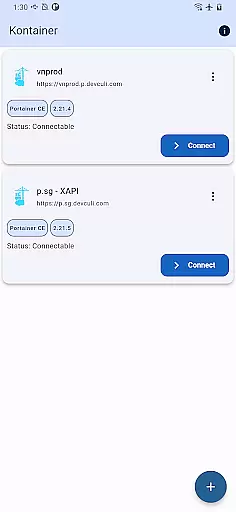
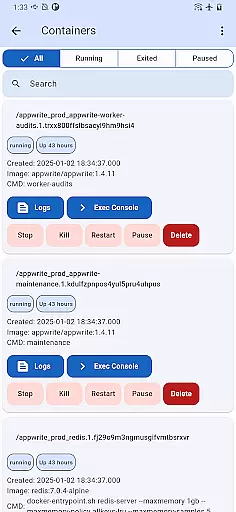
Portainer Mobile is a powerful productivity tool designed to simplify container management for developers and IT professionals. This mobile application allows users to manage Portainer, the leading container management platform, directly from their mobile devices. With support for both Docker and Kubernetes environments, it provides seamless control over containerized deployments across various platforms including developer laptops, data centers, cloud infrastructures, and edge computing environments.
The app's standout feature is its ability to handle multi-cluster and multi-device management through a unified interface. This enables users to monitor, configure, and optimize their container operations from a single view. Whether you need to oversee hybrid environments or work within multi-cloud setups, Portainer Mobile streamlines deployment processes while maintaining security and boosting operational efficiency. Its comprehensive functionality makes it an essential tool for modern development workflows.
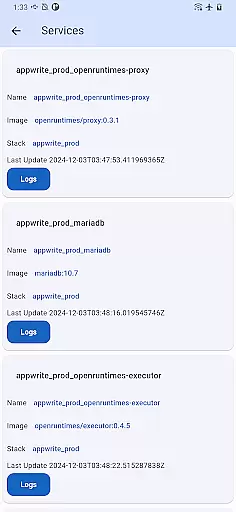
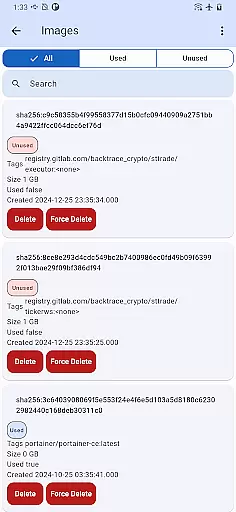
Portainer Mobile offers several advanced features that enhance container management capabilities. The app supports comprehensive management of Docker and Kubernetes endpoints, allowing users to maintain full control over their containerized applications. Its multi-cluster management functionality enables administrators to efficiently handle complex deployments across different environments, whether on-premises or in the cloud.
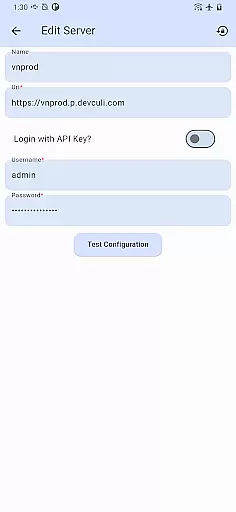
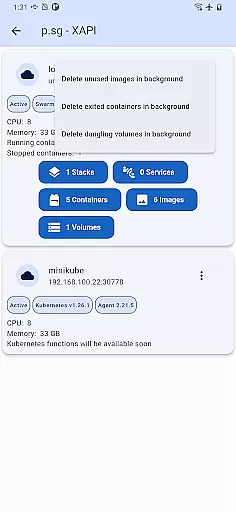
A key advantage of Portainer Mobile is its unified interface that consolidates all management tasks into a single view. This intuitive design significantly reduces the complexity typically associated with container management. Additionally, the app provides robust security features ensuring safe access to critical infrastructure. While Kubernetes (K8S) functions are currently in development, the existing feature set already delivers substantial value for managing containerized workloads across diverse environments.
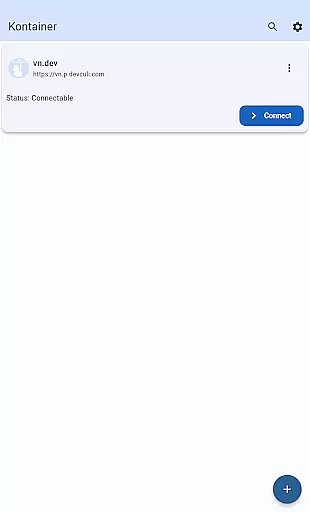
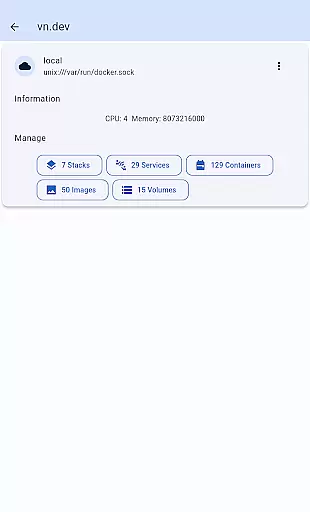
Core task management is essential for overseeing containerized environments efficiently. Kontainer provides a unified interface that allows users to manage Docker and Kubernetes endpoints seamlessly from a single view.
The app supports multi-cluster and multi-device management, empowering users with full control over their deployments across hybrid and multi-cloud environments. This ensures that all tasks related to container operations can be monitored and configured effortlessly.
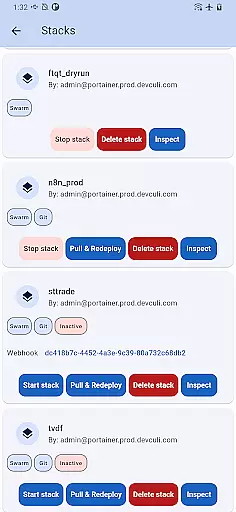
With Kontainer, users can streamline deployment processes and optimize their container operations with ease. The ability to oversee both Docker and Kubernetes environments from the palm of your hand boosts efficiency significantly.
This level of task management ensures secure and flexible management of containerized deployments, making it an indispensable tool for administrators and developers alike.
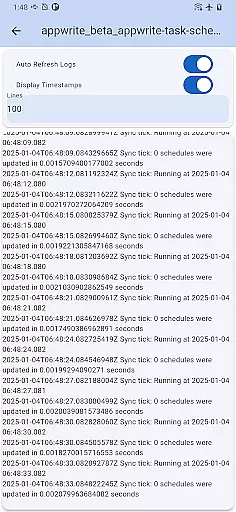
Cross-device synchronization reliability is crucial for managing Portainer from anywhere. Kontainer ensures that all your devices are in sync, providing real-time updates and seamless transitions between different platforms.
Whether you're using a developer laptop, working in a data center, or accessing cloud resources, Kontainer keeps everything aligned. This synchronization capability ensures that you have the most up-to-date information at your fingertips, no matter where you are.
The app's robust synchronization features allow users to manage their containerized deployments without worrying about discrepancies or delays. This reliability is key to maintaining efficient and secure operations across various environments.
By ensuring consistent and accurate data across devices, Kontainer enhances productivity and peace of mind, allowing users to focus on optimizing their container operations.
User-friendly interface
Multi-cluster support
Unified management view
Secure access controls
Cross-platform compatibility
K8S support pending
Limited advanced features
Requires network connection
Occasional sync delays
Learning curve for beginners

Ads Free App! Editor, Hide File, Copy, Move, Delete and Rename.. all facility av
 1.70
1.70
Easily read and manage all your PDF files
4.10
A simple, portable logger for POTA, SOTA, Field Day, and more
4.0
Pwnagotchi companion app
4.20
* block pre-roll ads, pop-up and forced redirect ads * Samsung certification app
4.00
A Pixel Art watchface inspired by other iconic 90s designs for Wear OS devices!
4.40
This small app MUST BE INSTALLED after purchase, else license won't work
4.40
Okta MFA
4.70
Note taking, handwriting, record audio, PDF annotation, planner & journal
4.20
Quickly and easily keep track of your work shifts
4.70
Scan paperwork into PDF/JPG, generate your own e-signature and send fax or email
4.70
All document reader, all in one file viewer read PDF, DOCX, XLS, PPT, TXT files.
4.60
Subscribe to Webcal & .ics calendars and keep them up-to-date!
4.50
A lightweight JSON & XML files creator, editor and viewer (Premium Version)
4.40
Secure your apps with lock screens, use custom themes and different features.
4.40
Intelligent AI Assistant
4.10
Access your phone's notifications, calls, apps, photos & texts on your PC
3.90
ID.me Authenticator is a simple and free Two Factor Authentication solution
3.50
Simple and reliable communication between inmates, friends and family
3.20




User Reviews