
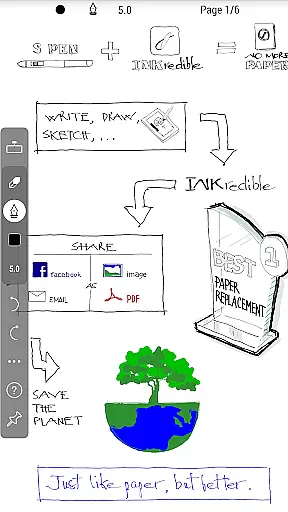
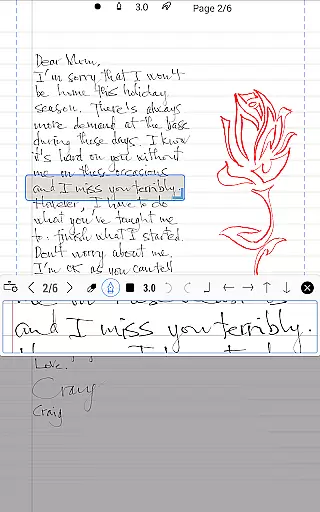
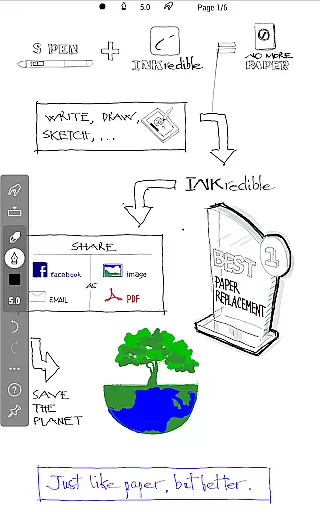
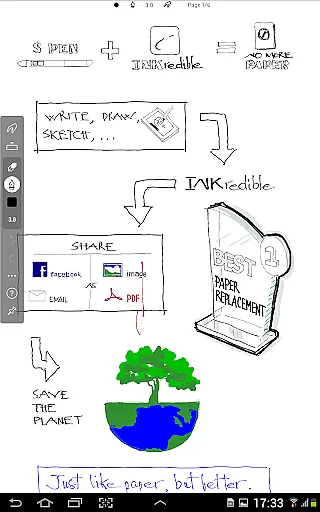
INKredible PRO revolutionizes digital handwriting by combining advanced vector-graphics inking technology with an intuitive user interface. Designed specifically for productivity enthusiasts, this app offers an unparalleled writing experience on tablets. The app's core functionality lies in its ability to replicate the natural feel of pen on paper through sophisticated Bezier curve manipulations.
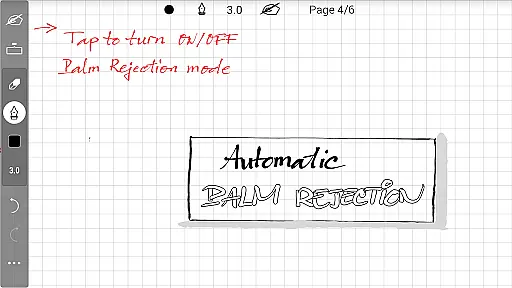
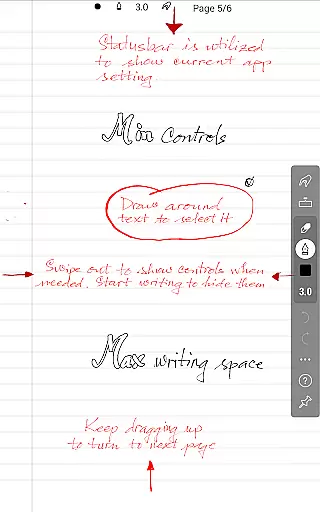
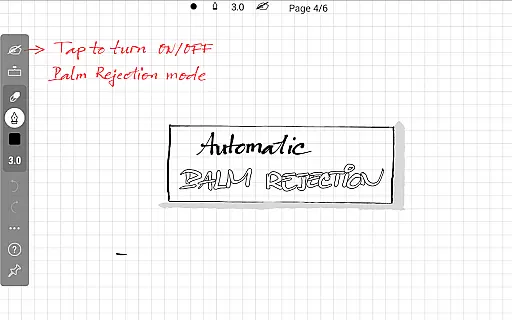
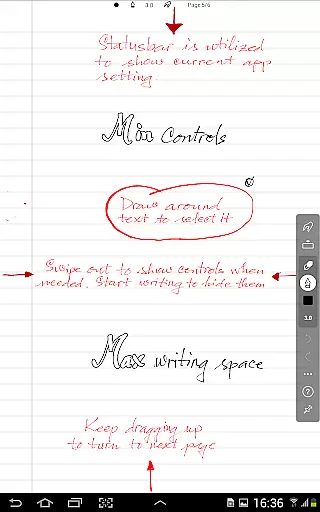
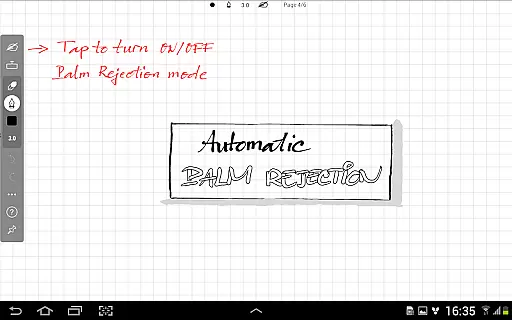
What sets INKredible PRO apart is its automatic palm and wrist rejection feature, eliminating accidental touches while writing. The app maintains a minimalist approach, providing users with a clean writing space devoid of distracting UI elements. Whether you're taking meeting notes or sketching ideas, the app adapts to various professional needs.
The application proves particularly valuable in business settings where digital note-taking has become essential. Its ability to produce high-resolution outputs makes it suitable for both personal note-keeping and professional presentations, demonstrating how traditional writing methods can be successfully digitized without compromising quality.
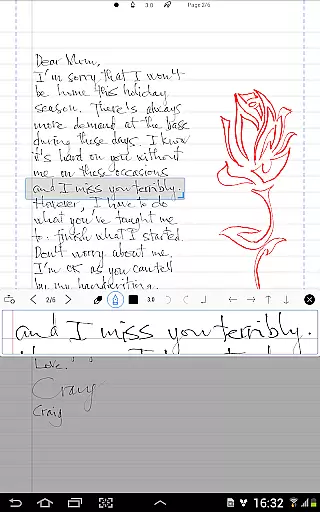
INKredible PRO distinguishes itself through several remarkable features that enhance productivity. The app's vector-based inking engine creates stunningly realistic handwriting that looks better than actual pen on paper. This technology ensures that your notes remain crisp and clear at any zoom level, making them suitable for both digital viewing and high-quality printing.
A key innovation is the app's intelligent palm rejection system, which automatically detects and ignores unintended touches. This feature, combined with customizable ink properties including color, thickness, and texture, provides users with complete control over their writing experience. The app supports multiple notebook formats and page templates, catering to diverse organizational preferences.
Additional productivity-enhancing features include cloud synchronization, cross-device compatibility, and advanced document management tools. These capabilities ensure that your notes are securely stored and readily accessible across different platforms, making INKredible PRO an indispensable tool for modern professionals seeking efficient digital workflow solutions.
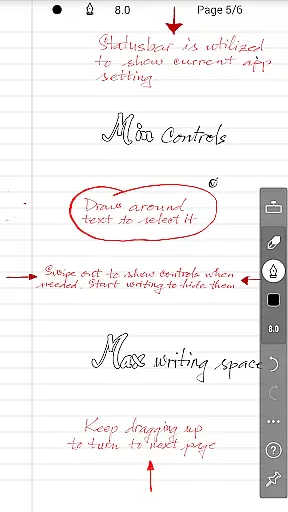
Task management is a cornerstone of productivity applications, ensuring users can efficiently organize and prioritize their work. INKredible PRO excels in this area by offering an intuitive interface that remains invisible until needed, allowing users to focus on their writing without distractions.
The app's design emphasizes simplicity and elegance, enabling users to create and manage notes with ease. This minimalist approach ensures that the app stays out of the way, providing a seamless experience that mimics the natural act of writing on paper.
By integrating advanced inking technology, INKredible PRO enhances the task management process, making it not only functional but also enjoyable. Users benefit from a distraction-free environment that boosts concentration and productivity, ultimately leading to more effective task completion.
Cross-device synchronization is vital for users who need access to their documents across multiple devices. INKredible PRO addresses this need by ensuring reliable and consistent syncing, allowing users to pick up where they left off, regardless of the device they are using.
The app leverages robust cloud technologies to maintain data integrity and availability. This means that whether you're switching from a tablet to a smartphone or vice versa, your notes will always be up-to-date and accessible, providing a continuous and uninterrupted workflow.
Moreover, the synchronization process is designed to be seamless and automatic, eliminating the need for manual backups or transfers. This reliability ensures that users can trust INKredible PRO to keep their important information safe and synchronized, enhancing both convenience and peace of mind.
Realistic ink rendering
Automatic palm rejection
High-resolution output
Minimalist interface
Cross-device sync
No collaboration features
Limited formatting tools
Premium price point
Steeper learning curve
Occasional lag

Auto-shutoff Alarm with Sunrise, Sunset & Fixed Options.
 3.50
3.50
Mega cloud explorer plugin for Solid Explorer
3.80
Direct Chat without saving contacts & Dual WA Account on Single Device
4.70
Protect and view your important info on your phone and tablet with eWallet®
4.80
Device's storage information in a simple and clear graphical form (infographics)
4.10
All in One PDF Reader: Manage, Read and Edit your Documents
4.20
Activate Two Factor Authentication (2FA or Multi OTP), Password manager and more
4.10
Subscribe to Webcal & .ics calendars and keep them up-to-date!
4.50
Access, manage and transfer files on Android, PC, Mac, NAS and cloud storages.
4.30
Native client for Forgejo and Gitea
5.00
Scientific calculator for Android - looks and operates like the real thing!
4.90
App lock - lock apps with fingerprint, password, pin or pattern, protect privacy
4.70
Experience Reading - Night Mode for Documents
4.40
Send files, sync SMS, notifications & clipboard across devices via local network
4.40
Font maker keyboard with your own handwriting
4.10
Ultimate Virtual AI Character for immersive Roleplay Chat. Perfect Companion
3.90
Simple and reliable communication between inmates, friends and family
3.20
Experience and share your SolidWorks designs on your Android® phone and tablet.
2.50
A comprehensive suite of tools designed specifically for Lactation Consultants
4.1



User Reviews