
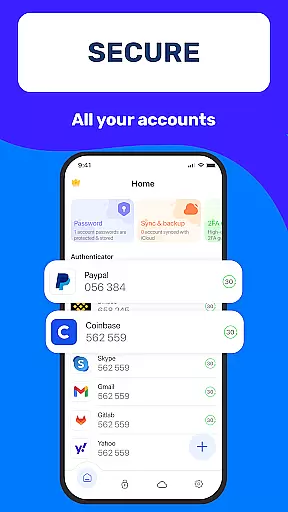
Authenticator App 2FA - Password Manager is a comprehensive productivity tool designed to enhance both security and convenience in managing digital accounts. The app integrates two-factor authentication (2FA) with advanced password management, ensuring users can protect their accounts while streamlining login processes. With features like QR code scanning for 2FA, secure password storage, and automatic form filling, it significantly reduces the risk of unauthorized access and simplifies account management.
In addition to its core security functions, Authenticator App offers practical utilities such as cross-device data backup and synchronization, biometric unlocking via Touch ID, and cloud-based data storage. These features make it an ideal solution for individuals who frequently switch devices or need reliable access to sensitive information on the go. Whether you're looking to safeguard personal accounts or manage professional credentials, this app provides a robust and user-friendly experience tailored to modern productivity needs.
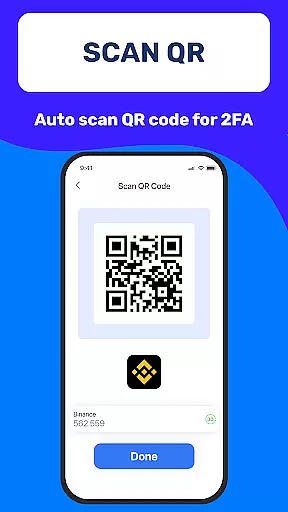
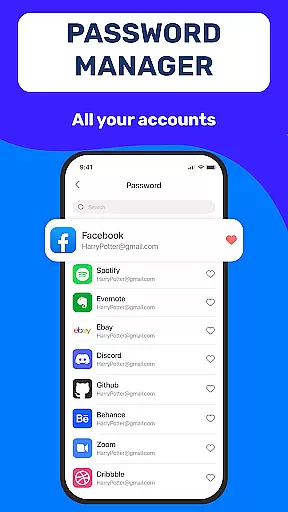
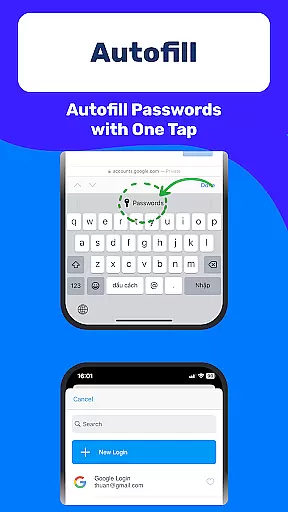
Authenticator App 2FA - Password Manager stands out due to its multifunctional design that combines cutting-edge security measures with intuitive usability. One of its key highlights is the Scan QR 2FA feature, which allows users to quickly enable two-factor authentication by scanning QR codes provided by their online services. This not only enhances account protection but also eliminates the hassle of manual setup. Another standout feature is the integrated Password Manager, which securely stores login details and uses Autofill technology to populate website forms automatically, saving time and minimizing errors during logins.
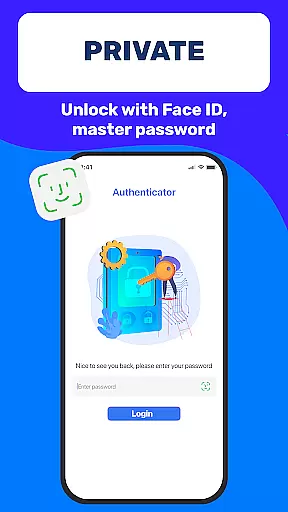
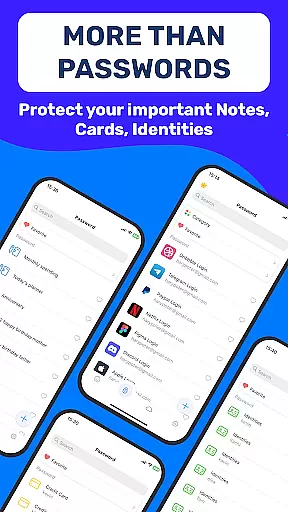
The app also includes several innovative tools aimed at improving flexibility and accessibility. For instance, the Backup & Sync functionality ensures that all critical data remains intact even when switching devices or reinstalling the app. Additionally, the Master Password and Touch ID unlock options provide an extra layer of security against unauthorized access. Other notable features include Dark Mode for comfortable nighttime use, Credit Card Note storage for sensitive financial information, and seamless Import/Export capabilities for transferring data between devices. Together, these functionalities create a versatile productivity tool that prioritizes both safety and efficiency.
Task management is a cornerstone of productivity applications, and Authenticator App 2FA - Password Manager excels in this area by offering a comprehensive suite of features designed to streamline your digital life. At its core, the app provides robust account management through functionalities like Scan QR 2FA, which simplifies the login process while enhancing security.
The application goes beyond basic task tracking by integrating advanced capabilities such as Backup & Sync, ensuring that your data remains intact across device changes or reinstalls. This feature alone can save users countless hours that would otherwise be spent on manual data recovery.
Additionally, the Password Manager and Autofill functions are engineered to store credentials securely and populate website login fields automatically. This not only expedites the login process but also minimizes human error during data entry, making daily digital interactions smoother and more efficient.
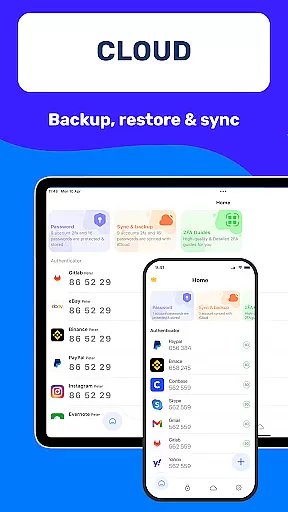
Cross-device synchronization is vital for users who operate multiple devices and need consistent access to their data. Authenticator App 2FA - Password Manager addresses this need with reliable cloud storage solutions that ensure your information is always up-to-date and accessible, regardless of the device you're using.
This synchronization extends to various features within the app, including the Backup & Sync functionality, which guarantees that your settings and stored data are mirrored across all your devices. Such reliability means you won't miss a beat when switching between your phone, tablet, or computer.
Furthermore, the Import and Export Data feature adds another layer of flexibility, allowing seamless transitions between different authenticator apps. With these tools at your disposal, Authenticator App 2FA - Password Manager ensures that your digital life remains uninterrupted, providing peace of mind and enhancing overall productivity.
Enhanced Security
User-Friendly Interface
Efficient Data Management
Cross-Device Synchronization
Cloud-Based Backup
Premium Features Locked
Occasional Sync Delays
Limited Free Storage
No Multi-Platform Support
Complex Setup for Beginners

Client for Nextcloud Deck
 4.60
4.60
Easily read and manage all your PDF files
4.10
Smart PDF reader & editor to view, organize and manage PDF documents easily.
3.70
Customizable calendar widget for seamless event sync, planning & scheduling.
4.00
PDF scanner & converter for files, photos, lottery, QR codes. One swipe away!
4.50
A simple Whisper AI keyboard for reliable speech transcription and rewording
4.60
Lightweight PDF, Word, Excel reader.
4.60
Scan paperwork into PDF/JPG, generate your own e-signature and send fax or email
4.70
Simple notepad & memo. Take notes, to-do list, shopping list with reminders.
4.80
Best Tool for the professionals Electrician, Electrical contractors, etc.
4.90
The long-awaited modern gallery app for your Nextcloud server
4.70
A beautiful digital clock with autostart and many other functions
4.70
Secure, fast, open-source, Remote Desktop Client for Windows and Linux with SSH
4.60
Calendar 2023 widget for Android. Appointment scheduler, planner, and reminder
4.60
Fill, sign & send docs, forms, agreements & contracts via electronic signature.
4.50
Secure your apps with lock screens, use custom themes and different features.
4.40
Unlock AutoNotification
4.00
All in one sketching tool. Technical and General drawing. Online Maps support.
3.70
The upgraded version of Name Wheel with AI and the power to add your own wheels.
4.0




User Reviews