
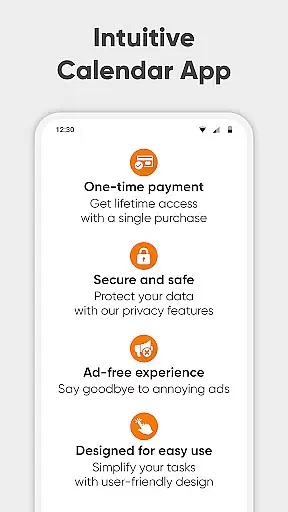
Simple Calendar Pro is a productivity-focused calendar application designed for Android users who value simplicity and customization. This offline calendar app offers a streamlined experience without ads or unnecessary permissions, making it an ideal personal schedule planner. With support for syncing events through Google Calendar or other CalDAV-compatible services, it ensures seamless organization of both personal and professional events.
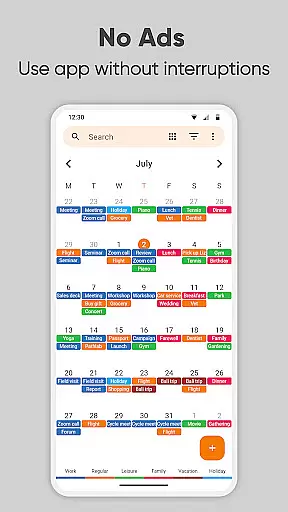
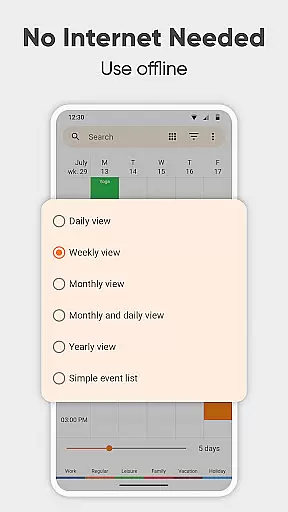
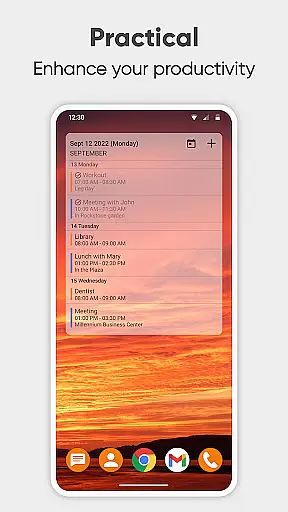
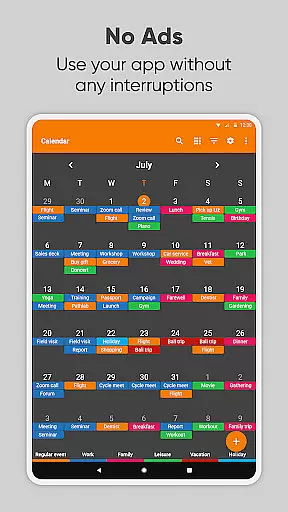
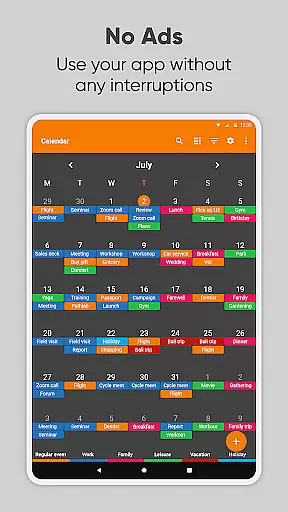
The app provides extensive customization options, allowing users to tailor event reminders, notification styles, and the overall appearance of the calendar widget. Whether you need a day planner for business meetings or a family organizer for special occasions, Simple Calendar Pro helps you stay on top of your schedule with ease. Its intuitive interface supports various viewing modes including daily, weekly, and monthly layouts, as well as a simple list view for upcoming events.
For users seeking privacy and security, Simple Calendar Pro operates fully offline, ensuring that your data remains on your device. The app also includes advanced features such as importing and exporting events via .ics files, flexible event creation with powerful repetition rules, and integration with third-party calendars. With its open-source nature and support for over 45 languages, this app stands out as a versatile tool for managing your agenda efficiently in 2023.
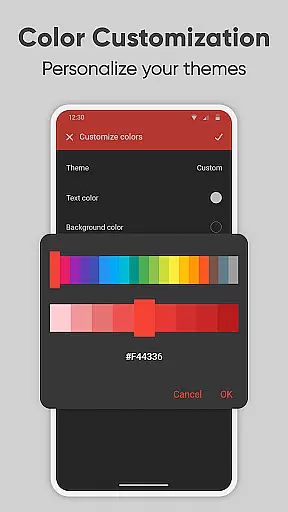
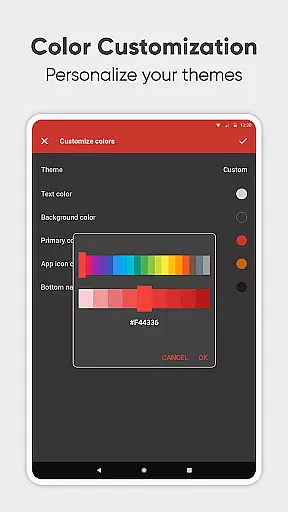
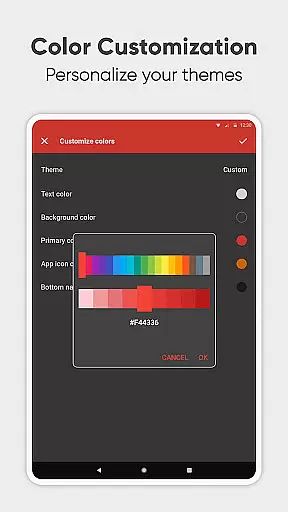
Simple Calendar Pro boasts a range of features that cater to diverse productivity needs. One of its standout aspects is the high level of customization available to users. You can personalize nearly every aspect of the app, from sound settings and vibrations for reminders to the visual themes and colors of the calendar widget. This flexibility allows you to create a calendar environment that suits your preferences perfectly, enhancing both usability and aesthetic appeal.
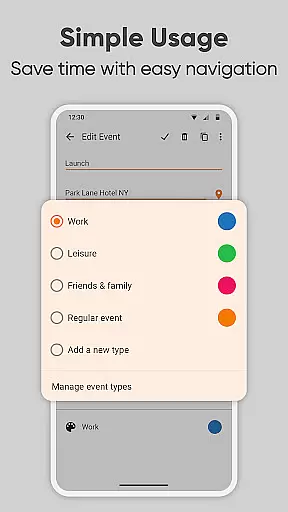
In addition to its customization capabilities, Simple Calendar Pro excels in functionality. The app supports comprehensive event management, including the ability to set up single or recurring events with detailed repetition rules. It also integrates smoothly with external calendar services like Google Calendar, Microsoft Outlook, and Nextcloud through CalDAV, ensuring that all your events are synchronized across devices. Furthermore, the app's capability to export settings and events into .ics and .txt files adds another layer of convenience for users who need to transfer data between devices.
Another significant feature is the app's focus on user experience. Operating fully offline, Simple Calendar Pro prioritizes user privacy and data security. It eliminates the need for internet access, which not only enhances stability but also protects your information from potential online threats. Moreover, the app's open-source nature invites community contributions, resulting in continuous improvements and updates. With its intuitive design, robust feature set, and commitment to user-centric values, Simple Calendar Pro establishes itself as a top choice for anyone seeking an efficient and reliable scheduling tool.
At the heart of Simple Calendar Pro lies its robust core task management system, designed to streamline your daily planning. This feature allows users to effortlessly create, manage, and track events with precision, ensuring that nothing falls through the cracks. The app supports both single and recurring events, accommodating a wide array of scheduling needs from simple reminders to complex organizational tasks.
The beauty of Simple Calendar Pro's task management is in its flexibility and ease of use. Users can set specific times, durations, and reminders for each event, with powerful repetition rules that cater to various planning scenarios. Whether it's a one-time meeting or a yearly anniversary, the app ensures you're always prepared. Additionally, the support for CalDAV protocol means seamless syncing with Google Calendar, Microsoft Outlook, and other services, keeping all your devices updated.
What sets this productivity tool apart is its dedication to user-centric design. With customizable notifications and appearance settings, users can tailor their experience to match personal preferences and workflows. The ability to view schedules in monthly, weekly, or list formats provides clear insights into upcoming commitments, empowering users to take control of their time effectively. This thoughtful design makes managing tasks not just efficient but also enjoyable.
Cross-device synchronization is a critical feature for modern productivity apps, and Simple Calendar Pro excels in this area. By supporting CalDAV protocol, the app ensures reliable and consistent data exchange across multiple platforms including Google Calendar, Microsoft Outlook, Nextcloud, and Exchange. This synchronization capability guarantees that your schedule remains up-to-date regardless of which device you use, providing peace of mind and continuity in your planning process.
One of the standout aspects of Simple Calendar Pro's synchronization is its offline functionality. Unlike many other calendar applications, it doesn't require constant internet access to maintain accuracy and reliability. This approach not only enhances privacy and security but also ensures stability even when network connections are unreliable. Users can confidently plan their days knowing that their data is safely stored and accessible at any time.
Moreover, the app offers additional features to complement its synchronization capabilities. Events can be easily exported and imported via .ics files, allowing for backup and transfer between different systems. Settings can also be exported to .txt files for easy migration to another device. These features, combined with the app's open-source nature and extensive language support, make Simple Calendar Pro a versatile and dependable choice for anyone seeking reliable cross-device synchronization in their productivity toolkit.
User-friendly interface
Highly customizable
Offline functionality
No ads or popups
Open-source software
Limited iOS support
Advanced features may overwhelm new users
Requires manual sync setup
No built-in email client
Occasional UI inconsistencies

Secure, fast, open-source, VNC and SSH Remote Desktop for Windows, Linux and Mac
 4.70
4.70
Mega cloud explorer plugin for Solid Explorer
3.80
Send files, sync SMS, notifications & clipboard across devices via local network
4.40
A simple, portable logger for POTA, SOTA, Field Day, and more
4.3
Device's storage information in a simple and clear graphical form (infographics)
4.10
All in One PDF Reader: Manage, Read and Edit your Documents
4.20
Tally and goal counter for Wear OS & mobile
4.50
Seamlessly read, manage, and organize all your PDF files solution in one place
4.40
QuickEdit is a fast, stable and full featured text and code editor.
4.20
The long-awaited modern gallery app for your Nextcloud server
4.70
Absolutely the best CNC machinist speed and feed calculator around. fswizard.com
4.60
Secure, fast, open-source, Remote Desktop Client for Windows and Linux with SSH
4.60
Stay on top of your to-dos with Google Tasks, part of Google Workspace.
4.60
Easily read and manage all your PDF files
4.10
Experience real multitasking on your Android!
4.00
Secure, open-source, SPICE and SSH Remote Desktop for QEMU KVM virtual machines
4.00
⏰ Finally a timer app which can run multiple timers simultaneously on your watch
3.90
Create study competitions, track your hours, and stay consistent with friends
4.1
The upgraded version of Name Wheel with AI and the power to add your own wheels.
4.5



User Reviews