
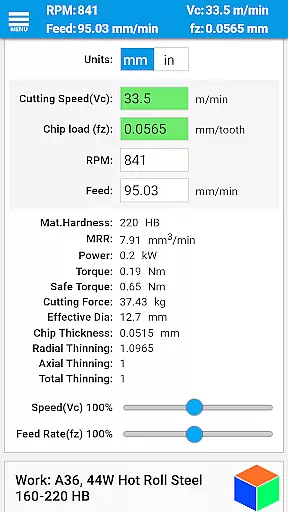
FSWizard Pro Machinist Calc is a premier CNC milling and turning speed and feed calculator designed for machinists by a machinist. This app simplifies the process of calculating speeds and feeds by allowing users to select their work and tool material without needing to know specific numbers. It automatically applies recommended cutting speeds and chip loads for various tools, including indexed and solid endmills, drills, and taps.
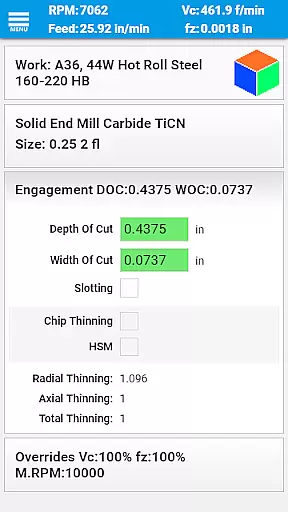
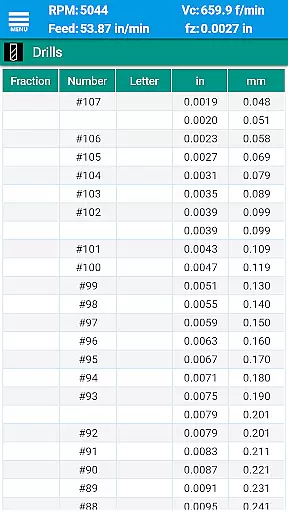
Beyond its core functionality, FSWizard offers advanced features such as chip thinning calculations, high-speed machining optimization, and determining optimal depth and width of cuts. The app also includes comprehensive reference materials like drill charts, tap drill charts, GD&T references, and various calculators, making it an all-in-one solution for CNC machinists looking to improve productivity and optimize cutter life.
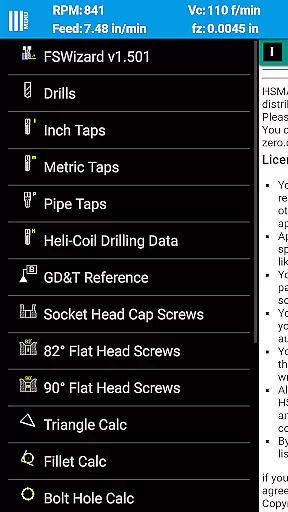
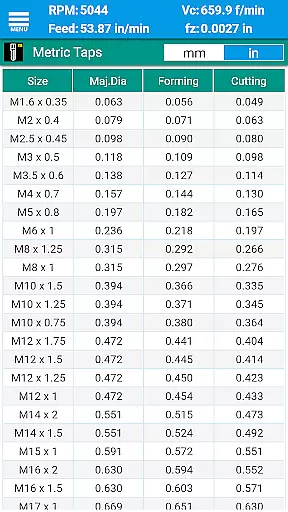
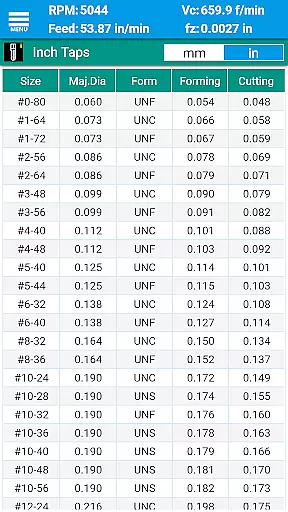
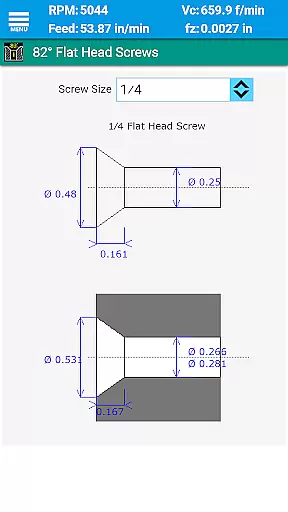
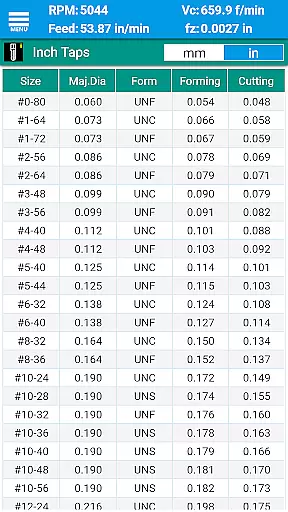
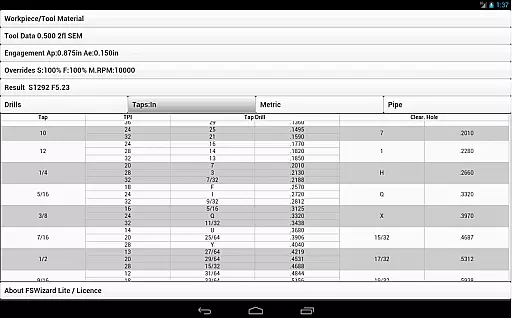
FSWizard Pro stands out with its extensive range of features tailored for CNC machinists. It provides detailed calculations for milling, drilling, and tapping speeds and feeds, including specialized support for ball nose endmills and HSM (High-Speed Machining). Users can access tap drill charts for both imperial and metric taps, along with information on helicoil threaded inserts and screw references.
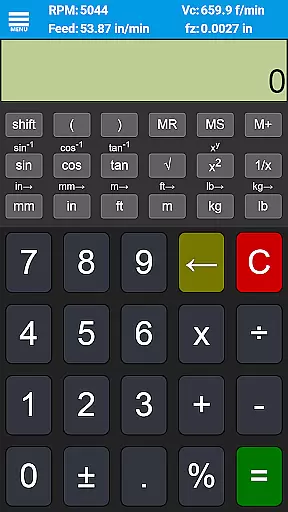
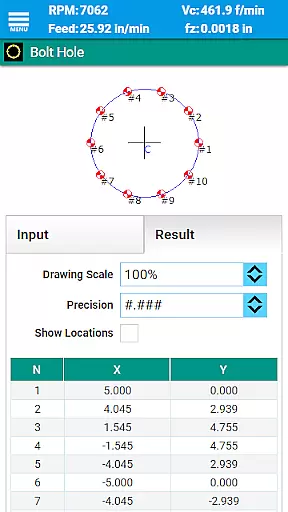
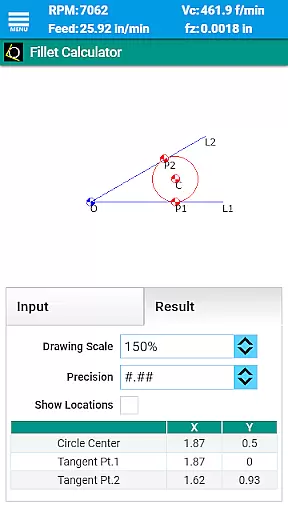
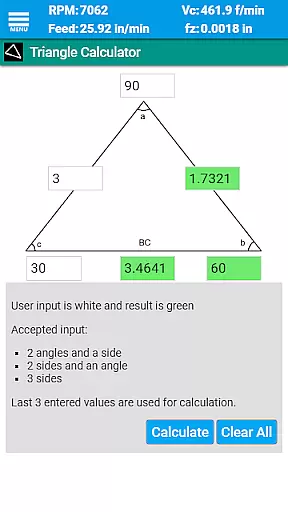
In addition to machining calculations, the app includes several practical tools such as an oblique triangle calculator, fillet calculator, bolt circle calculator, countersink/drill point calculator, and a true position calculator. These tools are complemented by an interactive GD&T reference and a scientific calculator with trigonometric functions. Whether you're working with metric or imperial units, FSWizard Pro ensures accuracy and efficiency in all your machining projects.
FSWizard Pro Machinist Calc excels in core task management by offering a comprehensive suite of calculators tailored for CNC machinists. The app simplifies the process of calculating speeds and feeds, which are crucial for efficient machining operations.
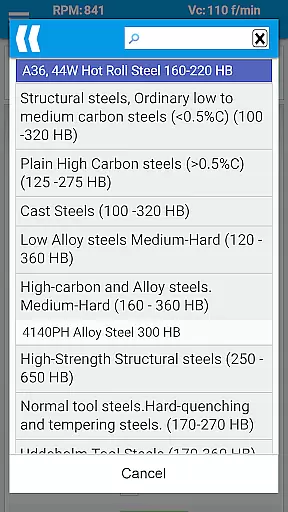
Users can effortlessly choose their work and tool material, eliminating the need to memorize specific numbers. This feature streamlines the decision-making process, allowing machinists to focus on optimizing productivity and extending cutter life.
The application automatically applies recommended cutting speeds and chip loads for various tools, including indexed and solid endmills, drills, and taps. This automation not only saves time but also enhances accuracy, ensuring that each machining task is performed under optimal conditions.
While FSWizard Pro Machinist Calc does not explicitly advertise cross-device synchronization, its robust design ensures reliable performance across different devices. This reliability is vital for machinists who depend on consistent data access and functionality.
The app supports both metric and imperial units, catering to a global audience without compromising on precision or usability. Whether accessed on a phone or tablet, users can expect uniformity in calculations and references, which is essential for maintaining workflow efficiency.
Furthermore, the inclusion of extensive charts and reference materials within the app means that critical information is always at hand, regardless of the device being used. This consistency across platforms empowers machinists to make informed decisions, enhancing overall productivity in their machining tasks.
User-friendly interface
Comprehensive tool library
Advanced calculation options
Extensive reference materials
Supports metric and imperial units
Premium version required for full features
Steep learning curve for beginners
Limited free material options
No offline mode available
Occasional performance issues

Ads Free App! Editor, Hide File, Copy, Move, Delete and Rename.. all facility av
 1.70
1.70
Android Wallet Password Manager
4.80
Find and delete junk files & block unwanted notifications & manage files
3.70
* block pre-roll ads, pop-up and forced redirect ads * Samsung certification app
4.00
This small app MUST BE INSTALLED after purchase, else license won't work
4.40
Intelligent AI Assistant
4.10
Scan paperwork into PDF/JPG, generate your own e-signature and send fax or email
4.70
AT&T Internet customers can use this app to personalize their Wi-Fi network.
4.40
Browse and view your photos and videos from the phone with photo & video hide.
4.10
Secure, fast, open-source, VNC and SSH Remote Desktop for Windows, Linux and Mac
4.70
A customizable calendar for your Wear OS watch
4.20
Total remote control for your Android device, PC and cloud services (IFTTT)!
4.20
All in One PDF Reader: Manage, Read and Edit your Documents
4.20
Customizable calendar widget for seamless event sync, planning & scheduling.
4.00
Take control of your clipboard with Clipper!
3.90
A Revolutionary All-in-One Artificial Intelligence Tools
3.80
Remotely view listen control and record cameras.
3.70
ID.me Authenticator is a simple and free Two Factor Authentication solution
3.50
AI Video AI Image Private LLM AI Browser Llama Gemma Ollama Connect LLM Studio
4.2



User Reviews