
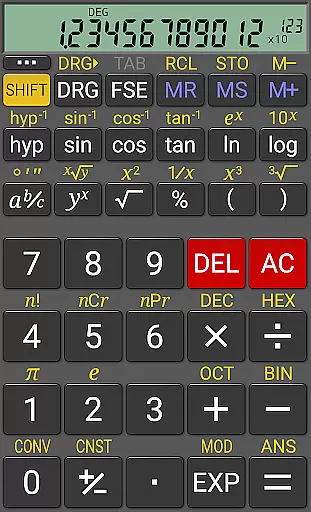
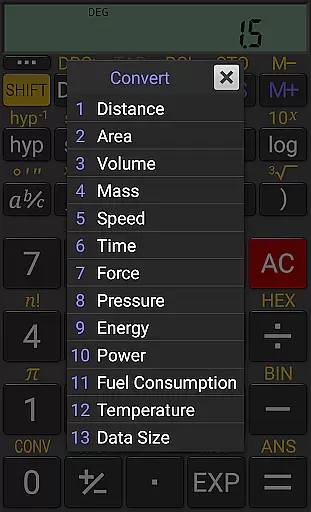
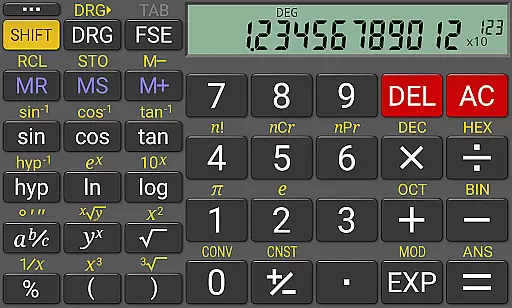
RealCalc Plus is the advanced version of RealCalc, a leading scientific calculator on Android. It mirrors the functionality of a real hand-held calculator with added features such as fraction calculations, degrees/minutes/seconds operations, and history tracking. The app also offers customizable unit conversions and constants, making it versatile for various scientific computations.
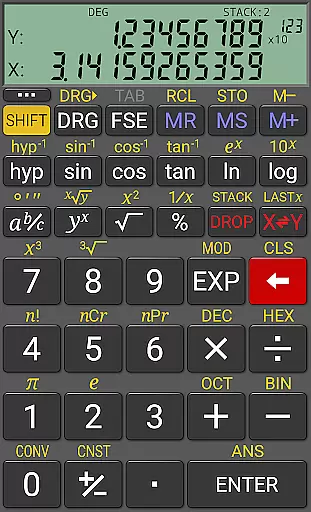
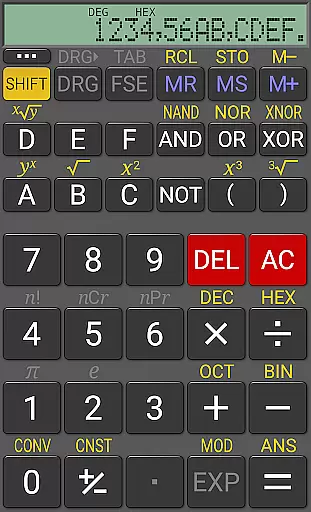
In addition to its standard scientific functions, RealCalc Plus supports binary, octal, and hexadecimal calculations, appealing to users in computer science and engineering fields. Its optional RPN mode and multiple display styles cater to both novice and experienced users who require precision and flexibility in their calculations.
This application is ideal for students, engineers, and professionals who need reliable and accurate calculations on the go. With full help included within the app, users can easily navigate through its comprehensive features and tailor the calculator to their specific needs, enhancing productivity and efficiency.
RealCalc Plus stands out with its extensive feature set tailored for scientific and engineering calculations. The app provides traditional algebraic or RPN operation modes, catering to different calculation preferences. Users can perform fraction calculations, convert values to/from decimal, and execute degrees/minutes/seconds calculations seamlessly.
With a 12-digit display and extended internal precision (32-digit), RealCalc Plus ensures accuracy in all computations. The inclusion of user-customizable unit conversions and constants adds another layer of personalization, allowing users to adapt the calculator to their unique requirements. Additionally, the app supports multiple number bases including binary, octal, and hexadecimal, which can be enabled in settings.
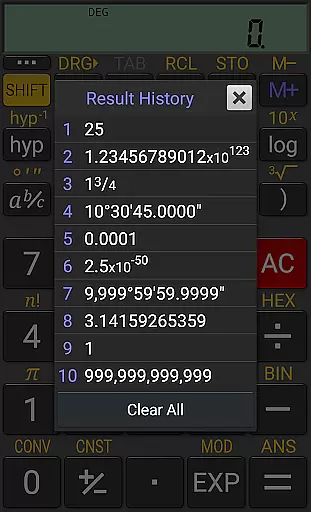
RealCalc Plus further enhances user experience with result history, 10 memories, and three distinct RPN styles. Multi-window support with drag & drop, external keyboard compatibility, and configurable digit grouping make this app adaptable to various workflows, ensuring that users can achieve optimal performance in their tasks.
RealCalc Plus excels in core task management by offering a comprehensive suite of scientific calculation tools that cater to various user needs. The application supports both traditional algebraic and RPN operations, providing flexibility for different calculation preferences.
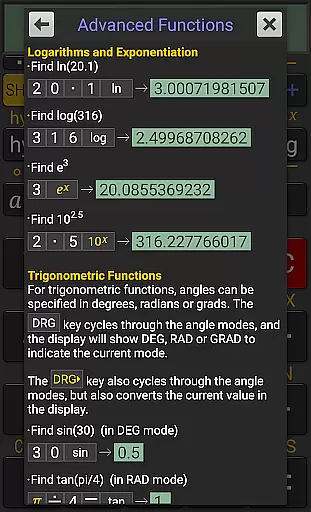
With features such as fraction calculations, degrees/minutes/seconds conversions, and trigonometric functions in degrees, radians, or grads, RealCalc Plus ensures users can perform precise and complex computations with ease. Its extended internal precision of up to 32 digits guarantees accuracy in every operation.
The inclusion of customizable unit conversions and constants allows users to tailor the calculator to their specific requirements, enhancing productivity. Additionally, the result history and ten memories enable efficient task management by allowing users to keep track of past calculations and reuse values effortlessly.
Cross-device synchronization is vital for users who operate on multiple platforms, ensuring data consistency and accessibility. RealCalc Plus addresses this need through its multi-window support with drag & drop functionality, which facilitates seamless interaction between different devices and applications.
Furthermore, the external keyboard support enhances the reliability of input across devices, making it easier for users to enter data accurately and efficiently. This feature is particularly beneficial for those who require extensive calculations and wish to maintain workflow continuity.
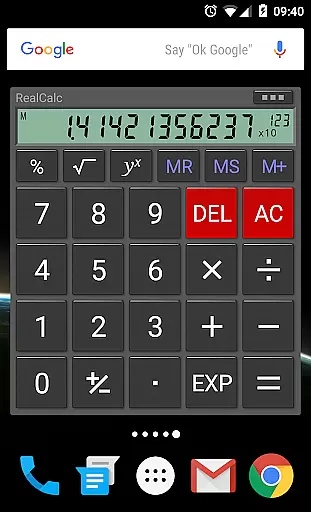
RealCalc Plus also offers a homescreen widget with RPN support, enabling quick access to the calculator without the need to open the app fully. This instant access contributes to the overall synchronization experience, allowing users to pick up their calculations where they left off, regardless of the device they are using.
User-friendly interface
Highly customizable
Comprehensive help section
Multi-functional calculator
Precise calculations
No graphing capabilities
Limited design options
Advanced features may overwhelm beginners
Separate purchase required
Occasional bugs reported

A customizable calendar for your Wear OS watch
 4.20
4.20
Professional calendar app for Google Calendar, MS Outlook & Exchange
4.20
A lightweight JSON & XML files creator, editor and viewer (Premium Version)
4.40
All in One PDF Reader: Manage, Read and Edit your Documents
4.20
Enjoy classic gameplay with customizable features and retro-style graphics.
4.30
Secure, open-source, SPICE and SSH Remote Desktop for QEMU KVM virtual machines
4.00
A simple Whisper AI keyboard for reliable speech transcription and rewording
4.60
Ultimate Virtual AI Character for immersive Roleplay Chat. Perfect Companion
3.90
Scan paperwork into PDF/JPG, generate your own e-signature and send fax or email
4.70
Planet Free VPN - The best Fast Unlimited and Secure VPN Without Logs
4.50
Fill, sign & send docs, forms, agreements & contracts via electronic signature.
4.50
PDF scanner & converter for files, photos, lottery, QR codes. One swipe away!
4.50
Docker, Kubernetes management over Portainer Mobile
4.40
Total remote control for your Android device, PC and cloud services (IFTTT)!
4.20
Font maker keyboard with your own handwriting
4.10
Activate Two Factor Authentication (2FA or Multi OTP), Password manager and more
4.10
Code on-the-go with VScode for Android. Edit,debug and collaborate from mobile!!
3.10
Easiest event planning, volunteer signups & parent teacher conference scheduling
2.20
A simple, portable logger for POTA, SOTA, Field Day, and more
4.5



User Reviews