
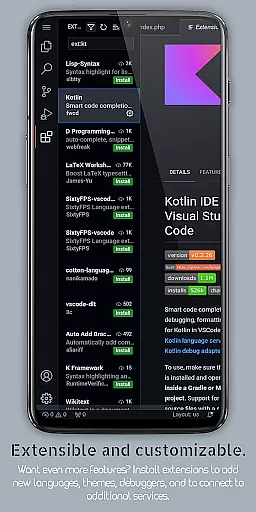
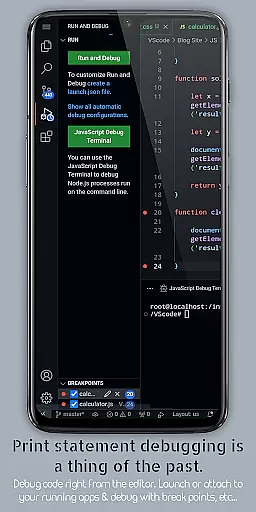
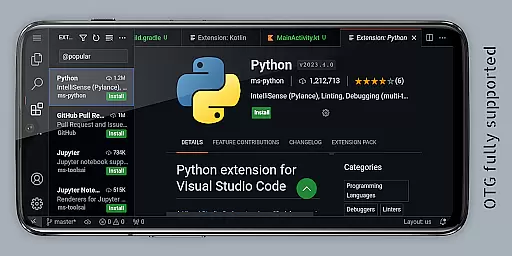
VScode for Android is a powerful code editor that brings the full functionality of desktop Visual Studio Code to mobile devices. With support for debugging, syntax highlighting, and IntelliSense, it enables developers to write, edit, and debug code on-the-go. The app supports multiple programming languages including HTML, Python, Java, and more, making it versatile for various coding projects.
One standout feature is its immersive display experience with fullscreen mode, which hides system bars for uninterrupted coding sessions. Additionally, VScode for Android offers remote access capabilities through a web browser using the device's IP address and port 8080. This makes it possible to code from anywhere in the world, providing flexibility for developers who need to work remotely or travel frequently.
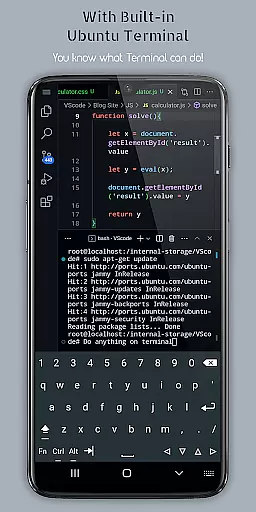
The app also includes built-in Git support, customizable keyboard shortcuts, multi-cursor editing, and a built-in terminal, enhancing productivity and streamlining workflows. Whether you're an experienced developer or just starting out, VScode for Android provides the tools necessary to maintain an efficient coding practice directly from your mobile device.
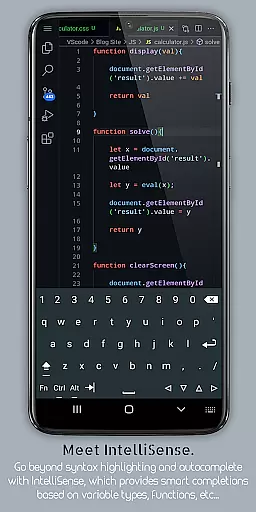
VScode for Android boasts an impressive array of features designed to enhance coding efficiency. One key feature is IntelliSense, which provides intelligent code completion, helping developers write code faster and with fewer errors. The app also supports snippets, allowing users to create and reuse pieces of code, thus saving time during development.
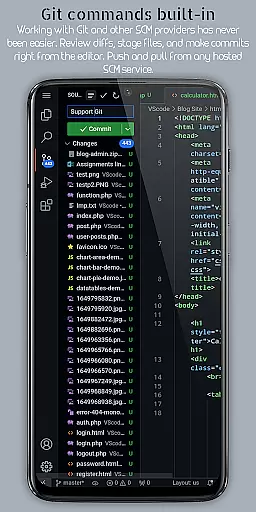
Another notable feature is the embedded Git support, enabling developers to perform version control operations directly within the editor. This simplifies collaboration and project management. Additionally, the app offers a customizable keyboard shortcut system, giving users the ability to tailor their editing experience to personal preferences. Multi-cursor editing allows for simultaneous changes across different parts of the code, significantly speeding up the editing process.
For those who require remote access, VScode for Android allows users to connect via a web browser using the device's IP address and port 8080. This ensures that developers can access their projects from anywhere, maintaining productivity regardless of location. These robust features collectively make VScode for Android a comprehensive tool for mobile coding.
VScode for Android excels in core task management by providing developers with a comprehensive suite of tools to handle coding projects efficiently. The app supports features like multi-cursor editing, split view editing, and an integrated task runner that automates common tasks, allowing users to perform multiple changes simultaneously and work on different files side-by-side.
The built-in terminal offers direct command-line access within the editor, streamlining the workflow and keeping the developer's focus on productivity. Additionally, language-specific settings enable customization on a per-language basis, ensuring optimal performance and comfort while coding in various programming languages supported by the app.
With workspace management capabilities, organizing and switching between different projects becomes seamless. This functionality is crucial for developers who juggle multiple tasks or projects, as it helps maintain an organized digital workspace, enhancing overall efficiency and project handling.
Cross-device synchronization is a standout feature of VScode for Android, empowering developers to access their coding environment from anywhere in the world using just a web browser and their phone's IP address with port 8080. This remote access ensures that users can continue their work uninterrupted, regardless of their location or device at hand.
The app also provides embedded Git support, which means version control operations are directly managed within the editor. This integration facilitates collaboration and allows for reliable syncing of code changes across different devices and team members, maintaining consistency and up-to-date project statuses.
Furthermore, customizable keyboard shortcuts and immersive display experiences, such as fullscreen mode, enhance usability and adaptability across devices. These features collectively contribute to a robust cross-device experience, making sure that whether you're on your mobile, tablet, or desktop, your coding process remains fluid and efficient.
Powerful code editor
Supports multiple languages
Remote access capability
Customizable interface
Built-in Git support
Complex for beginners
Limited screen space
Requires internet
No official Microsoft support
Potential performance issues

QuickBooks Workforce lets teams view pay info and track time in one place.
 4.70
4.70
Android Wallet Password Manager
4.80
The upgraded version of Name Wheel with AI and the power to add your own wheels.
4.3
Absolutely the best CNC machinist speed and feed calculator around. fswizard.com
4.60
Remotely view listen control and record cameras.
3.70
Enjoy classic gameplay with customizable features and retro-style graphics.
4.30
Access, manage and transfer files on Android, PC, Mac, NAS and cloud storages.
4.30
Docker, Kubernetes management over Portainer Mobile
4.40
A beautiful digital clock with autostart and many other functions
4.70
8 custom complications. Custom Time Fonts. Beautiful color schemes. A++ Design.
5.00
Protect and view your important info on your phone and tablet with eWallet®
4.80
We're working to become the best machining app on the market! www.cncdirt.com
4.80
Secure, fast, open-source, VNC and SSH Remote Desktop for Windows, Linux and Mac
4.70
Calendar 2023 widget for Android. Appointment scheduler, planner, and reminder
4.60
CalenGoo is a very flexible and feature-rich calendar app
4.40
Professional calendar app for Google Calendar, MS Outlook & Exchange
4.20
Cloud storage, automatic phone backup, and more.
4.10
Intelligent AI Assistant
4.10
A Revolutionary All-in-One Artificial Intelligence Tools
3.80



User Reviews