
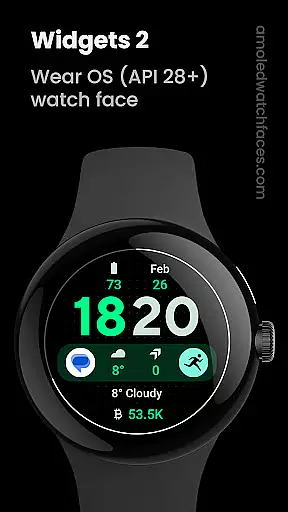
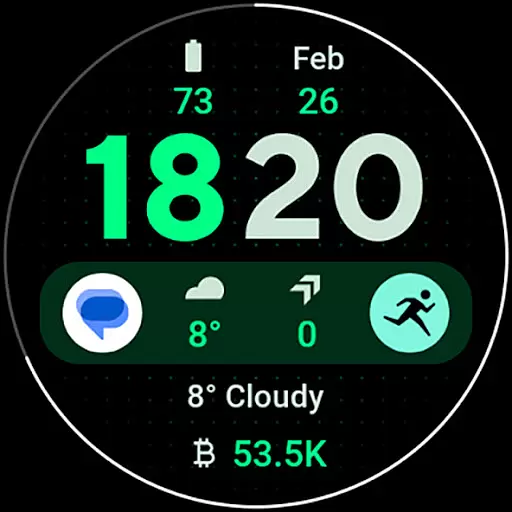
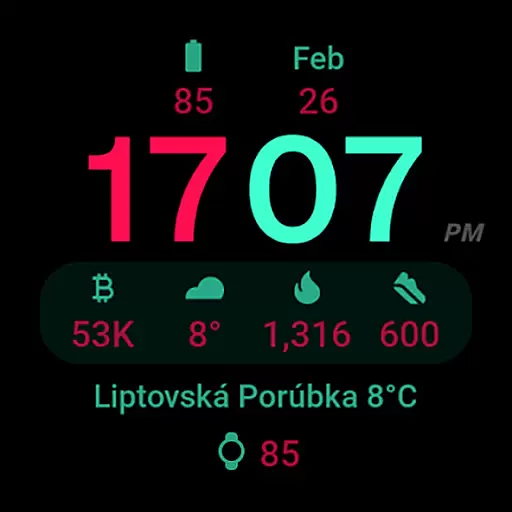
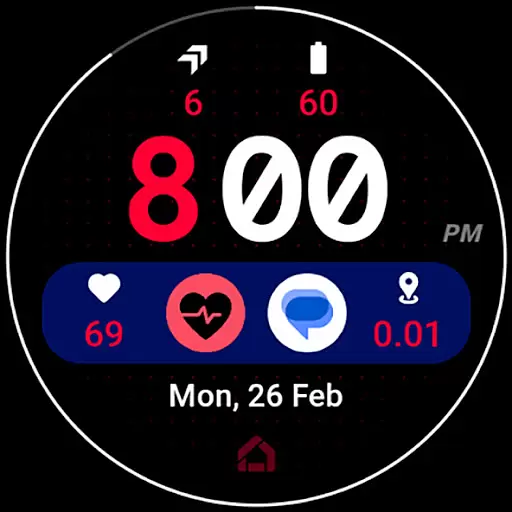
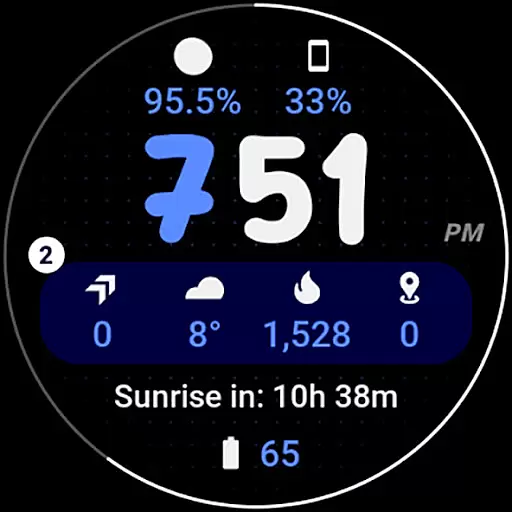
Widgets 2 is a feature-rich productivity app designed exclusively for Wear OS 4+ devices. This innovative application offers users advanced customization options for their smartwatch faces, including true black backgrounds, high resolution displays, and unique color themes. With support for 8 custom complication slots and adaptive ambient modes, it provides both aesthetic appeal and functional utility.
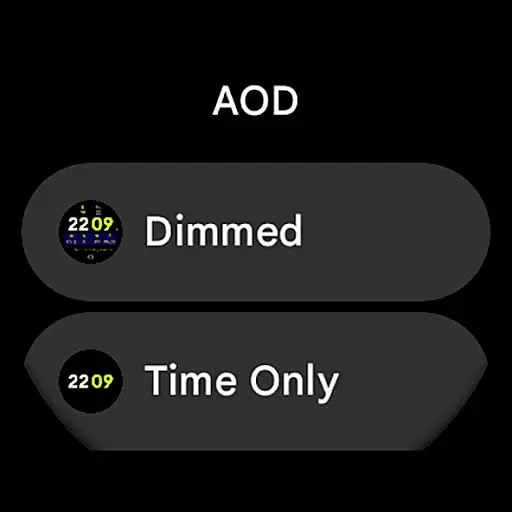
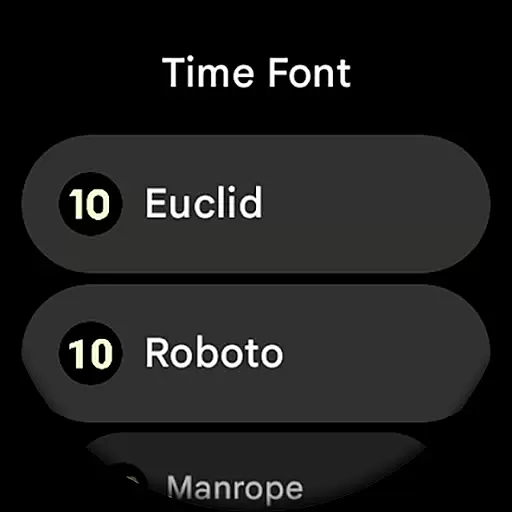
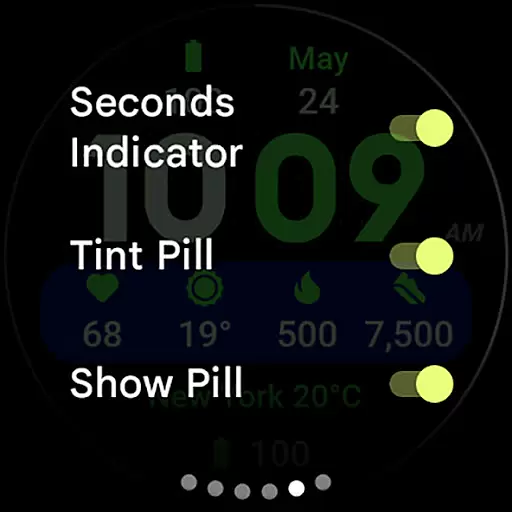
The app stands out with its burn-in protection technology and progress bar seconds indicator, ensuring optimal display performance. Users can further personalize their experience through various configuration options like time font selection, AOD styles, and toggle settings for different display elements. These features make Widgets 2 an ideal choice for users seeking to enhance their wearable device's functionality while maintaining visual sophistication.
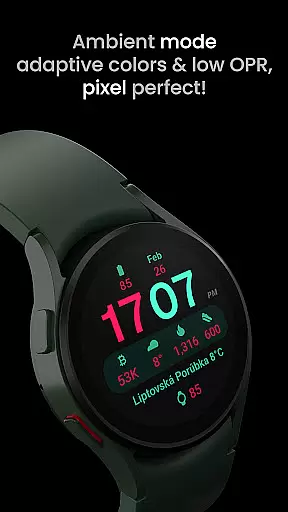
Widgets 2 distinguishes itself through its comprehensive feature set tailored for power users. The application supports Watch Face Format 1 and offers full compatibility with the latest Wear OS devices. Its unique ambient mode operates with low OPR and adaptive colors, providing both energy efficiency and visual clarity.
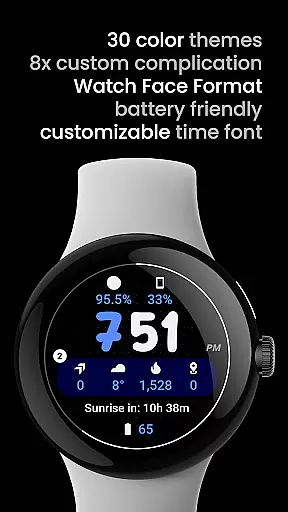
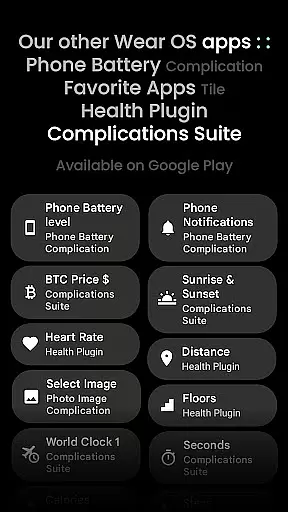
Among its standout capabilities are the customizable time fonts and phone notifications complication support, which requires a companion Phone Battery Complication app. The app provides 29 unique color themes and 7 time font options, allowing for extensive personalization. With 8 custom complication slots and various toggle settings for display elements, users can create a truly personalized smartwatch experience that caters to their specific productivity needs.
Task management is a cornerstone of productivity applications, and Widgets 2 excels in providing users with the tools necessary for efficient task organization. This app offers a comprehensive suite of features that cater to the meticulous planning required by Wear OS 4+ device users.
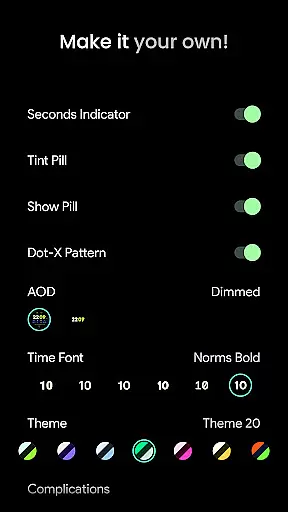
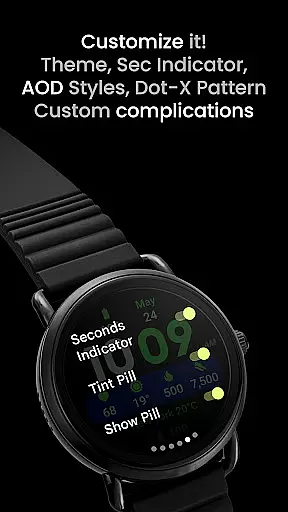
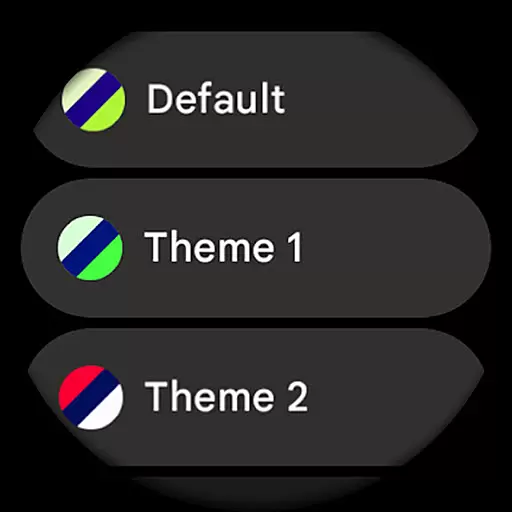
Widgets 2 incorporates user configurations such as Theme selection from 30 different options, Time Font choice among 7 styles, and toggles for Seconds Indicator, Tint Pill, Show Pill, and Dot-X Pattern. These customizations ensure that each user can tailor their experience to match personal preferences and needs.
The inclusion of 8 customizable complication slots allows for an adaptable interface that can display various types of information at a glance. Users benefit from the ability to integrate phone notifications directly into their watch face, streamlining their daily workflow and keeping them informed without needing to reach for their phone.
Cross-device synchronization is vital for users who operate within an ecosystem of interconnected devices. Widgets 2 ensures reliable data coherence across these platforms, which is essential for maintaining productivity and ensuring that all devices reflect the latest updates and changes.
This application leverages Watch Face Format compatibility to maintain high resolution and true black backgrounds on Wear OS devices, offering not only aesthetic appeal but also functional consistency. The adaptive colors and unique ambient mode contribute to a seamless experience whether the user is actively interacting with the device or it's in standby.
With burn-in protection and progress bar seconds indicators, Widgets 2 demonstrates attention to detail that safeguards the device display while providing useful visual cues. Such features guarantee that users enjoy an uninterrupted flow of information, enhancing both the usability and longevity of their smartwatch displays.
User-friendly interface
Extensive customization
Burn-in protection
High resolution display
Unique color themes
Not for rectangular watches
Wear OS 4+ only
Separate app required
Complex setup
Premium pricing

 4.20
4.20
A simple, portable logger for POTA, SOTA, Field Day, and more
4.4
Remotely view listen control and record cameras.
3.70
Font maker keyboard with your own handwriting
4.10
Activate Two Factor Authentication (2FA or Multi OTP), Password manager and more
4.10
Subscribe to Webcal & .ics calendars and keep them up-to-date!
4.50
* block pre-roll ads, pop-up and forced redirect ads * Samsung certification app
4.00
This small app MUST BE INSTALLED after purchase, else license won't work
4.40
Note taking, handwriting, record audio, PDF annotation, planner & journal
4.20
We're working to become the best machining app on the market! www.cncdirt.com
4.80
Use powerful, industry-leading AI tools to generate visual charts from any data
4.80
App lock - lock apps with fingerprint, password, pin or pattern, protect privacy
4.70
Quickly and easily keep track of your work shifts
4.70
Send files, sync SMS, notifications & clipboard across devices via local network
4.40
A customizable calendar for your Wear OS watch
4.20
A Revolutionary All-in-One Artificial Intelligence Tools
3.80
Auto-shutoff Alarm with Sunrise, Sunset & Fixed Options.
3.50
Code on-the-go with VScode for Android. Edit,debug and collaborate from mobile!!
3.10
A comprehensive suite of tools designed specifically for Lactation Consultants
4.4



User Reviews