
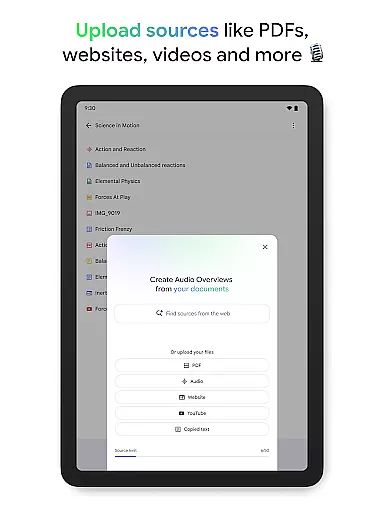
NotebookLM is a productivity app designed to simplify complex information management. It allows users to upload various sources such as PDFs, websites, and videos, transforming them into easily digestible formats. The app's AI capabilities provide trusted insights by analyzing uploaded content and making connections between different pieces of information.
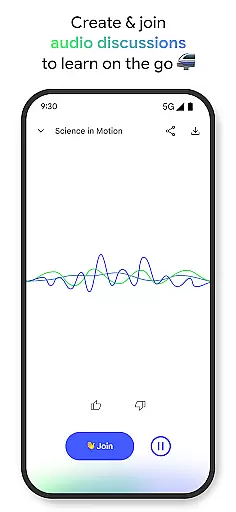
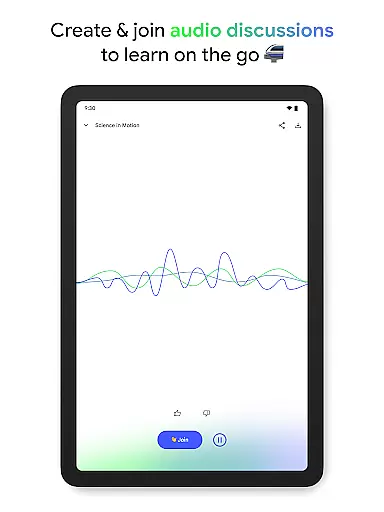
With features like Audio Overviews, users can learn on the go through podcast-style discussions. The app supports background playback and offline access, making it versatile for different learning styles and environments. Whether you're a student, researcher, or professional, NotebookLM helps streamline workflows and enhance knowledge acquisition.
NotebookLM stands out with its ability to handle multiple source types including PDFs, websites, and YouTube videos. The app's AI doesn't just summarize content but creates meaningful connections between different sources, enhancing understanding and retention. Its unique Audio Overview feature transforms text-based information into engaging audio discussions.
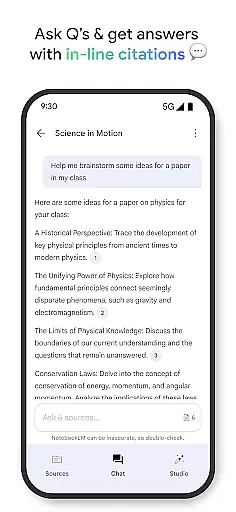
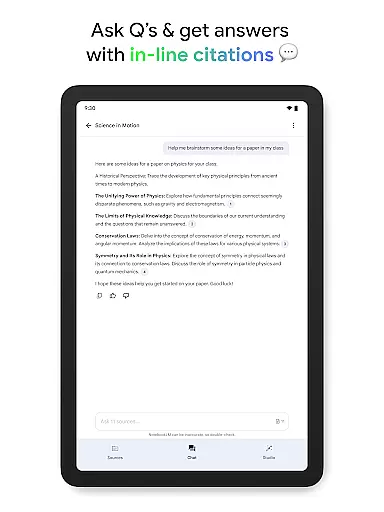
The app maintains academic integrity by providing in-line citations for all generated insights. Users can interact with the AI hosts during audio sessions, asking questions and guiding discussions. This interactive approach to information processing makes NotebookLM particularly valuable for professionals and students who need to quickly grasp complex topics while maintaining accuracy and reliability.
Effective task management is crucial for productivity applications, serving as the backbone for organizing and prioritizing work. NotebookLM excels in this area by transforming complex information into manageable insights.
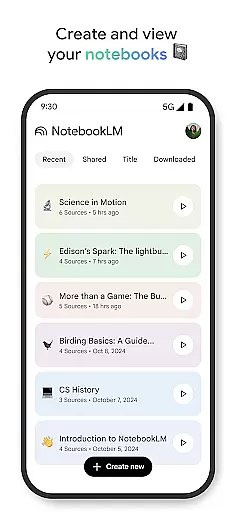
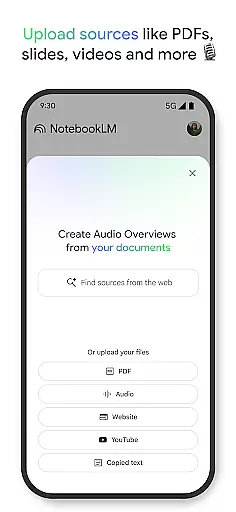
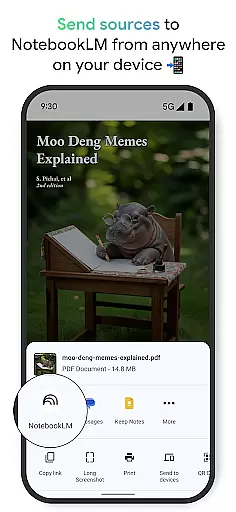
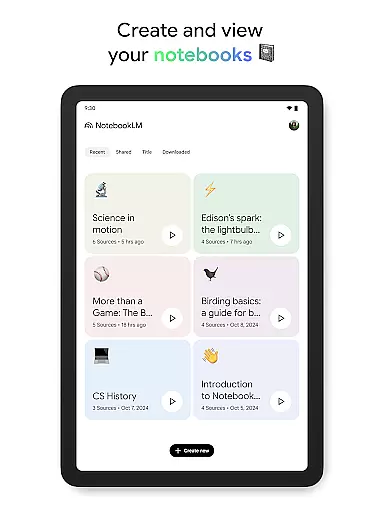
The app allows users to upload various sources such as PDFs, websites, and videos, turning them into structured notebooks. This feature simplifies the process of managing extensive data, making it easily accessible and actionable.
Users benefit from NotebookLM's ability to generate trustworthy insights by becoming an expert on uploaded content. It provides summarized views and establishes meaningful connections within the data, enhancing comprehension and decision-making.
This approach not only saves time but also enables diverse professionals, from students to CEOs, to focus on critical tasks without getting overwhelmed by information overload.
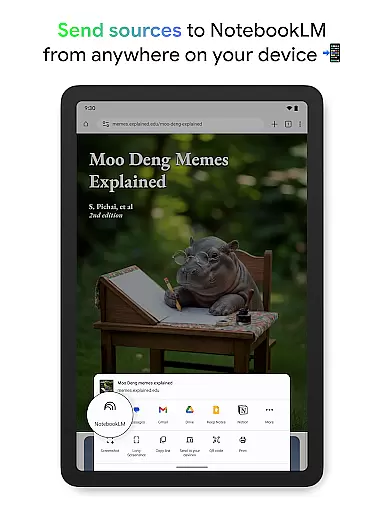
In today's interconnected world, reliable cross-device synchronization is essential for maintaining workflow continuity. NotebookLM addresses this need by ensuring seamless access to notebooks across multiple devices.
The application supports background playback and offline functionality, allowing users to listen to Audio Overviews or review notes anytime, anywhere. This flexibility ensures that productivity isn't limited by internet connectivity or device availability.
With real-time updates and consistent performance across platforms, users can trust that their information remains current and accessible regardless of which device they use.
This synchronization capability empowers professionals to work efficiently while traveling, commuting, or working from different locations, maintaining a continuous learning and working experience.
Trusted AI insights
Multiple source support
Interactive audio learning
Offline functionality
Cross-platform access
Limited free features
Occasional AI errors
Storage requirements
Premium subscription cost
Learning curve

Total remote control for your Android device, PC and cloud services (IFTTT)!
 4.20
4.20
Planet Free VPN - The best Fast Unlimited and Secure VPN Without Logs
4.50
Easily read and manage all your PDF files
4.10
IP Camera Viewer - Android TV : RTSP Surveillance camera viewer for Android TV
4.1
Pwnagotchi companion app
4.20
Functional QR scanner and barcode reader that requires little storage space.
4.60
This small app MUST BE INSTALLED after purchase, else license won't work
4.40
Secure your apps with lock screens, use custom themes and different features.
4.40
Use powerful, industry-leading AI tools to generate visual charts from any data
4.80
Protect and view your important info on your phone and tablet with eWallet®
4.80
Secure, fast, open-source, VNC and SSH Remote Desktop for Windows, Linux and Mac
4.70
The AI assistant that thinks with you - write, code, and solve complex tasks
4.60
Translate text/voice/photos in 150+ languages. Offline & fast translator app.
4.50
Tally and goal counter for Wear OS & mobile
4.50
A Pixel Art watchface inspired by other iconic 90s designs for Wear OS devices!
4.40
When you Focus, so will your Bean in this cozy focus timer
4.30
Make apps & sites with natural language prompts
4.10
Wake up & get tasks done! Add alarms & reminders on the Clock Launcher.
4.00
Remotely view listen control and record cameras.
3.70




User Reviews