
Clock Launcher is a productivity-focused app that combines an intuitive alarm clock with essential time management tools. The app offers instant access to alarms, timers, reminders, and world clocks through a simple swipe from the home screen. Its launcher functionality transforms your device's interface, placing critical time-related features at your fingertips.
With additional features like customizable widgets, wallpapers, and multi-touchpoint search capabilities, Clock Launcher enhances both utility and personalization. Whether you're managing daily tasks, tracking international time zones, or setting up reminders for important events, this app ensures you stay organized and efficient. Its versatility makes it ideal for busy professionals, frequent travelers, and anyone seeking better time management.
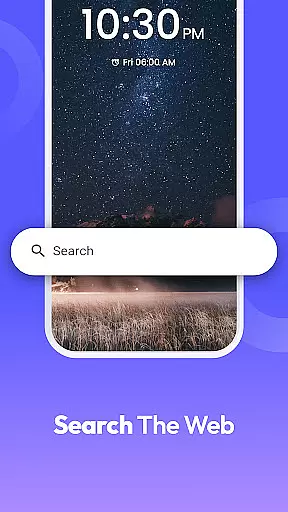
The app also includes practical tools such as a stopwatch and web search powered by Yahoo, further extending its usefulness. By integrating these features into a seamless experience, Clock Launcher helps users optimize their schedules while maintaining a personalized touch.
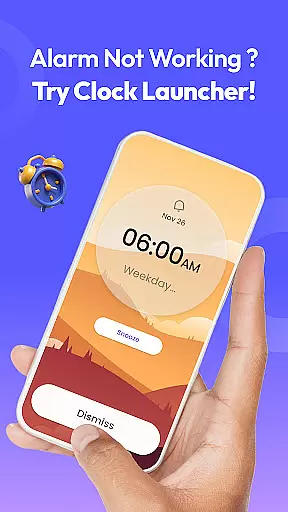
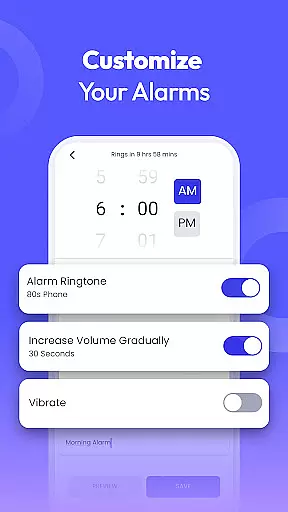
Clock Launcher stands out with its comprehensive suite of time management features. At its core, the app provides a fully customizable alarm clock, allowing users to set daily or weekly alarms with unique tones and snooze durations. This flexibility caters to various lifestyles, ensuring users wake up refreshed and on time every day.
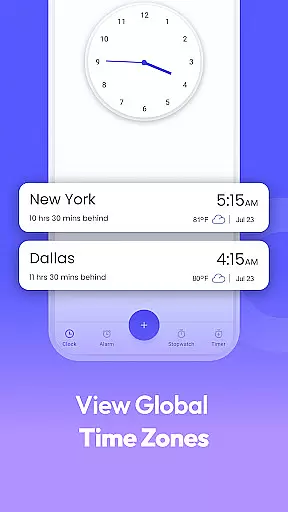
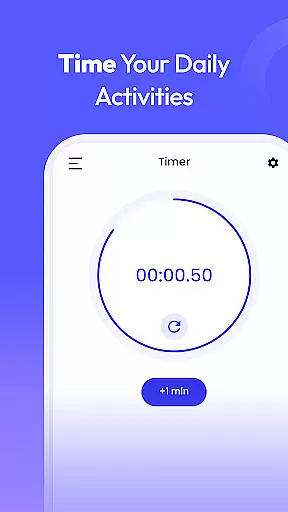
Beyond alarms, the app includes a world clock feature for tracking time across different cities, making it invaluable for travelers and professionals with international commitments. The built-in timer and stopwatch are perfect for fitness enthusiasts, chefs, or anyone needing precise time tracking. Additionally, the app supports reminders for appointments, flights, and events, helping users stay on top of their schedules.
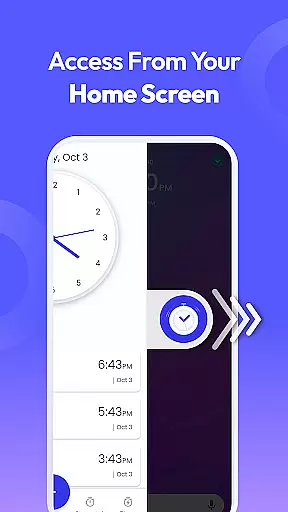
What sets Clock Launcher apart is its launcher functionality, which reorganizes the home screen for one-swipe access to all these tools. Combined with customizable widgets and wallpapers, the app delivers both efficiency and personalization in a single package.
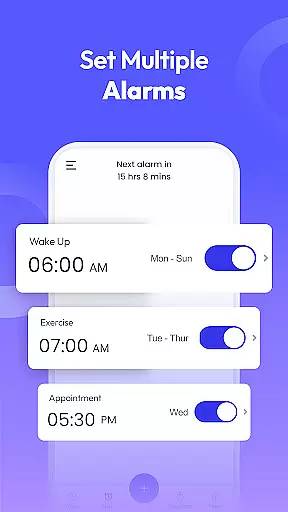
At the heart of Clock Launcher lies its robust core task management system, designed to streamline your daily routine. This feature allows users to effortlessly set alarms, reminders, and timers, ensuring they stay on top of their schedules without any hassle.
The app's intuitive interface makes it simple to organize your day by checking the time across different cities, which is particularly beneficial for those with international commitments. With just a swipe from the home screen, access essential time management tools that keep you punctual and prepared.
Users benefit from the seamless integration of a world clock, alarm clock, reminders, timer, and stopwatch, all within easy reach. These tools are not only functional but also customizable, catering to individual preferences and lifestyles, thus enhancing productivity and time management.
Clock Launcher ensures reliable cross-device synchronization, allowing users to maintain consistency across multiple devices. This means whether you're at home or on the go, your alarms, timers, and reminders will be accurately reflected on any device you use.
The synchronization process is smooth and automatic, eliminating the need for manual updates. As long as devices are connected to the internet, changes made on one device are instantly mirrored on others, providing peace of mind and continuity in your scheduling.
This reliability extends to features like the world clock and multi-touchpoint search, making sure that no matter where you are, your data remains up-to-date and accessible. Such seamless functionality enhances user experience by keeping them organized and informed, regardless of the device they choose to use.
User-friendly interface
Comprehensive time tools
Customizable home screen
Global time tracking
Efficient task management
Home screen layout changes
Limited widget options
No 24-hour clock format
Yahoo-powered search only
Occasional ads in free version

Secure, fast, open-source, VNC and SSH Remote Desktop for Windows, Linux and Mac
 4.70
4.70
When you Focus, so will your Bean in this cozy focus timer
4.30
Absolutely the best CNC machinist speed and feed calculator around. fswizard.com
4.60
Fill, sign & send docs, forms, agreements & contracts via electronic signature.
4.50
To do list widget with a notebook organizer, checklist, simple shopping list
4.60
Quickly and easily keep track of your work shifts
4.70
This small app MUST BE INSTALLED after purchase, else license won't work
4.40
Secure your apps with lock screens, use custom themes and different features.
4.40
Simple notepad & memo. Take notes, to-do list, shopping list with reminders.
4.80
Understand anything with a personalized AI research assistant
4.80
Direct Chat without saving contacts & Dual WA Account on Single Device
4.70
Functional QR scanner and barcode reader that requires little storage space.
4.60
Tally and goal counter for Wear OS & mobile
4.50
Access, manage and transfer files on Android, PC, Mac, NAS and cloud storages.
4.30
Make apps & sites with natural language prompts
4.10
Font maker keyboard with your own handwriting
4.10
Cloud storage, automatic phone backup, and more.
4.10
Smart PDF reader & editor to view, organize and manage PDF documents easily.
3.70
The upgraded version of Name Wheel with AI and the power to add your own wheels.
4.4




User Reviews