
Translate - Translator is a versatile productivity app designed to break language barriers through its robust text, voice, and photo translation capabilities. This free translator app supports over 150 languages and offers both online and offline functionality, making it an essential tool for travelers, students, and professionals alike.
The app's standout features include real-time voice translation, AI-powered photo translation, and instant text translation. Whether you're traveling abroad, negotiating in business meetings, or learning new languages, this app ensures seamless communication by providing quick and accurate translations. Its intuitive interface and advanced technology make cross-cultural interactions effortless.
With additional tools like full-screen translation, floating ball quick access, and the ability to save and share translations, Translate - Translator enhances productivity by catering to various translation needs. The app also supports auto-detection of input languages and reverse translation, ensuring maximum flexibility and ease of use.
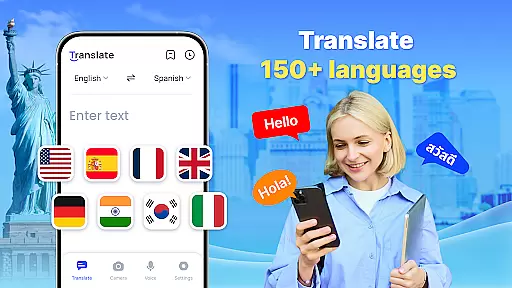
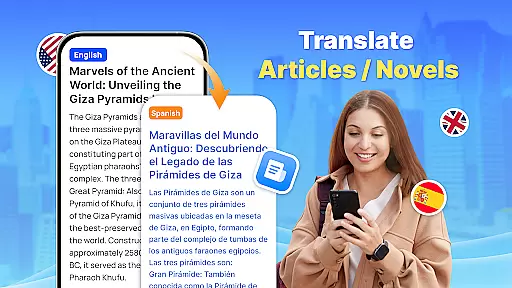
Translate - Translator stands out with its comprehensive set of features tailored to meet diverse translation needs. One of its core strengths is the ability to translate text across 150+ languages instantly. Users can type or paste text, and the app delivers accurate results within seconds, making it ideal for travel, study, and professional settings.
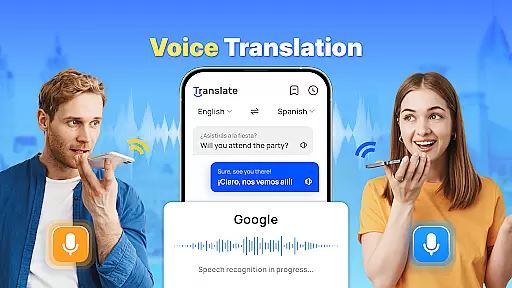
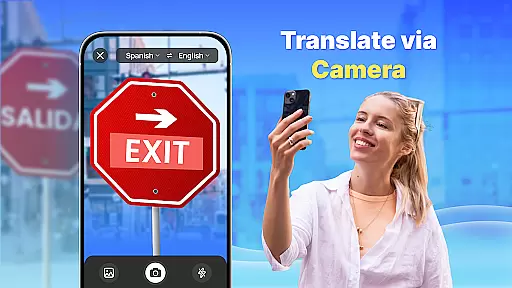
Voice translation is another key feature, utilizing intelligent speech recognition technology to enable real-time conversations. By speaking into the app, users can communicate effortlessly with foreign speakers, breaking down spoken language barriers. Additionally, the AI-powered photo translation allows users to capture images of menus, documents, or signs and receive instant translations, while also enabling text extraction for sharing purposes.
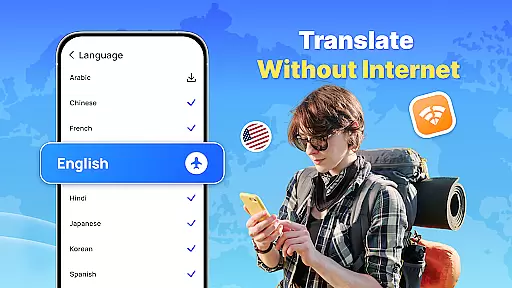
Offline functionality adds significant value, allowing users to translate without an internet connection. This is particularly useful when traveling in areas with limited connectivity. Other notable features include a floating ball for quick full-screen translations, the ability to create translation collections for future reference, and support for auto-detecting input languages. These innovations collectively enhance user productivity and convenience.
Core task management in a productivity app like Translate ensures that users can efficiently handle multiple translation tasks without losing track of their progress. This feature is crucial for users who rely on the app for both personal and professional needs.
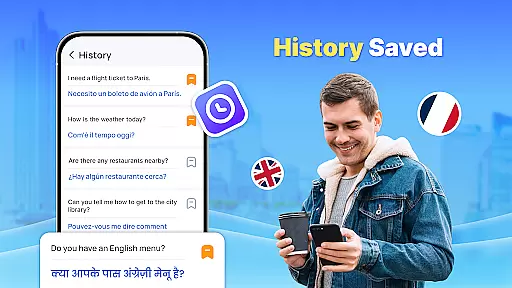
The Translate app excels in task management by offering various modes of translation including text, voice, and photo translation. Users can easily switch between these modes, save their translation history, and retrieve past translations when needed. This seamless integration of features allows users to manage their translation tasks effortlessly.
For those frequently traveling or working in multilingual environments, the ability to organize and access previous translations is invaluable. The app's capacity to save and categorize translations not only boosts productivity but also enhances the useru2019s ability to communicate across different languages effectively.
Ultimately, the core task management functionality in Translate empowers users to maintain an organized workflow. By ensuring quick access to essential features and preserving a history of translations, users can focus more on their interactions and less on the mechanics of translation.
Cross-device synchronization is a pivotal feature for any productivity app, allowing users to maintain continuity across multiple devices. For an app like Translate, which supports text, voice, and photo translation, reliable synchronization ensures that users have access to their translations regardless of the device they are using.
The Translate app achieves high reliability in cross-device synchronization by leveraging cloud technology. This means that whether you're using your smartphone, tablet, or computer, your translation history, saved phrases, and preferences are consistently updated and available. Such a feature is particularly beneficial for users who operate in diverse environments and need constant access to their data.
Moreover, reliable synchronization enhances collaboration possibilities. Users can share their translations with colleagues or friends, knowing that the most recent updates will be reflected across all devices. This fosters a more integrated and efficient workflow, especially in team settings where communication is key.
In summary, the robust cross-device synchronization in Translate not only provides users with peace of mind regarding data accessibility but also enriches their collaborative experiences. By ensuring that all devices are in sync, the app significantly contributes to a seamless and productive user experience.
Fast and accurate translations
Supports 150+ languages
Real-time voice translation
AI-powered photo translation
Offline mode available
Requires permissions for full functionality
Occasional inaccuracies in complex texts
Limited advanced features in free version
Ads may disrupt user experience
Offline packs take up storage space

Mega cloud explorer plugin for Solid Explorer
 3.80
3.80
Absolutely the best CNC machinist speed and feed calculator around. fswizard.com
4.60
⏰ Finally a timer app which can run multiple timers simultaneously on your watch
3.90
Pwnagotchi companion app
4.20
Subscribe to Webcal & .ics calendars and keep them up-to-date!
4.50
Best Tool for the professionals Electrician, Electrical contractors, etc.
4.90
To do list widget with a notebook organizer, checklist, simple shopping list
4.60
Ultimate Virtual AI Character for immersive Roleplay Chat. Perfect Companion
3.90
AT&T Internet customers can use this app to personalize their Wi-Fi network.
4.40
Native client for Forgejo and Gitea
5.00
Experience Reading - Night Mode for Documents
4.40
CalenGoo is a very flexible and feature-rich calendar app
4.40
Access, manage and transfer files on Android, PC, Mac, NAS and cloud storages.
4.30
Experience real multitasking on your Android!
4.00
Take control of your clipboard with Clipper!
3.90
ID.me Authenticator is a simple and free Two Factor Authentication solution
3.50
Easiest event planning, volunteer signups & parent teacher conference scheduling
2.20
Ads Free App! Editor, Hide File, Copy, Move, Delete and Rename.. all facility av
1.70
IP Camera Viewer - Android TV : RTSP Surveillance camera viewer for Android TV
4.4





User Reviews