
Cryptomator is a user-friendly encryption tool designed to secure your cloud-stored data. This productivity app allows you to create secure vaults, encrypting both file contents and filenames with AES-256 bit encryption. It ensures that your data remains protected before uploading to your preferred cloud service.
With compatibility across major platforms like Dropbox, Google Drive, and OneDrive, Cryptomator provides seamless access to your encrypted files on any device. The app simplifies digital self-defense by enabling users to protect their information independently, without the need for additional accounts or complex configurations.
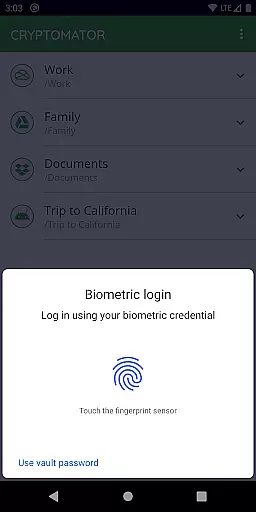
Whether you're working on sensitive business documents or personal files, Cryptomator offers peace of mind by keeping your data secure and private. Its open-source nature allows transparency, while features like automatic vault locking and fingerprint authentication enhance both security and convenience.
Cryptomator stands out with its robust security features tailored for privacy-conscious users. The app employs advanced encryption standards, including AES with 256-bit key length and scrypt for enhanced password protection against brute-force attacks. These technologies ensure top-tier security for your files stored in popular cloud services.
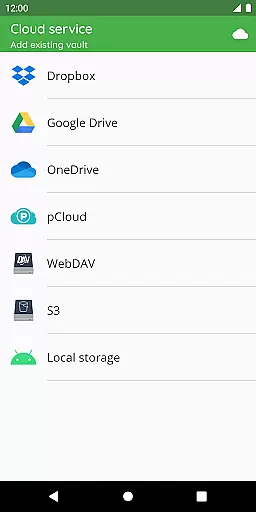
One of Cryptomator's notable strengths is its cross-platform compatibility. Users can access their encrypted vaults from Android devices, computers, and various cloud storage providers such as Dropbox and Google Drive. The app also supports local storage options, making it versatile for different workflow needs.
Usability is at the core of Cryptomator's design. With intuitive features like one-tap vault creation, automatic background locking, and fingerprint authentication, the app makes encryption accessible even to non-technical users. Its open-source codebase and publicly documented crypto implementation further reinforce trust and transparency.
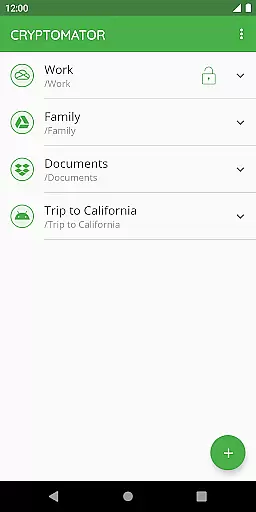
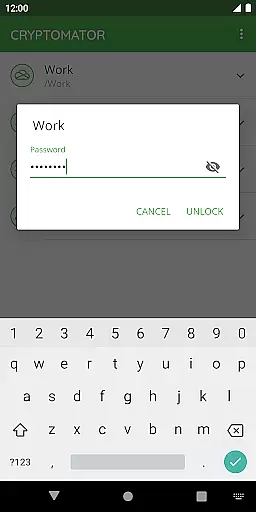
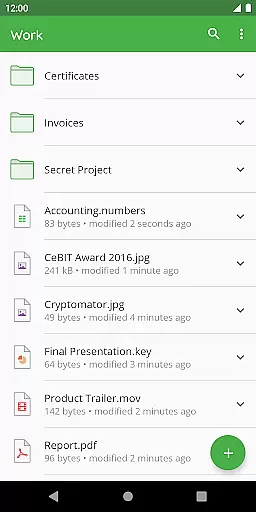
In the realm of productivity, managing tasks efficiently is paramount. Cryptomator excels by offering a streamlined approach to securing your digital tasks and files. With its intuitive vault system, users can effortlessly organize their documents and data into secure containers, each protected by a unique password.
The application simplifies task compartmentalization by allowing users to create multiple vaults for different projects or aspects of their personal and professional lives. This separation ensures that sensitive information remains isolated and secure, reducing the risk of unauthorized access.
Furthermore, Cryptomator's compatibility with major cloud services means that task and file management is not confined to local storage. Users can synchronize their encrypted vaults across devices, ensuring that important data is accessible wherever they are, without compromising on security.
Cross-device synchronization is a critical feature for modern productivity tools, and Cryptomator delivers reliable performance in this area. By encrypting files before they are uploaded to cloud storage services, Cryptomator ensures that your data remains protected across all your devices.
This seamless synchronization process allows users to access their encrypted files from any device with Cryptomator installed. Whether you're switching between your desktop at work and your smartphone on the go, you can be confident that your files will be up-to-date and secure.
Moreover, Cryptomator's automatic locking feature adds an extra layer of security when moving between devices. If the app is sent to the background, it locks the vault, requiring authentication upon return. This guarantees that even if a device is lost or stolen, the integrity of your data remains intact.
Strong AES-256 encryption
Easy-to-use interface
Cross-platform support
No extra accounts needed
Automatic security lock
Limited free features
Paid version required
Fingerprint issues
Occasional bugs
Learning curve

Secure, fast, open-source, VNC and SSH Remote Desktop for Windows, Linux and Mac
 4.70
4.70
QuickBooks Workforce lets teams view pay info and track time in one place.
4.70
When you Focus, so will your Bean in this cozy focus timer
4.30
Total remote control for your Android device, PC and cloud services (IFTTT)!
4.20
Automates browsing any website and notifies you of important changes or events
4.30
Easiest event planning, volunteer signups & parent teacher conference scheduling
2.20
Functional QR scanner and barcode reader that requires little storage space.
4.60
Translate text/voice/photos in 150+ languages. Offline & fast translator app.
4.50
Create and edit presentations with Google Slides, part of Google Workspace.
4.00
Multilingual translator for text, voice, and image translation!
4.90
Seamlessly integrate data and reports to build your presentation to impress
4.80
Direct Chat without saving contacts & Dual WA Account on Single Device
4.70
App lock - lock apps with fingerprint, password, pin or pattern, protect privacy
4.70
PDF scanner & converter for files, photos, lottery, QR codes. One swipe away!
4.50
Experience Reading - Night Mode for Documents
4.40
Todo reminder
4.10
Customizable calendar widget for seamless event sync, planning & scheduling.
4.00
Ultimate Virtual AI Character for immersive Roleplay Chat. Perfect Companion
3.90
AI Video AI Image Private LLM AI Browser Llama Gemma Ollama Connect LLM Studio
4.5




User Reviews