
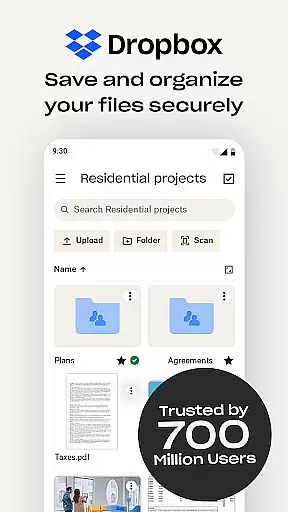
Dropbox is a leading cloud storage solution that allows users to securely backup, access, and manage their essential files from any location. With over 700 million registered users globally, it provides reliable and private file management for individuals and teams alike. The service supports automatic photo uploads, offline file access, and easy sharing of large files through simple links.
In addition to basic storage capabilities, Dropbox offers advanced features such as document scanning, version history, and file recovery. Its Plus plan includes innovative tools like Passwords for secure credential management, Vault for protecting sensitive documents, and Rewind for rolling back changes. Suitable for both personal and professional use, Dropbox ensures seamless synchronization across devices while maintaining top-tier security standards.
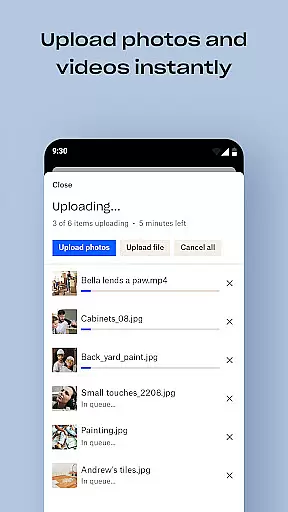
Dropbox stands out with its comprehensive feature set tailored for productivity. One of its core strengths is the automatic upload of photos and videos from your device to cloud storage, enabling effortless photo sharing and backup. Users can access over 175 file types without needing special software, ensuring maximum compatibility and convenience.
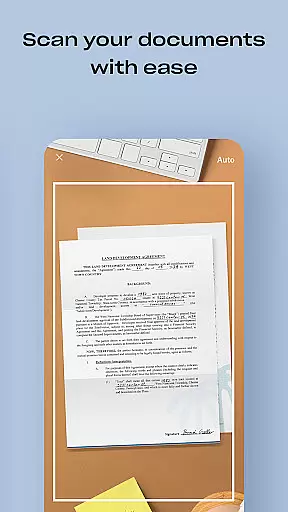
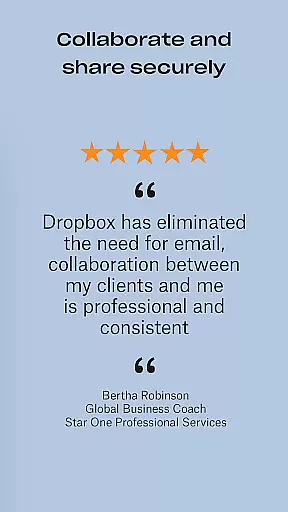
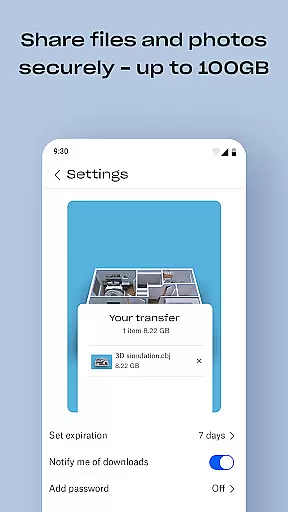
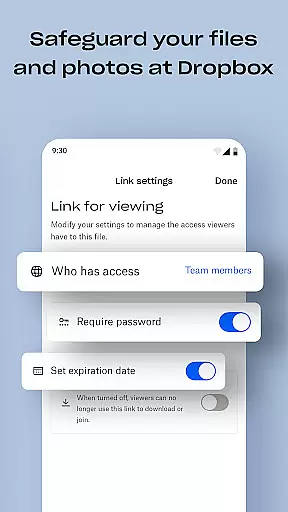
The platform excels in collaboration and security. It allows easy transfer of large files by generating shareable links, even for non-Dropbox users. Advanced functionalities include document scanning, transforming physical documents into high-quality PDFs, and robust sync capabilities with version history. Dropbox's Plus plan further enhances these features with Passwords, Vault, and Rewind, providing users with enterprise-grade tools for managing sensitive data and maintaining control over their digital assets.
Dropbox excels in core task management by providing users with a seamless experience to organize, store, and access their files efficiently. The app's intuitive interface allows for easy navigation and management of documents, photos, and videos, ensuring that users can quickly find and utilize their data.
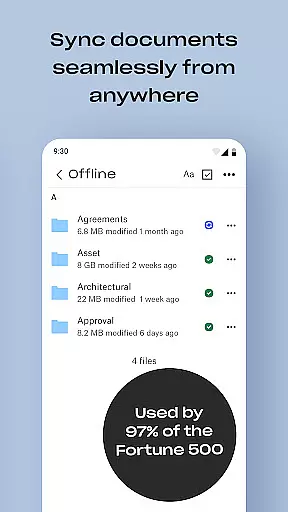
With features such as automatic camera roll uploads and offline file access, Dropbox ensures that your essential files are always at your fingertips. This functionality is crucial for individuals who need reliable access to their data, regardless of internet connectivity.
The ability to preview over 175 file types without special software enhances productivity by reducing the time needed to open and review documents. Additionally, sharing large files through simple link generation facilitates collaboration, making Dropbox an invaluable tool for teams and professionals on the go.
Cross-device synchronization is a cornerstone of Dropbox's service, offering users peace of mind that their files are consistently updated across all their devices. Whether you're switching from your phone to your laptop or vice versa, Dropbox ensures that your latest files are always available, maintaining continuity in your workflow.
This synchronization process is not only reliable but also efficient, minimizing delays and ensuring that file updates are reflected almost instantaneously. For users who work in dynamic environments or travel frequently, this feature provides a stable platform for managing their digital lives without worrying about version conflicts or data loss.
Moreover, Dropbox's version history and file recovery options add an extra layer of security. Users can recover older versions of their documents or restore deleted files, safeguarding against accidental changes or deletions. This robust synchronization capability underscores Dropbox's commitment to providing a dependable and secure cloud storage solution.
User-friendly interface
Secure file sharing
Automatic backups
Cross-device sync
Advanced security
Paid features required
Limited free storage
Occasional slowdowns
No built-in editor
Subscription costs

Native client for Forgejo and Gitea
 5.00
5.00
All in one sketching tool. Technical and General drawing. Online Maps support.
3.70
Smart PDF reader & editor to view, organize and manage PDF documents easily.
3.70
Secure, fast, open-source, Remote Desktop Client for Windows and Linux with SSH
4.60
⏰ Finally a timer app which can run multiple timers simultaneously on your watch
3.90
Make apps & sites with natural language prompts
4.10
A Pixel Art watchface inspired by other iconic 90s designs for Wear OS devices!
4.40
This small app MUST BE INSTALLED after purchase, else license won't work
4.40
QuickEdit is a fast, stable and full featured text and code editor.
4.20
Multilingual translator for text, voice, and image translation!
4.90
Secure, fast, open-source, VNC and SSH Remote Desktop for Windows, Linux and Mac
4.70
App lock - lock apps with fingerprint, password, pin or pattern, protect privacy
4.70
Experience Reading - Night Mode for Documents
4.40
Secure your apps with lock screens, use custom themes and different features.
4.40
Total remote control for your Android device, PC and cloud services (IFTTT)!
4.20
Pwnagotchi companion app
4.20
Font maker keyboard with your own handwriting
4.10
Unlock AutoNotification
4.00
The ultimate file manager for rooted devices. The original and still the best.
4.00




User Reviews