
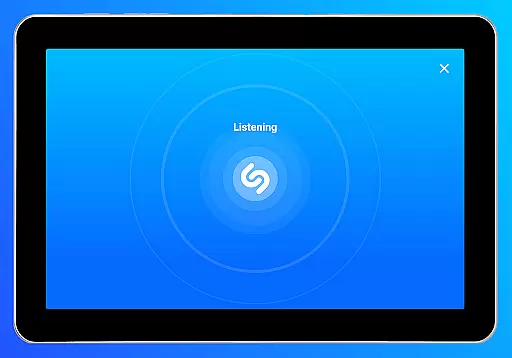
Shazam is a powerful music recognition app that instantly identifies songs playing around you or in other apps, even with headphones on. With over 2 billion installs and 300 million users worldwide, it offers an impressive suite of features beyond just song identification.
The app allows users to discover artists, view song lyrics, watch music videos, and explore upcoming concerts. Its integration with popular streaming services like Apple Music, Spotify, YouTube Music, and Deezer makes it a comprehensive music discovery tool. Whether you're looking to identify a song in seconds or explore new music through personalized recommendations, Shazam delivers exceptional value for music enthusiasts.
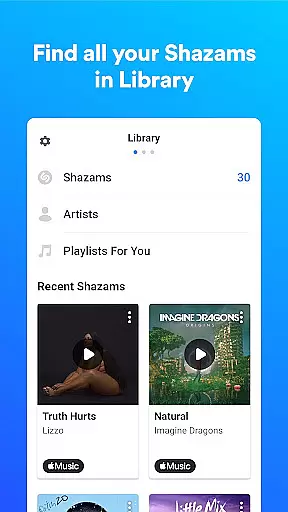
Shazam stands out with its ability to identify songs almost instantly, regardless of the source—be it from your surroundings, social media apps like Instagram and TikTok, or even offline. The app automatically saves your song history, creating a personal archive of discovered music.
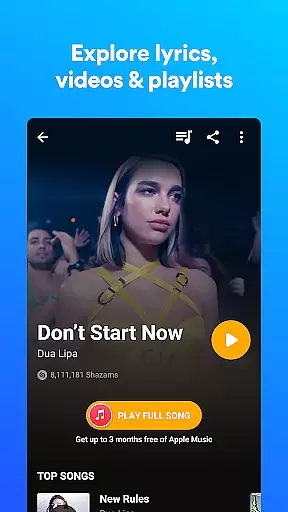
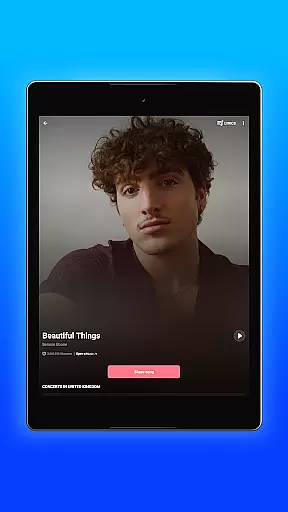
Beyond identification, Shazam provides time-synced lyrics, concert information based on location, and music video playback from Apple Music or YouTube. The Auto Shazam feature allows continuous song detection even when the app runs in the background. Additionally, users can access global and local music charts, share songs across multiple social platforms, and enjoy a Dark theme for comfortable nighttime use.
Optional permissions enhance functionality—microphone access enables real-time song identification, location data helps display nearby events, and notifications provide personalized updates based on user activity.
Companion app integration is essential for a seamless wearable experience. Shazam offers robust connectivity between its mobile and Wear OS versions, ensuring users can identify songs directly from their smartwatch.
The app's companion functionality allows for real-time synchronization of song identifications, history, and preferences across devices. This means whether you're using your phone or smartwatch, all your Shazam data is accessible and up-to-date.
Users benefit from the convenience of being able to Shazam a song anytime, anywhere, without needing their phone nearby. The Wear OS version maintains the core features of the mobile app, including music recognition, lyrics display, and quick access to streaming services.
This integration significantly enhances user engagement by providing flexible usage options. With cross-device support, Shazam ensures you never miss an opportunity to discover new music, regardless of which device you're using.
Device compatibility is crucial for wearable applications. Shazam demonstrates excellent support for Wear OS, working seamlessly across various smartwatch models and Android versions.
The application is optimized to function efficiently within the technical constraints of wearable devices. It utilizes minimal battery power while maintaining fast response times, typically identifying songs in just a few seconds.
Shazam's Wear OS version supports key platform features including notifications, widgets, and offline functionality. Users can access their identification history, view lyrics, and control music playback directly from their watch interface.
This comprehensive compatibility approach ensures that Shazam delivers consistent performance across different devices. By supporting both current and previous Wear OS versions, the app maximizes its reach while providing a reliable music discovery tool for smartwatch users.
Instant song recognition
Offline functionality
Multi-platform integration
Time-synced lyrics
Personalized recommendations
Limited without permissions
Feature availability varies
Ads in free version
Occasional misidentification
Location-specific content

Christmas and New Year - Themed Watchface
 4.3
4.3
Snowflake Rose Gold Watch Face - Digital, modern, & sleek with GYRO effect.
4.10
MyNISSAN® lets you remotely control your car from your phone.*
4.50
Elegant animated Christmas tree with multiple customization options
4.20
Simple Analog-Digital Watchface For Wear OS 3.0 and Up Smartwatches
4.3
Authentic military-tactical design with ZULU time! Realistic and functional!
3.80
Nutrition, Macro tracker: Food, fitness & healthy diet tracking for weight loss
4.60
Funny animated watch face for Thanksgiving
4.3
A digital watch face that celebrates Christmas.
4.00
Real-time results, stats, schedules and player profiles for all leagues
4.60
Simple, helpful messaging by Google
4.60
Embrace the holiday spirit with this magical animated watch face!
4.40
Find EV charging stations
4.30
"PER27 Galaxy Digital" is a digital Wear OS watch face designed by PERSONA
4.10
Wear Os Watch Face - Animated Snow Effect & Magic Spark - 6 Scenes
4.10
Daily Weather forecast with 15 weather images for Day & Night plus Big Bold time
4.10
Hyper-Realistic Airplane Dashboard Watch Face With 10 Skins and Custom AOD
4.00
Wear Os Watch Face - Animated Snow Effect & Christmas Lights
4.5
Wear Os Watch Face - Animated Snow - Sesonal for Christmas & Winter
4.3








User Reviews