TonalEnergy Tuner & Metronome is a comprehensive music practice tool designed for musicians of all levels, from professionals to beginners. This app goes beyond basic tuning by integrating a state-of-the-art tuner, advanced metronome, orchestral strings and guitar tuning pages, a piano keyboard, sound analysis tools, and audio recording capabilities into one solution.
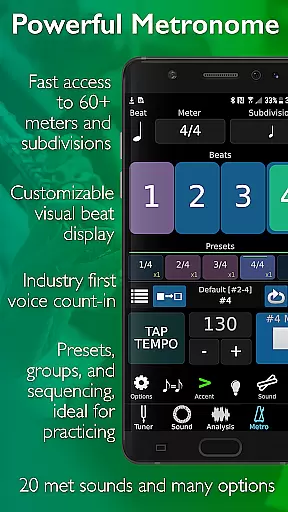
What sets TonalEnergy apart is its user-friendly interface and feature-rich environment. The app provides rewarding feedback through colorful analysis data pages and flexible practice options. Its cutting-edge metronome offers unmatched versatility with customizable sound choices, tempo settings, subdivision patterns, and visual displays. Additionally, the app fosters ear training with unique multi-sampled instrument sounds and an eight-octave keyboard for skill development.
Whether you're practicing alone or collaborating with others, TonalEnergy supports connectivity and social learning. It allows users to collect, review, edit, and share practice data, making it an essential tool for musicians looking to refine their craft and achieve excellence.
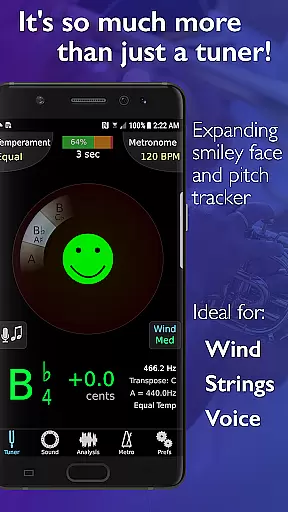
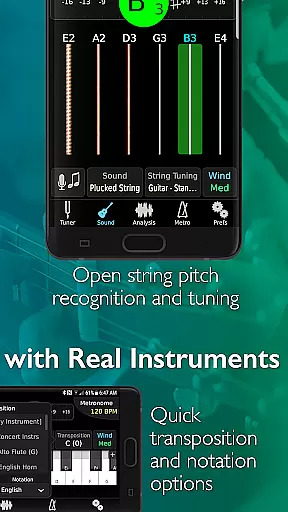
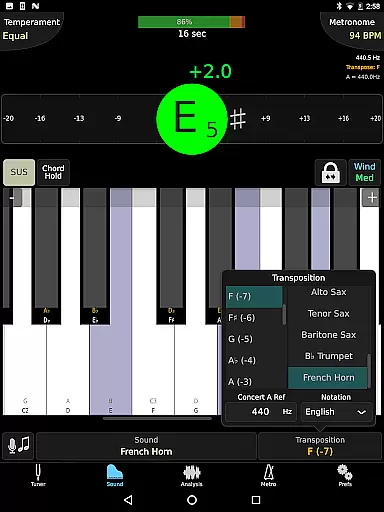
TonalEnergy Tuner & Metronome boasts a wide array of features tailored to meet the needs of diverse musicians. One standout aspect is its ability to recognize pitches across an extensive range (C0 - C8), making it highly responsive to wind, acoustic, and electric string instruments. The adjustable A=440 Hz reference and automatic/manual transposing options provide flexibility for various musical contexts.
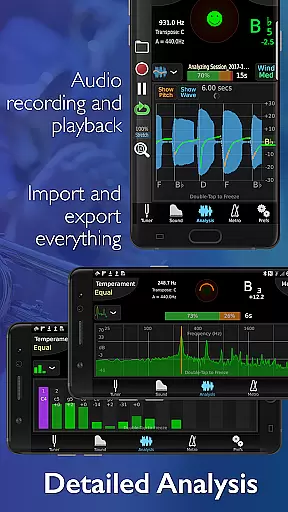
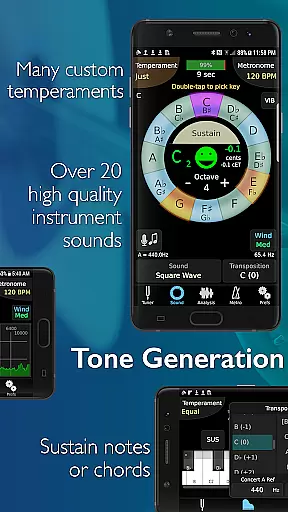
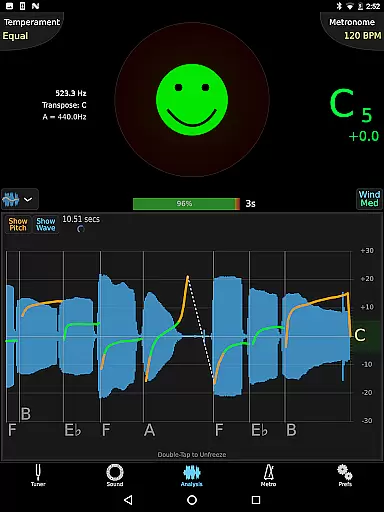
The app's adaptability extends to its instant switching between equal, just, and custom temperaments, including user-defined ones. Its eight-octave piano keyboard and chromatic wheel tone generator enhance functionality, while the frequency and harmonic energy overtone graphs offer detailed sound analysis. The dedicated metronome page rivals standalone apps, featuring voice count-ins, preset groups, and Ableton link for syncing multiple devices.
Additional highlights include audio recording with editing and looping capabilities, compatibility with external microphones, MIDI keyboard support, and notation options like Solfege and Indian variants. These robust features make TonalEnergy an indispensable companion for musicians seeking precision and versatility in their practice routines.
The TonalEnergy Tuner & Metronome app offers an extensive music library that caters to a wide range of instruments, making it highly versatile for musicians across different genres. With support for symphonic instruments, guitars, and orchestral strings, the app provides high-quality multi-sampled sounds that stand out among other tuning applications.
Copyright authenticity is assured through unique sound samples not found in other apps, giving users access to unparalleled audio resources for practice and performance. The inclusion of eight-octave keyboard, chromatic wheel, and tone generator further enhances its value as an ear-training tool.
Musicians can benefit from the app's expansive instrument list, which includes piccolo, flute, saxophone, trumpet, and many others. This ensures that users have access to accurate sounds for their specific instrument, promoting better practice habits and improved performance quality.
The app's dedication to providing authentic and diverse musical content makes it an essential tool for musicians who want to refine their skills with reliable audio references. Its comprehensive library supports various learning styles and practice routines.
Audio quality is paramount in the TonalEnergy Tuner & Metronome app, offering musicians superior sound options that enhance practice sessions. The app features advanced audio recording capabilities, including editing, looping, and time-stretch functions that are all exportable, allowing users to capture and refine their performances with professional-grade tools.
Users can take advantage of the app's compatibility with external microphones and clip-on vibration sensor devices, ensuring the highest level of audio input quality. This feature is particularly beneficial for acoustic instrument players who require precise sound reproduction during practice.
The app also supports external MIDI keyboard control, expanding its functionality and enabling musicians to integrate their existing equipment seamlessly. This versatility ensures that users can maintain consistent audio quality across different devices and setups.
With its robust audio features and flexible format options, the TonalEnergy app delivers an exceptional auditory experience that meets the demands of both amateur and professional musicians alike.
Comprehensive all-in-one tool
User-friendly interface
Advanced sound analysis
Customizable tuning options
Unique multi-sampled sounds
May overwhelm beginners
High resource consumption
Complex setup required
Limited free features
Occasional bugs reported

Simply convert wav to mp3. Clear. Reliable. Safe.
 4.5
4.5
A synth that really lets you shape your sounds!
4.50
DJ Music Mixer Pro is a real DJ controllers and DJ Music Studio to remix DJ.
4.40
Listen to live FM radio stations, sports, music and news on global radios online
4.70
Network/Cloud Streaming, Visualization, Graphic Equalizer and Sound Effects.
4.20
Bass Booster Pro takes auto-equalizing to the next level!
4.30
The official Sonos app
4.10
Turn your Android phone into a professional audio analyser with up to 120 bands.
4.00
One-tap booster for max volume - enjoy powerful sound with this audio booster
4.50
Make songs with AI! Any genre, custom lyric, song generator for music creation!
4.80
JBL PartyBox APP works with 110/310/710/120/320/520/Encore/Encore 2/Encore Ess 2
4.80
SqueezePlayer turns your Android phone or tablet into a SqueezeBox on its own!
4.60
Pay Once, no monthly payment
4.60
Save hundreds of dollars for a physical strobe tuner and instead use this app.
4.50
Your HD audio recorder on the go for music, meetings, ambience, animal sounds…
4.30
Powerful 10-Band equalizer pro with sound booster improves Android audio quality
4.30
The original SP-1200 experience on your iPad
4.20
PowerAudio is a powerful offline music player.
4.20
Music Streaming suite for Ampache, Nextcloud Music and compatible backends.
4.5




User Reviews