
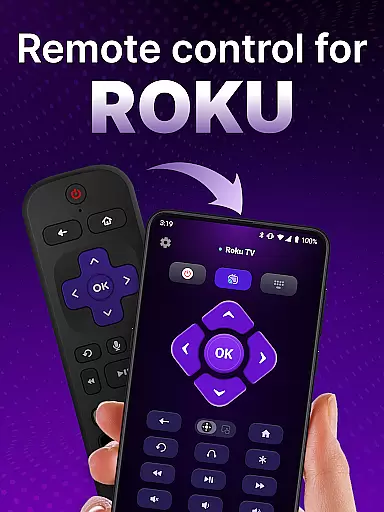
TV Remote control for Roku TV is a universal remote app designed to replace your physical Roku remote. This application allows users to seamlessly control their Roku TV devices through an intuitive mobile interface. By connecting to the same Wi-Fi network as your Roku TV, this app enables you to perform essential functions such as turning the TV on and off, adjusting volume levels, browsing content, launching channels, and even using voice commands.
The app's standout feature is its automatic device detection, which simplifies the setup process by identifying Roku TVs on the same network. Additionally, it offers smooth navigation via a touchpad interface, quick text input for efficient searching, and power control directly from your smartphone. These features collectively enhance the user experience by providing a more convenient and portable alternative to traditional Roku remotes.
This app is particularly useful in scenarios where the physical remote is misplaced or out of batteries. It ensures that you can still enjoy uninterrupted access to your Roku TV functionalities while offering advanced features like voice search for hands-free operation. The ability to customize and streamline your TV control experience adds significant value for Roku TV owners.
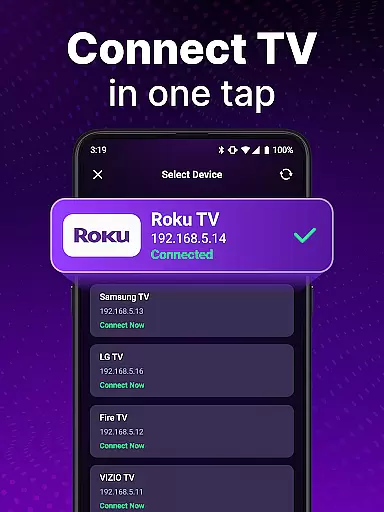
TV Remote control for Roku TV boasts several notable features that set it apart from standard Roku remotes. One of its primary advantages is the automatic detection capability, which identifies Roku TV devices connected to the same Wi-Fi network. This feature significantly reduces setup time and effort, making it easy for users to get started without manual configurations.
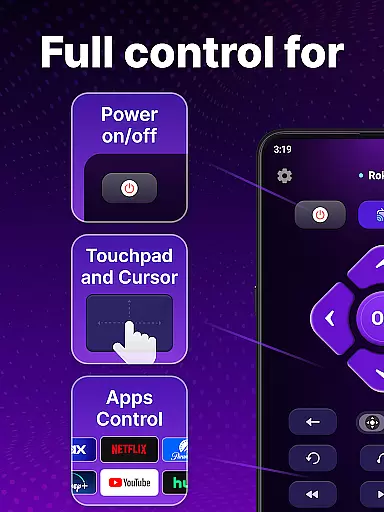
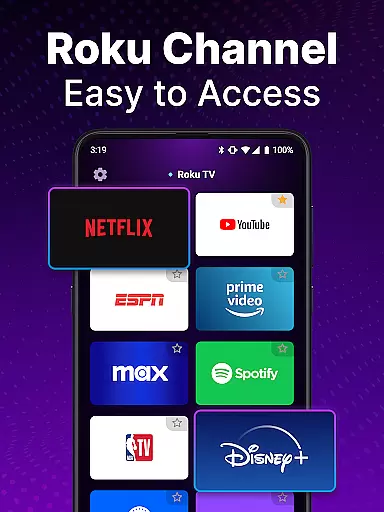
Another key aspect is the rapid control functionality provided by the app. Users can instantly access their Roku TV controls, including power on/off, volume adjustments, and channel launches. The inclusion of voice control enhances user interaction by allowing hands-free operation, which is especially beneficial when multitasking or when the phone is out of reach.
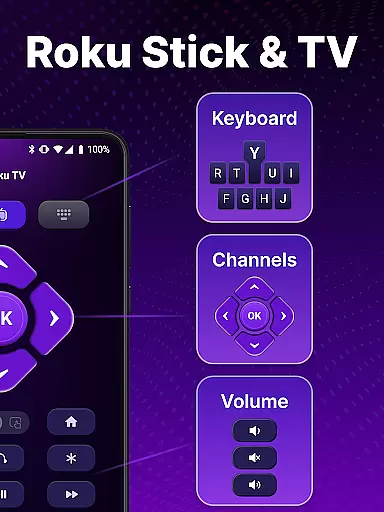
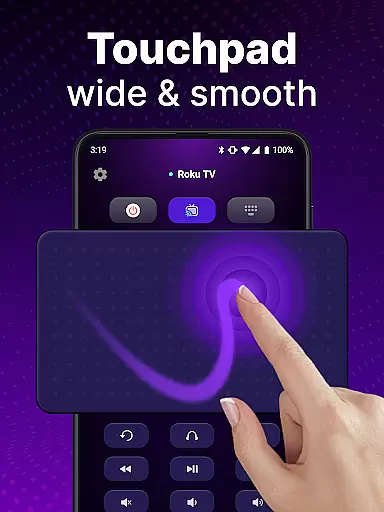
Additionally, the app provides a simple navigation system with a touchpad interface for smooth scrolling and swiping. Coupled with keyboard input for swift text entry, users can efficiently search for and locate their favorite shows. These comprehensive features collectively offer a superior alternative to traditional Roku remotes, ensuring a seamless and enhanced TV control experience.
When it comes to universal remote apps for Roku TV, the precision and reliability of core functions are paramount. The TV Remote control for Roku TV app excels in this area by providing users with accurate and effective control over their entertainment systems. This universal remote app goes beyond basic functionality, offering features like automatic device detection, instant access controls, and smooth navigation through a touchpad interface.
The application's design ensures that every command - from power on/off to volume adjustment and channel launching - is executed with maximum accuracy. Its ability to detect Roku TV devices on the same Wi-Fi network simplifies setup while guaranteeing reliable connectivity. Users can expect responsive performance when browsing content or streaming their favorite shows, thanks to the app's optimized communication protocols.
What sets this universal remote app apart is its integration of advanced features such as voice control and keyboard input. These additions not only enhance functional accuracy but also improve overall effectiveness by enabling hands-free operation and swift text searches. As a result, users enjoy an elevated Roku TV experience that combines convenience with precision.
A user-friendly interface is crucial for any tool app, and the TV Remote control for Roku TV stands out in this aspect. This universal remote app features an intuitive layout that makes controlling your Roku TV effortless. Upon opening the application, users are greeted with a clean, organized interface that mirrors the simplicity of a physical remote while offering enhanced functionality.
The app's designers have prioritized ease of use by implementing straightforward navigation elements. A responsive touchpad allows for smooth scrolling and swiping gestures, making menu navigation feel natural. Essential functions like power control, volume adjustment, and channel selection are prominently displayed, eliminating the need for multiple menus or complex button combinations.
Additional features such as voice input and keyboard functionality are seamlessly integrated without cluttering the interface. The universal remote app maintains its simplicity while providing powerful tools for searching and controlling Roku TV functions. This careful balance between essential controls and advanced features creates an intuitive user experience that both tech-savvy individuals and casual viewers can appreciate.
User-friendly interface
Voice command support
Automatic device detection
Swift text input
Portable and convenient
Requires Wi-Fi connection
Not an official Roku app
Limited to Roku devices
Potential connectivity issues
No physical buttons

Universal TV remote control all TVs, Roku, LG, Samsung, Fire, Vizio, Sony, TCL.
 4.40
4.40
Enjoy smooth gameplay with Game Booster
4.90
Keep track of your Palia friendships, tasks, and inventory with Palia Notebook
4.60
Making emulation easy for everyone!
4.30
Bedrock Together: Join any bedrock server on Xbox/PS
4.80
Play your X-Box games remotely in 1080p with any controller and zero latency
4.60
A simple app to back up and restore SMS & MMS messages and call logs.
4.10
Pro Emulator is an easy to use game console emulator for a range of consoles.
4.40
Your personal health butler
3.60
Support Fossify apps with a warm thank you!
5.00
Extremely fast, secure, and protects your privacy
4.80
Connect instantly to a fast, encrypted VPN with one tap
4.60 4.50
4.50
Head tracking for PC sim games such as MSFS 2024 or Elite:Dangerous. No headset!
4.50
Forza Tuning Calculator App for Forza Horizon 5, Motorsport and Earlier Titles
4.40
Quickly & easily calculate the spacing of handrail balusters
4.20
View detailed information about your Nissan Leaf the dealer never shows you.
4.10
Detect hidden spy camera with advanced scanning {{ Premium version }}
4.00
Create your own live wallpaper or check out thousands already made presets
3.90



User Reviews