
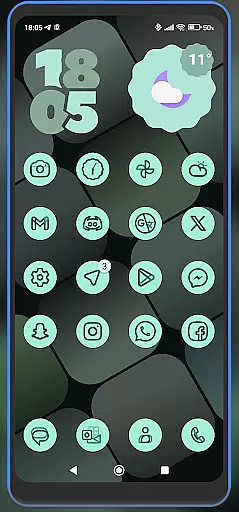
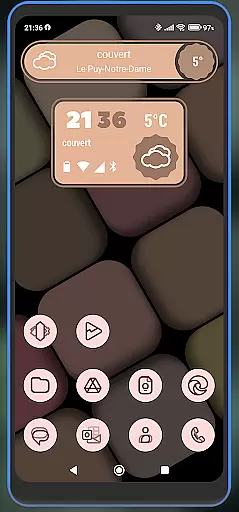
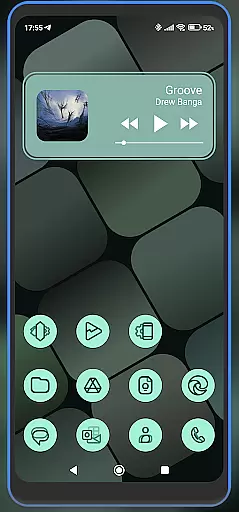
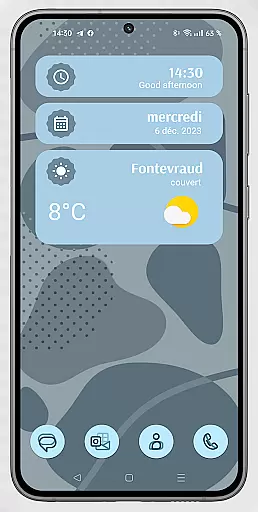
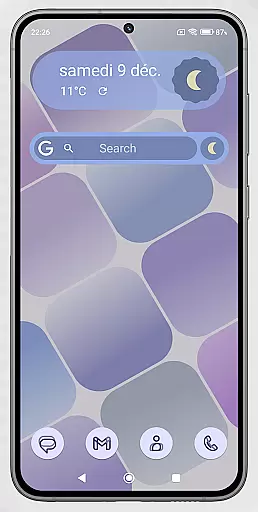
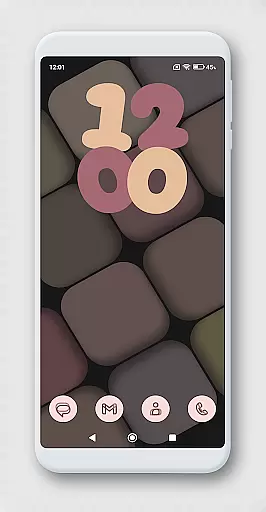
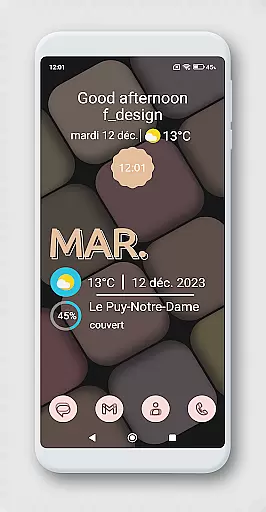
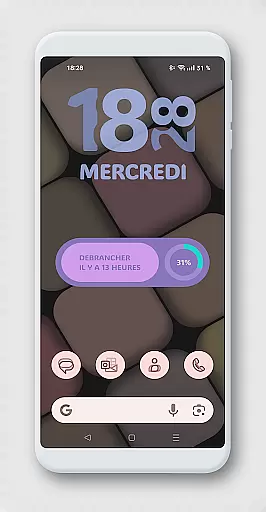
WidgetWall KWGT is a specialized design tool for creating visually appealing home screen widgets on Android devices. This application requires both KWGT and KWGT Pro apps to function, ensuring high-quality widget customization. It is particularly well-suited for users of popular launchers like Nova, Lawnchair, and Smart Launcher 5.
The app provides a comprehensive widget creation process that allows users to customize their home screens with unique designs. By following a few simple steps, users can choose from a variety of widget options and adjust them to fit their personal style. WidgetWall KWGT represents an essential tool for those looking to enhance their device's aesthetics while maintaining functional utility.
WidgetWall KWGT offers several notable features that cater to design enthusiasts. First, it integrates seamlessly with KWGT and KWGT Pro, providing access to advanced customization options. Users can create adaptive widgets that work perfectly with various launchers, including Nova and Lawnchair.
Another key feature is the ability to adjust widget scaling directly from the home screen. If a widget does not fit correctly, users can easily modify its size using the 'SCALE' option in the main KWGT editor. This ensures precise control over the visual presentation. Additionally, the app credits Jahir Fiquitiva's Kuper Dashboard, which simplifies the creation of more applications, making widget design accessible even to beginners.
WidgetWall KWGT offers a comprehensive suite of creative tools tailored for designing home screen widgets. The application integrates seamlessly with KWGT and KWGT Pro, providing users access to advanced customization features.
With WidgetWall KWGT, users can choose from a variety of widgets and adjust them according to their preferences. This includes scaling options within the main KWGT editor, allowing precise control over widget dimensions and appearance on the home screen.
The app supports popular launchers like Nova, Lawnchair, and Smart Launcher 5, ensuring compatibility across different devices and systems. This flexibility empowers users to create personalized home screens that reflect their unique style and functional needs.
By leveraging the powerful tools provided by WidgetWall KWGT, users can achieve professional-grade designs without needing extensive technical expertise, making it an invaluable asset for both novice and experienced designers.
One of WidgetWall KWGT's standout features is its canvas and format flexibility, enabling users to customize widgets to fit perfectly on their home screens. This flexibility ensures that each widget not only looks good but also functions optimally within the user's specific environment.
Users have the ability to modify widget sizes using the 'SCALE' feature under the layer option in the main KWGT editor. This allows for meticulous adjustments, ensuring that every element aligns perfectly with the overall home screen layout.
In addition to size adjustments, WidgetWall KWGT supports various formats, giving users the freedom to experiment with different visual styles and arrangements. Whether you prefer minimalist designs or more elaborate setups, the app provides the tools necessary to bring your vision to life.
This level of customization ensures that users are not constrained by predefined templates, offering limitless possibilities for creating a truly personalized and efficient digital workspace.
User-friendly interface
Highly customizable widgets
Compatible with multiple launchers
Adaptive scaling options
Powered by KWGT Pro
Requires KWGT Pro purchase
Not a standalone app
Complex for beginners
Limited free features
Dependent on third-party tools

Remove Background, Magic Eraser, Photo Enhancer, Story Templates, Collage Maker
 4.30
4.30
Unleash your drawing and painting potential
4.50
Your Essential Color Theory Guide: Red, Yellow, Blue (RYB)
4.1
Draw beautiful mandala's very easily
4.60
Castle is social media for creating and playing games!
4.60
Create stunning video, photo & magic from text with FlixAI GPT video generator.
3.10
Nano Banana AI Image Generator, Anime Filter, AI Portrait, AI Photo Generator
4.30
Draw Trace image sketch by, AR art projector app, Easy to trace any image.
4.50
Beauty Camera - Selfie Camera is the ultimate beauty camera and selfie app
4.30
The ultimate tool for creating animations
4.60
Get an overview over all your embroidery threads, projects and more.
4.60
Everything you need to create hand drawn animation, anywhere you go!
4.40
Trace, draw, and create art with AR - from memes to masterpieces!
4.30
Custom Character Creator & PFP Maker!
4.20
Unleash Your Creativity with Draw Cartoon - AR Drawing App
4.10
Design unique, funny and adorable cat stickers that reflect your own style!
3.80
Draw anime easily with AR guidance, sketch templates & trace tools!
3.10
Retouch photos. Create or edit images. Endless capabilities.
2.70
Premium version of Shimeji-ee app with no ads & no limit active shimeji
4.1



User Reviews