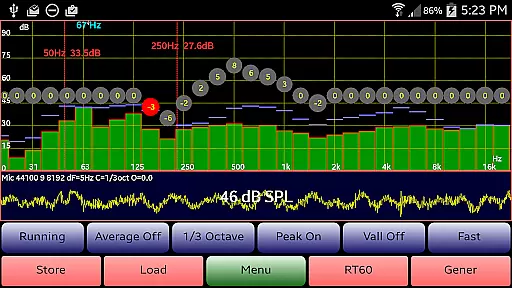
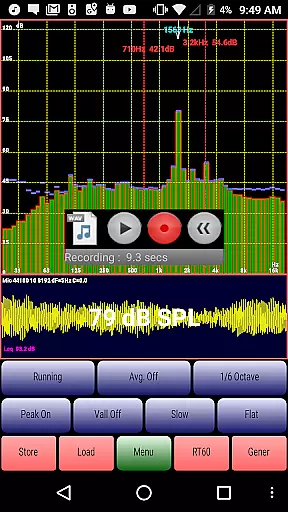
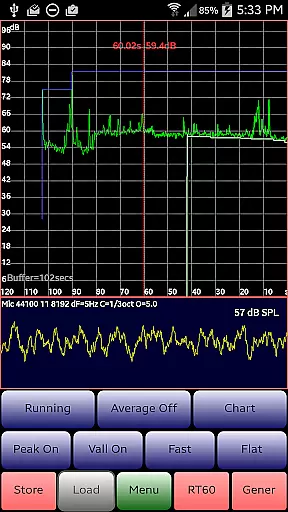
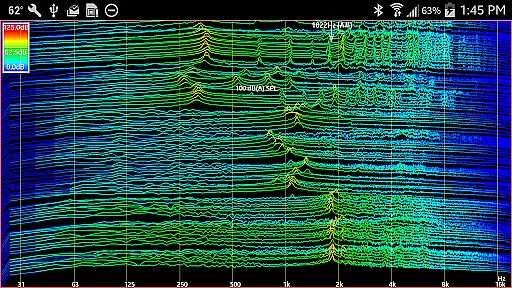
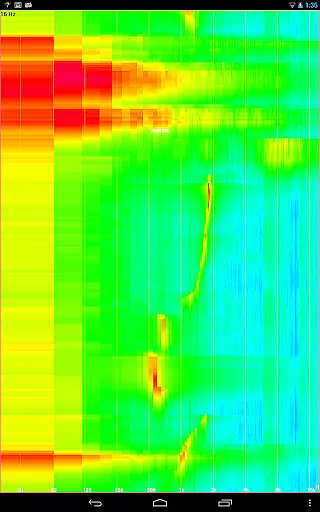
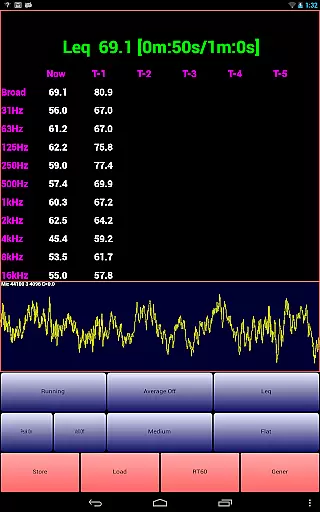
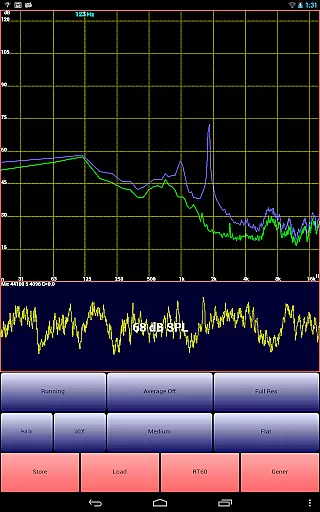
AudioTool is a comprehensive audio measurement and analysis application designed for audio engineers, acousticians, and enthusiasts. The app features an SPL (Sound Pressure Level) meter with RT60, Leq, Sone, Spectrum Analyzer, Spectrogram, Chart Recorder, Signal Generator, Polarity Checker, and Mic calibration functionalities.
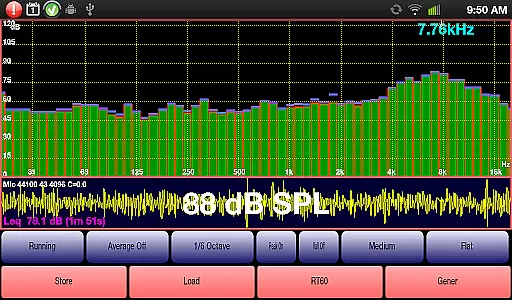
This professional-grade tool offers multiple octave RTA modes (1/1, 1/3, 1/6 & 1/12), various filters (Impulse, Fast, Medium & Slow), A/C Weighting, film industry X Curve, and more. It also includes advanced capabilities such as exclusive ISO 1/3 Octave Calibration to correct your phone's microphone response, making it suitable for gig measurements, home theater setups, car audio tuning, and other acoustic environments.
With its extensive feature set, AudioTool provides significant value to users who require precise audio measurements and analysis in both professional and personal settings. Its intuitive interface allows users to easily navigate through complex audio data while offering customization options like pinch-to-zoom and scroll-to-center for detailed spectrum examination.
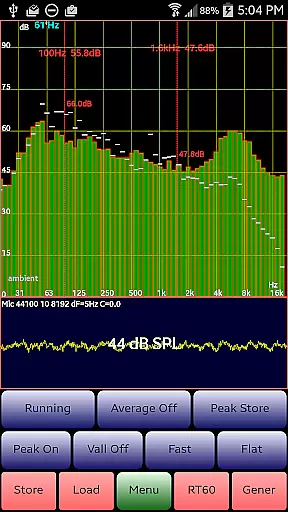
AudioTool stands out due to its rich array of features tailored for audio professionals. One notable feature is the real-time spectrum analysis that supports multiple octave RTA modes, enabling users to conduct detailed frequency analyses. This functionality is complemented by the ability to save and load spectra, facilitating comparative studies over time.
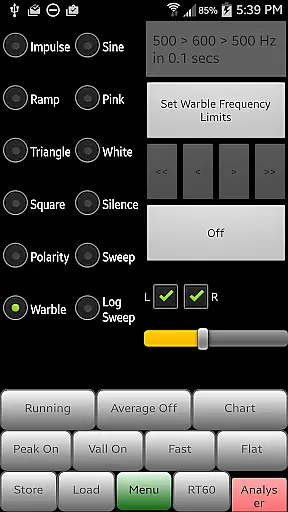
In addition to spectral analysis, AudioTool includes a signal generator capable of producing various waveforms such as White/Pink Noise, Sine, Square, Triangle, Sweep, Log Sweep, Warble, Ramp, and Impulse signals. These generated signals are crucial for testing audio equipment and room acoustics. Furthermore, the app's loudspeaker polarity checker helps ensure proper wiring, displaying 'Pol +++' for in-phase speakers and 'Pol ---' for out-of-phase ones.
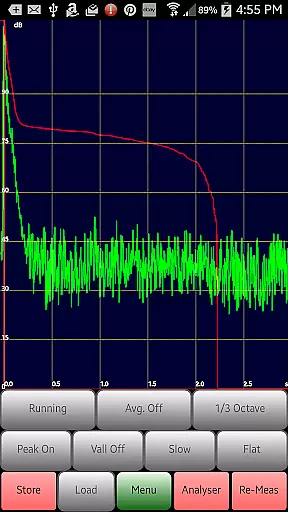
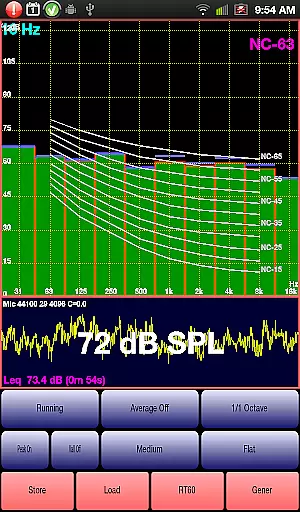
The inclusion of advanced tools like the RT60 function for measuring reverberation times and the Noise Criteria function for evaluating ambient noise levels underscores AudioTool's commitment to providing a complete audio analysis solution. Each feature is meticulously implemented to deliver accurate results, enhancing user productivity and ensuring reliable performance across different scenarios.
AudioTool offers a comprehensive suite of audio measurement and generation tools, ensuring users have access to an extensive 'library' of features. Though not a music library in the traditional sense, its wide array of functionalities acts as a toolkit for audio professionals.
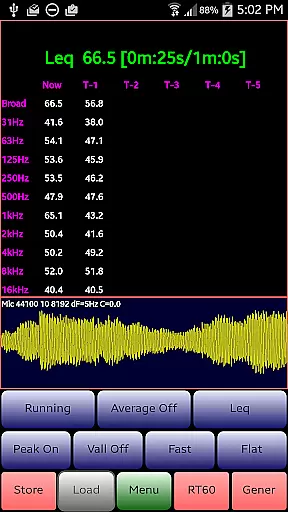
The app includes signal generators for various waveforms, an RTA with multiple octave modes, and Leq measurements, among others. This vast feature set ensures that users can perform a multitude of audio tasks without seeking additional resources.
All functionalities are developed with precision, adhering to standards like ISO 1/3 Octave Calibration. This dedication to accuracy and compliance guarantees the 'authenticity' of each tool's performance, akin to ensuring the legitimacy of music tracks in a library.
By providing reliable and precise audio tools, AudioTool enables users to conduct professional-grade audio analysis and generation, making it an essential resource for sound engineers and audio enthusiasts alike.
One of AudioTool's standout features is the variety of audio quality options it provides, allowing users to fine-tune their audio analysis and generation processes. The app supports different types of signal generators including White Noise, Pink Noise, Sine, Square, Triangle, and more, catering to diverse audio testing needs.
Users can also benefit from advanced options such as 1/1, 1/3, 1/6, and 1/12 octave RTA modes, which offer granular control over frequency analysis. These options ensure that whether you're measuring room acoustics or calibrating equipment, you can select the level of detail that suits your requirements.
In addition to versatile waveform generation and RTA modes, AudioTool allows users to adjust settings like sample length through the 'Set Resolution' menu option. Choices include 4096, 8192, or 16384 samples, giving users further control over the precision and performance of their audio tasks.
This range of audio quality options empowers users to achieve accurate and reliable results across various applications, from home theater calibration to professional gig measurements, solidifying AudioTool's position as a go-to solution for serious audio work.
Comprehensive audio tools
Real-time spectrum analysis
Advanced calibration options
User-friendly interface
Wide range of applications
Complex for beginners
Requires specific hardware
Occasional accuracy issues
Limited free features
High learning curve

SqueezePlayer turns your Android phone or tablet into a SqueezeBox on its own!
 4.60
4.60
Simply convert wav to mp3. Clear. Reliable. Safe.
4.2
Formerly known as Spotistats! View your top tracks, artists, albums and more!
4.40
Pay Once, no monthly payment
4.60
The Music Journey in Your Hands
4.30
Full-featured, High-Quality Groovebox Workstation, perfect for Live Performance!
4.80
Guzheng Master supports many playing techniques as an acoustic Guzheng
4.50
MilkDrop for Android TV
3.00
Listen to offline music and sounds from all categories
4.70
Most Advanced AI Song Generator and Music Creator. Rap, Pop, Rock, Gospel & more
4.70
Over 100 million tracks available for high quality streaming and download
4.60
Visualize the guitar fretboard, master scales & play through changes like a pro!
4.50
DJ Music Mixer - DJ Remix: remix songs, make beat music & record mix of DJ.
4.40
Ringtone Maker is free app create ringtone from music files or your recording.
4.40
A sleek, no-frills player designed for true music lovers.
4.20
PowerAudio is a powerful offline music player.
4.20
VB-AUDIO Software / VBAN-Receptor allows listening to any VBAN Streams
4.10
Turn your phone into a musical instrument from the future!
3.90
The Skullcandy App Experience
3.20



User Reviews