
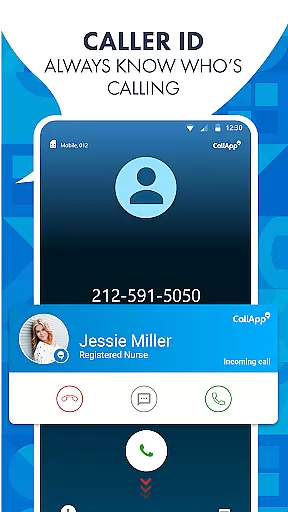
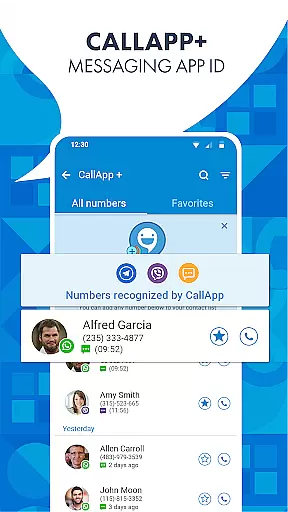
CallApp is a comprehensive communication app designed specifically for Android Wear devices, offering advanced caller ID, spam blocking, and messaging capabilities. The app's core functionality revolves around identifying unknown numbers through its extensive database of over 7 billion phone numbers, ensuring users are always informed about incoming calls.
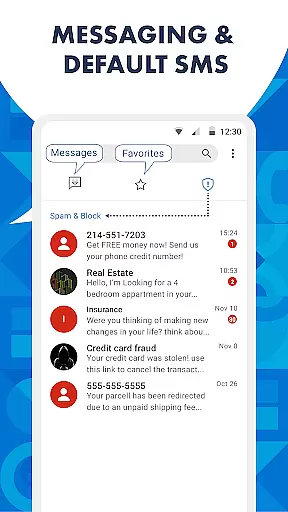
In addition to its robust caller ID feature, CallApp provides powerful tools to combat unwanted communications. Users can effectively block spam calls, robocalls, and telemarketing attempts through customizable blacklisting options and an intelligent spam detector that automatically filters out nuisance contacts. The app also serves as a default SMS application, organizing messages into categories and blocking spam texts.
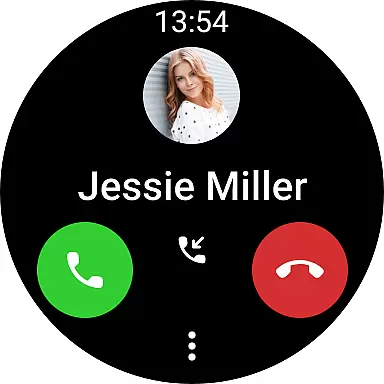
The integration with WEAR OS enhances the user experience by providing quick access to essential features right from smartwatches. This makes managing calls and messages more efficient while on the go. With additional features like automatic call recording and WhatsApp Caller ID, CallApp becomes an indispensable tool for maintaining control over your mobile communications.
CallApp distinguishes itself through several key features that enhance mobile communication management. Its advanced caller ID technology not only identifies unknown numbers but also maintains an extensive database for accurate phone number lookup. This feature alone transforms how users interact with incoming calls by eliminating the uncertainty of unrecognized contacts.
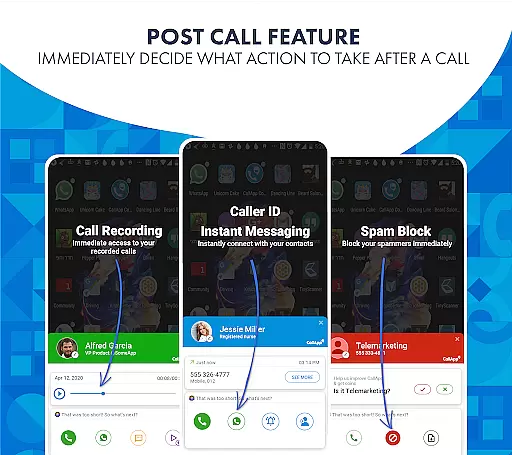
The app's spam call blocker and detector represent another crucial aspect of its functionality. Through sophisticated algorithms, CallApp can automatically recognize and block robocalls, telemarketing attempts, and scam calls. Users have the flexibility to customize their blacklist settings according to specific needs, including blocking entire prefixes or particular number patterns. This level of customization ensures maximum protection against unwanted communications.
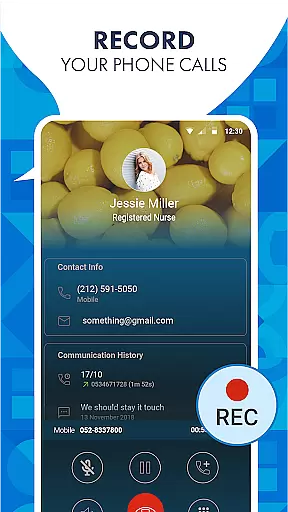
As a default SMS application, CallApp offers innovative solutions for managing text messages. It automatically categorizes incoming messages into personal, favorites, and spam folders while blocking suspicious texts. The inclusion of automatic call recording (ACR) adds another layer of utility, allowing users to save important conversations either locally or in the cloud. These combined features create a comprehensive communication management system that adapts to various user requirements.
Companion app integration is essential for users who want seamless connectivity between their smart devices. CallApp excels in this area by offering robust integration with Wear OS, ensuring that you can manage calls and messages directly from your smartwatch.
The integration provides real-time notifications, allowing users to identify callers and view messages instantly without needing to check their phones. This feature enhances convenience and ensures that important communications are never missed.
CallApp's companion app functionality extends to automatic call recording and spam blocking, which means these features are also accessible on Wear OS. Users can enjoy the same level of service and protection on their wearable devices as they do on their smartphones.
By leveraging this comprehensive integration, users experience a unified ecosystem where their smartwatch and smartphone work in tandem, significantly boosting productivity and communication efficiency.
Ensuring compatibility with Wear OS and other devices is crucial for delivering a consistent user experience across different platforms. CallApp supports a wide range of devices running Wear OS, providing users with the flexibility to choose their preferred hardware without compromising on functionality.
The app's compatibility includes advanced caller ID, call recording, and spam blocking features, all optimized for performance on Wear OS. This guarantees that users receive the same high-quality service whether they are using their smartphone or smartwatch.
CallApp's dedication to device compatibility means regular updates and optimizations to support new devices and OS versions. This commitment ensures that users always have access to the latest features and security enhancements.
Ultimately, CallApp's broad device compatibility empowers users to stay connected and protected, regardless of the device they are using, thus enhancing both convenience and peace of mind.
User-friendly interface
Extensive number database
Effective spam blocking
Automatic call recording
WEAR OS compatibility
Premium features require subscription
Occasional false positives
Limited iOS functionality
Cloud storage costs extra
Resource-intensive operation

Analog watch face with 8 complications and expedition styling
 4.5
4.5
Simple Analog-Digital Watchface For Wear OS 3.0 and Up Smartwatches
4.5
A modern premium sporty hybrid watch face for Wear OS by Ballozi
4.70
Be an elegant and classy secret agent, with this carefully detailed watch face
4.70
Authentic military-tactical design with ZULU time! Realistic and functional!
3.80
sleep, alarm, snoring, stress, healing, focus, sound therapy, circadian rhythm
4.10
Viewer for Wyze/Yi/Eufy/Arlo/ONVIF/RTSP/P2P IP cams w/ adv. features & DIY DVR
4.00
A white realistic classic analog watch face with many customization options.
4.40
Want to take charge of your health? Let Google Fit help you reach your goals.
3.50
Highly customizable hybrid watch face for Wear OS, perfect for everyday use.
4.60
Real-time results, stats, schedules and player profiles for all leagues
4.60
Retro digital watch face with customizable colors and a unique lighting effect
4.60
Connect, create, and collaborate with Gmail, part of Google Workspace.
4.10
Structured watch face with seven complications and modular UI elements
3.90
Stay in touch with your friends and family using LINE!
3.40
Christmas is near, let's count together the days left until Santa comes
4.1
A watch face that fuses motorsport precision with contemporary smartwatch design
4.3
Artistic Digital Watchface
4.1
Minimalistic design modern digital watch face.
4.5







User Reviews