
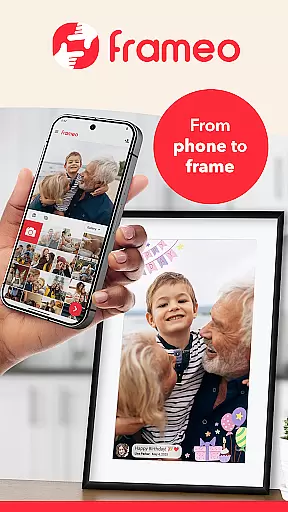
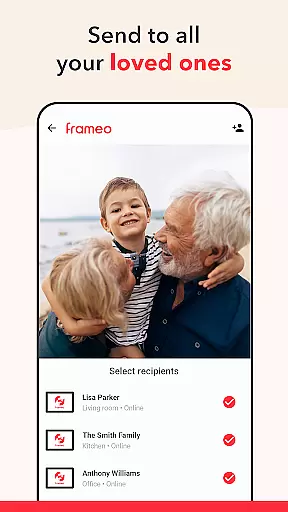
Frameo is a user-friendly mobile application designed for effortless photo sharing with loved ones. This app allows you to send photos and videos directly from your smartphone to Frameo WiFi digital photo frames, ensuring that friends and family can enjoy your cherished moments no matter where they are. With its intuitive interface and instant delivery feature, your shared content appears on the frame within seconds, making it perfect for real-time sharing.
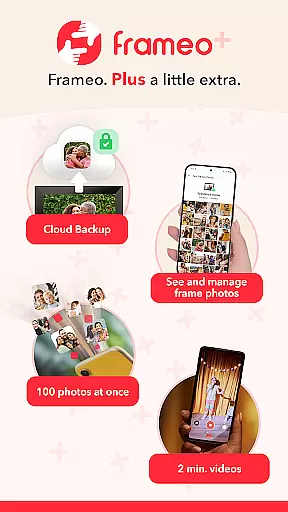
One of the standout features of Frameo is its ability to add captions and greetings to your photos, enhancing the storytelling aspect of your shared experiences. The app also supports end-to-end encryption, safeguarding your data and providing peace of mind while sharing. Additionally, Frameo+ offers a subscription service that unlocks advanced features such as cloud backup, sending 100 photos at once, and Google Cast functionality, elevating your photo-sharing experience to the next level.
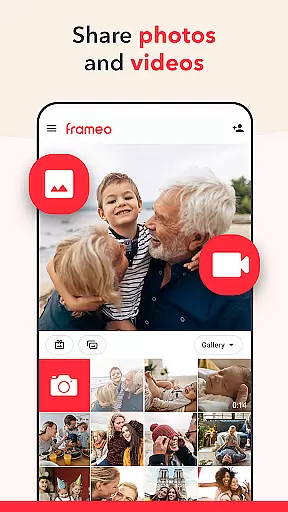
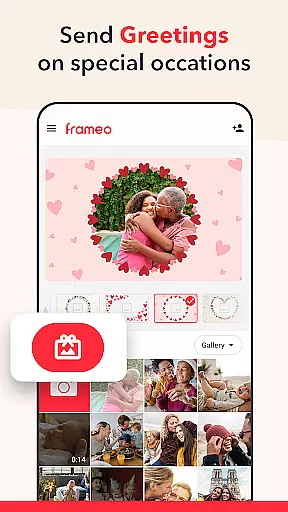
Frameo boasts an array of features that cater to seamless photo sharing. You can send up to 10 photos at once and even share 15-second video clips with connected frames. The app's unique Greetings feature lets you embellish your photos with graphical themes suitable for various occasions like birthdays or holidays, adding a personal touch to every shared moment. Furthermore, users receive instant notifications when their photos are liked by frame owners, creating a delightful interactive experience.
For those seeking enhanced capabilities, Frameo+ provides additional functionalities including viewing and managing frame photos remotely through the app. Subscribers can also benefit from cloud backup services, send up to 100 photos simultaneously, and share longer video clips of up to two minutes. The inclusion of Google Cast allows users to display their frame photos on a larger TV screen, offering versatile viewing options. These comprehensive features make Frameo not just a photo-sharing app but a complete multimedia solution tailored for meaningful connections.
Real-time capture and preview functionality is essential for ensuring that users can instantly see the results of their photography efforts. Frameo excels in this area by allowing users to send photos and videos directly from their smartphones to connected WiFi digital photo frames. This immediate transmission ensures that friends and family can enjoy shared moments almost as they happen, providing a seamless experience.
The app supports sending multiple photos at once, up to 10 in the free version and up to 100 with Frameo+, making it easy to share large batches of images from events like vacations. Additionally, video clips of up to 15 seconds (or 2 minutes with Frameo+) can be shared, adding dynamic content to the frame display. These features ensure that users have a rich variety of media types to share, enhancing the real-time experience.
Frameo also includes options for adding captions and graphical themes to photos or videos, which allows users to fully express the context and emotions behind their shared moments. The instant notifications when frame owners like your photos further enhance user engagement and satisfaction. This immediate feedback loop enriches the overall user experience, making it more interactive and rewarding.
With end-to-end encryption, Frameo guarantees that all shared content remains secure during transmission. This security measure ensures peace of mind for users who want to share personal moments without compromising privacy. By combining real-time sharing capabilities with robust security features, Frameo delivers a comprehensive solution for modern digital photo sharing.
AI beauty and enhancement features are increasingly important in photography apps, offering users the ability to refine and perfect their images before sharing. While Frameo focuses primarily on direct photo and video sharing, its advanced features indirectly support natural enhancement through thoughtful design choices. For instance, the app's ability to add fitting captions and graphical themes helps to highlight the emotional context of each photo, creating a more engaging viewing experience.
Although Frameo does not explicitly market itself as an AI-driven beauty tool, its subscription service, Frameo+, introduces several enhancements that contribute to image quality and presentation. Features such as cloud backup with client-side encryption ensure that original photos and videos are preserved in high quality, maintaining their natural appearance over time. This focus on preserving the authenticity of shared content aligns with the principles of natural enhancement, where the goal is to present images in their best light without excessive manipulation.
Another aspect of Frameo's approach to natural enhancement is its emphasis on ease of use and accessibility. By enabling users to manage frame photos remotely and hide or delete content with the owneru2019s permission, the app empowers users to curate their shared galleries thoughtfully. This curation process allows for a more personalized and meaningful presentation of memories, which is a core aspect of enhancing the natural beauty of captured moments.
Ultimately, Frameo's commitment to secure and efficient photo sharing, combined with its thoughtful feature set, ensures that users can enjoy a naturally enhanced viewing experience. Whether sharing vacation photos or special occasion videos, Frameo provides the tools necessary to create a beautiful and authentic narrative of life's most cherished moments.
User-friendly interface
Instant photo delivery
End-to-end encryption
Customizable greetings
Remote management options
Limited free features
Subscription required for advanced options
Dependent on WiFi frames
Video length restrictions
Country-specific pricing variations

A collection of tools and reference tables for DPs, ACs, DITs and Operators.
 4.70
4.70
Shooting photos and records video easily and efficient with professional Camera
4.30
Safe & smart flight with Go Fly drone controller for 40+ drone camera, zone map
4.50
1M influencer's special filter
4.60
Cut and paste photo editor & eraser to customize photos easy and swap faces fun
4.50
How old age camera Gender Swap App Face Shape Hairstyle App Hair Styler App fun!
4.00
Take videos and pictures with the popular TikTok TIME WARP SCAN filter.
4.60
Create AI photos & videos with Enhancer; restore, fix, beautify, enhance photos
4.50
Welcome to ProShot, the most powerful camera app on Android.
4.20
Collage your moments in one tap: 1000+ layouts, filters, stickers, and texts.
4.90
A must-have app for landscape photographers
4.60
Add Watermark - Sign your pictures with a text or logo. Effective, quick, easy!
4.50
Edit like a pro with Hypic. Apply filters, AI effects, & magic touch.
4.40
AI portrait generator and polaroid AI selfie, fun AI generated AI photo creator!
4.30
Turn your phone into a professional camera - full DSLR manual photography
4.30
Create AI Photos, Improve and restore quality of blurry, old or damaged pics.
4.20
What celebrity do you look like? Celebs will find your celebrity match!
4.10
Long exposure camera with computational photography
2.60
HD Photo gallery and photo manager to edit, hide private photos, videos & albums
4.2





User Reviews