
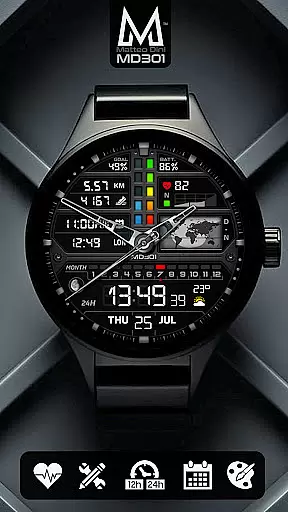
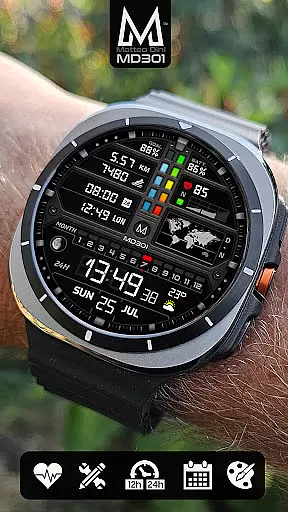
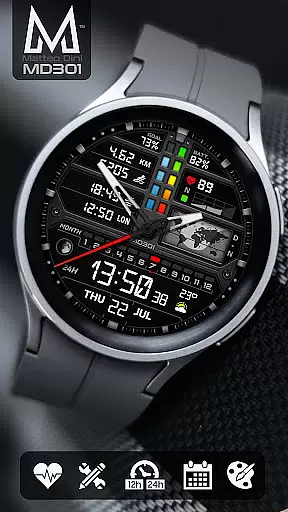
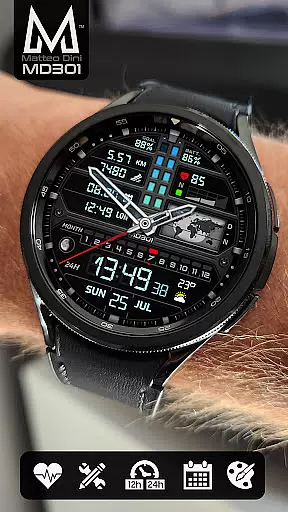
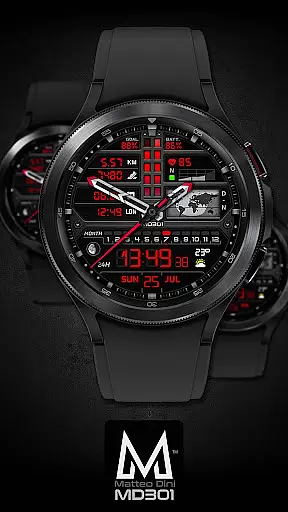
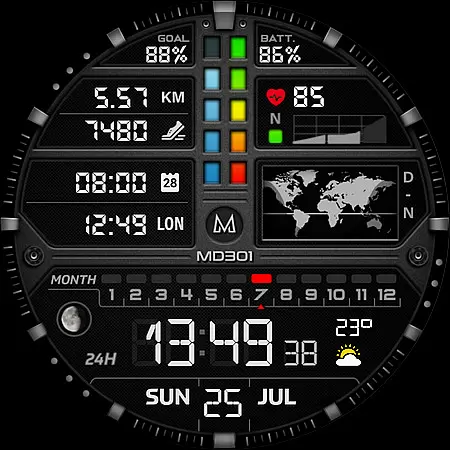
MD301 Hybrid watch face offers a sophisticated blend of digital and analog features for Wear OS devices. It includes customizable shortcuts, health tracking metrics, and an Always ON Display with changeable colors. Compatible with API Level 33+ devices like Samsung Galaxy Watch 4-8 and Pixel Watch, it provides users with both functionality and personalization options.
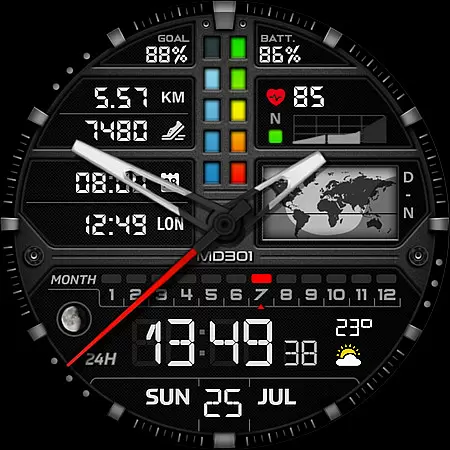
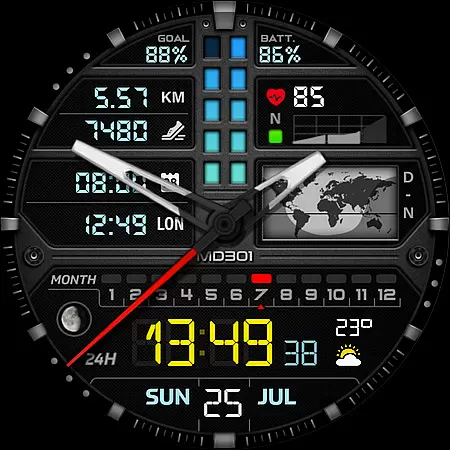
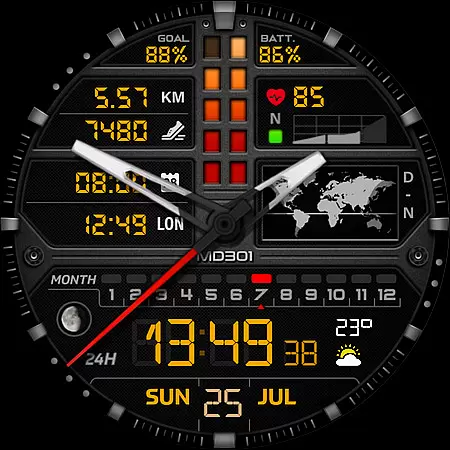
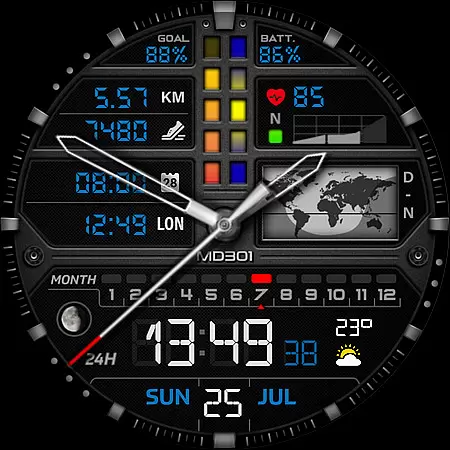
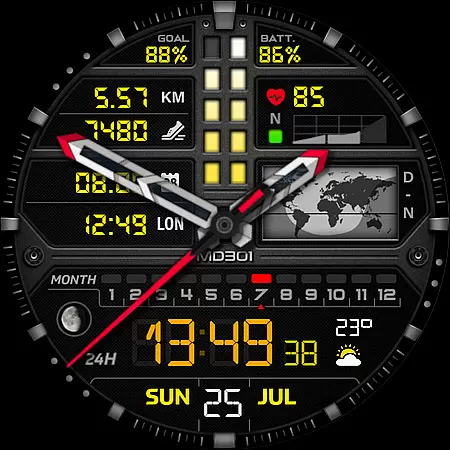
The watch face displays time in both digital and analog formats, along with date, moon phase, heart rate, and step count. Its standout feature is the day & night world map, offering a unique visual element not commonly found in standard watch faces. Users can customize their experience directly on their smartwatch to suit their preferences.
Designed for tech-savvy individuals who value both aesthetics and utility, MD301 is ideal for those who want quick access to essential information at a glance while enjoying a personalized look on their smartwatch.
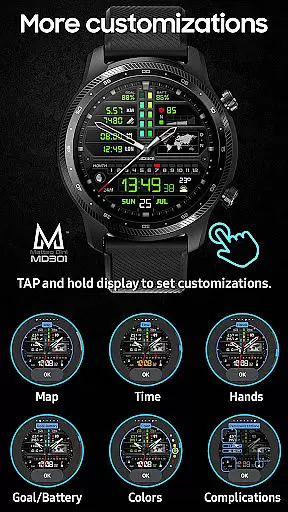
MD301 Hybrid watch face stands out with its comprehensive set of features tailored for customization and convenience. The inclusion of 3 preset app shortcuts and 3 customizable ones allows users to access frequently used apps without navigating through menus. This level of personalization ensures that each user's watch face is uniquely suited to their needs.
Health enthusiasts will appreciate the integration of heart rate monitoring and daily step goals, which are displayed prominently on the watch face. Additionally, the day & night world map and moon phase indicators cater to users interested in global time dynamics and celestial events. With support for 4 customizable complications, wearers can choose to display weather updates, distance moved, or other relevant data.
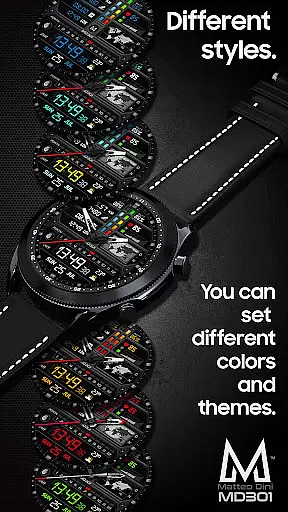
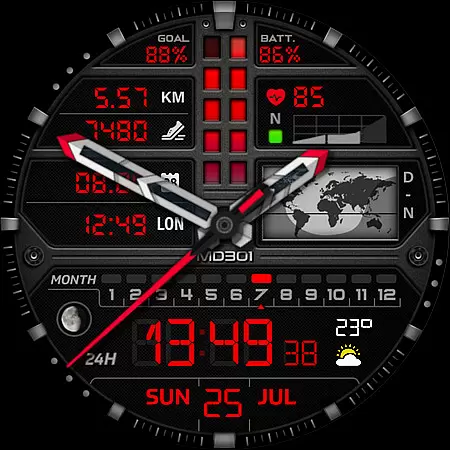
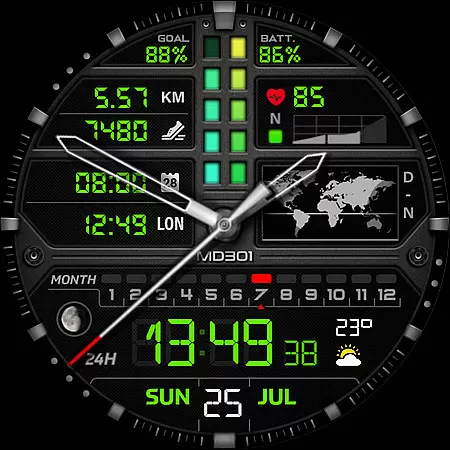
The Always ON Display feature is complemented by the ability to change colors, hands, and other design elements, ensuring that the watch face remains visible and stylish throughout the day. These features collectively enhance user engagement and provide a versatile tool for managing daily activities efficiently.
Companion app integration is essential for a seamless wearable experience. The MD301 Hybrid watch face demonstrates exceptional connectivity with its companion application, ensuring that all user preferences and customizations sync effortlessly between the smartphone and the smartwatch.
This synchronization allows users to fine-tune their watch face settings directly from their phone, providing an intuitive interface that simplifies the customization process. Users can easily adjust app shortcuts, complications, and aesthetic elements such as colors and always-on display settings without hassle.
The reliability of this integration means that any changes made are quickly reflected on the wearable device, maintaining consistency across devices. This feature enhances user engagement by offering a dynamic and responsive way to personalize the smartwatch experience according to individual tastes and needs.
Ensuring broad device compatibility is crucial for reaching a wider audience. The MD301 Hybrid watch face supports all Wear OS devices with API Level 33+ (Wear OS 4 and later versions), including popular models like Samsung Galaxy Watch 4-8, Ultra, and Pixel Watch.
This wide-ranging compatibility ensures that users across different devices can enjoy the advanced features and sleek design of the MD301 watch face. By supporting the latest Wear OS versions, it leverages modern functionalities and optimizations available in these updates.
Moreover, the watch face's adaptability extends to various screen sizes and resolutions, delivering a consistent and high-quality visual experience regardless of the specific device model. This commitment to compatibility underscores the developer's dedication to accessibility and user satisfaction.
Highly customizable
Always ON Display
World map feature
Health tracking
Preset shortcuts
Complex setup process
Limited compatibility
Editor loading issues
Additional complications needed
Feature availability varies

A customizable Christmas watch face for Wear OS with a countdown.
 4.20
4.20
Elegant animated Christmas tree with multiple customization options
4.20
Stunning modern digital watch face with 7 complications and strong contrast
4.4
Digital watch face. For Wear OS devices.
4.40
Connect to your Bluelink equipped Hyundai vehicle from your smartphone.
4.50
Reliable phone calls with spam protection, caller ID and more helpful features
4.40
Hybrid Vibrant Health Watch Face for Wear OS
4.4
Back up your contacts & access them anywhere
4.30
Toyota app currently supports 2010 or newer vehicles (2018 or newer for Hawaii).
4.50
Digital, flexibly customizable watch face. For Wear OS 5.0, API 34+ and later.
5.00
Hyperlocal rain alerts by MyRadar using patent-pending technology, radar & more
4.80
A modern hybrid informative watch face for Wear OS designed by BALLOZI
4.80
WTW M17 is a premium and luxurious hybrid watch face
4.70
Walking app for weight loss: walk & step tracker, pedometer, indoor treadmill
4.60
Beautiful artistic animated digital watch face, with a customizable layout!
4.40
Digital watch face with big numbers and many customization for Wear OS devices
4.40
sleep, alarm, snoring, stress, healing, focus, sound therapy, circadian rhythm
4.10
A heartwarming Christmas scene featuring a cute image of Santa and Rudolf
4.3
Contemporary digital watch face with five complications
4.4



User Reviews