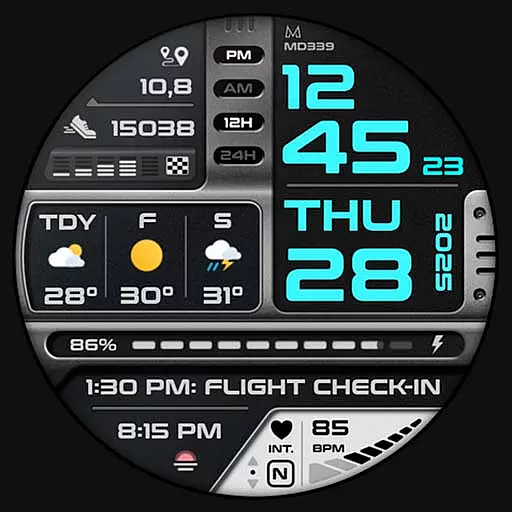
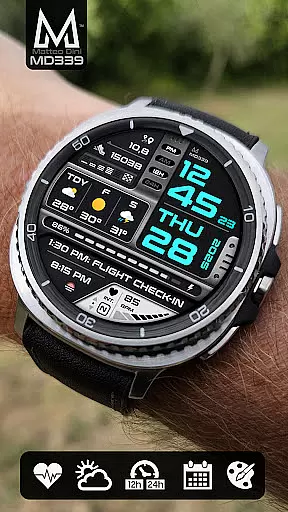
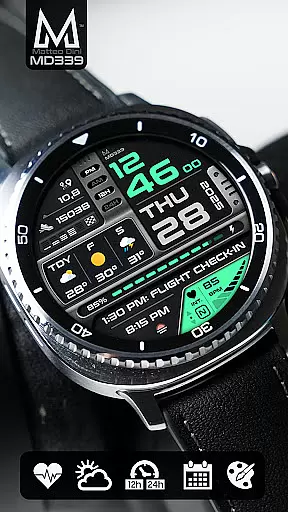
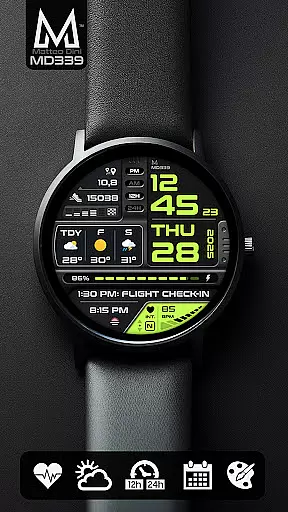
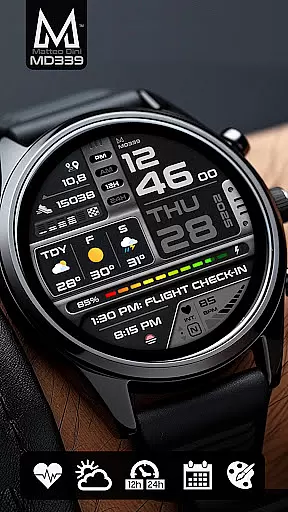
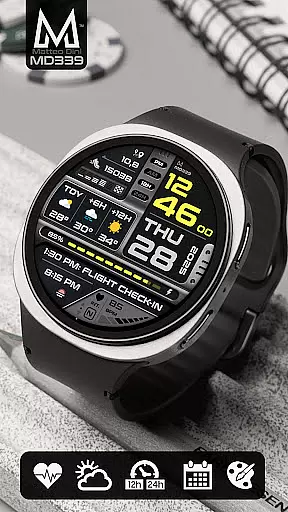
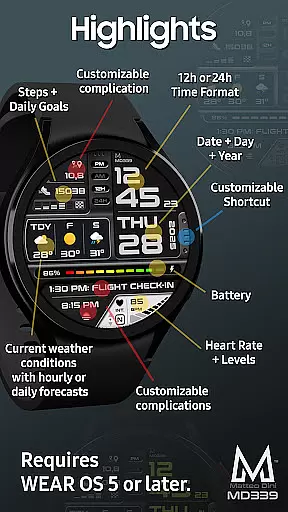
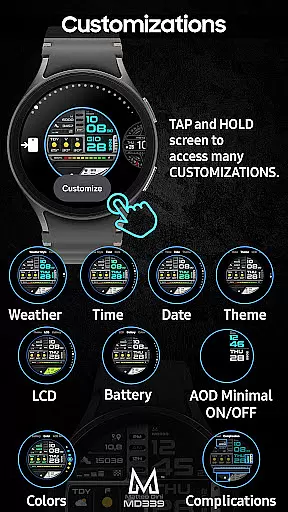
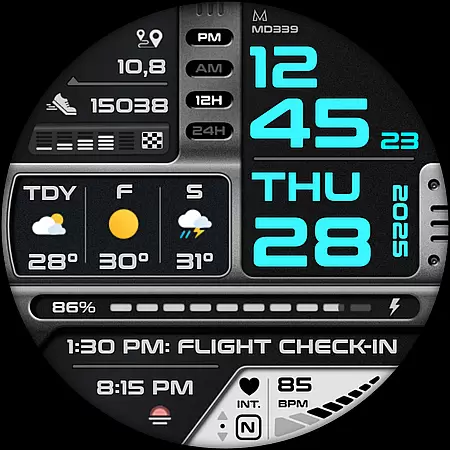
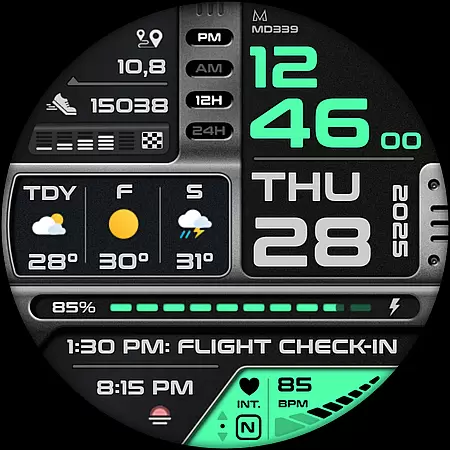
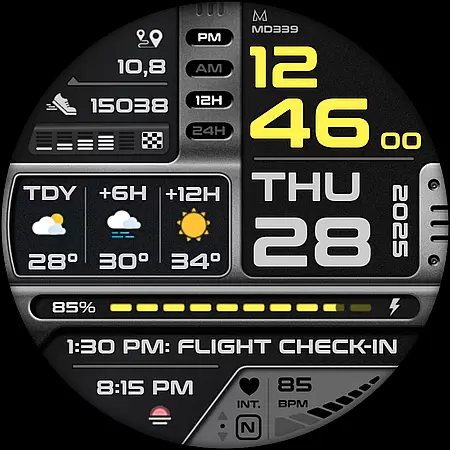
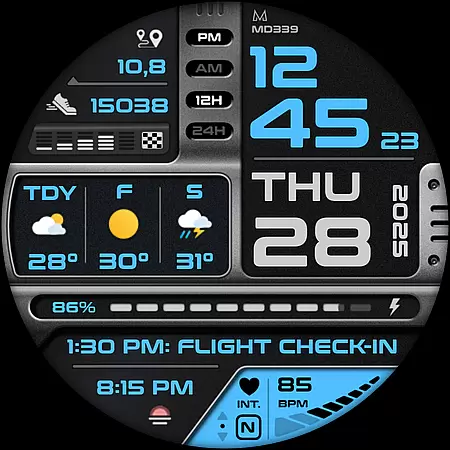
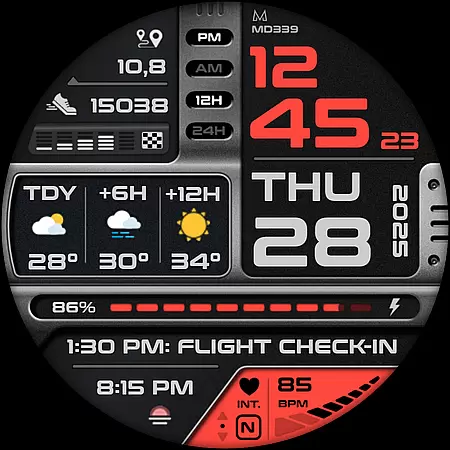
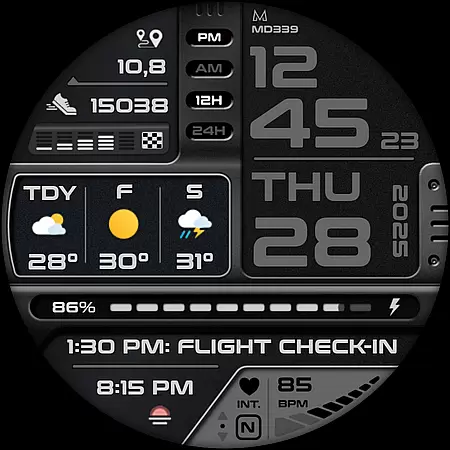
MD339 Digital watch face is a cutting-edge timepiece interface designed for Wear OS devices. It offers advanced customization options, including 6 preset app shortcuts and 1 customizable shortcut, allowing users to tailor their experience. The watch face supports 3 customizable complications that display data such as barometer readings, distance walked, calories burned, UV index, and weather forecasts.
This digital watch face is compatible with devices running API Level 34+ (Wear OS 5 and later), including Samsung Galaxy Watch series and Pixel Watch. It features heart rate monitoring, step tracking, battery meter, and more. Users can personalize the appearance by adjusting colors and choosing between light or dark themes. With Always On Display Mode, users can choose minimal or full modes for convenience.
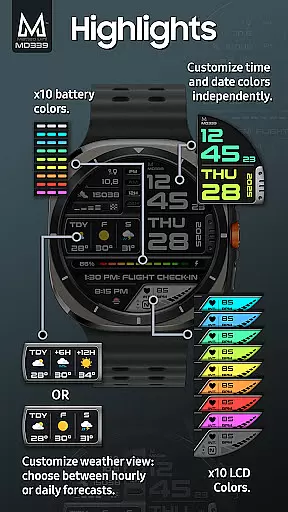
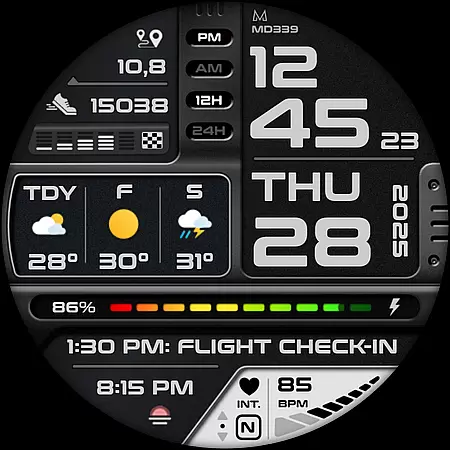
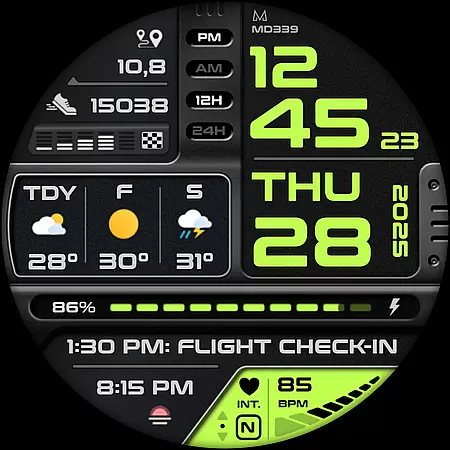
MD339 Digital watch face stands out with its extensive customization capabilities. Users can modify time/date colors, complication fonts, battery indicator color, and heart rate LCD color independently. The watch face syncs with phone settings for 12/24hr format and temperature units in Celsius or Fahrenheit.
It includes practical features like current weather conditions with forecast options, heart rate monitoring intervals, daily goals for steps, and an always-on display mode. Weather forecasts can be set to show either the next two days or hourly predictions up to 12 hours ahead. Additionally, it provides app shortcuts to essential functions such as calendar, alarm setting, and weather information.
The MD339 also supports external complications for additional data points like distance walked or bitcoin values. Note that some features may require third-party apps to be installed on the device for full functionality. Despite minor issues with older Galaxy Watch models, this watch face delivers a versatile and personalized user experience.
Companion app integration is crucial for Android Wear applications as it ensures seamless synchronization between the wearable and its paired smartphone. The MD339 Digital watch face excels in this aspect by leveraging the phone's settings to display time formats, weather data, and temperature units.
This watch face automatically syncs with the phoneu2019s 12/24-hour format setting and uses the built-in weather provider on your smartphone to present current conditions and forecasts. Users can choose between daily or hourly forecasts directly from their customization options, ensuring that the most relevant information is always available at a glance.
Moreover, the companion app relationship extends to health metrics like heart rate monitoring and step tracking, which are displayed in real-time on the watch face. This tight integration allows users to maintain consistency across devices while enjoying features such as calendar events, alarms, and battery status without needing to switch contexts constantly.
The ability to customize shortcuts further enhances user experience by providing quick access to frequently used apps like Calendar, Battery, and Weather u2013 all synchronized through the companion app framework. This holistic approach not only simplifies daily interactions but also enriches the overall utility of both devices within the ecosystem.
Device compatibility is a cornerstone of any successful Wear OS application, ensuring that users across various devices can enjoy a consistent experience. The MD339 Digital watch face supports all Wear OS devices with API Level 34+ (Wear OS 5 and later versions), including popular models like Samsung Galaxy Watch 4-8, Ultra, and Pixel Watch.
This broad compatibility range means that whether you own a Samsung or another brand's smartwatch, you will have access to advanced features such as customizable complications, preset app shortcuts, and detailed health metrics. These include heart rate monitoring, step counting, and even barometer readings, making it versatile for different user needs.
However, it's important to note that older models like Galaxy Watch 4 or 5 might encounter issues due to less recent hardware. For these cases, contacting support@mdwatchfaces.com provides an avenue for assistance if problems arise post-installation. This proactive support highlights the developeru2019s commitment to maintaining high standards of device compatibility.
By focusing on robust integration with Wear OS systems, the MD339 ensures that users benefit from cutting-edge functionalities regardless of their specific device model, thereby enhancing both accessibility and satisfaction within the wider smartwatch community.
Highly customizable
Advanced weather features
Wide device compatibility
Comprehensive health tracking
User-friendly interface
Not ideal for older Galaxy Watches
Weather data occasionally unavailable
Some features need third-party apps
Limited shortcuts on non-Samsung devices
Daily forecast bug at night

A watch face that fuses motorsport precision with contemporary smartwatch design
 4.3
4.3
Ideal for surviving in the wasteland left after nuclear fallout
4.50
The #1 source of faces for your smartwatch!
4.00
Stay in touch with your friends and family using LINE!
3.40
Professional weather radar and more
3.90
Stylish, Energizing and Modern Watch Face crafted by Dominus Mathias.
4.50
A digital watch face that celebrates Christmas.
4.00
Animated video-game inspired “secret agent” simulation, right on your wrist!
4.20
Start and succeed with PAP
4.10
Be an elegant and classy secret agent, with this carefully detailed watch face
4.70
Current temperature, weather hourly, weather radar by the weather forecast app
4.40
Bold weather Digital watchface with forecast & optional animated background
4.40
Premium hybrid watch face with many customizations for Wear OS devices.
4.40
Christmas watch face. For Wear OS devices.
4.30
Bold, Modern Hybrid Watch Face for Wear OS. 10 Colors, Rich Info Display.
4.30
"PER27 Galaxy Digital" is a digital Wear OS watch face designed by PERSONA
4.10
Snowflake Rose Gold Watch Face - Digital, modern, & sleek with GYRO effect.
4.10
sleep, alarm, snoring, stress, healing, focus, sound therapy, circadian rhythm
4.10
Authentic military-tactical design with ZULU time! Realistic and functional!
3.80



User Reviews