
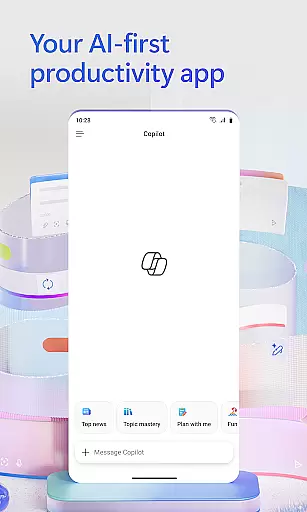
Microsoft 365 Copilot is an AI-powered productivity application designed to streamline tasks both at work and home. This app serves as a centralized platform for interacting with an AI assistant, creating and editing content, scanning documents, managing projects, and swiftly locating files on the go. By integrating access to Word, Excel, PowerPoint, and PDF functionalities within a single mobile app, it enables users to accomplish more without additional effort.
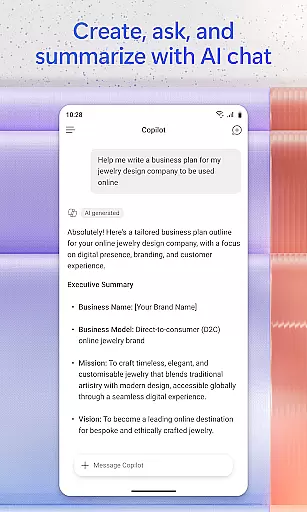
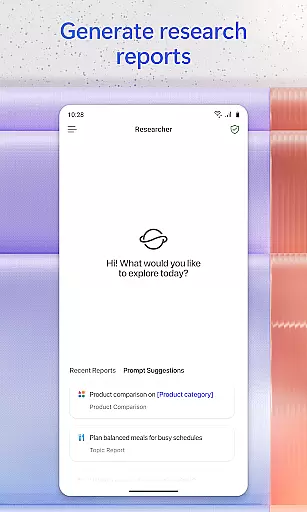
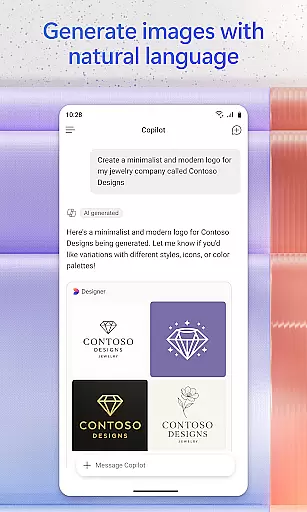
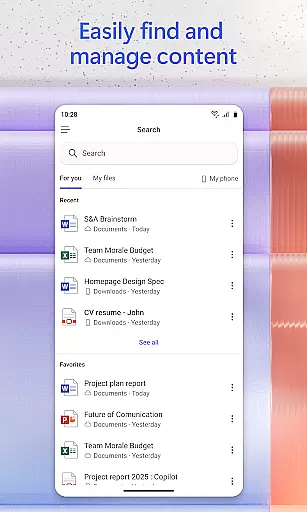
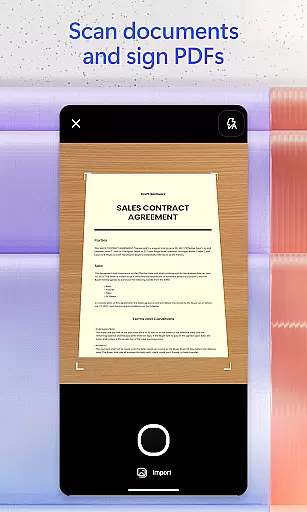
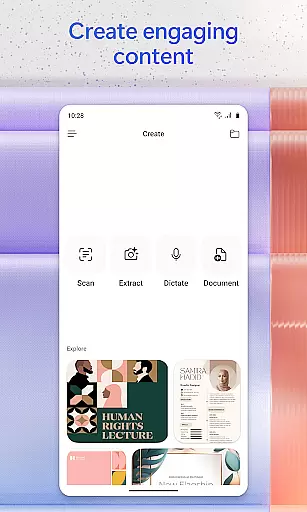
The app's core features include conversing with the AI assistant to summarize documents, draft emails, or analyze spreadsheets using natural language. Users can interact through voice commands, find important files quickly, accelerate learning by asking Copilot to explain concepts, and gain expert insights via built-in AI agents like Researcher and Analyst. Additionally, it offers capabilities to create polished multimedia content, scan various types of documents, manage projects efficiently, and save or upload files directly from mobile storage.
Microsoft 365 Copilot is particularly useful for professionals who need quick access to their productivity tools while traveling or working remotely. Its ability to consolidate multiple office functions into one app provides significant value by enhancing efficiency and ensuring that critical resources are always at your fingertips.
Microsoft 365 Copilot stands out due to its comprehensive feature set tailored for productivity enhancement. One notable feature is the AI assistant which allows users to perform complex tasks such as summarizing cloud-stored documents, drafting emails, and analyzing spreadsheets through simple natural language queries. This functionality significantly reduces the time required for document management and data analysis.
Another remarkable aspect is the voice interaction capability, enabling hands-free operation for preparing daily schedules, obtaining answers, and brainstorming ideas. The app also excels in content creation and editing, offering easy-to-use templates for images, posters, banners, videos, and surveys. Furthermore, the document scanning feature supports various formats including photos and notes, making it versatile for different use cases.
Project management is simplified with Copilot Notebooks, which help organize ideas, documents, and links cohesively. Users can easily upload Word, Excel, or PDF files from their mobile devices and receive AI-generated responses or save newly created files directly to their device. These features collectively enhance user productivity by providing powerful tools accessible anytime, anywhere.
Task management is a cornerstone of productivity, and Microsoft 365 Copilot excels in this area by offering users an integrated platform to manage their work efficiently. The app consolidates various productivity tools such as Word, Excel, PowerPoint, and PDF handling into one place, streamlining the workflow.
With Microsoft 365 Copilot, you can easily upload and save documents from your mobile device's storage, allowing for quick access and editing on the go. This feature ensures that whether you're working on a document at home or reviewing a spreadsheet during a commute, all necessary files are readily available within the app.
The application also supports project management through Copilot Notebooks, which allows users to bring together ideas, documents, and links in one cohesive space. By summarizing information and connecting related data points, it helps maintain organization across different projects.
Ultimately, these capabilities empower users to focus on their core tasks without being bogged down by the complexities of file management or switching between multiple applications. With everything centralized in the Microsoft 365 Copilot app, productivity is enhanced as users can dedicate more time to content creation and critical thinking rather than administrative overhead.
Cross-device synchronization is vital for maintaining continuity across different platforms, and Microsoft 365 Copilot addresses this need with reliable syncing capabilities. Whether you're transitioning from desktop to mobile or vice versa, your work remains consistent and up-to-date, ensuring seamless productivity regardless of the device used.
Microsoft 365 Copilot facilitates synchronization not only with cloud services like OneDrive and SharePoint but also directly with local storage on your phone. This dual approach guarantees that files saved to the cloud are just as accessible as those stored locally, providing flexibility and peace of mind.
In addition to document syncing, the app allows for saving AI-generated content directly onto your mobile device. This means any emails drafted, spreadsheets analyzed, or presentations prepared using natural language commands will be preserved and retrievable wherever you have access to your account.
By prioritizing robust cross-device synchronization, Microsoft 365 Copilot ensures that users can rely on having their most current work at their fingertips. This reliability fosters confidence in using the app across various devices, knowing that progress made on one will reflect accurately on others, thus supporting uninterrupted workflow management.
User-friendly interface
Comprehensive productivity tools
AI-driven task automation
Voice command support
Integrated document management
Limited free features
Requires specific licenses
Potential privacy concerns
Dependent on internet connectivity
Learning curve for new users

AI Video AI Image Private LLM AI Browser Llama Gemma Ollama Connect LLM Studio
 4.1
4.1
Auto-shutoff Alarm with Sunrise, Sunset & Fixed Options.
3.50
Create study competitions, track your hours, and stay consistent with friends
4.4
Easily read and manage all your PDF files
4.10
The AI assistant that thinks with you - write, code, and solve complex tasks
4.60
Calendar 2023 widget for Android. Appointment scheduler, planner, and reminder
4.60
* block pre-roll ads, pop-up and forced redirect ads * Samsung certification app
4.00
Great calculator for Android named one of USA TODAY's "25 Essential Apps".
4.90
Seamlessly read, manage, and organize all your PDF files solution in one place
4.40
8 custom complications. Custom Time Fonts. Beautiful color schemes. A++ Design.
5.00
Best Tool for the professionals Electrician, Electrical contractors, etc.
4.90
Seamlessly integrate data and reports to build your presentation to impress
4.80
App Lock with fingerprint, password: Lock apps & hide photos with lock screens
4.60
Stay on top of your to-dos with Google Tasks, part of Google Workspace.
4.60
When you Focus, so will your Bean in this cozy focus timer
4.30
Access, manage and transfer files on Android, PC, Mac, NAS and cloud storages.
4.30 4.20
4.20
Mega cloud explorer plugin for Solid Explorer
3.80
A comprehensive suite of tools designed specifically for Lactation Consultants
4.5




User Reviews