
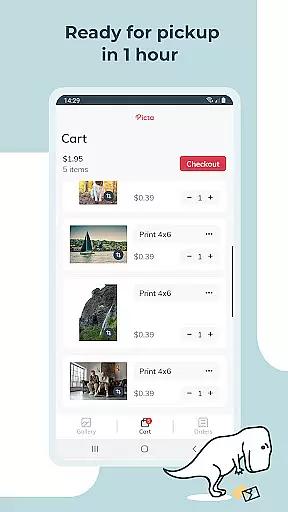
Picta x CVS Photo Print is a mobile application designed to simplify the process of photo printing. Users can effortlessly print their digital photos at CVS stores, choosing from various print sizes such as 4x6, 5x7, and square formats. The app allows for easy ordering and same-day pickup, ensuring convenience and speed.
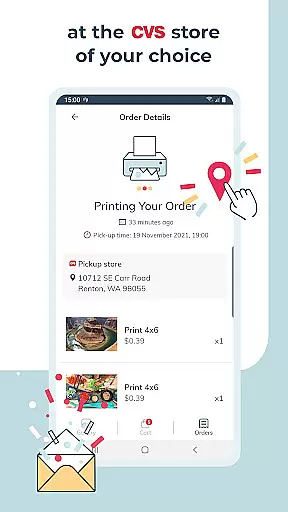
With Picta x CVS Photo Print, users can crop and zoom images within the app, select their preferred CVS store, and track their order status in real time. This service transforms memorable moments into high-quality prints, making it an ideal tool for preserving personal memories or creating personalized gifts.
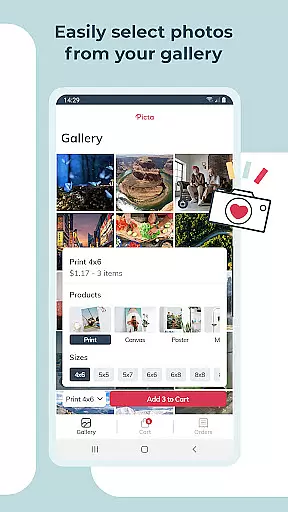
The app offers professional-quality photo printing services with glossy photo paper in multiple sizes, including 4x6, 5x7, and 8x10 enlargements. Additionally, users can create custom products like magnets and greeting cards, perfect for special occasions. The intuitive interface allows users to organize their photos by date taken and easily adjust each image before printing.
Picta x CVS Photo Print stands out with its fast and secure photo transfer capabilities, real-time order tracking, and exclusive manufacturing in the United States. These features ensure that users receive reliable and high-standard photo printing services, enhancing their overall experience with the app.
Real-time capture and preview functionality is essential for ensuring that users can accurately select and edit photos before printing. Picta x CVS Photo Print offers a seamless experience by allowing users to crop and zoom each picture easily within the app.
This feature ensures that every photo meets the user's expectations in terms of composition and quality before it is sent for printing. The ability to make these adjustments in real time eliminates the guesswork involved in photo editing, providing confidence in the final print output.
Furthermore, the app's intuitive interface makes it easy for users to navigate through their photo galleries, which are organized by date taken. This organization simplifies the selection process, enabling users to quickly find and choose the best images for printing.
By integrating real-time capture and preview features, Picta x CVS Photo Print enhances the overall user experience, making it faster and more convenient to transform digital memories into high-quality physical prints.
While Picta x CVS Photo Print focuses primarily on delivering professional-quality photo printing services, it also incorporates AI beauty and enhancement features to elevate the visual appeal of printed photos. These enhancements ensure that every image looks its best without appearing overly processed or unnatural.
The app provides options for adjusting various aspects of a photo, such as brightness, contrast, and color balance, which contribute to the overall naturalness of the enhancements. Users can be confident that their printed photos will maintain the authenticity of the original images while benefiting from subtle improvements.
In addition to basic editing tools, the app supports creating personalized gifts like magnets, greeting cards, and invitations. These items can be customized with enhanced photos, adding a special touch to any occasion while preserving the genuine essence of the captured moments.
With AI-driven enhancements, Picta x CVS Photo Print not only delivers exceptional print quality but also empowers users to create memorable keepsakes that reflect the true beauty of their cherished memories.
User-friendly interface
High-quality photo prints
Fast same-day pickup
Customizable photo products
Real-time order tracking
Limited to CVS stores
Requires physical pickup
No direct payment option
Occasional app glitches
Notification opt-in required

AI portrait generator and polaroid AI selfie, fun AI generated AI photo creator!
 4.30
4.30
Add Watermark - Sign your pictures with a text or logo. Effective, quick, easy!
4.50
Professional video recording application with manual controls for filmmakers!
2.80
Application for remote controlling DSLR
3.00
Viewfinder, Light meter, Reciprocity failure time, DOF & Bellows Extension
4.60
Perfect body tune & face app - photo retouch, makeup, slim body & beautify face.
4.80
Be your best in every shot! Fix, edit and retouch your face in selfies & photos.
3.70
See your baby AI baby face generator AI baby maker Face generator babymaker fun!
4.70
A unique animation app. Powerful, easy to use, and lots of fun.
4.30
AI Photo Editor with 100+ Filters, Effects! Remove BG, Retouch & Photo Enhancer.
4.80
Your personal guide to the sun and moon. Plan ahead, visualize and predict!
4.70
1M influencer's special filter
4.60
Light-weight Media Gallery app for Android made with Jetpack Compose
4.60
A must-have app for landscape photographers
4.60
HD Camera Pro with HD Video shooting, Panorama, Photo editor , Beauty Camera.
4.50
Virtual makeup, hair filters & body tuner—edit from face to full body!
4.20
Luminar: Photo Editor - easy picture editing with AI
4.20
Professional quality photo edits with the new Snapseed.
4.00
Create amazing frames with up to five photos. Rounded corners, effects and more!
3.60


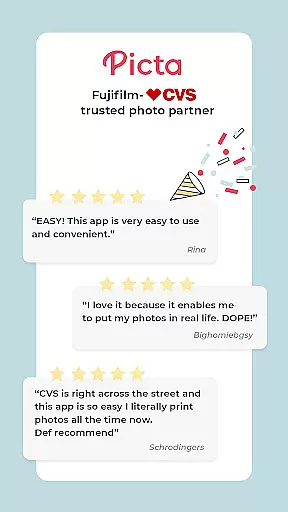


User Reviews