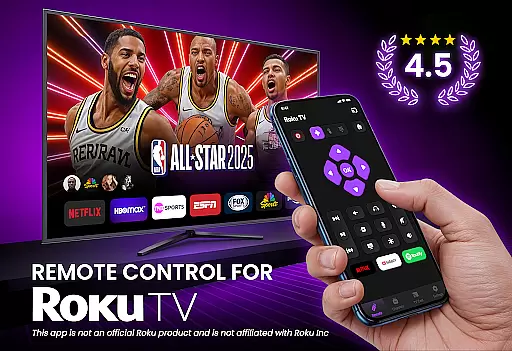
TV Remote Control for RokuTV transforms your smartphone into a universal remote, offering complete control over your Roku TV. The app provides essential functions such as navigation, media casting, and quick access to favorite channels. With its intuitive swipe pad and smart keyboard, users can seamlessly interact with their TV's interface and perform searches faster than ever before.
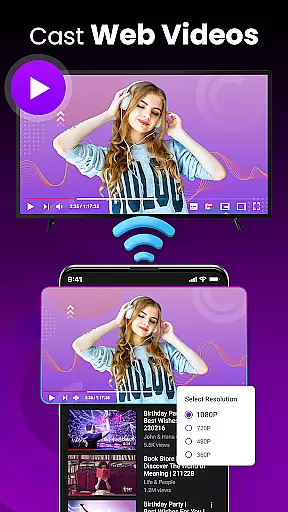
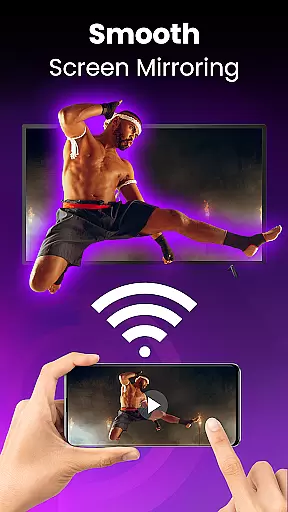
This application is designed for convenience and efficiency, ensuring compatibility with all Roku TV models including TCL, Hisense, Sharp, and Insignia. Whether you're looking to stream content from popular apps like Netflix or Hulu, adjust volume settings, or mirror your phone's screen, this app delivers an all-in-one solution that enhances your entertainment experience.
The TV Remote Control for RokuTV boasts several standout features that make it the ultimate tool for managing your television. First, its effortless setup process allows users to connect simply by being on the same Wi-Fi network as their Roku TV, eliminating complex pairing procedures. Once connected, the app offers full remote functionality, including play, pause, volume adjustment, and channel switching.
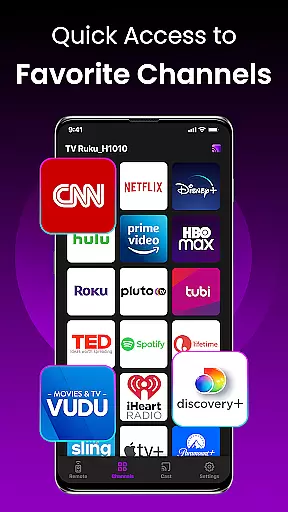
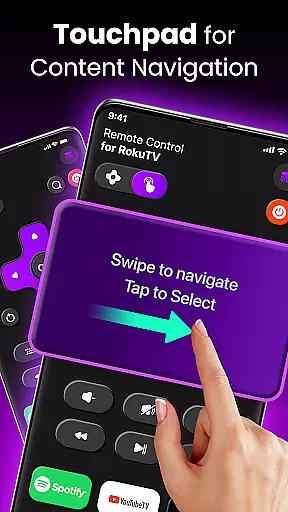
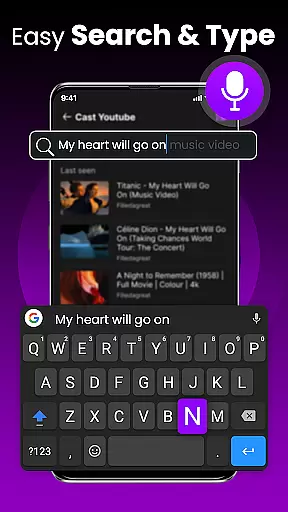
Another key feature is the modern swipe-based touchpad, which replaces traditional clunky buttons with smooth navigation. Additionally, the integrated smart keyboard significantly speeds up typing tasks such as entering passwords or searching for movies. Users also benefit from advanced capabilities like screen mirroring and one-tap shortcuts to frequently used apps, making this app a versatile and indispensable tool for any Roku TV owner.
TV Remote Control for RokuTV ensures core function accuracy by providing a seamless replacement for your physical Roku remote. The app delivers precise control over all essential TV functions, including navigation, media playback, and volume adjustments.
The application's effectiveness is demonstrated through its responsive controls and reliable connection. By simply connecting your smartphone and Roku TV to the same Wi-Fi network, you gain instant access to every feature without any complicated pairing process.
Users benefit from the app's universal compatibility with all Roku TV models, such as TCL and Hisense. This ensures that regardless of your TV brand, you can enjoy full remote functionality, making it an indispensable tool for Roku TV owners.
The interface design of TV Remote Control for RokuTV emphasizes simplicity and intuitiveness, ensuring users can easily navigate their Roku TVs. With a modern swipe-based touchpad, the app eliminates the need for clunky buttons, offering a smooth and seamless experience.
A key feature is the integrated smart keyboard, which allows for fast typing when searching for movies or entering passwords. This intuitive design reduces the frustration often associated with traditional remotes, enhancing user satisfaction.
By combining essential functions into a clean layout, the app provides an all-in-one solution that simplifies TV control. Users can effortlessly switch between channels, adjust settings, and cast media, enjoying a hassle-free interaction with their entertainment system.
User-friendly interface
Quick device connection
Comprehensive remote functions
Efficient smart keyboard
Universal compatibility
Requires Wi-Fi connection
No physical buttons
Dependent on phone battery
Limited offline functionality
Third-party app

Universal TV remote control all TVs, Roku, LG, Samsung, Fire, Vizio, Sony, TCL.
 4.40
4.40
PC precision for mobile gaming: dominate with keyboard and mouse!
4.30
Undelete and recover your lost or deleted files with DiskDigger!
3.40
With videos, electrical calculators, and built-in ebook, Ugly’s has your answer.
4.50
Powerful collection of electronics tools and reference.A must for any enthusiast
4.90
A simple app to back up and restore SMS & MMS messages and call logs.
4.10
Clean up your phone, find files, play media, and share files offline
4.50
A clean app.
4.50
Screen recorder with audio to record high-quality videos and take screenshots.
4.40
Best leveling tool for your Android device. Hang paintings like a pro.
4.90
The ultimate tool for network analysis, wifi scanning and problem detection.
4.90
Extremely fast, secure, and protects your privacy
4.80
NFC Tools can read and write NFC tags.
4.70
Screen Mirroring for Roku Sticks, Roku TCL TV and Roku Hisense TV
4.50
Fluid navigation gestures for all of us!
4.30
pdf merge, word to pdf, jpg to pdf, edit pdf, convert to pdf and much more!
4.20 4.10
4.10
MS-DOS in your pocket. Play old DOS games anywhere you are ;)
4.10
Automate everything from settings to photos, SMS to speech. ADC2 prize winner.
4.10



User Reviews