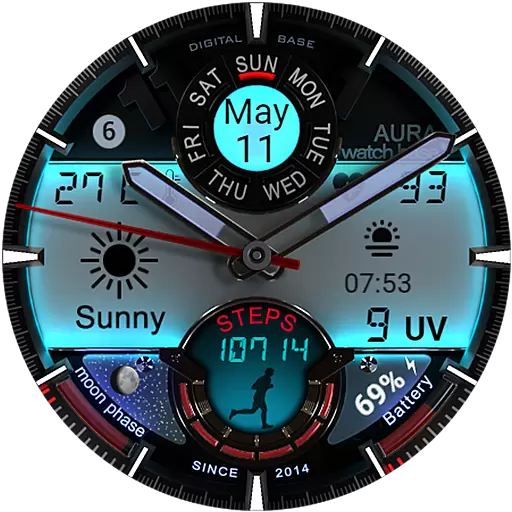
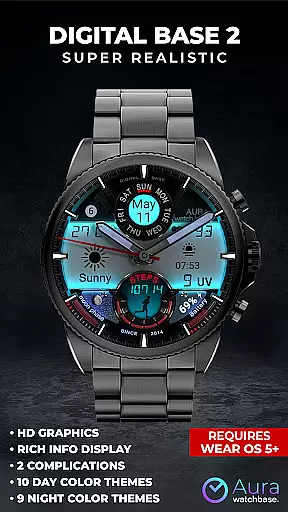
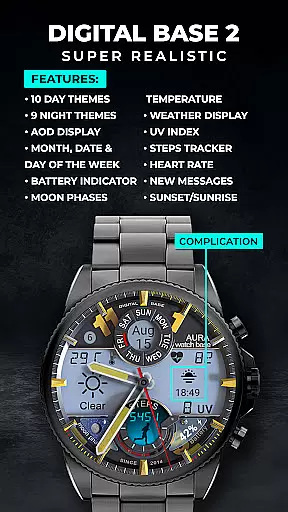
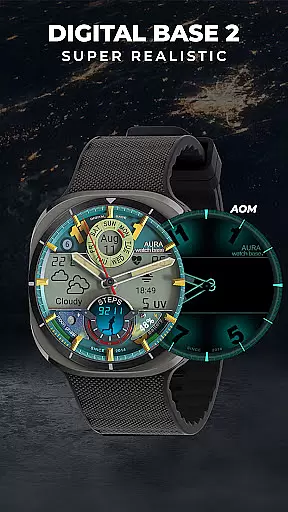
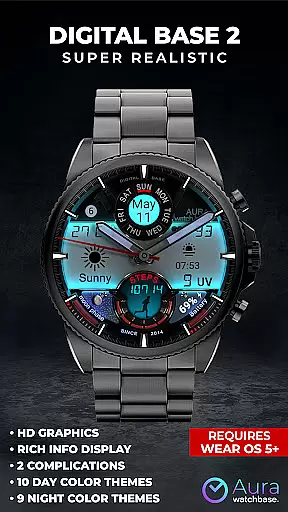
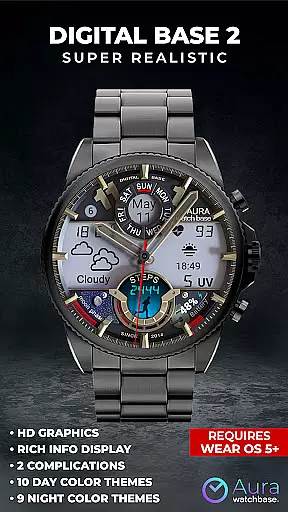
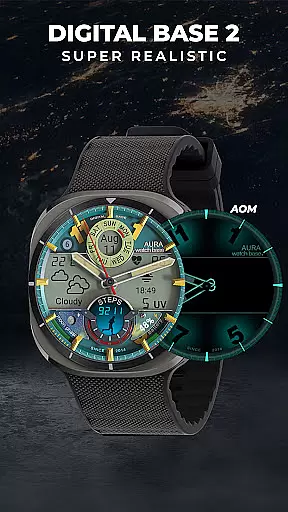
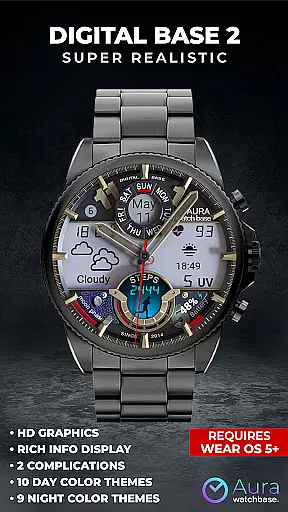
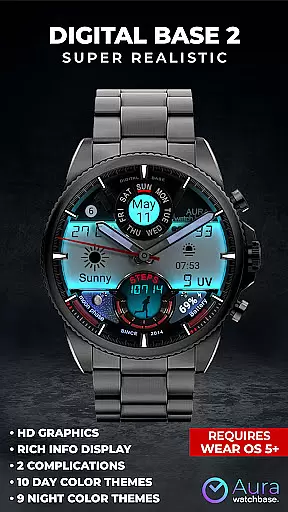
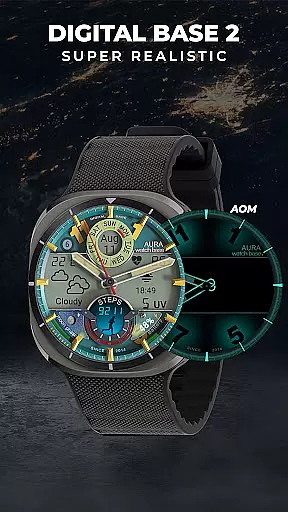
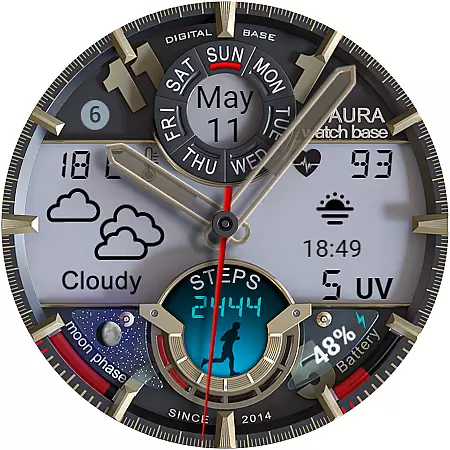
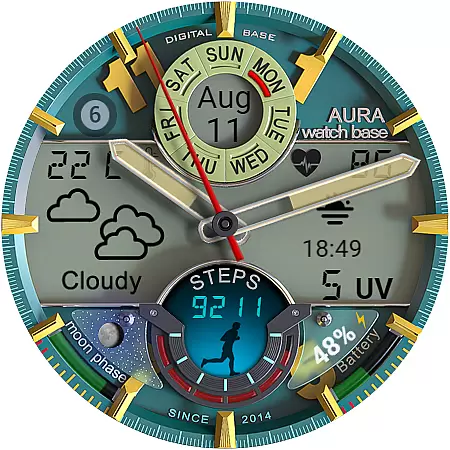
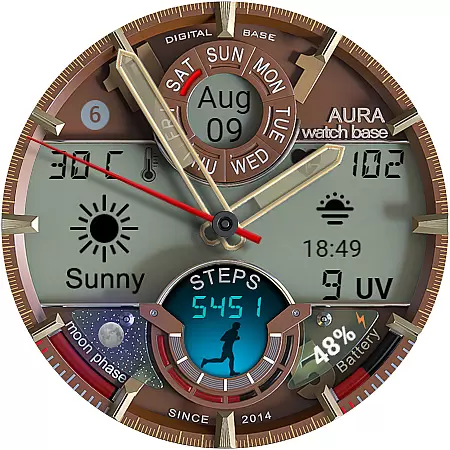
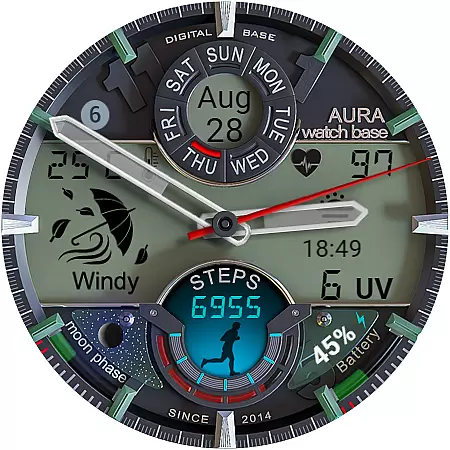
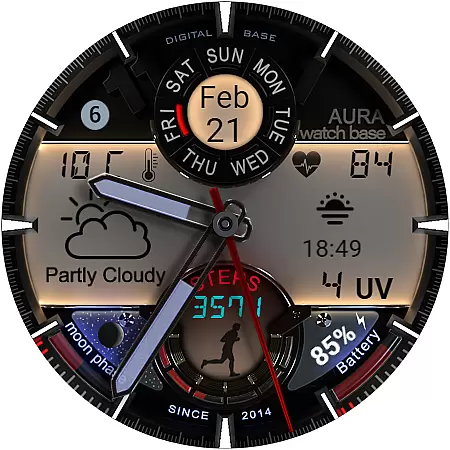
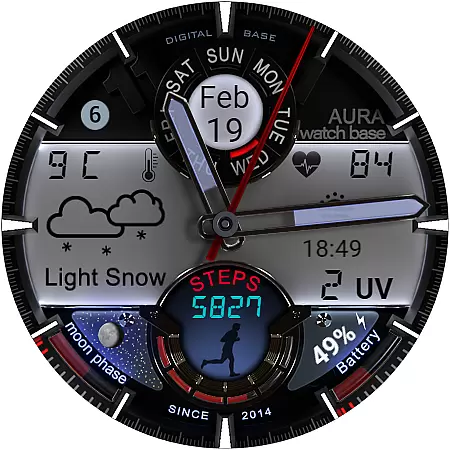
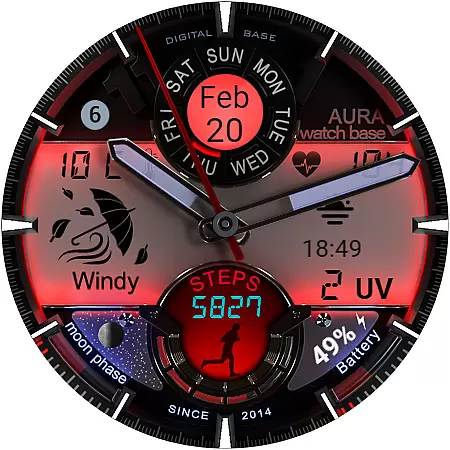
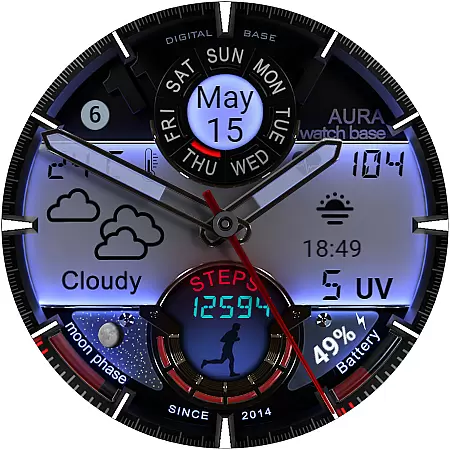
WB DIGITAL BASE 2 Watch Face offers a sophisticated blend of analog aesthetics and digital functionality, designed exclusively for Wear OS 5 and above. This hyper-realistic watch face features an impressive LED-illuminated night mode and comprehensive data display including health metrics, weather information, and calendar details.
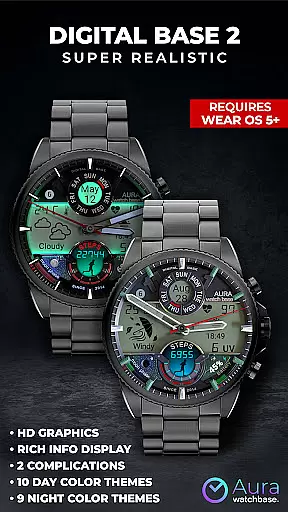
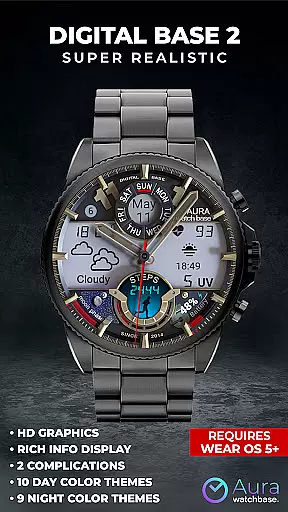
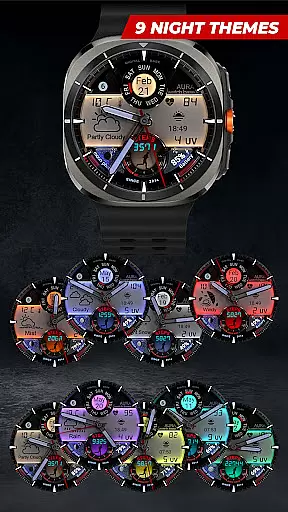
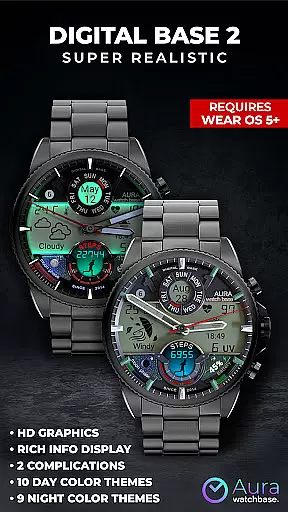
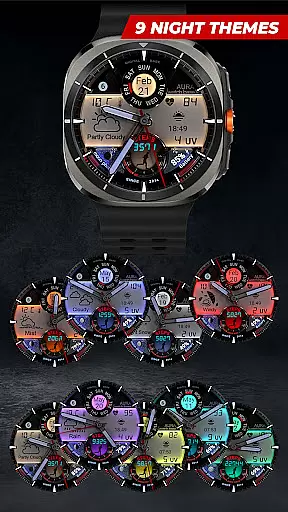
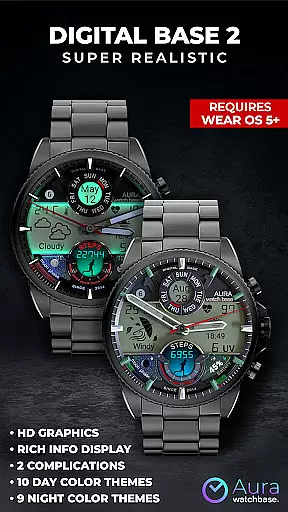
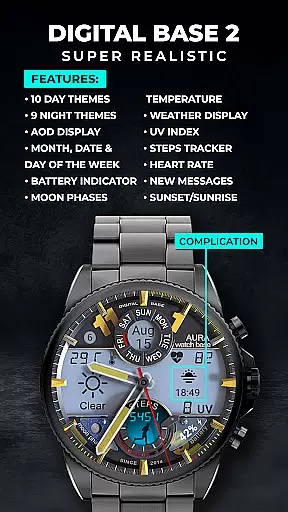
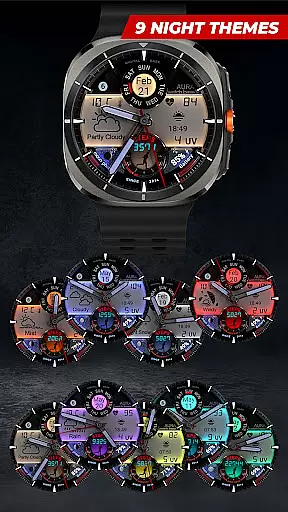
The watch face stands out with its customizable options such as 10 day color themes, 9 night color themes, and 2 editable complications. Users can track their steps, monitor heart rate, check battery status, and even view moon phases. The automatic temperature unit adjustment ensures seamless integration with your device settings.
Ideal for tech-savvy individuals who value both style and substance, this watch face transforms your smartwatch into a powerful personal dashboard while maintaining an elegant appearance suitable for any occasion.
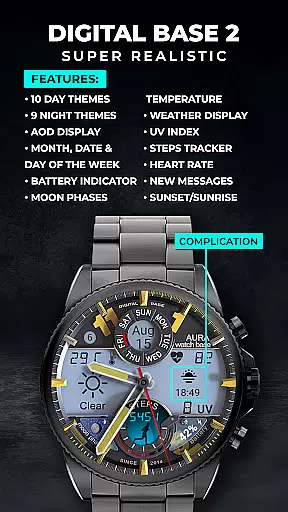
WB DIGITAL BASE 2 boasts an array of advanced features that cater to various user needs. The watch face supports multiple color themes for both day and night use, allowing for personalized customization. With support for two editable complications, users can prioritize the information most important to them.
Health enthusiasts will appreciate the inclusion of essential fitness tracking tools such as step count and heart rate monitoring. Practical indicators for battery life, unread messages, and UV index provide real-time updates at a glance. Additionally, the AOD (Always-On Display) function ensures critical information remains accessible without needing to wake the device.
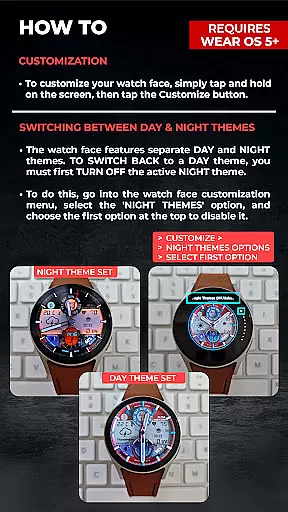
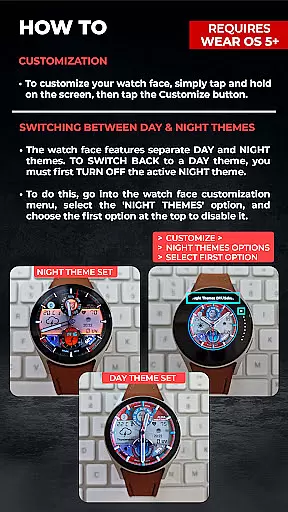
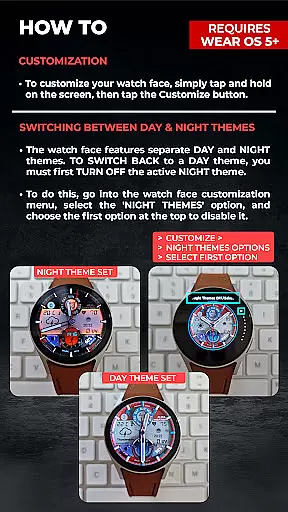
A unique aspect is the intuitive theme switching mechanism between day and night modes. When enabling NIGHT themes, users must first disable them through the designated option before returning to DAY themes. This thoughtful design prevents accidental theme changes and maintains user preferences consistently.
Companion app integration is essential for a seamless smartwatch experience. The WB DIGITAL BASE 2 Watch Face utilizes a dedicated phone app to simplify the installation and customization process. This ensures that users can easily access and manage their watch face settings directly from their mobile device.
Through the companion app, users can conveniently install the watch face by simply tapping the install button. The app communicates directly with the watch, presenting a preview of the watch face and allowing users to confirm installation. This streamlined approach significantly reduces the complexity typically associated with setting up new watch faces.
The integration also addresses common synchronization issues between devices. If users encounter situations where the watch face prompts for purchase again, they can rest assured knowing this is merely a temporary sync issue. The system prevents duplicate charges while the companion app helps resolve these inconsistencies through simple troubleshooting steps.
This robust companion app functionality demonstrates the developer's commitment to providing a user-friendly experience. By bridging the gap between phone and watch, the application ensures that users can fully leverage all features of their digital watch face without technical frustrations.
Device compatibility is crucial for optimal performance of any Wear OS application. The WB DIGITAL BASE 2 Watch Face is specifically designed to work with Wear OS 5 and higher, ensuring access to the latest operating system features and security protocols. This targeted compatibility guarantees that users will experience the full range of functionalities without performance compromises.
The watch face automatically adapts to user preferences set in their device configuration. For instance, temperature units adjust according to the watch or phone settings, eliminating the need for manual adjustments. This intelligent adaptation demonstrates how the application seamlessly integrates with core system parameters.
Furthermore, the application maintains consistent performance across different Wear OS devices. Whether users are running the latest flagship smartwatch or a previous generation model, they can expect reliable operation and visual consistency. This broad compatibility range makes the watch face accessible to a wider audience of smartwatch owners.
For users encountering installation challenges, the developers provide multiple solutions including browser-based installation methods. These alternative approaches, combined with detailed installation instructions, ensure that compatibility extends beyond just technical specifications to encompass the entire user experience journey.
Stylish design
Customizable themes
Health tracking
Weather updates
Easy installation
Wear OS 5+ only
Limited complications
No manual temp setting
Potential sync issues
Installation complexity

Christmas Theme Watch Face for Wear Os
 5.00
5.00
Embrace the holiday spirit with this magical animated watch face!
4.40
Precision analog watch face with 7 complications and style options
4.0
Snowflake Rose Gold Watch Face - Digital, modern, & sleek with GYRO effect.
4.10
Current temperature, weather hourly, weather radar by the weather forecast app
4.40
Watch face designed for Thanksgiving Day. 7 Background Styles included.
3.20
A digital watch face that celebrates Christmas.
4.00
Viewer for Wyze/Yi/Eufy/Arlo/ONVIF/RTSP/P2P IP cams w/ adv. features & DIY DVR
4.00
Start and succeed with PAP
4.10
Easy Voice Recorder is your everyday companion to record important moments.
4.70
Highly customizable hybrid watch face for Wear OS, perfect for everyday use.
4.60
Nutrition, Macro tracker: Food, fitness & healthy diet tracking for weight loss
4.60
To-Do List: daily schedule planner, task organizer, to do reminder app, calendar
4.60
Real-time results, stats, schedules and player profiles for all leagues
4.60
Simple, helpful messaging by Google
4.60
Ideal for surviving in the wasteland left after nuclear fallout
4.50
Calming & relaxing sounds for sleeping and stress relief. Stay focused all day!
4.20
Watch face for Wear OS.
4.20
Wear Os Watch Face - Animated Snow - Sesonal for Christmas & Winter
4.2






User Reviews