
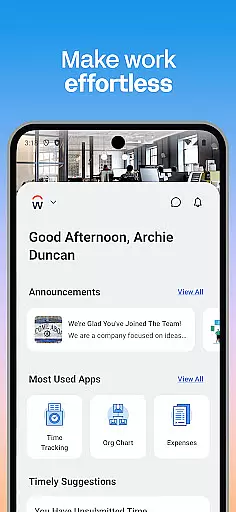
Workday is a comprehensive business management application designed to enhance workplace productivity through its all-in-one platform. The app provides users with essential tools and insights needed for efficient task management, making it an indispensable resource for both employees and managers.
Key functionalities include time tracking, expense submission, payroll access, and team communication features. These capabilities ensure that users can effectively manage their work life while staying connected with their teams. Additionally, the app offers personalized experiences tailored to individual roles within an organization, promoting flexibility and ease of use.
For managers, Workday includes advanced HR tools such as performance reviews, compensation adjustments, and interactive reporting. This makes it easier than ever to oversee team operations while maintaining high levels of security and data protection. With its intuitive design and robust feature set, Workday is suitable for businesses looking to streamline their operations and boost overall efficiency.
Workday stands out due to its extensive range of features designed to cater to various business needs. One notable aspect is its ability to deliver push notifications, ensuring users never miss critical tasks or deadlines. This proactive approach helps maintain consistent productivity levels across organizations.
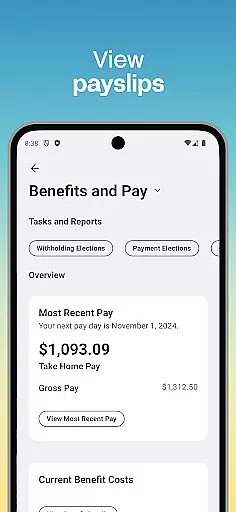
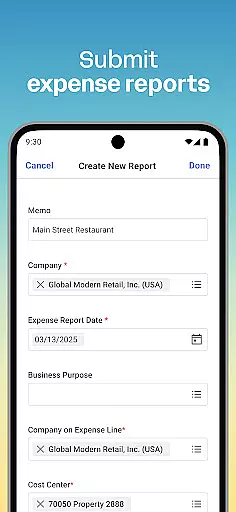
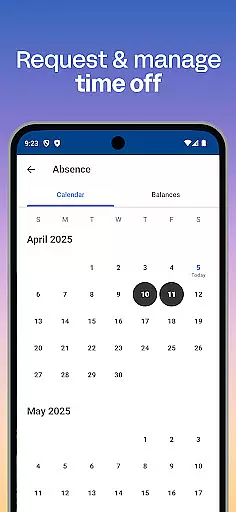
The app also excels in providing detailed financial management options, including timesheet submissions, expense tracking, and payslip viewing. Users can easily request time off and engage in continuous learning through training videos, fostering professional growth. For those interested in internal mobility, Workday facilitates discovering new opportunities via gigs and job listings.
Managers benefit from specialized HR tools that simplify employee oversight. They can approve requests instantly, adjust roles, manage payroll, conduct performance reviews, and analyze reports through interactive dashboards. Such comprehensive functionalities underscore Workday's commitment to delivering a secure, flexible, and user-centric experience that adapts to diverse organizational requirements.
Collaboration is at the heart of workplace productivity, and Workday excels in providing tools that facilitate seamless teamwork. The app allows users to connect with teammates effortlessly, ensuring that communication and collaboration are just a tap away.
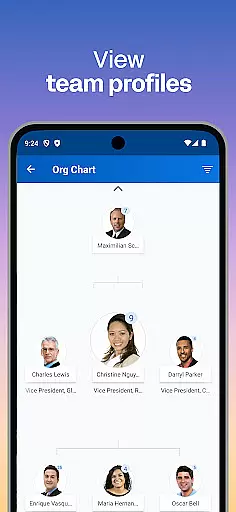
Through its intuitive interface, Workday enables managers and employees to interact efficiently. Managers can approve employee requests instantly, view team profiles, and even adjust roles as needed. This ensures that teams remain agile and responsive to organizational needs.
Additionally, the app offers interactive reports and dashboards, which serve as powerful tools for collaborative decision-making. These features allow teams to stay informed and aligned on various projects and initiatives, enhancing overall productivity.
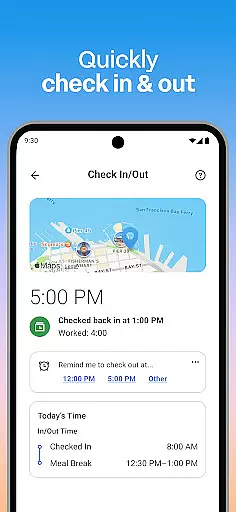
Effective task management is crucial for maintaining productivity, and Workday provides comprehensive tools to manage tasks efficiently. Users can check in to work, submit timesheets and expenses, and request time off, all from within the app.
The app also sends push notification reminders, ensuring that important tasks are never overlooked. This feature helps users stay on top of their responsibilities and deadlines, contributing to better time management and organization.
For managers, Workday offers advanced task management capabilities such as performance reviews and hours tracking. These tools not only help in managing individual tasks but also provide insights into team performance, enabling more informed decision-making.
User-friendly interface
Comprehensive HR tools
Real-time updates
Secure authentication
Customizable experience
Limited offline functionality
Occasional bugs
Steep learning curve
Premium pricing
Dependent on internet

AI-powered document scanner with auto enhance for perfect PDFs.
 4.60
4.60
Find jobs and make money fast with JobStack.
4.60
The All-in-One File Manager for Phone, TV, Watch, Cars, XR / VR, Chromebook
4.10
Start earning fast. Apply Today.
4.80
Mobile POS for any business: sales, invoices, retail, restaurants & appointments
4.60
Permission Guard is a security app that helps you manage app permissions.
4.80
Earn money with the driver & delivery partner app for Uber, UberEats & Postmates
4.60
On the go? Take FedEx with you.
4.00
Make money as a delivery driver with DoorDash and work when you want as a Dasher
4.30
USPS Mobile®Access USPS.com’s most popular tools on-the-go.
4.70
Ask Accio anything about business. Alibaba-backed, built by experts, not just AI
4.60
Your employer must have UKG Ready software configured for Mobile.
4.60
Paychex Flex - Save Time and Stay Connected
4.60
No more passwords, easier sign-in, and greater protection for your accounts.
4.60
Collaborate seamlessly with Google Chat, part of Google Workspace
4.50
Measure distances, surfaces and draw plans in seconds with CamToPlan!
4.40
Scan Business Cards & Conference Badges - Capture Leads at Events & Tradeshows
4.20
The Penny Puss app with DG penny finder
4.10
VSD Viewer - Visio Drawings Viewer for Android Preview VSD, VDX, VSDX drawings
4.10




User Reviews