
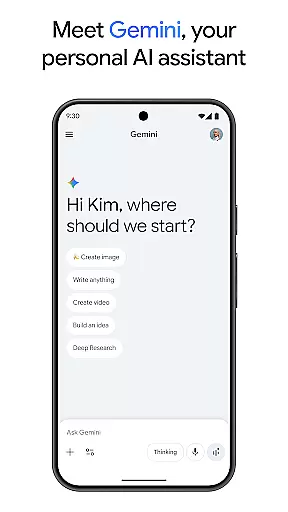
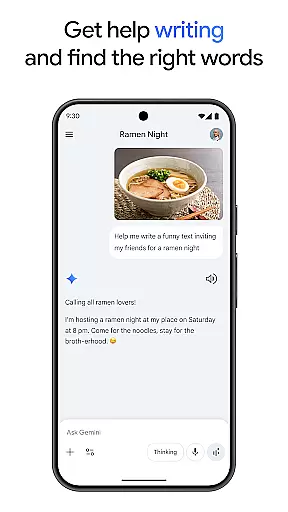
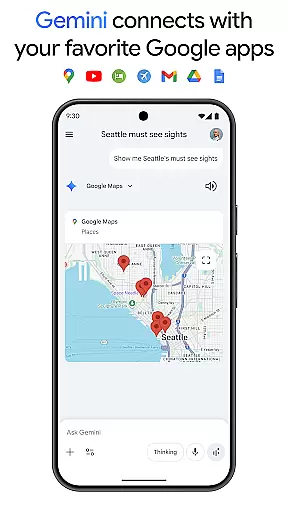
Gemini is a powerful AI assistant developed by Google, designed to enhance both creativity and productivity. This application provides direct access to Google's advanced family of AI models right on your mobile device. With Gemini, users can brainstorm ideas, simplify complex topics, and even rehearse for important events using the Gemini Live feature. Additionally, it integrates seamlessly with popular Google apps such as Search, YouTube, Maps, and Gmail, making it an essential tool for both personal and professional use.
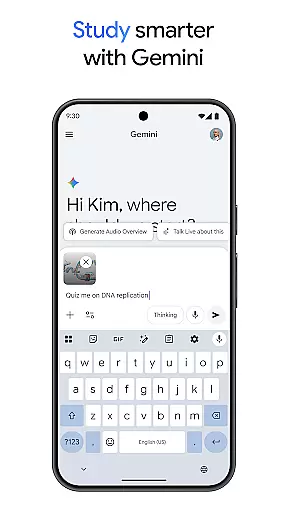
One of the standout features of Gemini is its ability to assist in educational tasks, offering quiz and flashcard creation, interactive visuals, and real-world examples to aid in studying. It also supports multimedia content generation, allowing users to turn files into podcasts, create stunning images from simple text descriptions, and plan trips efficiently. The app offers various subscription plans, including Pro and Ultra, which unlock additional capabilities like extended context windows and exclusive AI-powered tools, ensuring that users have the resources they need to tackle complex projects.
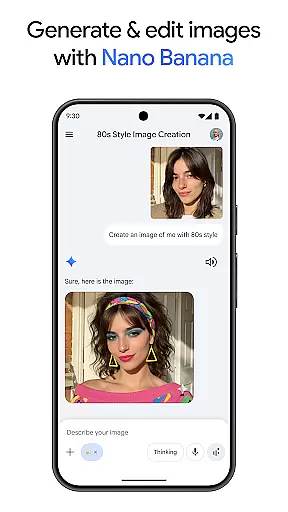
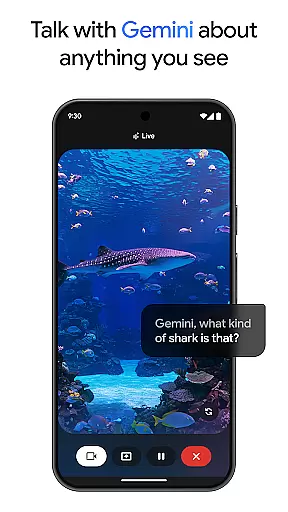
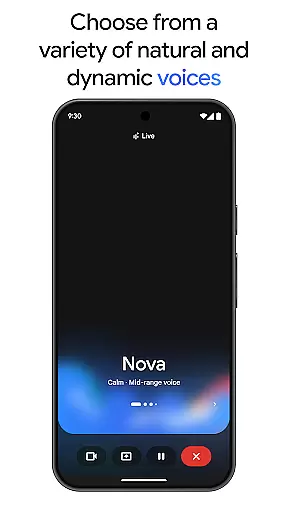
Gemini boasts a wide array of features tailored to boost productivity and creativity. One of its key functionalities is Gemini Live, which allows users to engage in dynamic conversations by sharing their camera or screen, facilitating discussions about virtually anything they see. Another notable feature is Canvas, which helps bring ideas to life by enabling the creation of apps, games, web pages, infographics, and more. Furthermore, the app includes Nano Banana for image generation and editing, supporting advanced tasks like blending images, designing posters, and building diagrams.
The app also offers robust tools for summarizing information, conducting deep research, and generating source links, all consolidated in one place. For users looking to maximize their experience, upgrading to the Pro or Ultra plans provides enhanced access to Google's most capable AI models, such as 3 Pro, along with features like video generation through Veo 3.1 Fast and Deep Research. These premium plans ensure that users can handle intricate tasks with ease, providing early access to new AI innovations and exclusive functionalities, thus maintaining a competitive edge in their respective fields.
Gemini, as a productivity tool, excels in core task management by offering users the ability to brainstorm ideas, simplify complex topics, and rehearse for important moments. Through its Gemini Live feature, users can engage in dynamic conversations with the AI, making it an invaluable assistant for organizing thoughts and planning tasks effectively.
The application provides seamless integration with favorite Google apps such as Search, YouTube, Gmail, and Google Maps, enhancing task management by centralizing resources and information. This interconnected ecosystem allows users to manage their schedules, set reminders, and keep track of their to-dos without switching between multiple applications.
Moreover, Gemini supports study efforts with quiz and flashcard creation, interactive visuals, and real-world examples, which are crucial for users looking to learn and retain information efficiently. The app's capability to turn any file into a podcast is another innovative approach to managing how and when users consume content, allowing for multitasking and learning on-the-go.
Cross-device synchronization is a pivotal feature of Gemini, ensuring that all user data is reliably synced across various devices. Whether you're working from your phone, tablet, or computer, Gemini maintains consistency and accessibility of your information, providing a fluid experience no matter where you are or what device you're using.
This reliable synchronization extends to creative projects within Canvas, where users bring ideas to life. From prototyping apps to designing web pages, every change made is updated in real time across all linked devices. Such functionality ensures that creators can start a project on one device and continue on another without missing a beat.
Furthermore, upgrading to the Pro or Ultra plan enhances this reliability with industry-leading token context windows and higher access to powerful models like 3 Pro. These plans ensure that even the most complex tasks and projects are handled smoothly, with features such as Deep Research on 3 Pro and video generation with Veo 3.1 Fast being consistently available across devices.
Advanced AI models
Seamless Google integration
Dynamic brainstorming tools
Multimedia content creation
Premium subscription benefits
Subscription fees apply
Complex for beginners
Limited free features
High system requirements
Privacy concerns

Remotely view listen control and record cameras.
 3.70
3.70
IP Camera Viewer - Android TV : RTSP Surveillance camera viewer for Android TV
4.0
CalenGoo is a very flexible and feature-rich calendar app
4.40
App lock - lock apps with fingerprint, password, pin or pattern, protect privacy
4.70
App Lock with fingerprint, password: Lock apps & hide photos with lock screens
4.60
Activate Two Factor Authentication (2FA or Multi OTP), Password manager and more
4.10
* block pre-roll ads, pop-up and forced redirect ads * Samsung certification app
4.00
Best Tool for the professionals Electrician, Electrical contractors, etc.
4.90
Understand anything with a personalized AI research assistant
4.80
Android Wallet Password Manager
4.80
Mind Map and brainstorm, note taking and idea collection
4.80
Protect and view your important info on your phone and tablet with eWallet®
4.80
We're working to become the best machining app on the market! www.cncdirt.com
4.80
Calendar 2023 widget for Android. Appointment scheduler, planner, and reminder
4.60
A simple Whisper AI keyboard for reliable speech transcription and rewording
4.60
Automates browsing any website and notifies you of important changes or events
4.30
The ultimate file manager for rooted devices. The original and still the best.
4.00
Ultimate Virtual AI Character for immersive Roleplay Chat. Perfect Companion
3.90
Smart PDF reader & editor to view, organize and manage PDF documents easily.
3.70





User Reviews