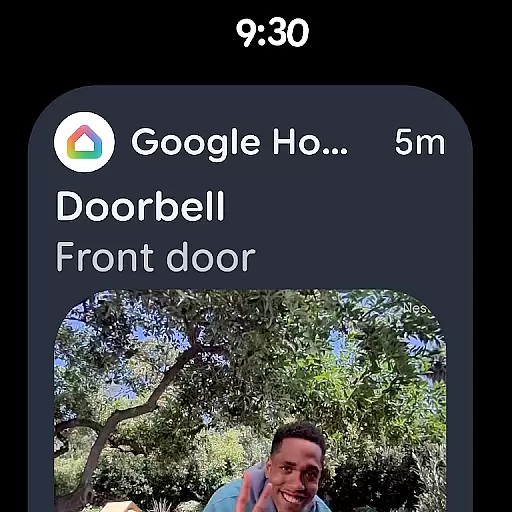
Google Home is an essential application for managing smart home devices, particularly designed for Android Wear. This app allows users to control and monitor their home environment directly from their wearable device. With its intuitive interface, users can easily access important information about their connected devices, such as security cameras, thermostats, and lights.
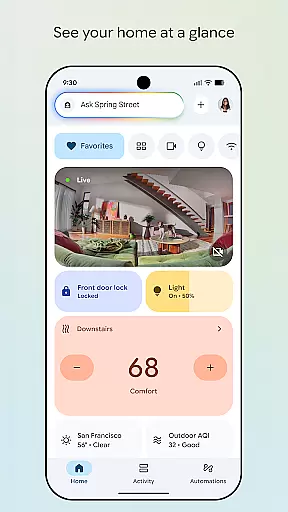
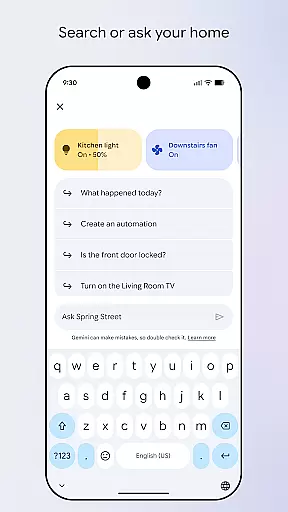
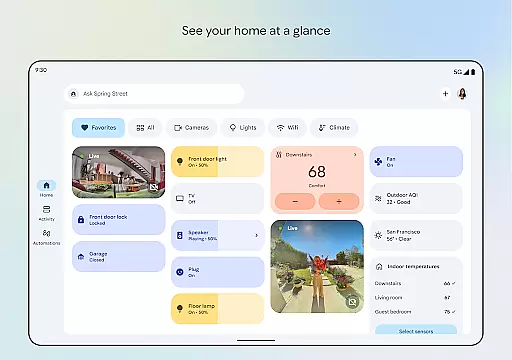
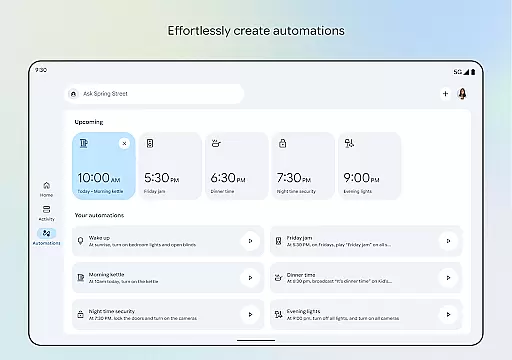
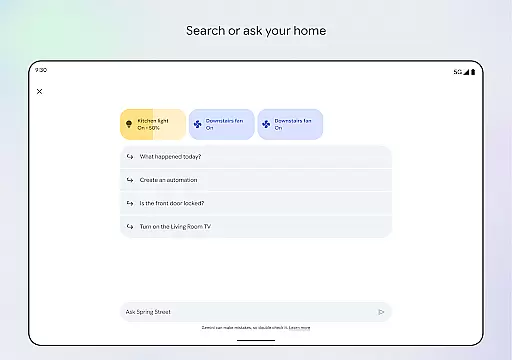
The app provides a comprehensive dashboard that displays the real-time status of all linked devices, ensuring you are always informed about your home's condition. Whether you want to adjust the temperature or check recent camera footage, Google Home streamlines these tasks efficiently. Its seamless integration with Gemini for Home enhances user interaction through voice commands, making home management effortless and accessible at any time.
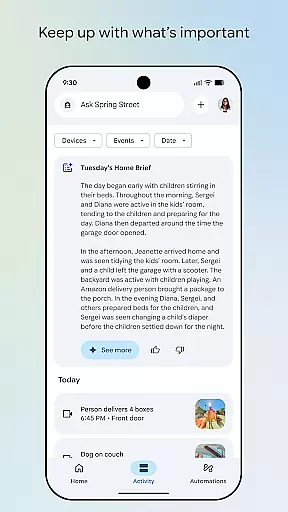
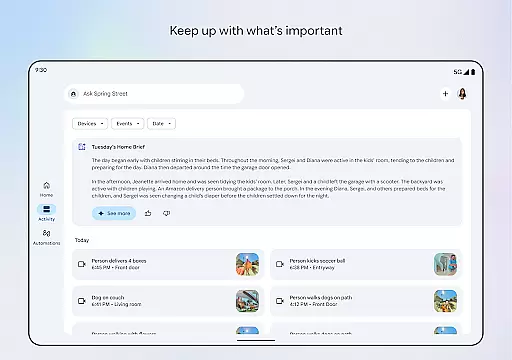
One of the standout features of Google Home is its ability to provide a quick overview of your home's status. The app consolidates data from various smart devices into an easy-to-read format, allowing users to see what they might have missed throughout the day. This functionality is especially useful for maintaining security and comfort in your living space.
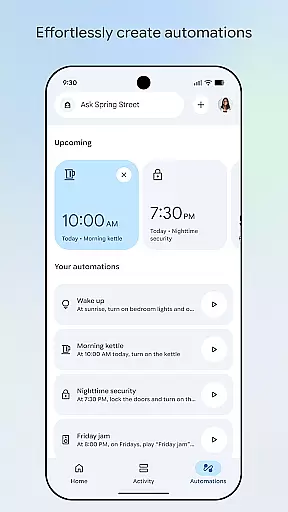
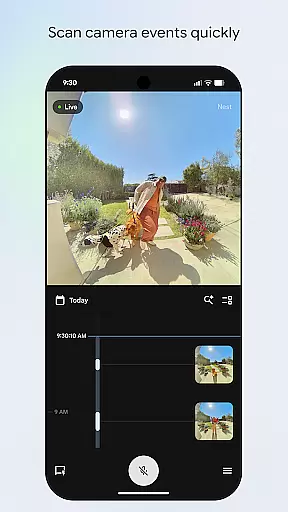
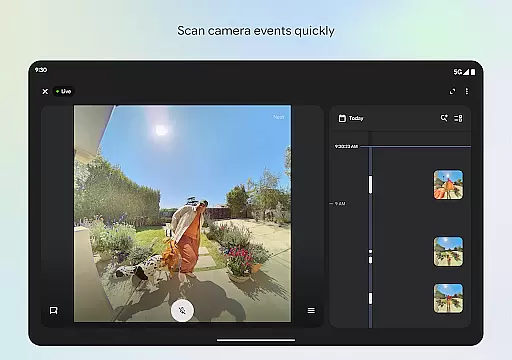
Additionally, Google Home offers an updated design with streamlined organization. Users can group their devices into customizable dashboards, simplifying navigation and settings adjustments. The camera live view and history feature further enhance convenience by enabling swift scanning of past events. With voice command capabilities powered by Gemini for Home, controlling your devices has never been easier or more intuitive.
Companion app integration is essential for wearable devices to function seamlessly with other smart devices. Google Home ensures that your Android Wear device works in harmony with your home ecosystem.
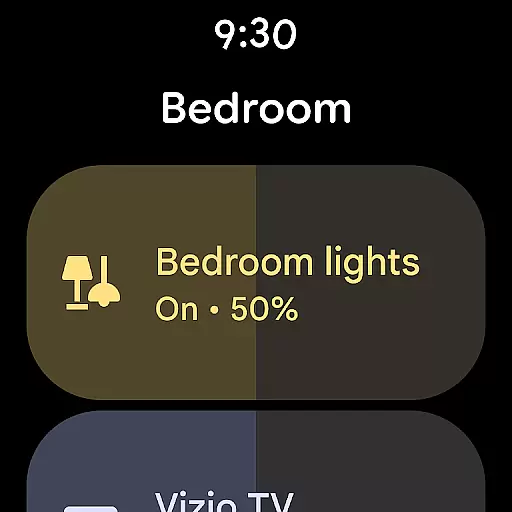
This app allows users to control and monitor their smart home devices directly from their wearable. By syncing with the main application, it provides real-time updates and notifications, ensuring you are always aware of your home's status.
The benefit of this integration is the convenience it offers. Whether you're tracking camera events or adjusting settings on your devices, everything is accessible from your wrist. This seamless connection enhances the overall user experience by providing quick access to critical home functions.
Ultimately, companion app integration transforms your Android Wear device into a powerful remote control for your smart home, offering both functionality and peace of mind.
Ensuring compatibility between Wear OS and various devices is crucial for a cohesive user experience. Google Home excels in providing extensive support for a wide range of devices running on Wear OS.
This compatibility means that regardless of the manufacturer or model of your wearable, you can expect a smooth and consistent performance. The app is designed to adapt to different screen sizes and hardware capabilities, optimizing its interface for the best possible interaction.
Users benefit from this broad compatibility as it allows them to choose from a variety of devices without worrying about losing functionality. Whether you own a smartwatch from brand X or Y, Google Home ensures that all features are fully accessible and operational.
In summary, the compatibility offered by Google Home not only expands your choice of wearables but also guarantees that every feature is tailored to work efficiently across different devices, enhancing usability and satisfaction.
User-friendly interface
Real-time device monitoring
Voice command support
Customizable dashboards
Seamless Android Wear integration
Limited regional availability
Requires compatible devices
Potential connectivity issues
Dependent on internet connection
Privacy concerns with camera feeds

Watch the sharpness of the sky on your wrist..
 3.70
3.70
an Analog Watch Face for winter season with freeze winter background for Wear OS
4.2
A heartwarming Christmas scene featuring a cute image of Santa and Rudolf
4.2
Sleek, highly customizable watch face inspired by Galaxy Watch Circle Dashboard.
4.4
Let's celebrate Thanksgiving - Wear Os watch face
4.20
The ultimate destination for kids ages 3-8 to explore the Marvel Universe!
4.30
Minimalistic design modern digital watch face.
4.1
Hybrid Vibrant Health Watch Face for Wear OS
4.5
Daily Weather forecast with 15 weather images for Day & Night plus Big Bold time
4.10
Beautiful, colorful and practical watch face. For Wear OS devices.
5.00
The Chevron App allows you to pay for fuel from the comfort of your car!
4.80
MyNISSAN® lets you remotely control your car from your phone.*
4.50
Digital watch face with big numbers and many customization for Wear OS devices
4.40
Premium hybrid watch face with many customizations for Wear OS devices.
4.40
Christmas watch face. For Wear OS devices.
4.30
Animated video-game inspired “secret agent” simulation, right on your wrist!
4.20
Wear Os Watch Face - Animated Snow Effect & Christmas Lights
4.1
Christmas and New Year - Themed Watchface
4.2
Christmas is near, let's count together the days left until Santa comes
4.5





User Reviews