
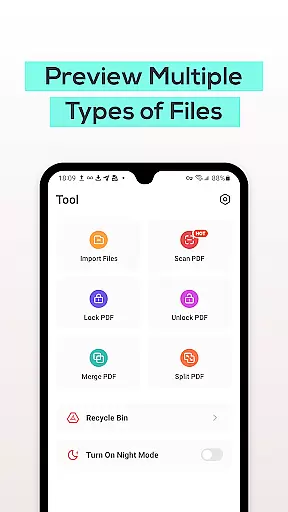
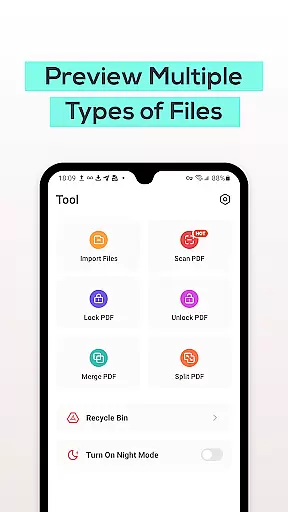
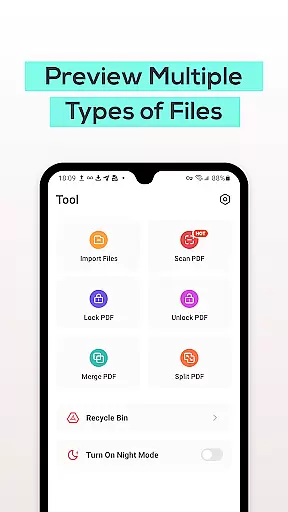
PDF File Reader is a productivity-focused application designed to help users efficiently manage and process PDF files on their mobile devices. The app supports quick viewing of PDF documents, allowing users to perform essential operations such as highlighting, underlining, and adding notes to text. Additionally, it offers advanced features like an integrated Recycle Bin for safer file management, ensuring deleted files are stored for seven days before permanent removal. This makes the app particularly useful for professionals who need to organize, edit, and retrieve PDF documents on the go.
Beyond basic document viewing, PDF File Reader also provides functionality for handling other file formats including Word, PowerPoint, and Excel files. Its intuitive interface and powerful tools make it an ideal solution for streamlining work tasks and enhancing productivity. Whether you're reviewing reports, editing presentations, or managing spreadsheets, this app ensures that your documents are always accessible and easy to manipulate.
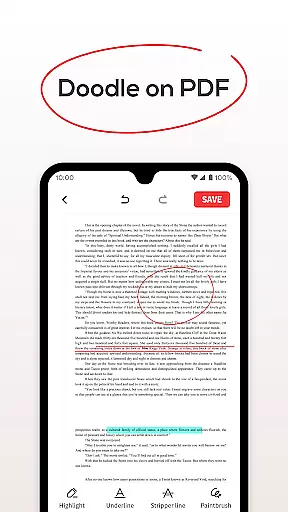
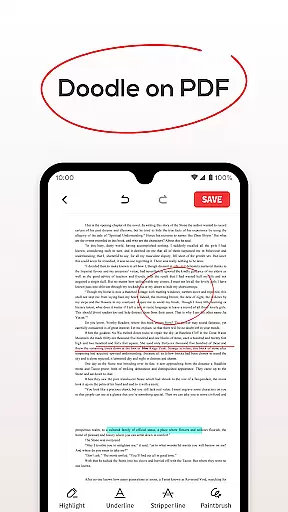
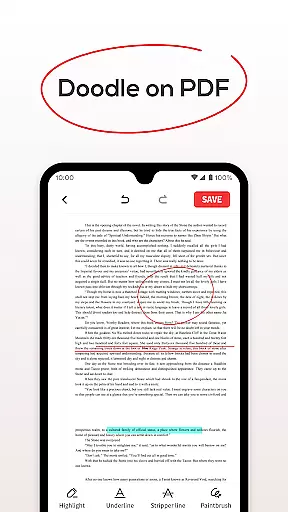
PDF File Reader stands out with its comprehensive set of features tailored for efficient document management. One of its core functionalities is the ability to open and interact with PDF files seamlessly. Users can highlight important sections, underline key points, and even add annotations directly within the document. These features ensure that users can actively engage with their content without needing additional software.
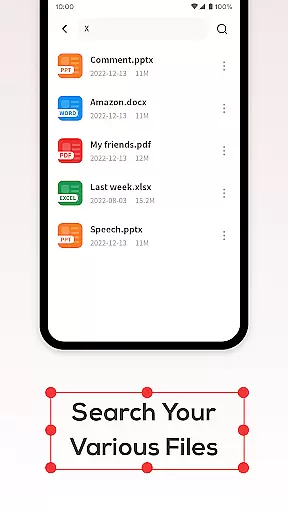
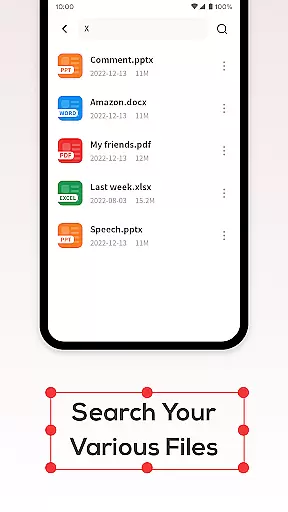
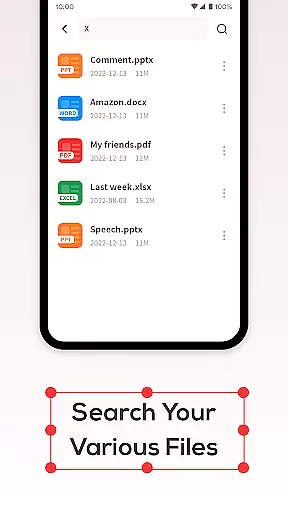
In addition to its robust PDF support, the app includes a smart search function that allows users to quickly locate specific files without delay. This feature is especially valuable when dealing with large collections of documents. Furthermore, the integrated Recycle Bin adds an extra layer of security by temporarily storing deleted files for seven days, giving users ample time to recover accidentally removed documents. With these capabilities, PDF File Reader not only simplifies document handling but also enhances data safety and accessibility.
PDF File Reader excels in core task management by offering a comprehensive suite of tools designed to streamline document handling. This app allows users to open PDF files and perform essential operations with ease.
The application supports simple text manipulations such as adding highlights, fills, and underlines within PDF documents. These features are crucial for users who need to emphasize key points or annotate important information without altering the original document.
Additionally, the app provides a recycle bin feature that enhances file management. Users can choose between permanent deletion or moving files to the recycle bin, which automatically clears documents after seven days. This functionality ensures that users maintain an organized digital workspace while having a safety net for accidental deletions.
Cross-device synchronization is a vital aspect of modern productivity tools, and PDF File Reader delivers reliable performance in this area. The app ensures that your PDF documents are accessible across multiple devices without compromising data integrity.
With the ability to quickly search for PDF documents, users experience minimal wait times when retrieving files. This efficient search functionality is particularly beneficial for individuals managing large volumes of documents, allowing them to locate specific files swiftly.
Moreover, the app's support for viewing Word, PowerPoint, and Excel files extends its utility beyond just PDFs. This versatility means users can rely on a single application for various document types, promoting seamless transitions between different file formats and enhancing overall workflow efficiency.
User-friendly interface
Advanced PDF editing tools
Integrated Recycle Bin
Supports multiple file formats
Fast document search
Limited free features
No cloud sync
Occasional ads
Heavy on storage
Basic collaboration tools

Seamlessly integrate data and reports to build your presentation to impress
 4.80
4.80
The long-awaited modern gallery app for your Nextcloud server
4.70
Create study competitions, track your hours, and stay consistent with friends
4.3
Unlock AutoNotification
4.00
App lock - lock apps with fingerprint, password, pin or pattern, protect privacy
4.70
All document reader, all in one file viewer read PDF, DOCX, XLS, PPT, TXT files.
4.60
Access your phone's notifications, calls, apps, photos & texts on your PC
3.90
Okta MFA
4.70
AI Chatbot and AI writing assistant powered by ChatGPT.
4.60
Scientific calculator for Android - looks and operates like the real thing!
4.90
Quickly and easily keep track of your work shifts
4.70
A Pixel Art watchface inspired by other iconic 90s designs for Wear OS devices!
4.40
Automates browsing any website and notifies you of important changes or events
4.30
Total remote control for your Android device, PC and cloud services (IFTTT)!
4.20
Pwnagotchi companion app
4.20
Intelligent AI Assistant
4.10
Create and edit presentations with Google Slides, part of Google Workspace.
4.00
Code on-the-go with VScode for Android. Edit,debug and collaborate from mobile!!
3.10
A simple, portable logger for POTA, SOTA, Field Day, and more
4.3



User Reviews