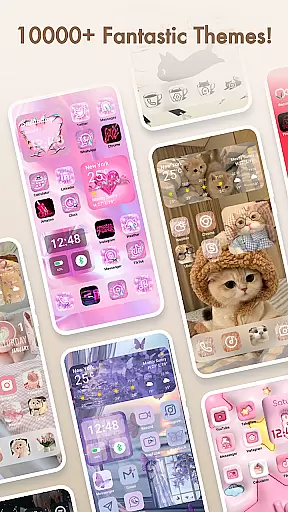
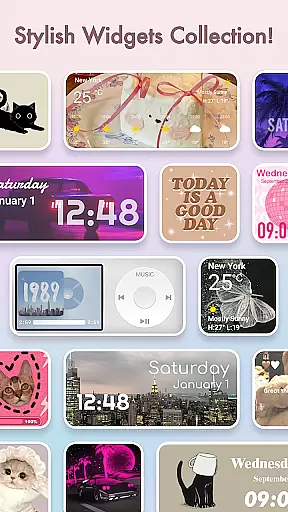
Themepack - App Icons, Widgets is a comprehensive personalization app for Android users who want to design their unique home screen. With over 10,000 functional widgets, icons, and wallpapers, the app offers extensive customization options including stylish widgets, DIY icons, and visually appealing wallpapers. Users can personalize their device's appearance with custom widgets that display battery information, dynamic image effects, calendar, clock, weather, and control panel features.
The app stands out through its deep customization capabilities. Users can create distinctive icons by choosing from various styles, fonts, colors, and transparency levels. The available aesthetic backgrounds cover diverse themes such as K-pop, anime, neon, sports, and festivals, allowing for one-click home screen transformations. This makes Themepack an ideal choice for users seeking both functionality and visual appeal in their device's interface.
Themepack enhances user experience by offering regular updates and easy-to-use features. Its intuitive interface allows users to quickly change their home screen themes, making it suitable for both casual users and design enthusiasts. The app's ability to transform the traditional screen appearance while providing practical widget functions delivers significant value to users looking to express their personal style through their mobile devices.
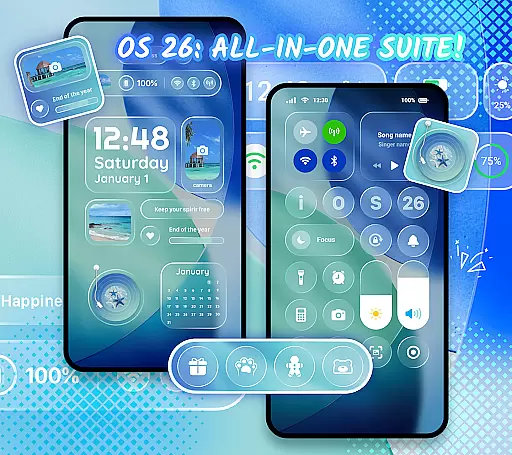
Themepack provides a rich set of features designed to maximize home screen customization. One of its core functionalities is the wide variety of widgets available, ranging from battery indicators to dynamic image effects, clocks, calendars, weather updates, and control panels. These widgets not only serve practical purposes but also introduce visually engaging elements to the user's home screen, enhancing both aesthetics and usability.
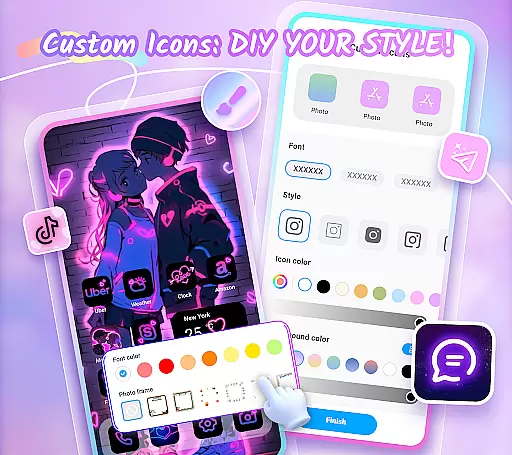
A standout feature is the DIY icon creation tool. Users can customize icons with different styles, fonts, colors, and transparency settings, allowing them to match their device's applications perfectly. The app also offers personalized widgets where users can select images from their gallery and apply custom designs. This level of customization ensures that each user's home screen is truly unique and reflective of their personal style.
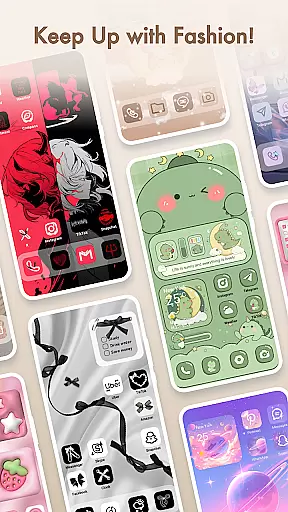
Additionally, Themepack includes thousands of professionally designed wallpapers and themes covering various categories like K-pop, anime, and seasonal themes. The app's one-click replacement function makes it easy to apply these designs instantly. Regular updates and fast implementation ensure users always have access to fresh content, maintaining their interest and engagement with the app over time.
Themepack offers an extensive range of customization options that allow users to personalize their Android device's home screen with ease. The app provides over 10,000 functional widgets, icons, and wallpapers, catering to various preferences and styles.
Users can choose from a multitude of stylish widgets including battery indicators, dynamic image effects, calendars, clocks, weather updates, and control panels. These widgets not only serve practical purposes but also enhance the visual appeal of the home screen by replacing traditional appearances with surprising and engaging designs.
In addition to pre-designed elements, Themepack supports DIY icon creation, enabling users to customize icons with different styles, fonts, colors, transparency levels, and background settings. This feature empowers individuals to create unique icons that reflect their personal taste and match their device applications perfectly.
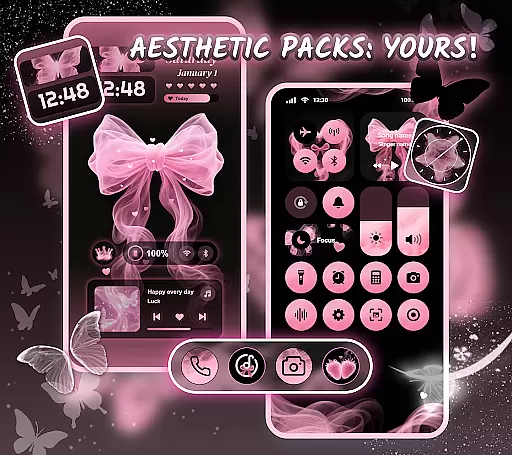
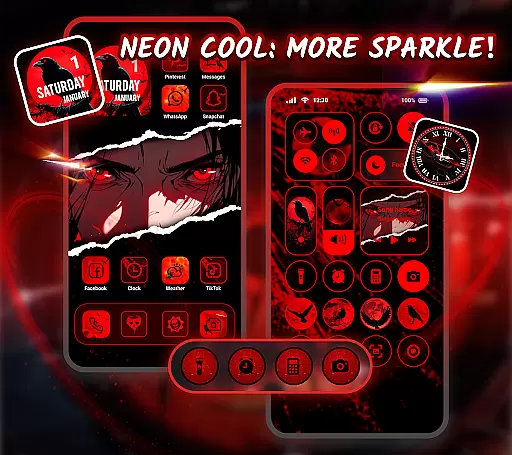
The ability to select from aesthetic backgrounds such as K-pop wallpapers, anime themes, neon styles, sports motifs, and festival themes further enriches the customization experience. With one-click additions for these visually appealing assets, Themepack streamlines the process of crafting a personalized home screen that is both distinctive and expressive.
Theme compatibility in Themepack ensures that all design elements work seamlessly across various devices and screen sizes. As users look to be designers of their own home screens, they need assurance that the chosen themes will display correctly without losing quality or functionality.
Themepack - App Icons, Widgets has been crafted with attention to detail, ensuring that each theme pack integrates smoothly with the user's device interface. Whether itu2019s through stylish widgets or custom icons, every component is optimized for performance while maintaining visual consistency.
Moreover, the app's commitment to regular updates means that new themes are frequently added, keeping up with current trends and technological advancements. Users benefit from this ongoing support as it guarantees long-term compatibility and access to fresh content that keeps their devices looking modern and unique.
By prioritizing theme compatibility alongside creative freedom, Themepack delivers a cohesive customization solution where aesthetics meet practicality, allowing users to express themselves fully without compromising on usability or device performance.
Extensive Customization
User-Friendly Interface
Regular Content Updates
Variety of Themes
DIY Icon Creation
Requires Accessibility Permissions
Some Features May Be Complex
Premium Content Available
Occasional Bugs
Design Limitations

Vertically oriented rectangular icons
 4.70
4.70
Customizable flower power digital watch face for Wear OS watches.
4.00
Transform your phone with Launcher iOS 26 - Smooth & elegant iOS experience
4.50
Themes - Widget & Wallpaper: Customize home screen, icon changer w unique themes
4.30
Personalize your phone with stunning HD and 4K wallpapers!
4.70
More than 3000+ themes and 9000+ wallpapers for everybody!
4.10
Romantic Kiss Stickers App. Start romantic messaging now!
4.30 4.10
4.10
Unleash Your Creativity and Connect with Loved Ones with Lockscreen Drawing!
4.20
Dark icon pack based on One 8
4.80
400+ Beautifully crafted widgets inspired by NOTHING.
4.70
Glass style colourful icons with a One UI look and feel
4.60
Add cute Shimeji pets to screen, interact with them and relax with cute motions
4.60
Ultimate Gallery Lock App - Hide Pictures, Videos and Lock Apps Instantly!
4.60
Art & Emoji Keyboard with Cool Fonts, Cute Themes and Custom Designs.
4.40
Create unique, fun emojis with Funny Emoji Maker! Unlimited creativity!
4.00
Design your screen with unique, vibrant clocks
3.80
Prank your friends with realistic broken screen and cracked HD effects!
4.0
⭐ OneUI inspired Fluffy Icon Pack – Soft. Stylish. Standout. ⭐
4.4



User Reviews