MiXplorer Silver File Manager is a comprehensive productivity tool designed for efficient file management on Android devices. This paid app combines the core MiXplorer file manager with essential add-ons including Archiver, Image viewer, Tagger, and PDF reader, offering users an all-in-one solution for handling various file types. With its themable interface and customization options, users can personalize the appearance while enjoying advanced features like tabbed browsing, dual panels in landscape mode, and multitasking capabilities through task creation.
The app stands out with its extensive format support for packing and unpacking files, cloud storage integration from multiple providers, and built-in viewers for different file formats. Whether you need to manage local files, access cloud storage, or handle specialized file types like EPUB or APK, MiXplorer Silver provides the tools needed to get the job done efficiently. Its intuitive design and robust feature set make it particularly valuable for power users who require advanced file operations without compromising on usability.
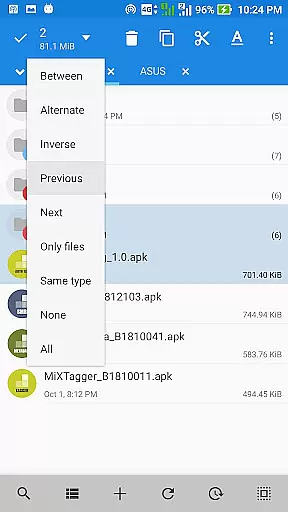
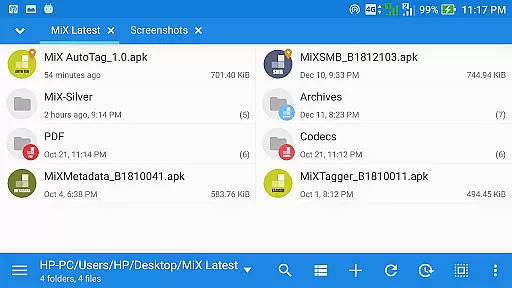
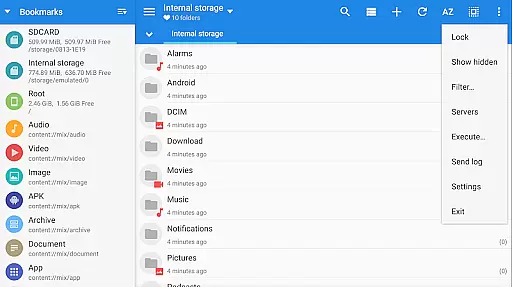
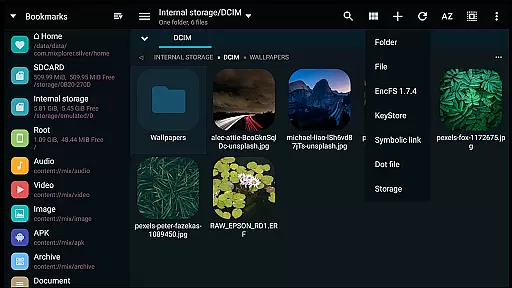
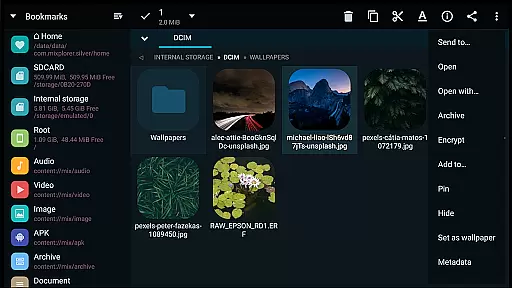
MiXplorer Silver boasts an impressive array of features that cater to both casual and power users. The app allows complete customization of its interface, enabling users to modify colors, sort menu options, and enable or disable action buttons according to their preferences. It supports unlimited tabbed browsing and offers a dual-panel view in landscape mode, facilitating seamless drag-and-drop operations between panels. Additionally, the Task feature lets users multitask operations such as copying, moving, and other file manipulations effortlessly.
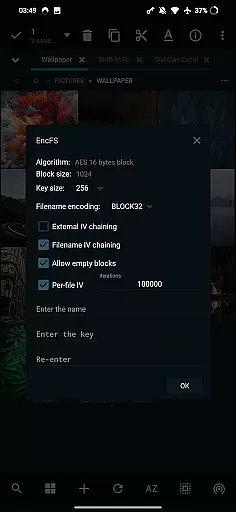
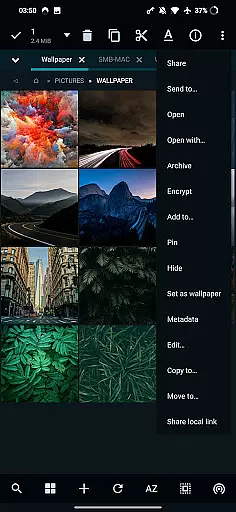
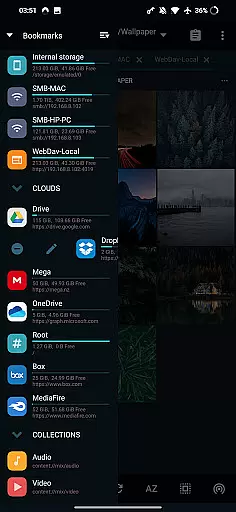
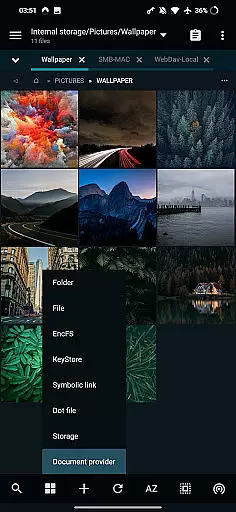
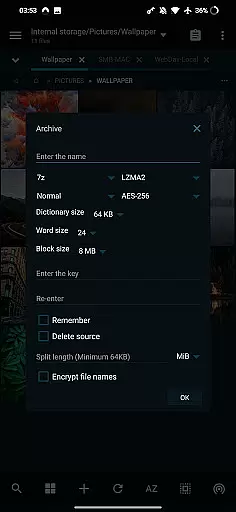
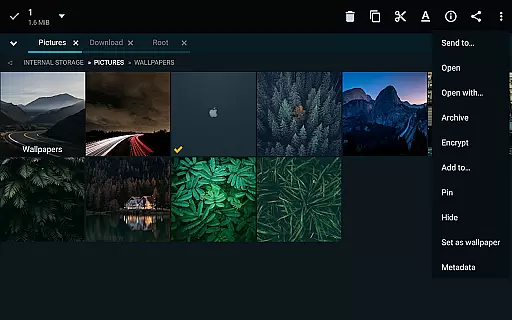
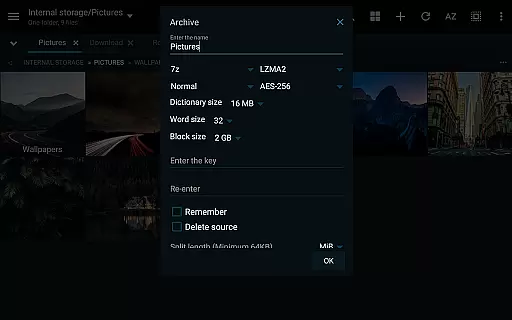
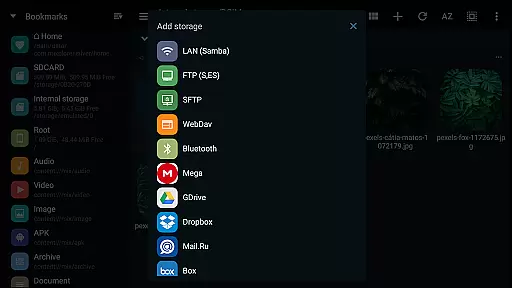
One of the standout aspects of MiXplorer Silver is its extensive file format support. The app can pack and unpack numerous archive formats including 7z, Zip, TAR, and many others. It also provides unpack-only support for additional formats like RAR, ISO, and DMG. Cloud storage integration is another key feature, allowing access to popular services like Google Drive, Dropbox, and OneDrive from a unified interface. Advanced functionalities such as root access, EncFS volume support, and file encryption using Aescrypt format further enhance its utility for users requiring secure and sophisticated file management solutions.
In the realm of file management, MiXplorer Silver stands out with its robust core task management capabilities. This feature allows users to effortlessly handle multiple operations such as copying, moving, and other file manipulations through an intuitive task creation system.
Users can initiate and monitor various tasks simultaneously, ensuring efficient multitasking without the hassle of managing each operation individually. The ability to sort, enable, or disable menu options and action buttons adds another layer of customization, streamlining workflows according to personal preferences.
The app's tabbed browsing supports unlimited tabs, alongside a dual-panel view in landscape mode, enhancing navigation and organization. With drag-and-drop functionality between panels, managing files across different locations becomes seamless and efficient.
Overall, MiXplorer Silver's task management system empowers users to maintain control over their file operations, boosting productivity by simplifying complex tasks into manageable actions.
Cross-device synchronization is a pivotal aspect of modern productivity tools, and MiXplorer Silver excels in providing reliable and real-time updates across multiple devices. This ensures that whether you're working on your phone, tablet, or any other connected device, your data remains consistent and up-to-date.
The app supports a wide array of cloud storage services including Google Drive, Dropbox, and OneDrive, among others. This extensive support means users can access their files from any device with internet connectivity, without worrying about version control or data loss.
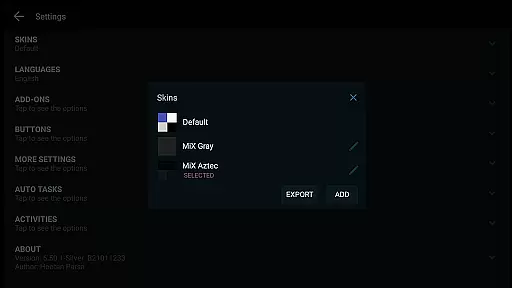
Moreover, MiXplorer Silver offers export and import functionalities for all preferences, bookmarks, and customized skins. This means your personalized settings and themes can be effortlessly transferred across devices, maintaining a uniform experience wherever you go.
By prioritizing synchronization reliability, MiXplorer Silver ensures that users can depend on having their most current files and settings at their fingertips, regardless of the device they are using.
Highly customizable interface
Extensive file format support
Advanced cloud integration
Efficient multitasking capabilities
Robust security features
Paid app with no free version
Complex for beginners
Occasional performance issues
Limited customer support
Heavy on system resources

Seamlessly integrate data and reports to build your presentation to impress
 4.80
4.80
Fill, sign & send docs, forms, agreements & contracts via electronic signature.
4.50
PDF scanner & converter for files, photos, lottery, QR codes. One swipe away!
4.50
Multilingual translator for text, voice, and image translation!
4.90
Best Tool for the professionals Electrician, Electrical contractors, etc.
4.90
A beautiful digital clock with autostart and many other functions
4.70
The ultimate file manager for rooted devices. The original and still the best.
4.00
AT&T Internet customers can use this app to personalize their Wi-Fi network.
4.40
Seamlessly read, manage, and organize all your PDF files solution in one place
4.40
Quickly and easily keep track of your work shifts
4.70
aCalendar+ makes your day, week and month
4.70
Secure, fast, open-source, Remote Desktop Client for Windows and Linux with SSH
4.60
Stay on top of your to-dos with Google Tasks, part of Google Workspace.
4.60
Subscribe to Webcal & .ics calendars and keep them up-to-date!
4.50
This small app MUST BE INSTALLED after purchase, else license won't work
4.40
When you Focus, so will your Bean in this cozy focus timer
4.30
Experience real multitasking on your Android!
4.00
AI Video AI Image Private LLM AI Browser Llama Gemma Ollama Connect LLM Studio
4.5
Create study competitions, track your hours, and stay consistent with friends
4.3



User Reviews